Valet: Updating to Valet version 2.8.1 on macOs 10.15.2 with php 7.4 - 504 Gateway Time-out
Valet version : 2.8.1
macOs version: 10.15.2
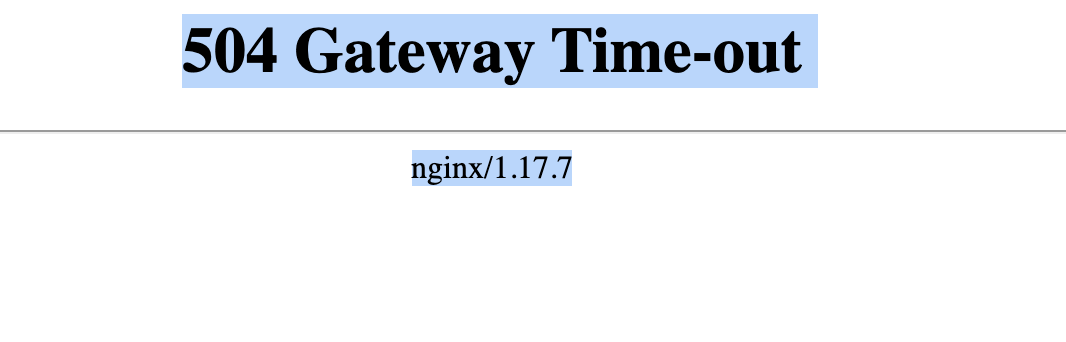
Error: 504 Gateway Time-out
nginx-error-log

Contents of /usr/local/etc/php/7.4/php-fpm.d/valet-fpm.conf
; FPM pool configuration for Valet

[valet]
user = neerav
group = staff
listen = /Users/neerav/.config/valet/valet.sock
listen.owner = neerav
listen.group = staff
listen.mode = 0777

;; When uncommented, the following values will take precedence over settings declared elsewhere
;php_admin_value[memory_limit] = 128M
;php_admin_value[upload_max_filesize] = 128M
;php_admin_value[post_max_size] = 128M

;php_admin_value[error_log] = /Users/neerav/.config/valet/Log/fpm-php.www.log
;php_admin_flag[log_errors] = on


pm = dynamic
pm.max_children = 5
pm.start_servers = 2
pm.min_spare_servers = 1
pm.max_spare_servers = 3
Contents of /usr/local/etc/nginx/nginx.conf
user "neerav" staff;
worker_processes auto;

events {
    worker_connections  1024;
}

http {
    include mime.types;
    default_type  application/octet-stream;

    sendfile on;
    keepalive_timeout  65;
    types_hash_max_size 2048;
    client_max_body_size 128M;

    server_names_hash_bucket_size 128;

    gzip  on;
    gzip_comp_level 5;
    gzip_min_length 256;
    gzip_proxied any;
    gzip_vary on;

    ssi on;

    gzip_types
    application/atom+xml
    application/javascript
    application/json
    application/rss+xml
    application/vnd.ms-fontobject
    application/x-font-ttf
    application/x-web-app-manifest+json
    application/xhtml+xml
    application/xml
    font/opentype
    image/svg+xml
    image/x-icon
    text/css
    text/plain
    text/x-component;

    include "/Users/neerav/.config/valet/Nginx/*";
    include servers/*;
    include valet/valet.conf;
}
Contents of /usr/local/etc/nginx/valet/valet.conf
server {
    listen 127.0.0.1:80 default_server;
    root /;
    charset utf-8;
    client_max_body_size 128M;

    location /41c270e4-5535-4daa-b23e-c269744c2f45/ {
        internal;
        alias /;
        try_files $uri $uri/;
    }

    location / {
        rewrite ^ "/Users/neerav/.composer/vendor/laravel/valet/server.php" last;
    }

    location = /favicon.ico { access_log off; log_not_found off; }
    location = /robots.txt  { access_log off; log_not_found off; }

    access_log off;
    error_log "/Users/neerav/.config/valet/Log/nginx-error.log";

    error_page 404 "/Users/neerav/.composer/vendor/laravel/valet/server.php";

    location ~ [^/]\.php(/|$) {
        fastcgi_split_path_info ^(.+\.php)(/.+)$;
        fastcgi_pass "unix:/Users/neerav/.config/valet/valet.sock";
        fastcgi_index "/Users/neerav/.composer/vendor/laravel/valet/server.php";
        include fastcgi_params;
        fastcgi_param SCRIPT_FILENAME "/Users/neerav/.composer/vendor/laravel/valet/server.php";
        fastcgi_param PATH_INFO $fastcgi_path_info;
    }

    location ~ /\.ht {
        deny all;
    }
}
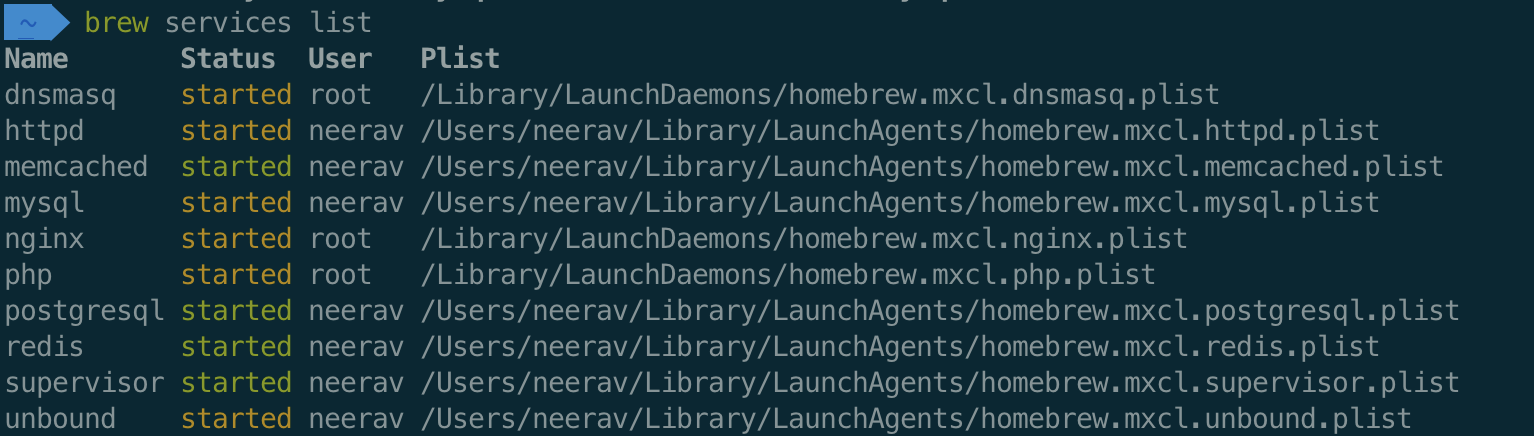
Output of brew services list
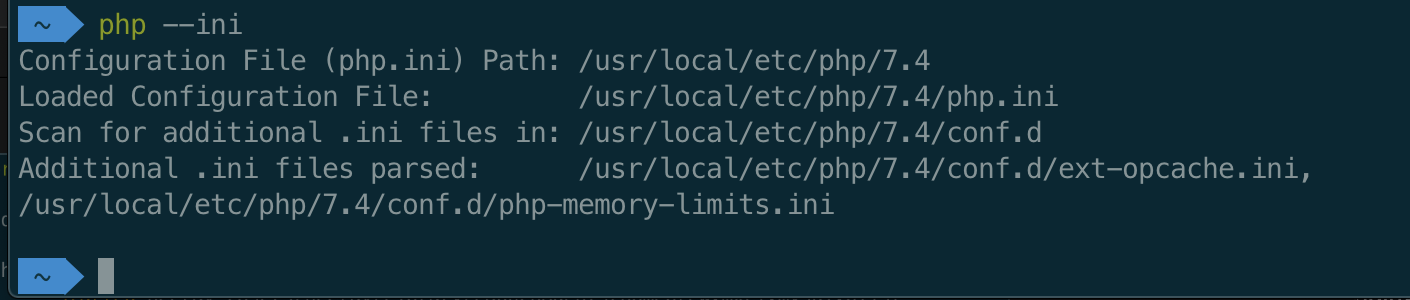
php --ini
Things broke when I tried to upgrade PHP from 7.3.11 to 7.4.
What I have tried so far
```
valet uninstall --force
brew services restart --all
brew uninstall php
brew install php
composer global update
valet install
```
Reboot the computer.
Nothing works - still getting 504 Gateway Time-out error
 thinkstudeo
All 50 comments
Your 504 Gateway Timeout is from PHP not responding to Nginx's request.
Does /Users/neerav/.config/valet/valet.sock exist?
What errors are recorded in /usr/local/var/log/php-fpm.log when starting PHP?
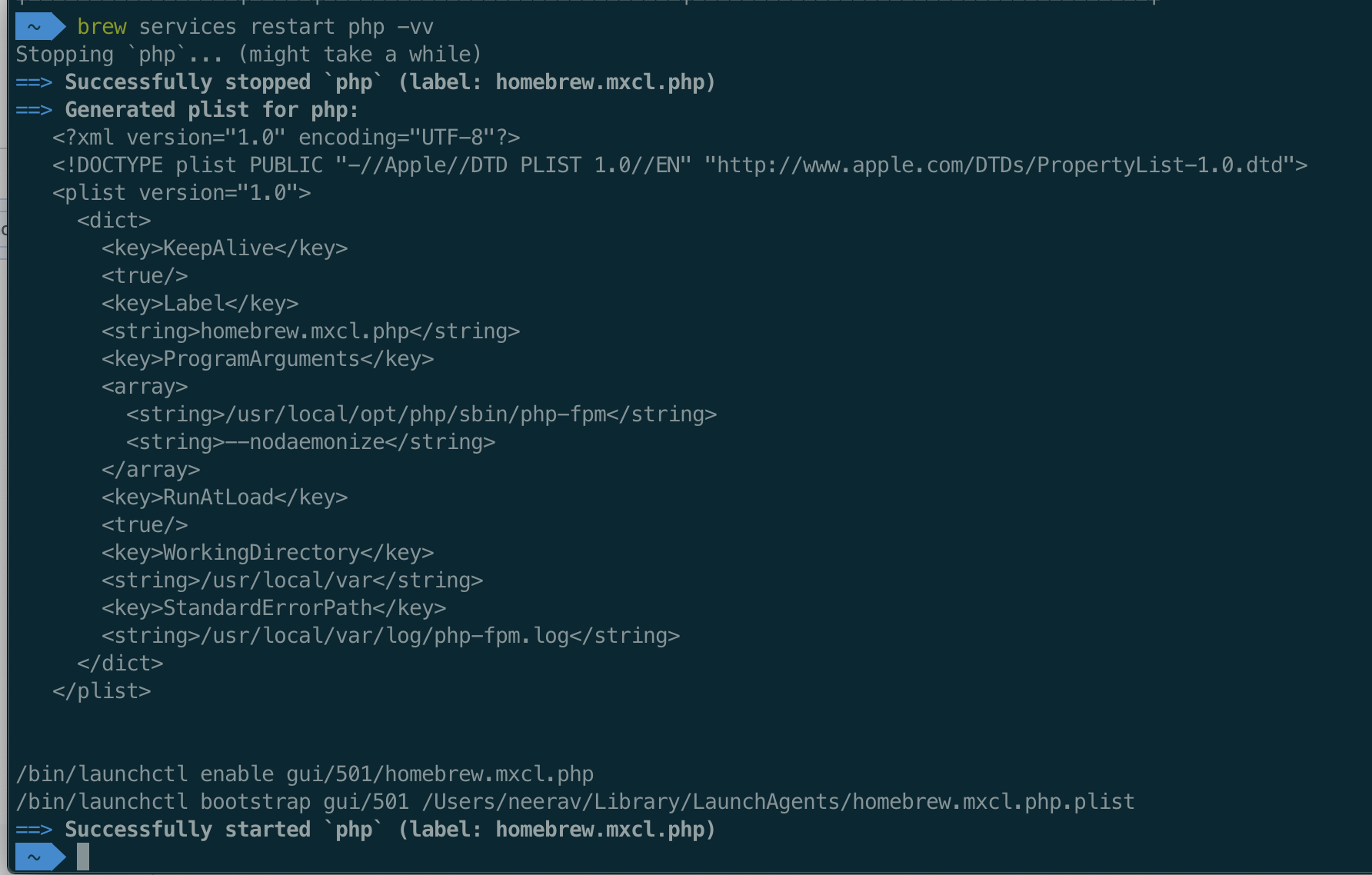
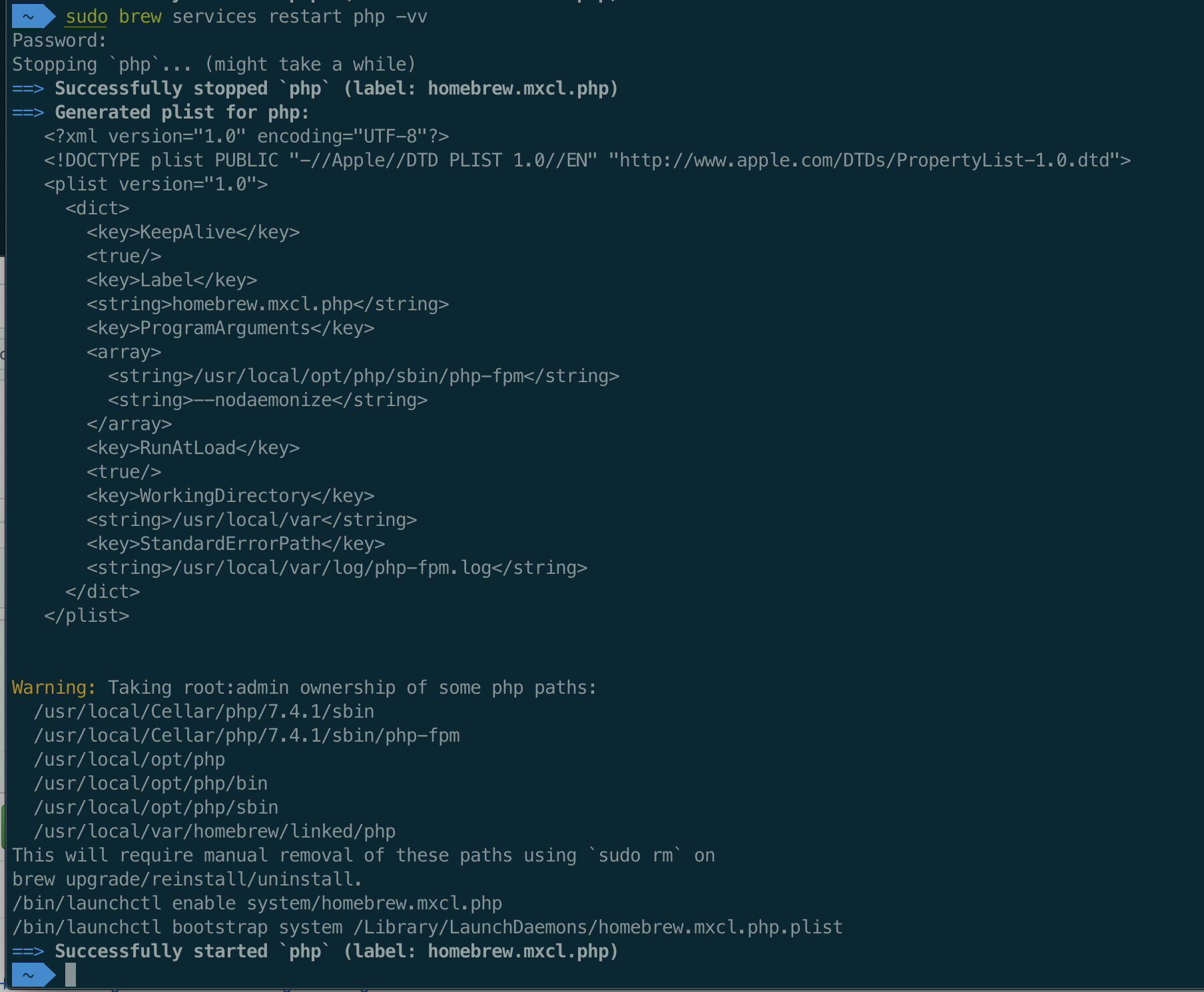
What's the output of brew services restart php -vv ?
 drbyte
on 21 Jan 2020
drbyte
on 21 Jan 2020
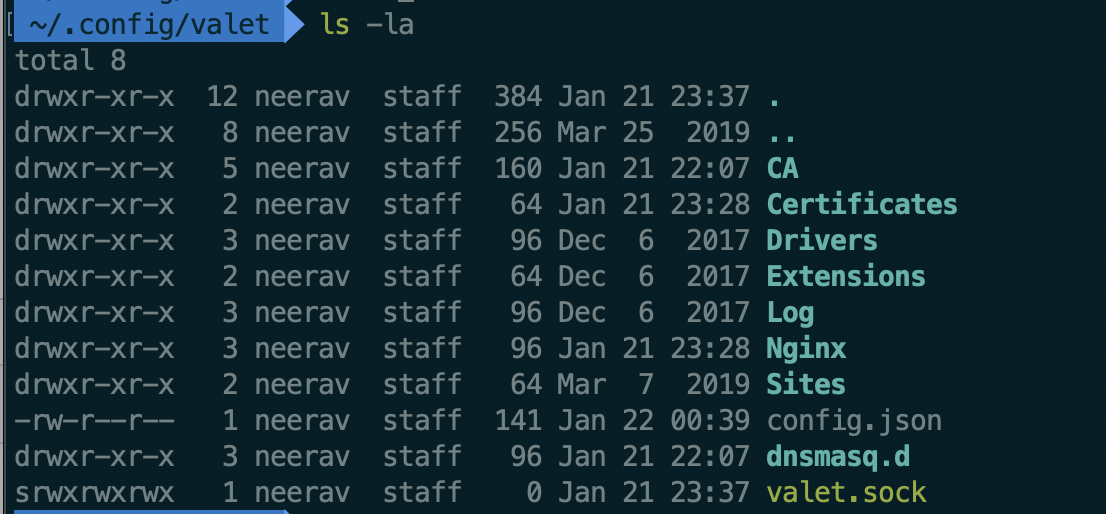
Yes /Users/neerav/.config/valet/valet.sock is there (exists)
Content of /usr/local/var/log/php-fpm.log
[22-Jan-2020 00:53:27] NOTICE: [pool valet] 'user' directive is ignored when FPM is not running as root
[22-Jan-2020 00:53:27] NOTICE: [pool valet] 'user' directive is ignored when FPM is not running as root
[22-Jan-2020 00:53:27] NOTICE: [pool valet] 'group' directive is ignored when FPM is not running as root
[22-Jan-2020 00:53:27] NOTICE: [pool valet] 'group' directive is ignored when FPM is not running as root
[22-Jan-2020 00:53:27] ERROR: Another FPM instance seems to already listen on /Users/neerav/.config/valet/valet.sock
[22-Jan-2020 00:53:27] ERROR: Another FPM instance seems to already listen on /Users/neerav/.config/valet/valet.sock
[22-Jan-2020 00:53:27] ERROR: FPM initialization failed
[22-Jan-2020 00:53:27] ERROR: FPM initialization failed
[22-Jan-2020 00:53:37] NOTICE: [pool valet] 'user' directive is ignored when FPM is not running as root
[22-Jan-2020 00:53:37] NOTICE: [pool valet] 'user' directive is ignored when FPM is not running as root
[22-Jan-2020 00:53:37] NOTICE: [pool valet] 'group' directive is ignored when FPM is not running as root
[22-Jan-2020 00:53:37] NOTICE: [pool valet] 'group' directive is ignored when FPM is not running as root
[22-Jan-2020 00:53:37] ERROR: Another FPM instance seems to already listen on /Users/neerav/.config/valet/valet.sock
[22-Jan-2020 00:53:37] ERROR: Another FPM instance seems to already listen on /Users/neerav/.config/valet/valet.sock
[22-Jan-2020 00:53:37] ERROR: FPM initialization failed
[22-Jan-2020 00:53:37] ERROR: FPM initialization failed
Output of brew services restart php -vv
thinkstudeo
on 21 Jan 2020
What's the output of
brew services restart php -vv?
Apologies, I meant to run that as sudo because you're running PHP as root.
drbyte
on 21 Jan 2020
I have installed php via brew install php which runs php as root probably.
Here's the output
thinkstudeo
on 21 Jan 2020
Yes, and most Valet installs run PHP as root. This is fine.
drbyte
on 21 Jan 2020
[22-Jan-2020 00:53:27] ERROR: Another FPM instance seems to already listen on /Users/neerav/.config/valet/valet.sock
This is probably the key.
Do you have multiple *.conf files in /usr/local/etc/php/7.4/php-fpm.d/ ?
drbyte
on 21 Jan 2020
No. Here's the output of ls -la /usr/local/etc/php/7.4/php-fpm.d/

thinkstudeo
on 21 Jan 2020
But I do have leftover i.e. un-removed earlier versions of php in /usr/local/etc/php

Could that be a problem?
thinkstudeo
on 21 Jan 2020
Strictly speaking those shouldn't matter, and will possibly be useful if you want to use those older versions.
drbyte
on 21 Jan 2020
What's the output of: ps aux | grep fpm
drbyte
on 21 Jan 2020
ps aux | grep fpm output

thinkstudeo
on 21 Jan 2020
Hmm, apart from expecting to see one of those (not all three) running as root, it looks normal.
What's the output of:
# stop PHP
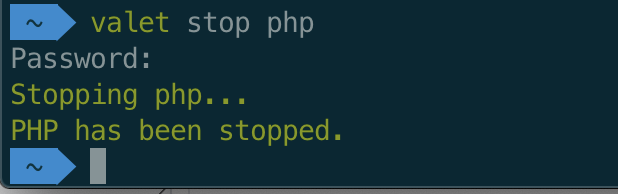
valet stop php
ls -aln /Library/LaunchAgents
ls -aln /Library/LaunchDaemons
#home
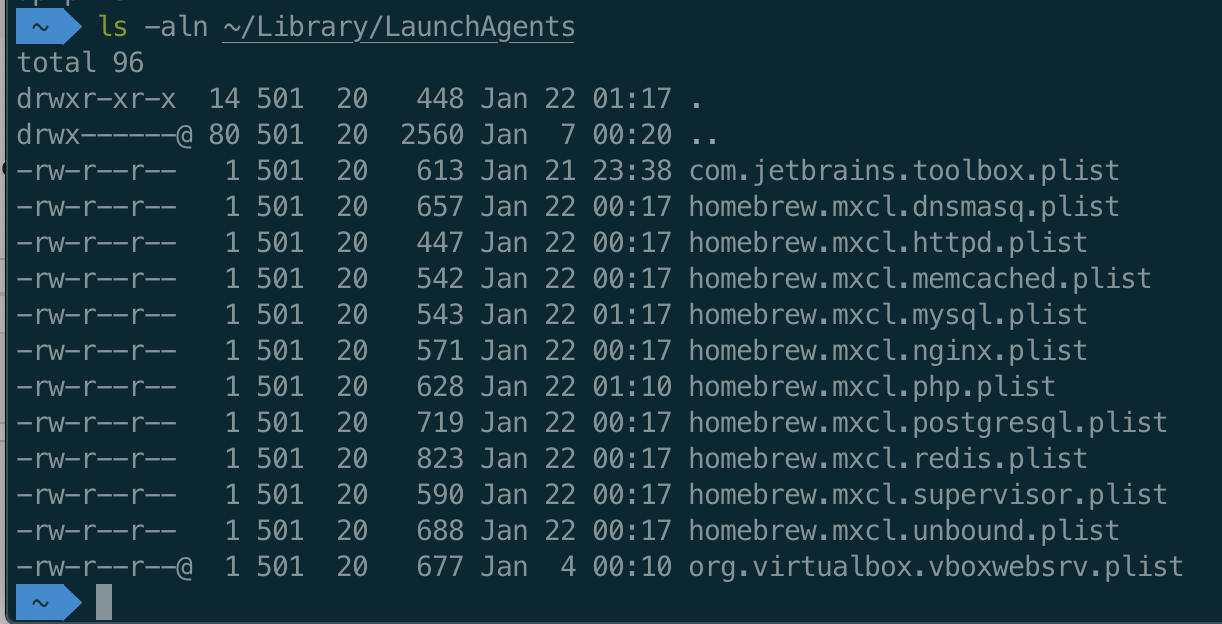
ls -aln ~/Library/LaunchAgents
Here I'm looking for duplicates that could be firing multiple instances of PHP-FPM.
I'm inclined to stop all PHP using valet stop, then manually remove all the homebrew Launch files related to loading PHP, and then manually run valet start
drbyte
on 21 Jan 2020


thinkstudeo
on 21 Jan 2020
Let's remove the PHP71 file:
sudo rm /Library/LaunchDaemons/homebrew.mxcl.php71.plist
and then valet restart
drbyte
on 21 Jan 2020
Nope. Error remains
[22-Jan-2020 01:24:58] ERROR: Another FPM instance seems to already listen on /Users/neerav/.config/valet/valet.sock
[22-Jan-2020 01:24:58] ERROR: Another FPM instance seems to already listen on /Users/neerav/.config/valet/valet.sock
[22-Jan-2020 01:24:58] ERROR: FPM initialization failed
[22-Jan-2020 01:24:58] ERROR: FPM initialization failed
[22-Jan-2020 01:25:08] ERROR: Another FPM instance seems to already listen on /Users/neerav/.config/valet/valet.sock
[22-Jan-2020 01:25:08] ERROR: Another FPM instance seems to already listen on /Users/neerav/.config/valet/valet.sock
[22-Jan-2020 01:25:08] ERROR: FPM initialization failed
[22-Jan-2020 01:25:08] ERROR: FPM initialization failed
[22-Jan-2020 01:25:18] ERROR: Another FPM instance seems to already listen on /Users/neerav/.config/valet/valet.sock
[22-Jan-2020 01:25:18] ERROR: Another FPM instance seems to already listen on /Users/neerav/.config/valet/valet.sock
[22-Jan-2020 01:25:18] ERROR: FPM initialization failed
[22-Jan-2020 01:25:18] ERROR: FPM initialization failed
[22-Jan-2020 01:25:28] ERROR: Another FPM instance seems to already listen on /Users/neerav/.config/valet/valet.sock
[22-Jan-2020 01:25:28] ERROR: Another FPM instance seems to already listen on /Users/neerav/.config/valet/valet.sock
[22-Jan-2020 01:25:28] ERROR: FPM initialization failed
[22-Jan-2020 01:25:28] ERROR: FPM initialization failed
Even restarted php brew services restart php
thinkstudeo
on 21 Jan 2020
Alright, then let's go ahead and remove/rename those /usr/local/etc/php/7.old directories, keeping just the 7.4 one.
Also, since you said you did a reboot I'm trusting that the system doesn't need another one.
Next I'd suggest stopping the Valet services:
valet stop
and then let's see if any PHP is still running, in case this exposes the problem:
ps aux | grep php
If there's a rogue PHP still running, let's get it stopped, and figure out how to make sure it doesn't restart on boot.
Then I'd test it with valet start
And another final test with a reboot.
drbyte
on 21 Jan 2020
Removed 7.1, 7.2, 7.3 - all except 7.4 from /usr/local/etc/php
valet stop
Output of ps aux | grep php

thinkstudeo
on 21 Jan 2020
Interesting that FPM is still running.
Since valet stop should have shut down PHP, I'd now expect brew services list to not show PHP as running.
So, check that.
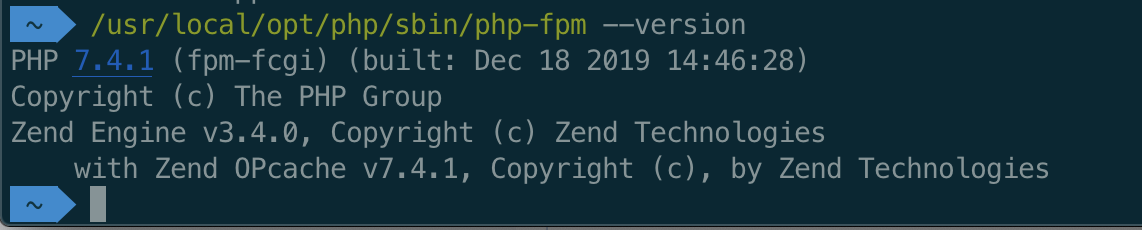
I'm also interested in /usr/local/opt/php/sbin/php-fpm --version ... and I wish I could find a parameter to get it to dump out the active config that it would normally read, but doesn't seem to do that from CLI.
drbyte
on 21 Jan 2020

It's showing as error not as stopped
thinkstudeo
on 21 Jan 2020
anything in the log file about the error?
/usr/local/var/log/php-fpm.log
(unfortunately brew shows "error" when it can't find a response it "likes", not always because of a real "error" message)
drbyte
on 21 Jan 2020
No new error in the log file. Error from a few minutes ago
[22-Jan-2020 01:38:28] NOTICE: [pool valet] 'user' directive is ignored when FPM is not running as root
[22-Jan-2020 01:38:28] NOTICE: [pool valet] 'user' directive is ignored when FPM is not running as root
[22-Jan-2020 01:38:28] NOTICE: [pool valet] 'group' directive is ignored when FPM is not running as root
[22-Jan-2020 01:38:28] NOTICE: [pool valet] 'group' directive is ignored when FPM is not running as root
[22-Jan-2020 01:38:28] NOTICE: fpm is running, pid 3611
[22-Jan-2020 01:38:28] NOTICE: ready to handle connections
/usr/local/opt/php/sbin/php-fpm --version output
thinkstudeo
on 21 Jan 2020
Do you know how to use the pid of a running process to kill it? (you could also use Activity Monitor if you prefer a GUI)
Since valet stop has attempted to stop PHP, but PHP-FPM processes are still running (your last ps aux output shows pids 3611, 3612, 3613), let's kill those off.
Then I'd check running processes again to see if fpm is still stopped (and not auto-restarted).
Then restart Valet
drbyte
on 21 Jan 2020
kill 3611 3612 3613
ps aux | grep php shows

thinkstudeo
on 21 Jan 2020
two observations:
- earlier your
httpdprocess was running, but now it shows stopped. Did you do that intentionally? Or did it shut down because of something we tried related to PHP? - you have
supervisorrunning with Homebrew. Is it also managing PHP processes? Can we shut that off for the time being? Maybe also check its configs for starting multiple PHP processes that conflict with Valet?
Then reboot. Preferably without supervisor.
drbyte
on 21 Jan 2020
Yes I stopped httpd to check if it's got any affect.
I also stopped supervisor - it was basically to run artisan queue-worker. With the same supervisor configs everything was working perfect before I tried to upgrade to php7.4
I am rebooting my computer now, will run ps aux | grep php once I restart and post the output
thinkstudeo
on 21 Jan 2020
Sorry about the delay.
I did
valet uninstall --force

composer global remove laravel/valet

composer global update
Reboot
composer global require laravel/valet

brew cleanup

brew update

brew install php

valet install
The error still persists
I also did valet stop brew services list (before and after), here's the output

thinkstudeo
on 21 Jan 2020
@drbyte
nginx is still running after valet stop the nginx-error.log output is
2020/01/22 02:42:56 [error] 13869#0: *1 upstream timed out (60: Operation timed out) while reading response header from upstream, client: 127.0.0.1, server: , request: "GET / HTTP/1.1", upstream: "fastcgi://unix:/Users/neerav/.config/valet/valet.sock", host: "pmq.test"
2020/01/22 02:43:10 [error] 13869#0: *4 upstream timed out (60: Operation timed out) while reading response header from upstream, client: 127.0.0.1, server: , request: "GET / HTTP/1.1", upstream: "fastcgi://unix:/Users/neerav/.config/valet/valet.sock", host: "pmq.test"
/usr/local/var/log/php-fpm.log output is
[22-Jan-2020 02:41:49] NOTICE: fpm is running, pid 13267
[22-Jan-2020 02:41:49] NOTICE: ready to handle connections
[22-Jan-2020 02:44:57] NOTICE: Terminating ...
[22-Jan-2020 02:44:57] NOTICE: exiting, bye-bye!
Those timestamps seem to be like 40 minutes ago. Am I correct? More specifically I'm wondering if they predate your reboot, or if they're after the reboot. Especially given the bye-bye comment in the end of the log.
drbyte
on 21 Jan 2020
I tried stopping and starting vale a couple of times.
This is the current /usr/local/var/log/php-fpm.log
```[22-Jan-2020 02:31:12] NOTICE: fpm is running, pid 8743
[22-Jan-2020 02:31:12] NOTICE: ready to handle connections
[22-Jan-2020 02:40:37] NOTICE: Terminating ...
[22-Jan-2020 02:40:37] NOTICE: exiting, bye-bye!
[22-Jan-2020 02:41:49] NOTICE: fpm is running, pid 13267
[22-Jan-2020 02:41:49] NOTICE: ready to handle connections
[22-Jan-2020 02:44:57] NOTICE: Terminating ...
[22-Jan-2020 02:44:57] NOTICE: exiting, bye-bye!
[22-Jan-2020 02:54:49] NOTICE: fpm is running, pid 16214
[22-Jan-2020 02:54:49] NOTICE: ready to handle connections
[22-Jan-2020 02:55:42] NOTICE: Terminating ...
[22-Jan-2020 02:55:42] NOTICE: exiting, bye-bye!
And the current `/Users/neerav/.config/valet/Log/nginx-error.log` is
2020/01/22 02:40:01 [error] 10728#0: *17 upstream timed out (60: Operation timed out) while reading response header from upstream, client: 127.0.0.1, server: , request: "GET / HTTP/1.1", upstream: "fastcgi://unix:/Users/neerav/.config/valet/valet.sock", host: "pmq.test"
2020/01/22 02:40:37 [error] 10727#0: *14 upstream prematurely closed connection while reading response header from upstream, client: 127.0.0.1, server: , request: "GET / HTTP/1.1", upstream: "fastcgi://unix:/Users/neerav/.config/valet/valet.sock:", host: "pmquest.test"
2020/01/22 02:40:37 [error] 10728#0: *17 upstream prematurely closed connection while reading response header from upstream, client: 127.0.0.1, server: , request: "GET / HTTP/1.1", upstream: "fastcgi://unix:/Users/neerav/.config/valet/valet.sock:", host: "pmq.test"
2020/01/22 02:42:56 [error] 13869#0: *1 upstream timed out (60: Operation timed out) while reading response header from upstream, client: 127.0.0.1, server: , request: "GET / HTTP/1.1", upstream: "fastcgi://unix:/Users/neerav/.config/valet/valet.sock", host: "pmq.test"
2020/01/22 02:43:10 [error] 13869#0: *4 upstream timed out (60: Operation timed out) while reading response header from upstream, client: 127.0.0.1, server: , request: "GET / HTTP/1.1", upstream: "fastcgi://unix:/Users/neerav/.config/valet/valet.sock", host: "pmq.test"
```
thinkstudeo
on 21 Jan 2020
When I do valet stop only php service is being stopped now - dnsmasq and nginx are not being stopped, they still remain running.

thinkstudeo
on 21 Jan 2020
When I do
valet stoponlyphpservice is being stopped now -dnsmasqandnginxare not being stopped, they still remain running.
Interesting. I don't think that's got any bearing on this situation, but it is interesting.
Granted, if you restart nginx with brew, it might rule out an expired config. But really the nginx config just says which socket to use, and as long as PHP-FPM is listening on that socket nginx doesn't usually need a restart.
brew services stop nginx
drbyte
on 21 Jan 2020
Hmmm ... I would have expected nginx to be running as root. Maybe that's why it's not stopping?
sudo brew services stop nginx
valet start
drbyte
on 21 Jan 2020
Okay did that brew services stop nginx and then valet start
Now nginx is running as root
When I try to reach the url in chrome there's a new error in php-fpm.log
[22-Jan-2020 03:05:40] WARNING: [pool valet] server reached pm.max_children setting (5), consider raising it
Now instead of 3 there are 4 php-fpm processes in ps aux | grep php output

thinkstudeo
on 21 Jan 2020
[22-Jan-2020 03:05:40] WARNING: [pool valet] server reached pm.max_children setting (5), consider raising it
I'm confused by the timestamp on that message.
But the message itself is unrelated to the 504 Gateway Timeout. It simply means your PHP-FPM pool might be running so many child processes that it can't keep up with the demand you're placing on all the Valet PHP sites you're serving simultaneously because you're hitting it with hundreds of simultaneous visits, because you're working so hard!
If you wanna tweak your FPM pool configs, have at it, in the valet-fpm.conf file.
FPM spins up more child processes based on demand, according to that pool config. That's why the 4th service showed up eventually.
drbyte
on 21 Jan 2020
It also suggests that it should be properly serving sites now, instead of the 504 error.
drbyte
on 21 Jan 2020
Nope still not able to view the sites in chrome or safari or firefox. Still getting
thinkstudeo
on 21 Jan 2020
I'm confused by the timestamp on that message.
I'm from India and currently it's 03:18 (am) here so the timestamps are correct
thinkstudeo
on 21 Jan 2020
No new error in php-fpm.log but two new lines on nginx-error.log
2020/01/22 03:09:15 [error] 19868#0: *15 upstream timed out (60: Operation timed out) while reading response header from upstream, client: 127.0.0.1, server: , request: "GET / HTTP/1.1", upstream: "fastcgi://unix:/Users/neerav/.config/valet/valet.sock", host: "pmq.test"
2020/01/22 03:16:24 [error] 19869#0: *21 upstream timed out (60: Operation timed out) while reading response header from upstream, client: 127.0.0.1, server: , request: "GET / HTTP/1.1", upstream: "fastcgi://unix:/Users/neerav/.config/valet/valet.sock", host: "pmq.test"
Do you have a /usr/local/etc/nginx/servers directory? If not, fine. If yes, what's in it? Why?
(I'm exploring whether there are unexpected configs that are conflicting somewhere.)
What's in /usr/local/etc/nginx/fastcgi_params ?
drbyte
on 21 Jan 2020
An experiment to try:
Create a new file:
mkdir -p /usr/local/etc/nginx/servers
touch /usr/local/etc/nginx/servers/valet_fastcgi_settings.conf
Then in that file, put the following content:
# If no responses are read for this length of time, connection is closed
fastcgi_read_timeout 360;
valet restart (make sure nginx restarts)
It would be great if the 504 went away (I don't think it will, by just this change),
but at the very least I want to see that the 60: Operation timed out part of the log message changes to 360 instead of 60. This will confirm that the configuration is taking effect, and that we can do more with it.
drbyte
on 21 Jan 2020
The nginx workflow is this:
browser makes request
dnsmasq checks if it's local, and sends it to localhost
nginx is listening on localhost (actually 127.0.0.1:80)
nginx recognizes the request as PHP, and sends it via fastcgi gateway to php-fpm, over the valet.sock socket
PHP processes the request, sends back the reply
nginx responds to the browser with the reply
A 504 Gateway Timeout means nginx didn't get a reply in the expected max time limit (60 seconds, which is plenty for just loading a single php file).
It's this gateway "failure" that we've been exploring here.
I wonder if there's any other config that's interfering.
(I'm glad you used the forced uninstall, as it does a mostly-thorough cleanup. But it intentionally leaves a few things behind, and leaves you a message about their existence so you can purge them yourself if desired.)
Hopefully that gives you additional ideas for troubleshooting.
drbyte
on 21 Jan 2020
I tried that and got a different error, this time regarding SQLSTATE[HY000] [2006] MySQL server has gone away before that I had some errors regarding php 7.4 deprecations
2020/01/22 03:50:19 [error] 4869#0: *1 FastCGI sent in stderr: "PHP message: PHP Deprecated: Unparenthesized `a ? b : c ? d : e` is deprecated. Use either `(a ? b : c) ? d : e` or `a ? b : (c ? d : e)` in /Users/neerav/Sites/pmq/modules/Sway/src/Support/Stylable.php on line 50PHP message: PHP Deprecated: Unparenthesized `a ? b : c ? d : e` is deprecated. Use either `(a ? b : c) ? d : e` or `a ? b : (c ? d : e)` in /Users/neerav/Packages/laravel/support/src/Findable.php on line 27" while reading response header from upstream, client: 127.0.0.1, server: , request: "GET / HTTP/1.1", upstream: "fastcgi://unix:/Users/neerav/.config/valet/valet.sock:", host: "pmq.test"
which I refactored accordingly.
But now am stuck on SQLSTATE[HY000] [2006] MySQL server has gone away. So I guess these are definitely not related to valet, but something to do with php7.4 and mysql 8.0.19 compatibility.
Thank you SOOOOOO VERY MUCH for your help. Appreciate your patience and efforts to help me get rid of the 504 Gateway Time-out Error
Maybe I will need to downgrade again to php 7.3 and mysql 8.0.12 or below for things to work.
thinkstudeo
on 21 Jan 2020
Please help me understand - since probably there is a compatibility issue between the installed PHP and MySQL versions on my machine - the response from MySQL is taking too long because of which I get the 504 Gateway Time-out error - can this be the case?
Also, I upgraded to PHP 7.4 since I read it is even faster, but if it doesn't work with MySQL latest may be I should try to make it work with earlier version of MySQL or rollback to PHP 7.3 and MySQL 8.0.12 which was a combination working for me earlier - any suggestions?
After I refactored the code regarding PHP 7.4 deprecation there are no new errors lines - neither in php-fpm.log nor nginx-error.log but only after setting timeout to 360 in valet_fastcgi_settings.conf
thinkstudeo
on 21 Jan 2020
Great!
I'm glad it's now connecting properly, save for some incompatibilities in your app.
Feel free to Close this issue with the button below.
As to the MySQL issue, you "might" be running into an issue that (I think) is supposed to already be fixed, but I mention it in case it's helpful ... a MySQL password format issue:
https://github.com/laravel/valet/issues/861#issuecomment-562099906
/usr/local/etc/my.cnf
or * files in:
/usr/local/etc/my.cnf.d
drbyte
on 21 Jan 2020
Please help me understand - since probably there is a compatibility issue between the installed PHP and MySQL versions on my machine - the response from MySQL is taking too long because of which I get the 504 Gateway Time-out error - can this be the case?
Yes, that could be the case. I'm always using MariaDB in my apps, so I haven't run into this MySQL-specific limitation which triggers a timeout I'd not considered.
See my post above for some ideas.
drbyte
on 21 Jan 2020
Thank you very much for your help. I really appreciate the efforts to guide me through - wouldn't have been possible for me to do on my own without trying for hours googling and probably messing up my system as well.
I'm closing this issue now.
thinkstudeo
on 21 Jan 2020
Glad I could help!
drbyte
on 21 Jan 2020
@drbyte Thanks for giving the https://github.com/laravel/valet/issues/861#issuecomment-562099906
This solves the SQLSTATE[HY000] [2006] MySQL server has gone away error by creating /usr/local/opt/mysql/my.cnf file and adding the following in the file
[mysqld]
default_authentication_plugin=mysql_native_password
Finally things are back to working - with latest versions of valet: 2.8.1 php: 7.4.1 and mysql: 8.0.19
thinkstudeo
on 22 Jan 2020
Related issues
 ellisio
·
4Comments
ellisio
·
4Comments
 VinceG
·
3Comments
VinceG
·
3Comments
 sadhakbj
·
3Comments
sadhakbj
·
3Comments
 pmochine
·
5Comments
pmochine
·
5Comments
 papakay
·
3Comments
papakay
·
3Comments
Most helpful comment
Thank you very much for your help. I really appreciate the efforts to guide me through - wouldn't have been possible for me to do on my own without trying for hours googling and probably messing up my system as well.
I'm closing this issue now.