Vagrant: 2.2.6 does not install on macOS Catalina
Had 2.2.5 installed earlier, prior to upgrading to macOS Catalina. Then I updated to Catalina. Now I tried to install 2.2.6 (after removing 2.2.5) and the Installer.app tells me that the "software needs to be updated" because it cannot tell if it is malicious or not. Probably needs to be signed using the new process Apple demands.
Meanwhile I have no vagrant. Advice would be appreciated. Thanks.
 nlfiedler
All 7 comments
Found a workaround:
$ sudo installer -allowUntrusted -pkg /Volumes/Vagrant/vagrant.pkg -target /
installer: Package name is Vagrant
installer: Upgrading at base path /
installer: The upgrade was successful.

$ which vagrant
/usr/local/bin/vagrant

$ vagrant version
Installed Version: 2.2.6
Latest Version: 2.2.5

You're running an up-to-date version of Vagrant!
Hi there.
There are new restrictions for applications imposed by Apple starting with Catalina. Included in these new restrictions is the requirement for notarization which requires submission of the application build to Apple and an acceptance before it can be packaged and distributed.
We are working on integrating this process into our build system and will have it available for our next release. Until then, disabling the check (as you have done above) will allow for installation.
Cheers!
 chrisroberts
on 15 Oct 2019
chrisroberts
on 15 Oct 2019
You also may just allow it from System Preferences - Security & Privacy - Allow apps downloaded from section without coding.
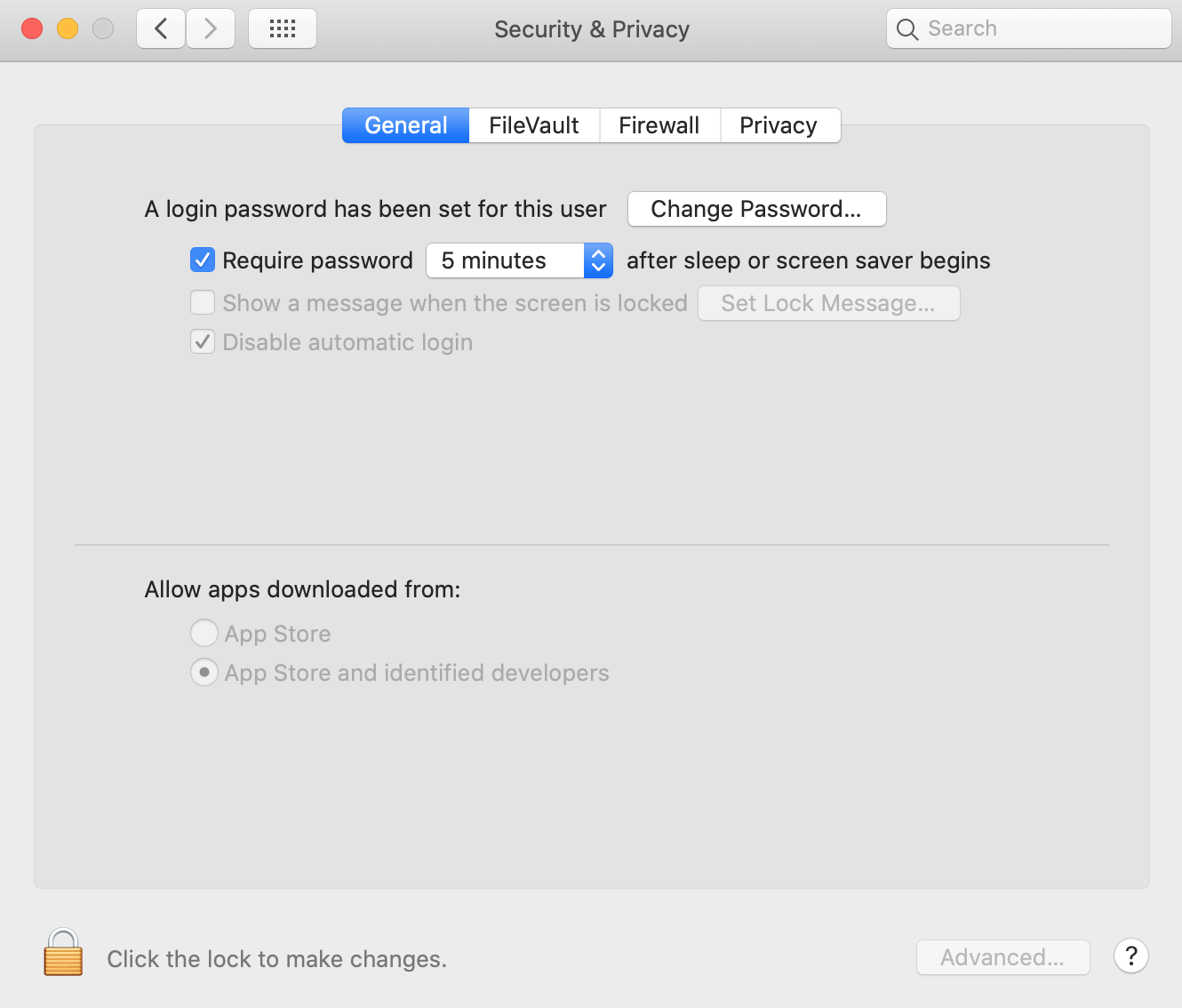
 muratgozel
on 20 Oct 2019
muratgozel
on 20 Oct 2019
You also may just allow it from
System Preferences - Security & Privacy - Allow apps downloaded fromsection without coding.
This approach did not work for me: I could not identify the relevant s/w author from the list of blocked authors, nor add another. (after clicking on the padlock at the bottom left and opening the 'Allow apps downloaded from:' option.
 timcoote
on 26 Oct 2019
timcoote
on 26 Oct 2019
You also may just allow it from
System Preferences - Security & Privacy - Allow apps downloaded fromsection without coding.
This approach did not work for me: I could not identify the relevant s/w author from the list of blocked authors, nor add another. (after clicking on the padlock at the bottom left and opening the 'Allow apps downloaded from:' option.
It worked here.
- Try running the installer.
- When it says is can't be installed, open the security prefs
- You should now see an "open anyway" button. Click it.
- Return to the installer and there is now a second button that allows you to install.
 patrickgilmour
on 26 Oct 2019
patrickgilmour
on 26 Oct 2019
This has been resolved in the latest release (2.2.7).
chrisroberts
on 30 Jan 2020
I'm going to lock this issue because it has been closed for _30 days_ ⏳. This helps our maintainers find and focus on the active issues.
If you have found a problem that seems similar to this, please open a new issue and complete the issue template so we can capture all the details necessary to investigate further.
![hashibot[bot] picture](https://avatars.githubusercontent.com/in/8332?v=4&s=40) hashibot[bot]
on 1 Mar 2020
hashibot[bot]
on 1 Mar 2020
Related issues
 janw-me
·
3Comments
janw-me
·
3Comments
 cbednarski
·
3Comments
cbednarski
·
3Comments
 hesco
·
3Comments
hesco
·
3Comments
 barkingfoodog
·
3Comments
barkingfoodog
·
3Comments
 jazzfog
·
3Comments
jazzfog
·
3Comments
Most helpful comment
Found a workaround: