Vagrant: Vagrant Hangs machine at Booting VM
Please note that the Vagrant issue tracker is reserved for bug reports and
enhancements. For general usage questions, please use the Vagrant mailing list:
https://groups.google.com/forum/#!forum/vagrant-up. Thank you!
Vagrant version
Vagrant 1.8.1
Host operating system
Ubuntu 16.04
Guest operating system
Same issue with ubuntu/trusty64 and hashicorp/precise64
Vagrantfile
Vagrant.configure("2") do |config|
config.vm.box = "hashicorp/precise64"
end
or
Vagrant.configure("2") do |config|
config.vm.box = "hashicorp/precise64"
config.vm.provider :virtualbox
end
Please note, if you are using Homestead or a different Vagrantfile format, we
may be unable to assist with your issue. Try to reproduce the issue using a
vanilla Vagrantfile first.
Debug output
Provide a link to a GitHub Gist containing the complete debug output:
https://www.vagrantup.com/docs/other/debugging.html. The debug output should
be very long. Do NOT paste the debug output in the issue, just paste the
link to the Gist.
Sorry it hangs the system every time.
Expected behavior
What should have happened?
Actual behavior
When I run vagrant up (with out without debug) it gets to the Booting VM stage and locks up the machine. Only way to get around is to reboot.
==> default: Booting VM...
Steps to reproduce
- Vagrant Up
I've tried completely cleaning down vagrant and re-installing. Same issue every time.
References
Are there any other GitHub issues (open or closed) that should be linked here?
https://github.com/hashicorp/vagrant/issues/7710
 squeakycheese75
All 17 comments
I have the same situation. Also ubuntu 16.04, also stucking on Booting VM.
Do you have any updates on this issue?
 mcrey
on 29 Jan 2018
mcrey
on 29 Jan 2018
I've got same problem. Someone can try to just start fresh new vm created manually in virtualbox and see if it stuck ? (if you use virtualbox)
Thank you
 bacquy
on 29 Jan 2018
bacquy
on 29 Jan 2018
@bacquy the problem is in versions of linux kernel and VBox. It could be solved by upgrading VBox ver. to 5.2 and Vagrant to 2.0.1
mcrey
on 29 Jan 2018
I made something very bad and I need to reinstall Ubuntu and I'll try your solution.
bacquy
on 29 Jan 2018
Please update to the latest version of Vagrant. If the issue persists, please provide a gist of the debug output from a vagrant up --debug.
Cheers!
 chrisroberts
on 30 Jan 2018
chrisroberts
on 30 Jan 2018
It works for me. Thank you
(virtualbox 5.2.6 and vagrant 2.0.2)
bacquy
on 30 Jan 2018
I've got same situation. I think this issue is related to new Linux kernel 4.13 and it has been reported here.
 uoo38
on 30 Jan 2018
uoo38
on 30 Jan 2018
I'm experiencing this too although upgrading Vagrant (to 2.0.2) and Virtualbox (to 5.2.6) does not fix it. I was originally on Vagrant 2.0.1 and Virtualbox 5.2.0.
 benplummer
on 2 Feb 2018
benplummer
on 2 Feb 2018
I did the following steps to resolve the issue.
- Upgrade power shell to at-least 3.0
- Install Curl
- Add curl.exe path to system path
 sherinkuruvilla
on 11 Feb 2018
sherinkuruvilla
on 11 Feb 2018
Hey there,
I am going to close this due to lack of response. If this is still occurring, please open a _new issue_ and follow the provided issue template that appears when you click the "New Issue" button. This will help us in getting a reproduction and fix. Thanks! 😄
chrisroberts
on 23 Feb 2018
Hey,
I tried these solutions but still, the same issue is happening to my system the vagrant up freeze my system.
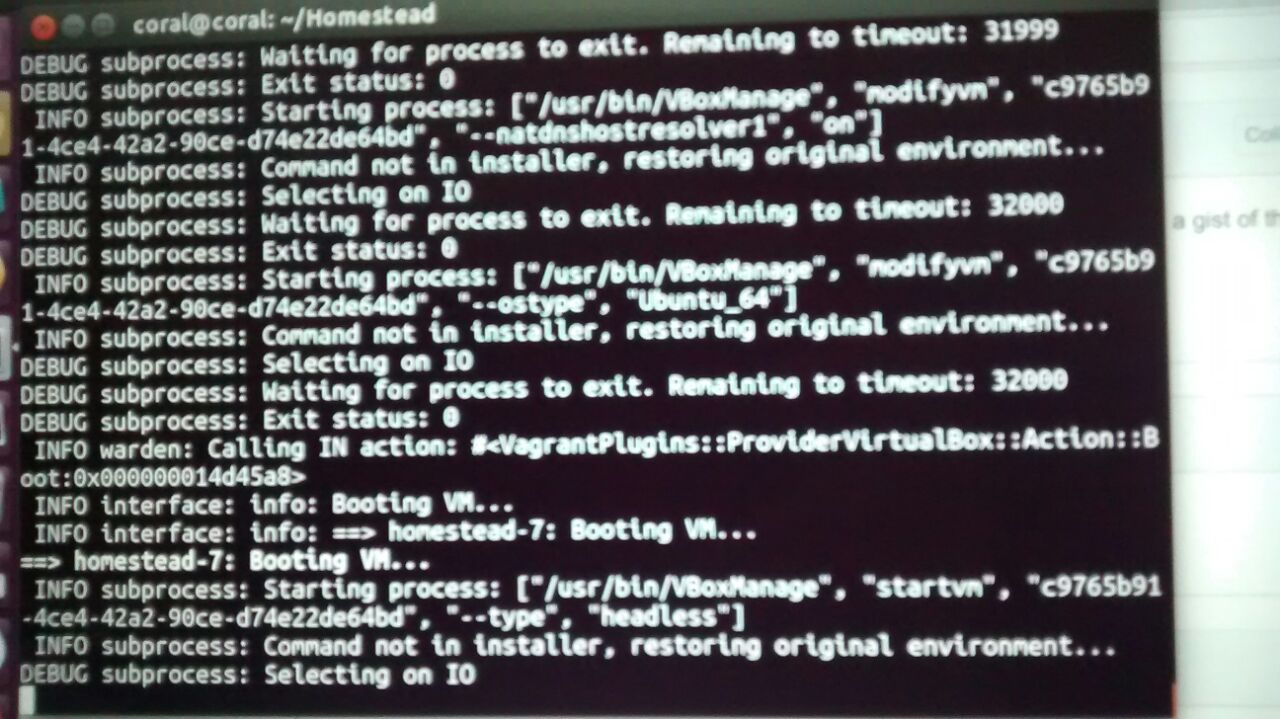
 aavrug
on 3 Mar 2018
aavrug
on 3 Mar 2018
@Gaurav,
Try vagrant 1.9.6/Virtual Box 4.3.10 combination after uninstalling prior versions. It works for me.
sherinkuruvilla
on 3 Mar 2018
I had to do the following to get '$vagrant up' to reliably work on my 16.04 install:
(original solution source: https://askubuntu.com/questions/994926/ubuntu-16-04-freezes-on-vagrant-up)
0) uninstall / purge previous vagrant and virtualbox
1) install vagrant version 2.0.2
2) install virtualbox 5.2.8
3) delete any .../vagrant.d/data/machine-index/index* files
 VenomousWyvern241
on 20 Mar 2018
VenomousWyvern241
on 20 Mar 2018
I had the same problem. I'm running Ubuntu 16.04 and installed virtualbox via apt. I have Vagrant version 2.0.3.
Upgrading Virtualbox to 5.2.8 (https://download.virtualbox.org/virtualbox/5.2.8/virtualbox-5.2_5.2.8-121009~Ubuntu~xenial_amd64.deb) fixed it for me. I did have to apt purge virtualbox to get rid of the older version and I had to reboot to ensure that I was running the right kernel modules.
sudo apt purge virtualbox
wget https://download.virtualbox.org/virtualbox/5.2.8/virtualbox-5.2_5.2.8-121009~Ubuntu~xenial_amd64.deb
gdebi virtualbox-5.2_5.2.8-121009~Ubuntu~xenial_amd64.deb
sudo /sbin/vboxconfig
reboot now
 karlwilbur
on 22 Mar 2018
karlwilbur
on 22 Mar 2018
@karlwilbur Thanks, this almost worked. But now I am facing a different issue. While running vagrant up after reaching homestead-7: Setting hostname... It is getting stopped like forever. Is there any solution for this. I also tried few solutions from Google but It didn't workout.
aavrug
on 24 Mar 2018
I had to do the following to get '$vagrant up' to reliably work on my 16.04 install:
(original solution source: https://askubuntu.com/questions/994926/ubuntu-16-04-freezes-on-vagrant-up)1. uninstall / purge previous vagrant and virtualbox 2. install vagrant version 2.0.2 3. install virtualbox 5.2.8 4. delete any .../vagrant.d/data/machine-index/index* files
I also have this problem, if that method works it should be part of the installation procedure.
I'm running virtual box 5.2.30 on Mac OS High Sierra.
 queglay
on 5 Jun 2019
queglay
on 5 Jun 2019
I'm going to lock this issue because it has been closed for _30 days_ ⏳. This helps our maintainers find and focus on the active issues.
If you have found a problem that seems similar to this, please open a new issue and complete the issue template so we can capture all the details necessary to investigate further.
![hashibot[bot] picture](https://avatars.githubusercontent.com/in/8332?v=4&s=40) hashibot[bot]
on 28 Jan 2020
hashibot[bot]
on 28 Jan 2020
Related issues
 janw-me
·
3Comments
janw-me
·
3Comments
 StefanScherer
·
3Comments
StefanScherer
·
3Comments
 tomhking
·
3Comments
tomhking
·
3Comments
 jsirex
·
3Comments
jsirex
·
3Comments
 OtezVikentiy
·
3Comments
OtezVikentiy
·
3Comments
Most helpful comment
@bacquy the problem is in versions of linux kernel and VBox. It could be solved by upgrading VBox ver. to 5.2 and Vagrant to 2.0.1