Vaadin-grid: [5.0.0-beta7] Vaadin cells are rendered multiple time
Description
Vaadin cells renders a lot of time which makes vaadin grid really slow when having a lot of rows and columns.
Expected outcome
Vaadin should render the cell once
Actual outcome
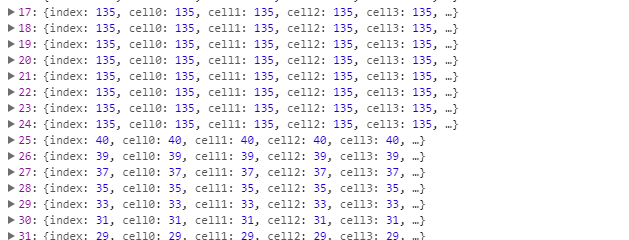
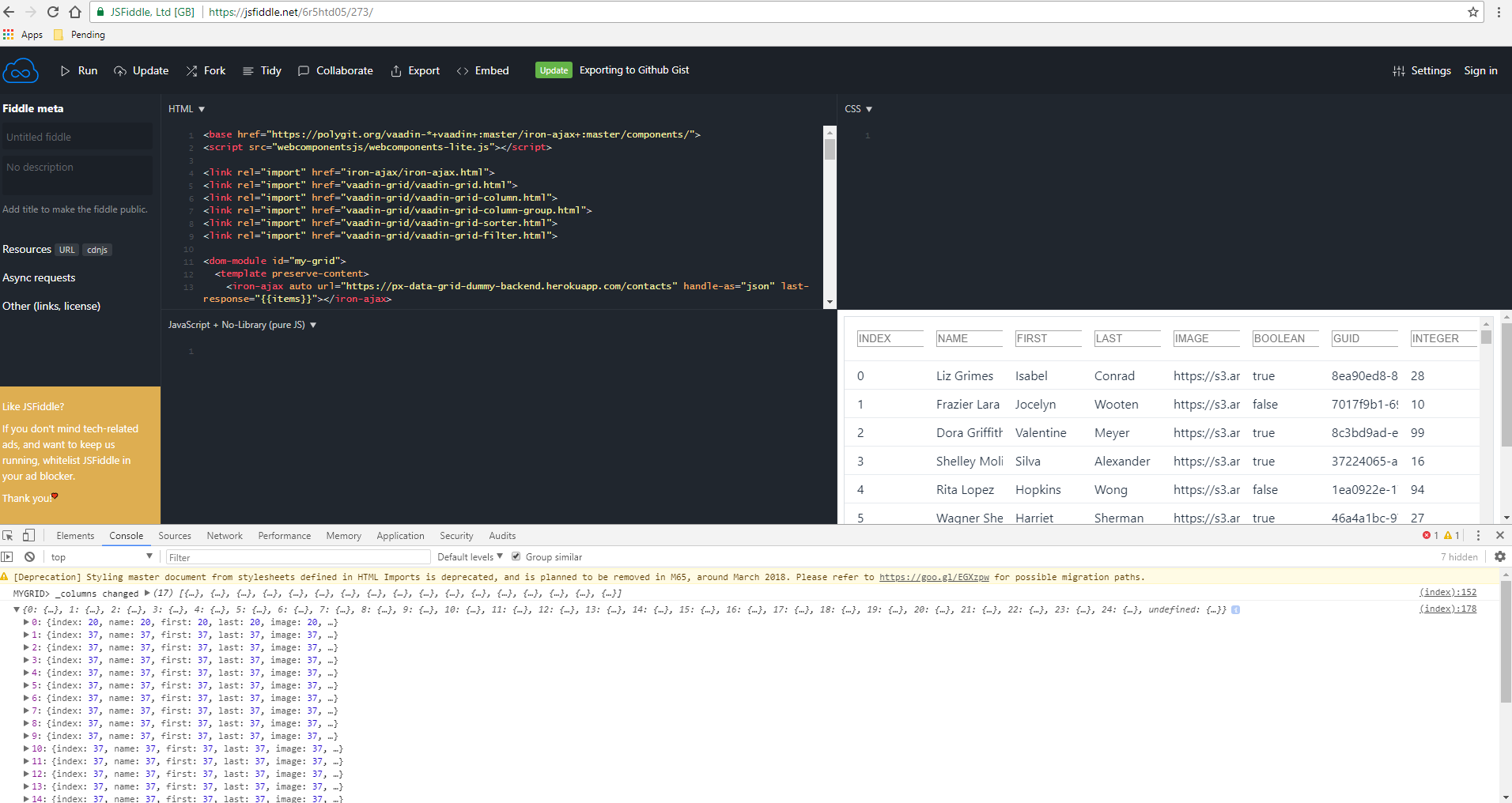
I have a function that is in the template of the cell and registers how many time the template is called. As you can see, the template is called 135 times (which mean that the cell is rendered 135 times ??). This throttle the CPU to around 80% and the grid is not fluid for a period of 20-30sec.
Live Demo
<link rel="import" href="../polymer/polymer.html">
<link rel="import" href="../polymer/polymer-element.html">
<link rel="import" href="../vaadin-grid/vaadin-grid.html">
<link rel="import" href="../vaadin-grid/vaadin-grid-column.html">
<link rel="import" href="../vaadin-grid/vaadin-grid-column-group.html">
<link rel="import" href="../vaadin-grid/vaadin-grid-sorter.html">
<link rel="import" href="../vaadin-grid/vaadin-grid-filter.html">

<dom-module id="my-grid">
  <template preserve-content>
  <style>....</style>
 <vaadin-grid id="grid" items="[[_items]]" multi-sort="true" size="[[_size]]">
      <template is="dom-repeat" items="[[_columns]]" as="column" initial-count="30" target-framerate=1>
        <vaadin-grid-column-group resizable>
          <vaadin-grid-column flex-grow="1" resizable>
            <template class="header">
              <vaadin-grid-sorter path="[[column.key]]">
                <vaadin-grid-filter path="[[column.key]]" value="[[column._filterBinding]]">
                  <input class="filter" type="text" slot="filter" placeholder="[[column.name]]" value="{{column._filterBinding::change}}" focus-target>
                </vaadin-grid-filter>
              </vaadin-grid-sorter>
            </template>
            <template>

                [[get(column.key, item)]] [[_stats(index, column.key, item)]]

            </template>
          </vaadin-grid-column>
        </vaadin-grid-column-group>
      </template>
    </vaadin-grid>
  </template>
<script>
    /* jshint esversion:6, asi:true */
    class MyGrid extends Polymer.Element {

      static get is() { return 'my-grid'; }

      static get properties() {
        return {
          items: {
            type: Array
          },
          _items: {
            type: Array
          },
          _size: {
            type: Number
          },
          _columns: {
            type: Array,
            computed: "_computeColumns( items)",
            observer: "_columnsObserver"
          },
          done: {
            type: Boolean,
          }
        }
      }

      ready(){
        super.ready();
      }

      _computeColumns( items) {
        return Object.keys(items[0]).map( (column) => {
          return {key: column, name: column.toUpperCase()}
        });
      }

      _columnsObserver( _columns) {
        console.log( "MYGRID> _columns changed", _columns);
        // Loading items after the columns are generated seems way more efficient
        this._loadItems();
      }

      _loadItems() {
        this._size = this.items.length;
        this._items = this.items;
      }

      _stats(index, key, item) {
        if(!window.stats) {
          window.stats = {};
        }
        if(!window.stats[index]){
          window.stats[index] = {}
        }
        if(!window.stats[index][key]) {
          window.stats[index][key] = 1;
        } else {
          window.stats[index][key]++;
        }
      }
    }
    window.customElements.define(MyGrid.is, MyGrid);
  </script>
</dom-module>
Steps to reproduce
Vaadin grid with 50 columns and 200 rows, just let the grid load itself and see the result in window.stats (don't scroll) else you'll have more render which make sense (if you scroll).
Browsers Affected
- [x] Chrome
- [ ] Firefox
- [ ] Safari
- [ ] Edge
- [ ] IE 11
- [ ] iOS Safari
- [ ] Android Chrome
 yveslange
All 7 comments
Question: why do you wrap each column in a column group? Not directly related or the root cause, but that probably contributes to poorer performance.
 jouni
on 27 Mar 2018
jouni
on 27 Mar 2018
Hi @jouni, I was experimenting few things and forgot to remove it. I got the exact same problem when not using groups.
Currently, I'm trying to add the bulk edit functionality to the grid. The idea I had was to add a second header using the groups and an "edit" button to display the header or not. In the header, I'll place the inputs to edit a selected entries.
yveslange
on 28 Mar 2018
But the biggest problem I have, is that the grid is very slow compared to basic

 limonte
 tomivirkki
 Mika83AC
·
Mika83AC
·
 stramel
·
stramel
·
 mlopezFC
·
mlopezFC
·
 dafky2000
·
dafky2000
·
Most helpful comment
Thanks for pointing out the issue and for the excellent code example. Fix pending at https://github.com/vaadin/vaadin-grid/pull/1277.