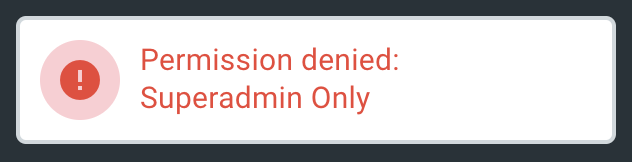
V8-archive: Installation fails with Permission denied: Superadmin Only
When running new installation after entering DB credentials I get error:
"Permission denied: Superadmin Only"
Installer does not continue. Running on Apache2, PHP 7.2 and Ubuntu 18.
 vladaman
All 14 comments
Is this the first project you're installing? Do you have an __api.json file in the config folder?
 rijkvanzanten
on 14 Apr 2020
rijkvanzanten
on 14 Apr 2020
Same issue. Making a new install with a newly created MySQL DB.
First I get an error saying SQLSTATE[42000]: Syntax error or access violation: 1071 Specified key was too long; max key length is 767 bytes
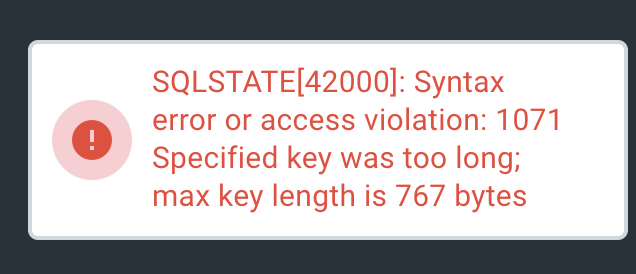
If I click install button for the second time I get Permission denied: Superadmin Only
I have __api.json file in the config folder. And when I check the DB structure I can see Directus tables:

But I can't bypass the "Database Connection" step.
If I refresh the page it asks for a super-admin password and restarts new project creation flow.
Environment:

 mukhortov
on 25 Apr 2020
mukhortov
on 25 Apr 2020
I'm getting the same thing with GoDaddy:
- I get the green ticks before installation
- add the info for project/user/psswrd -> database/databaseuser/psswrD
- i Message:
 - try to install again but get message : Permission denied: Superadmin Only
if I go to home i get
Statement could not be executed (42S02 - 1146 - Table 'lab-d1-1.directus_settings' doesn't exist)the database has been poplulated with these tables:

shared hosting. Running PHP 7.4
 lolmos
on 25 Apr 2020
lolmos
on 25 Apr 2020
Also seeing this error after getting the max key length error. Stuck at same point as mukhortov and lolmos. __api.json file does exist in config folder with superadmin token.
 LesterLogic
on 25 Apr 2020
LesterLogic
on 25 Apr 2020
Same issue. It's because of MariaDB
 ricoxor
on 26 Apr 2020
ricoxor
on 26 Apr 2020
I found a way.
Edit this file : /src/core/Directus/Util/Installation/stubs/config.stub
Change utf8mb4 to utf8
Remove all files in /config
Restart install
ricoxor
on 26 Apr 2020
Same issue after the above changes. Not running MariaDB.
LesterLogic
on 26 Apr 2020
This article on Stack Overflow describes the issue in my case. Running MySQL 5.6. No option to upgrade in my case as I'm on shared hosting.
LesterLogic
on 26 Apr 2020
have MySQL version 5.6.47-cll-lve. Have tried the change suggested by @ricoxor to no avail.
lolmos
on 30 Apr 2020
I got it working on my installation:
Open this file: migrations\install\20180220023152_create_collections_presets_table.php
Change line 15 from 'limit' => 255 to 'limit' => 190
The total key length has to be below 255 characters on MySQL 5.6. I also changed the collation on all tables and columns to utf8_general_ci.
LesterLogic
on 3 May 2020
Worked for me. Thanks, @LesterLogic! 🙌
mukhortov
on 3 May 2020
thanks @LesterLogic this works for me too!!
lolmos
on 4 May 2020
@LesterLogic awesome thanks for sharing this!
 envake
on 11 Jun 2020
envake
on 11 Jun 2020
@LesterLogic Thanks for sharing that. Helped us to! 🙏
 cironis-adam
on 8 Nov 2020
cironis-adam
on 8 Nov 2020
Related issues
 vuhrmeister
·
3Comments
vuhrmeister
·
3Comments
 HashemKhalifa
·
3Comments
HashemKhalifa
·
3Comments
 cdwmhcc
·
3Comments
cdwmhcc
·
3Comments
 maettyhawk
·
3Comments
maettyhawk
·
3Comments
 benhaynes
·
4Comments
benhaynes
·
4Comments
Most helpful comment
I got it working on my installation:
Open this file: migrations\install\20180220023152_create_collections_presets_table.php
Change line 15 from
'limit' => 255to'limit' => 190The total key length has to be below 255 characters on MySQL 5.6. I also changed the collation on all tables and columns to utf8_general_ci.