V8-archive: 500 error on auth/sso when trying to run initial configuration
Bug Report
Steps to Reproduce
1, LAMP (Linux on WSL)
- sudo apt-get update && sudo apt-get upgrade
- sudo apt-get install lamp-server^
- Update etc/apache2/apache2.conf:
Servername localhost
AcceptFilter http none
- MySQL removed as I had it on a server already
- sudo apt-get install php-curl
- VirtualHost configuration:
*:80                   localhost (/etc/apache2/sites-enabled/000-default.conf:1)
*:8080                 example.com (/etc/apache2/sites-enabled/000-default.conf:34)
- git clone https://github.com/directus/directus.git
- sudo chown www-data -R /var/www/directus
- sudo chown www-data -R /var/www/directus/public/upload
- Boilerplate System Database from /src/schema.sql
Expected Behavior
Load http://localhost:8080/admin to get the configuration page
Actual Behavior
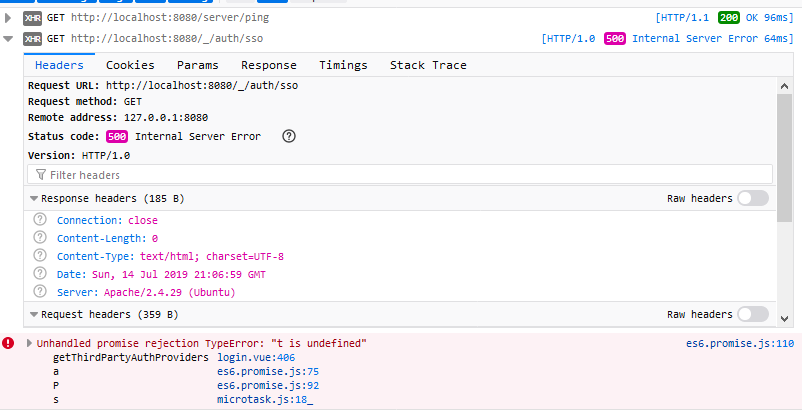
It goes to the login page instead. Error message on the console:
Other Context & Screenshots
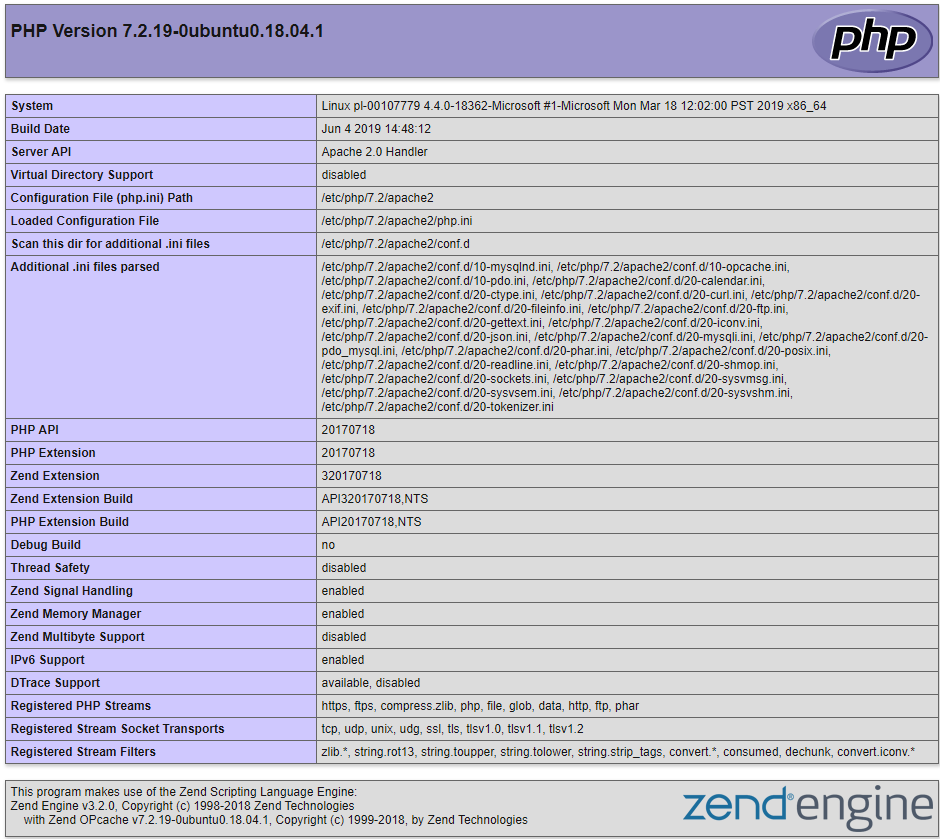
Technical Details
Window 10 Enterprise 1903
WSL Ubuntu 18.04.02
Apache 2.4.29
PHP 7.2.19
MySQL
 criscmaia
All 21 comments
same configuration, same issue on 3 separate installations
Edit: Permissions error with something in latest version, File Cabinet — (190627A) works fine.
 rom-io
on 15 Jul 2019
rom-io
on 15 Jul 2019
Seeing you populated the database manually, "Load http://localhost:8080/admin to get the configuration page" is not expected to happen.
Are there any PHP errors in either the /logs folder of the API or the server logs in general?
 rijkvanzanten
on 15 Jul 2019
rijkvanzanten
on 15 Jul 2019
Are there any PHP errors in either the /logs folder of the API or the server logs in general?
I've deleted the instances, maybe @criscmaia still has logs.
My procedure as follows:
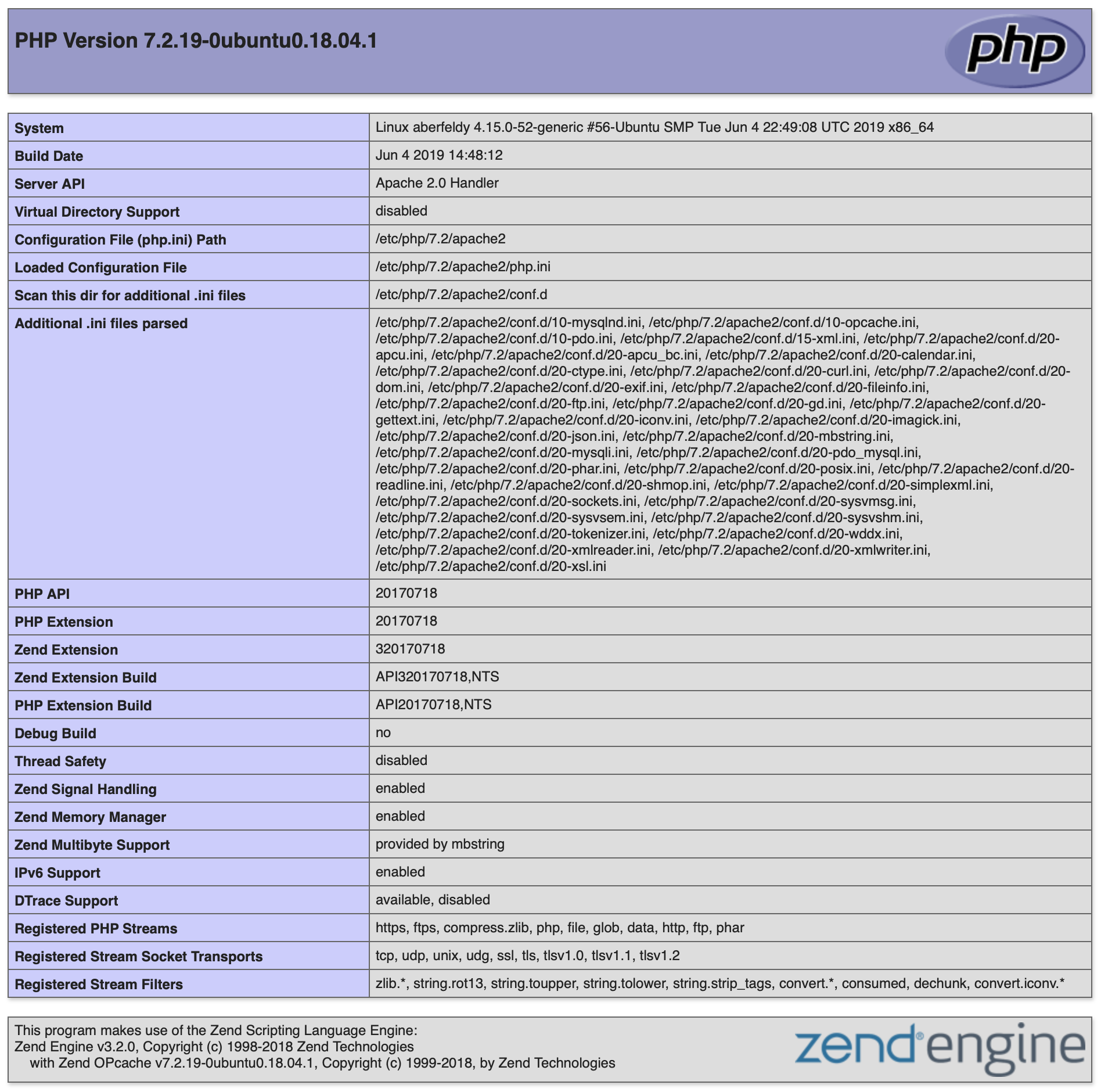
- Digital ocean LAMP droplet, Ubuntu 18.04.2 LTS, PHP 7.2.19, MySQL 5.7.26, Apache 2.4.29
- Setup mysql (mysql_secure_installation) new root password, create Directus database, username & pw. Grant privs, flush. Unbind address 127.0.0.1. Restart.
- Install php-curl, php-xml, php-imagick, php-cli, composer. Update.
- Enable rewrite, setup apache access as follow & restart:
<Directory /var/www>

    Options Indexes FollowSymLinks MultiViews

    AllowOverride All

    Order allow,deny

    allow from all

 </Directory>
- Download Directus via Git to /html, chown www-data -R /var/www/html/directus
- Composer Install Directus
- Setup HTTPS cert
- /public/admin to start set up.
Works fine with 190627A.
rom-io
on 15 Jul 2019
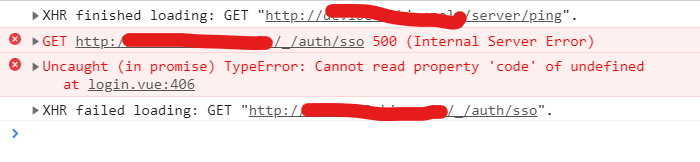
I also have this issue. I just followed https://docs.directus.io/getting-started/installation.html#setup
When it says "Navigate your browser to the App at /admin", this is what I got:
Note: I have no problem installing the standalone api and app.
 eudora-fabia
on 15 Jul 2019
eudora-fabia
on 15 Jul 2019
@JbalTero Are there any PHP errors in either the /logs folder of the API or the server logs in general?
rijkvanzanten
on 15 Jul 2019
@rijkvanzanten in apache errors.log, this is what I get when I did tail -f
[Mon Jul 15 23:21:11.402192 2019] [php7:notice] [pid 408] [client 127.0.0.1:56905] PHP Notice:  Undefined index: settings in /redacted/absolute/path/to/web/root/src/core/Directus/Application/Application.php on line 145, referer: http://devlocal.redacted/admin/
[Mon Jul 15 23:21:11.509259 2019] [php7:notice] [pid 408] [client 127.0.0.1:56905] PHP Notice:  Undefined index: settings in /redacted/absolute/path/to/web/root/src/core/Directus/Application/Application.php on line 145, referer: http://devlocal.redacted/admin/
[Mon Jul 15 23:21:11.569340 2019] [php7:error] [pid 408] [client 127.0.0.1:56905] PHP Fatal error:  Uncaught UnexpectedValueException: The stream or file "/redacted/absolute/path/to/web/root/logs" could not be opened: failed to open stream: Is a directory in /redacted/absolute/path/to/web/root/vendor/monolog/monolog/src/Monolog/Handler/StreamHandler.php:107\nStack trace:\n#0 /redacted/absolute/path/to/web/root/vendor/monolog/monolog/src/Monolog/Handler/AbstractProcessingHandler.php(39): Monolog\\Handler\\StreamHandler->write(Array)\n#1 /redacted/absolute/path/to/web/root/vendor/monolog/monolog/src/Monolog/Logger.php(344): Monolog\\Handler\\AbstractProcessingHandler->handle(Array)\n#2 /redacted/absolute/path/to/web/root/vendor/monolog/monolog/src/Monolog/Logger.php(707): Monolog\\Logger->addRecord(400, 'Directus\\\\Except...', Array)\n#3 /redacted/absolute/path/to/web/root/src/core/Directus/Appli in /redacted/absolute/path/to/web/root/vendor/monolog/monolog/src/Monolog/Handler/StreamHandler.php on line 107, referer: http://devlocal.redacted/admin/
php:
PHP 7.1.30-1+ubuntu18.04.1+deb.sury.org+1 (cli) (built: May 31 2019 11:43:40) ( NTS )
Copyright (c) 1997-2018 The PHP Group
Zend Engine v3.1.0, Copyright (c) 1998-2018 Zend Technologies
    with Zend OPcache v7.1.30-1+ubuntu18.04.1+deb.sury.org+1, Copyright (c) 1999-2018, by Zend Technologies
@rijkvanzanten The /logs folder is empty
eudora-fabia
on 15 Jul 2019
I have the same problem.
The first visit to /admin produces the same exception @criscmaia showed above.
After a manual install, I still cannot login but I get "Unhandled promise rejection
Object { code: 3, message: "Unauthorized request" }" in the console.
I tried this:
- installing on local machine under localhost/directus
- on local machine under a locally defined domain (There are several other VirtualHost on the same machine)
- on a VPS under https (Which blocks loading of the fonts from http).
By doing some debugging, I've found exceptions raised because 'something' tries to write config/logs/app.log (yes, not under /logs) but with errors different than those in /logs/app.log.
I'll gladly provide more info if needed.
EDIT: it is app.log (not api.log)
 savedario
on 15 Jul 2019
savedario
on 15 Jul 2019
Here's your answer:
The stream or file "/redacted/absolute/path/to/web/root/logs" could not be opened: failed to open stream
Try changing the owner of the folder to www-data:
chown -R www-data:www-data /redactred/absolute/path/to/web/root/logs
On my VPS /logs contains several:
[2019-07-15 15:34:15] api[].ERROR: Directus\Exception\UnauthorizedException: Unauthorized request in <path_to_vhost_root>/src/helpers/app.php:270
The 'other' app.log has:
[2019-07-15 15:47:26] api[_].ERROR: Directus\Permissions\Exception\ForbiddenCollectionReadException: Reading items from "directus_settings" collection was denied in <path_to_vhost_root>/src/core/Directus/Permissions/Acl.php:988

...

[2019-07-15 15:47:26] api[_].ERROR: Directus\Permissions\Exception\ForbiddenCollectionReadException: Reading items from "directus_collections" collection was denied in <path_to_vhost_root>/src/core/Directus/Permissions/Acl.php:988
BTW: I cannot reproduce now, but one of the first errors I got was about being impossible to write /logs because it's a directory (as if the file name was missing).
savedario
on 15 Jul 2019
@rijkvanzanten I already followed it before reporting but the same issue happened. I even tried to do chmod -R 777 logs
https://docs.directus.io/advanced/requirements.html#permissions
eudora-fabia
on 15 Jul 2019
@savedario probably related to my logs above
eudora-fabia
on 15 Jul 2019
Regarding this error:
PHP Fatal error: Uncaught UnexpectedValueException: The stream or file "/redacted/absolute/path/to/web/root/logs" could not be opened: failed to open stream: Is a directory in /redacted/absolute/path/to/web/root/vendor/monolog/monolog/src/Monolog/Handler/StreamHandler.php:107\nStack trace:\n#0
The error is in
src/core/Directus/Application/CoreServicesProvider.php
on 133 line:
$path . '/' . sprintf($filenameFormat, strtolower($name), date('Y-m-d'));
must be changed to
$path .= '/' . sprintf($filenameFormat, strtolower($name), date('Y-m-d'));
But still after clean install and fixin logs issue I got error log entry:
api[_].ERROR: Directus\Exception\NotInstalledException: This Directus API instance has not been configured. Install via the Directus App (eg: /admin) or read more about configuration at: https://docs.directus.io/ +++getting-started/installation.html#configure in /vagrant/sites/directus/src/core/Directus/Application/ErrorHandlers/NotInstalledNotFoundHandler.php:21
which is nonsense because /admin page shows sign in dialog and no prompts to to complete configuration.
 dapertutto
on 16 Jul 2019
dapertutto
on 16 Jul 2019
And here is our culprit for unfinished configuration:
src/core/Directus/Application/Application.php:145
'settings' => $appConfig['settings'],
should be something like:
'settings' => !empty($appConfig['settings']) ? $appConfig['settings'] : null,
dapertutto
on 16 Jul 2019
There are a couple of other issues. I can install now, but still cannot login afterwards.
The fix above about $path does not work, it should be:
                if ($path !== "php://stdout" && $path !== "php://stderr") {
                    $logPath = $path .'/' . sprintf($filenameFormat, strtolower($name), date('Y-m-d'));
                } else {
                    $logPath = $path;
                }
                $handler = new StreamHandler(
                    $logPath,
                    $level,
                    false
                );
and the default configuration schema should have:
        if ($isEnv) {
            $loggerPath = "php://stdout";
        } else {
            $loggerPath = __DIR__ . '/../../../../../logs';
        }
I will try to gather the fixes in a PR, but perhaps I'll wait after the first login actually works.
savedario
on 16 Jul 2019
@savedario
The fix above about $path does not work, it should be
Well, it works but creates unnecessary directory structure. And considering commit 190709A changes there should be variable to pass to StreamHandler other then $path. Like you proposed.
dapertutto
on 16 Jul 2019
I also have this issue. I just followed
https://docs.directus.io/getting-started/installation.html#setupWhen it says "Navigate your browser to the App at /admin", this is what I got:
Note: I have no problem installing the standalone api and app.
I encountered this error with a fresh LAMP droplet from digital ocean and fresh install. After battling this for several hours the error somehow went away when I followed the steps described here: https://docs.directus.io/advanced/api/configuration.html#configure-with-script
I ran the same script bin/directus install:config -n <database-name> -u <mysql-user> -p <mysql-password> -N <project name>. Note the -N params at the end, this was what caused the error for me if not specified.
Hope this helps.
 xeonicca
on 16 Jul 2019
xeonicca
on 16 Jul 2019
@savedario @dapertutto
You will able to find your path related solution in PR #1096
should be something like:
'settings' => !empty($appConfig['settings']) ? $appConfig['settings'] : null,
It is fixed in #1116
Thus when we deploy our new release you guys will not able to find these issues.
 bjgajjar
on 17 Jul 2019
bjgajjar
on 17 Jul 2019
Seeing you populated the database manually, "Load http://localhost:8080/admin to get the configuration page" is not expected to happen.
Are there any PHP errors in either the
/logsfolder of the API or the server logs in general?
The /admin didn't load even before I have populated the DB.
No files inside /directus/log
Log inside /var/log/apache2:
[Wed Jul 17 17:30:08.508800 2019] [php7:notice] [pid 8875] [client ::1:63759] PHP Notice: Undefined index: settings in /var/www/directus/src/core/Directus/Application/Application.php on line 145, referer: http://localhost:8080/admin/
[Wed Jul 17 17:30:09.370495 2019] [php7:notice] [pid 8875] [client ::1:63759] PHP Notice: Undefined index: settings in /var/www/directus/src/core/Directus/Application/Application.php on line 145, referer: http://localhost:8080/admin/
[Wed Jul 17 17:30:10.591603 2019] [php7:error] [pid 8875] [client ::1:63759] PHP Fatal error: Uncaught UnexpectedValueException: The stream or file "/var/www/directus/logs" could not be opened: failed to open stream: Is a directory in /var/www/directus/vendor/monolog/monolog/src/Monolog/Handler/StreamHandler.php:107\nStack trace:\n#0 /var/www/directus/vendor/monolog/monolog/src/Monolog/Handler/AbstractProcessingHandler.php(39): Monolog\Handler\StreamHandler->write(Array)\n#1 /var/www/directus/vendor/monolog/monolog/src/Monolog/Logger.php(344): Monolog\Handler\AbstractProcessingHandler->handle(Array)\n#2 /var/www/directus/vendor/monolog/monolog/src/Monolog/Logger.php(707): Monolog\Logger->addRecord(400, 'Directus\\Except...', Array)\n#3 /var/www/directus/src/core/Directus/Application/CoreServicesProvider.php(216): Monolog\Logger->error('Directus\\Except...')\n#4 [internal function]: Directus\Application\CoreServicesProvider->Directus\Application\{closure}(Object(Directus\Exception\NotInstalledException))\n#5 /var/www/directus/src/core/Directus/Hook/Emitter.php(291): call_user_func_array(Object(Closure), Array in /var/www/directus/vendor/monolog/monolog/src/Monolog/Handler/StreamHandler.php on line 107, referer: http://localhost:8080/admin/
Ignore this.
I just saw that the bug has been fixed already.
criscmaia
on 17 Jul 2019
I am still having this issue. I too do not have anything logging into the directus/logs folder. There are no errors in the error_log for apache either. I have a api.php file that is setup for the database too, but whenever I got to the /admin page, I immediately get a 500 (Internal Server Error) from / _/auth/sso, and then the same error when I type in the email and password and submitted but its for the / _/auth/authenticate endpoint instead.
Not really sure what the issue is at this point. Any help would be appreciated.
 mvorisek7
on 11 Oct 2019
mvorisek7
on 11 Oct 2019
It is the same for me, I want to test Directus but the error occur just at the first attempt. I will try again when the bug will be fix. I have downloaded the Baby Angel 190927A version. What is attempting to authorize on an anonymous way on the login page ???
 shim-sao
on 13 Oct 2019
shim-sao
on 13 Oct 2019
Related issues
 jwkellyiii
·
3Comments
jwkellyiii
·
3Comments
 cdwmhcc
·
3Comments
cdwmhcc
·
3Comments
 HashemKhalifa
·
3Comments
rijkvanzanten
·
3Comments
HashemKhalifa
·
3Comments
rijkvanzanten
·
3Comments
 chintohere
·
3Comments
chintohere
·
3Comments
Most helpful comment
Regarding this error:
The error is in
src/core/Directus/Application/CoreServicesProvider.php
on 133 line:
$path . '/' . sprintf($filenameFormat, strtolower($name), date('Y-m-d'));must be changed to
$path .= '/' . sprintf($filenameFormat, strtolower($name), date('Y-m-d'));But still after clean install and fixin logs issue I got error log entry:
which is nonsense because /admin page shows sign in dialog and no prompts to to complete configuration.