V8-archive: [SECURITY] Web Shell Upload
Feature Request
About audited Directus version.
It has been cloned from suite repo.
Latest commit https://github.com/directus/directus/commit/1d151a9034514e3f2ec1c80001e7c5fffdef2d4e
Description:
An attacker can exploit the file upload function (which lacks efficient restrictions and validations) by uploading web shell to uploads storage directory. Thus, the attacker can take control of the accounts and workstations of application users and administrators and the server itself.
The attacker does not need a very high level of technological knowledge to perform this attack. However, he does need specially crafted malicious files.
Business risk:
A malicious user can complete take over the application and the server.
Technical details:
The upload functionality allows to a user to upload image as a avatar in its profile, however because there are no any validations of the uploaded file types and because of uploaded directory has a execute permissions this functionality can be abused by a malicious user in order to upload web shell and take over the whole system.
In the screenshots bellow it is possible to see that web shell file was uploaded to the sever via avatar upload functionality. As it is possible to see an attacker was able to run commands on the backend server.
As the application sets cookie PHPSESSID – it is possible to understand that the server-side programming language is PHP.
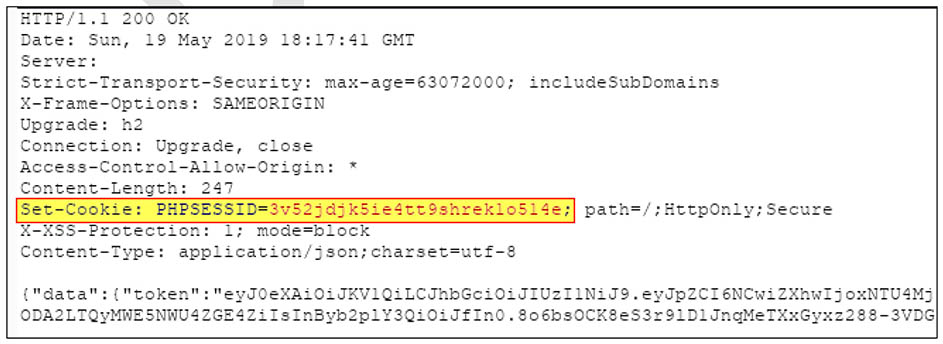
It was also possible to see that every user has a direct access to the uploaded file:
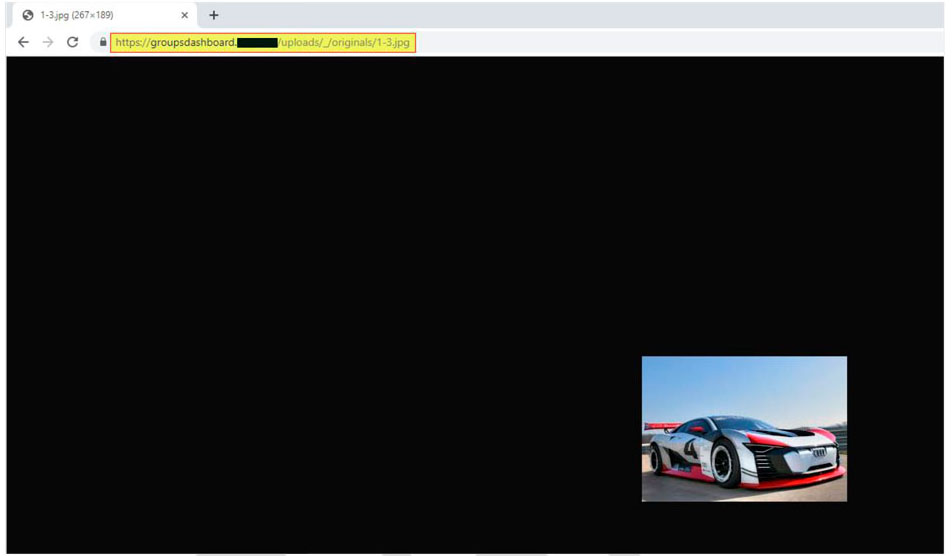
And
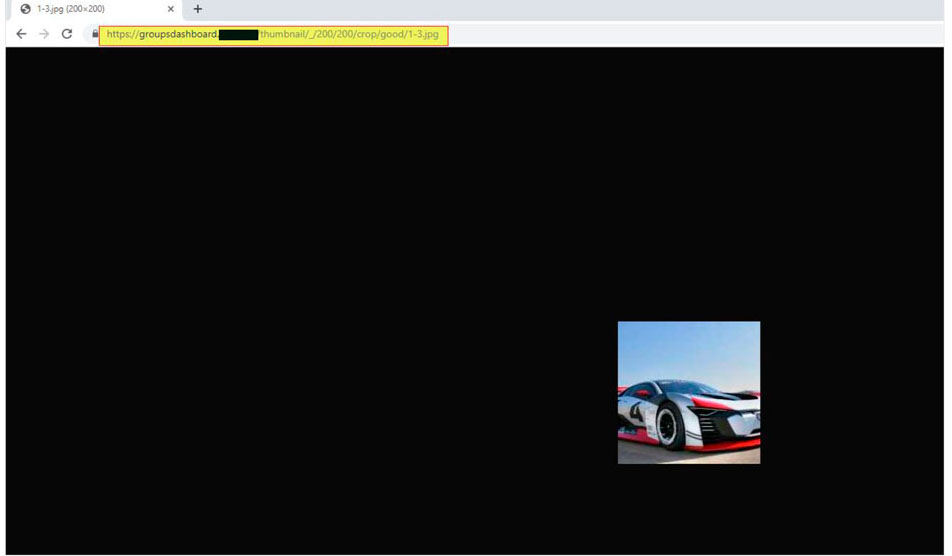
Once, an attacker knows which type of shell he needs the next step is uploading web shell itself:
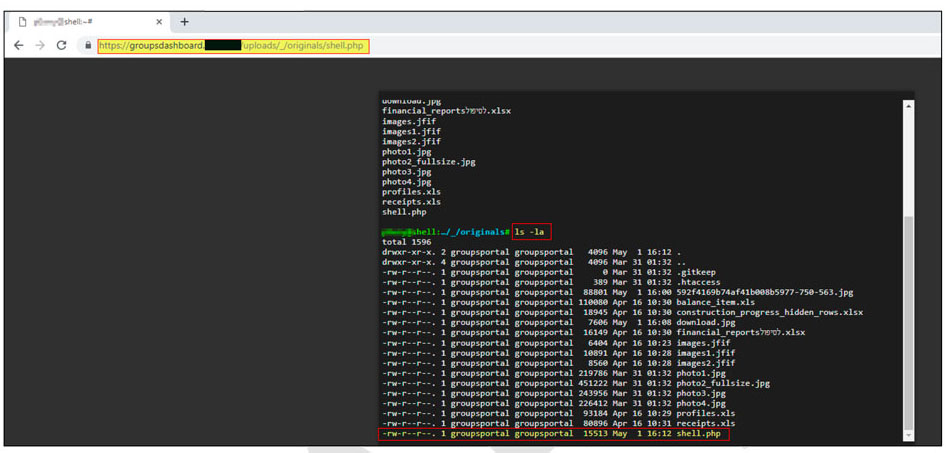
It is possible to see that an attacker is able to run commands on the backend server itself, thus can completely compromise the server.
What problem does this feature solve?
Fixes security hole.
How do you think this should be implemented?
- The uploaded file types must be restricted only to the necessary file types and be validated on the server side.
- Uploaded directory should not have any
executepermission and all the script handlers should be removed from these directories.
Would you be willing to work on this?
Maybe, with help/guidance from Directus team.
 ybelenko
All 13 comments
After some investigation it turns out that file permissions doesn't forbid browser execution. I've changed permissions of uploaded php file with chmod('shell.php', 0600). I did this manually via FTP also. shell.php file is still accessable and still executes php code.
It's weird that this lines in .htaccess doesn't disable php execution:
https://github.com/directus/api/blob/f28209b515b19b53b9a9a8a34a7ab2010210d4f9/public/uploads/_/originals/.htaccess#L6-L8
First solution from web search is How to show PHP files as plain text in Apache. So I tried that:
<FilesMatch "\.(php|phps|php5|htm|shtml|xhtml|cgi.+)$">
    php_flag engine off
    ForceType text/plain
</FilesMatch>
PHP works. Next I checked precise example from post:
<FilesMatch "\.(php|phps|php5|htm|shtml|xhtml|cgi.+)$">
    php_flag engine off
    #This will prevent apache from executing *.php-files

    AddType text/plain php
    #this wil display php-files in browser (if not, browser will want to download file!)
</FilesMatch>
Doesn't help, PHP executes. As last solution I've forbid access to PHP files:
<FilesMatch "\.(php|phps|php5|htm|shtml|xhtml|cgi.+)$">
    Order Deny,Allow
    Deny from All
</FilesMatch>
This one gives 403 forbidden response and finally PHP script hasn't been executed in browser.
ybelenko
on 12 Jun 2019
Also, that <FilesMatch directive should be updated to include .phtml. It's deprecated as a suffix, but a lot of people still have their servers configured like this.
And, what about Nginx or other servers?
 pgl
on 26 Jun 2019
pgl
on 26 Jun 2019
Hey, sorry, but this needs to stay open as the issue is still there for Nginx and other servers that don't support .htaccess files. Really there needs to be some proper validation on upload. (But also the .htaccess file needed updating as well.)
pgl
on 27 Jun 2019
@pgl Thanks for the clarification but our main support is apache only. So, for now, I guess we can consider this as a close.
 bjgajjar
on 27 Jun 2019
bjgajjar
on 27 Jun 2019
It would be nice to track these alt-stack issues in a way that doesn't clog up our normal ticket flow. We can use the label, close them, and add them to a project board (similar to Feature Requests).
Thoughts @bjgajjar @rijkvanzanten ?
 benhaynes
on 27 Jun 2019
benhaynes
on 27 Jun 2019
that works for me 👍
 rijkvanzanten
on 27 Jun 2019
rijkvanzanten
on 27 Jun 2019
PS: Your current docker setup runs on nginx, not apache. Even if it is stale and will be overdone I just wanted to let you know. People use it as a reference to probably build their own setup based on that.
 mimamuh
on 28 Jun 2019
mimamuh
on 28 Jun 2019
The documentation also doesn't mention that Apache is the only fully supported setup method.
pgl
on 28 Jun 2019
Directus is developed and tested on the LAMP stack, and therefore this is the only officially supported environment. Alternate stacks (NGINX, Caddy, MariaDB, Percona, etc) may also work but you should proceed at your own risk
https://docs.directus.io/getting-started/installation.html#requirements
Re: Docker, I believe the updated docker setup will rely on Apache (@WoLfulus?)
rijkvanzanten
on 28 Jun 2019
Seeing that static files are served from the webserver directly–which means it bypasses the Directus API–there's nothing we can do in the API itself to mitigate this issue for every possible webserver 🤔
Would there be any possibility to have a PHP endpoint for files instead of relying directly on the webserver @directus/api-team? That way we might be able to fix it regardless of webserver.
Generally speaking: the less reliance on Apache proprietary stuff the better
rijkvanzanten
on 28 Jun 2019
https://docs.directus.io/getting-started/installation.html#requirements
Ah, I was thinking of this page:
pgl
on 28 Jun 2019
I think a proper solution would be filtering files on upload - have a whitelist of allowed filetypes, basically.
pgl
on 28 Jun 2019
I think passing all files through the backend/API would give us a lot of control and flexibility — but we'd need to make absolutely sure that this wouldn't add too much overhead, latency, issues, etc. Also, it would be nice if this could be bypassed to access files traditionally (if all are set to public).
Thanks @pgl — I've updated the intro to that page to be more clear! :)
benhaynes
on 28 Jun 2019
Related issues
 magikstm
·
3Comments
magikstm
·
3Comments
 cdwmhcc
·
3Comments
cdwmhcc
·
3Comments
 HashemKhalifa
·
3Comments
HashemKhalifa
·
3Comments
 metalmarco
·
3Comments
metalmarco
·
3Comments
 vuhrmeister
·
3Comments
vuhrmeister
·
3Comments
Most helpful comment
@pgl Thanks for the clarification but our main support is apache only. So, for now, I guess we can consider this as a close.