V8-archive: Cannot save id 11 on database (Thumbnail dimension)
Bug Report
Steps to Reproduce
- Login
- Access Admin Settings from dropup menu on the bottom left screen
- Go to Global Settings
- Change Thumbnail Dimensions data, for example click the thumbnail size (default 200x200) then add new 100x100
- Click submit on the right top
- See error
Expected Behavior
It save the data
Actual Behavior
It show error which it cannot save Thumbnail Dimension data (ID: 11 on browser network logger) as array on my database
Other Context & Screenshots
- Example same size

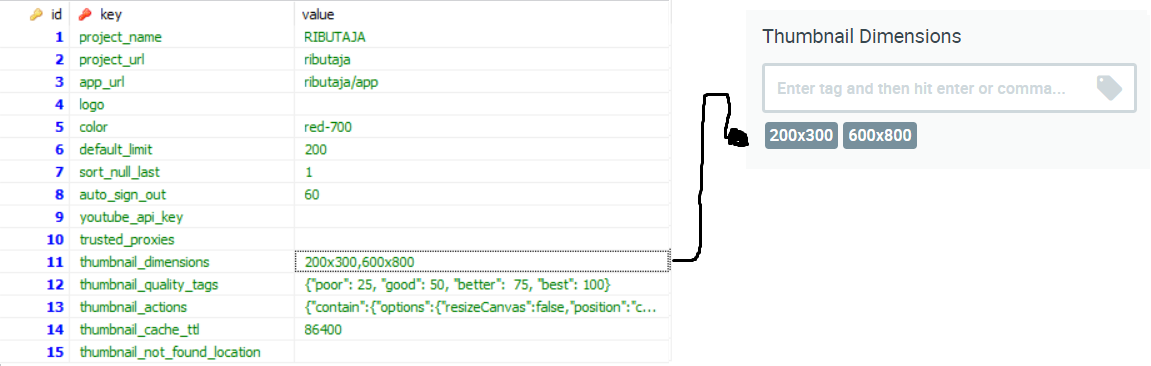
- Example different size
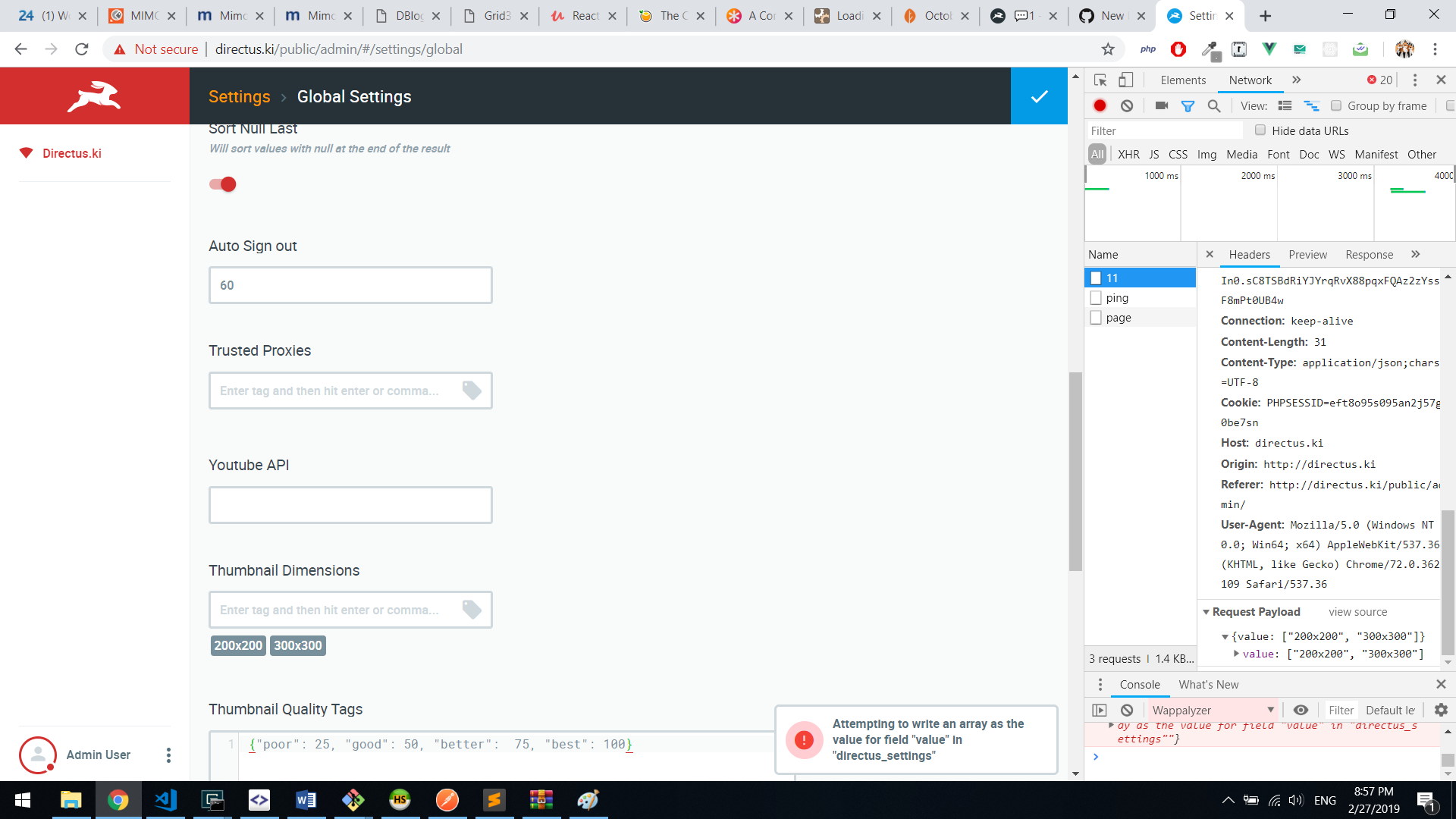
- Try to change from external using the submitted array value on chrome network then refresh the page
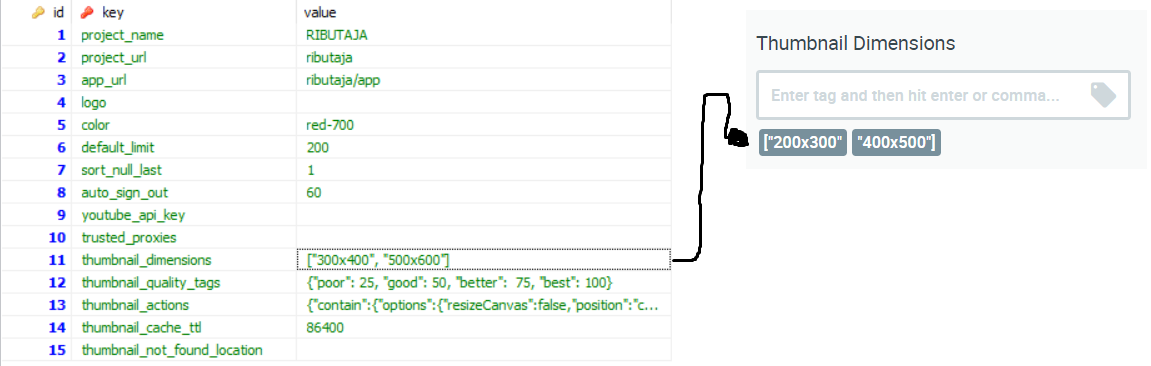
- Which I think the input is not converted to my database as string like 100x200,300x400 which (again) showing better value and even same like if I make it using the field
Technical Details
- Device: Lenovo Laptop
- OS: Windows 10 10.0.17134
- Web Server: XAMPP for Windows 7.1.21-0
- PHP Version: 7.1.20
- Database: MariaDB 10.1.34
- Install Method: Download from https://github.com/directus/directus/releases pick the source zip (https://codeload.github.com/directus/directus/zip/v7.0.18), then open domain/public/admin then it ask for installation and provide database info, and voila it show the dashboard
 Workaja
All 7 comments
@rijkvanzanten — Is this the App or API?
 benhaynes
on 27 Feb 2019
benhaynes
on 27 Feb 2019
@benhaynes this is the API not using directus_fields types for casting values for directus_settings. I thought that api ticket got closed though
 rijkvanzanten
on 27 Feb 2019
rijkvanzanten
on 27 Feb 2019
Interesting. We can check this on the latest version...
benhaynes
on 27 Feb 2019
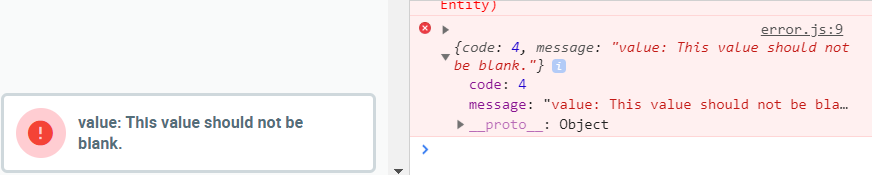
I got similar error with logo (id 4)
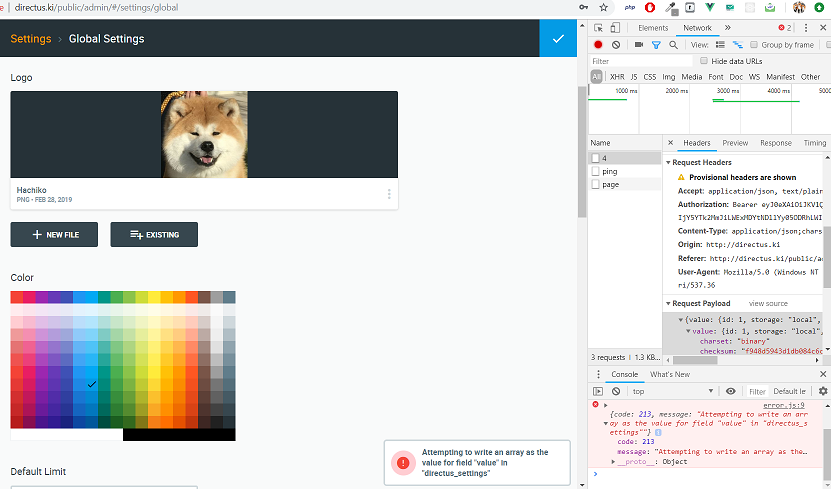
if I delete the input (image) from input, it show this
Workaja
on 28 Feb 2019
@Workaja
This issue is not reproducing. It might be occurred in older version, Please try it in latest release and let us know if this is still taking place.
 itsmerhp
on 21 May 2019
itsmerhp
on 21 May 2019
@benhaynes this was marked as a bug 2 days ago, but was an issue from February, do we know if this has been fixed since then?
 shealavington
on 22 May 2019
shealavington
on 22 May 2019
@itsmerhp couldn't reproduce and neither can I. We've done a lot in the past few months, specifically in Global Settings, so it seems this has been resolved. We can re-open if someone is still experiencing it and give updated steps to reproduce!
benhaynes
on 22 May 2019
Related issues
 Nitwel
·
3Comments
Nitwel
·
3Comments
 metalmarco
·
3Comments
metalmarco
·
3Comments
 gitlabisbetterthangithub
·
3Comments
benhaynes
·
4Comments
gitlabisbetterthangithub
·
3Comments
benhaynes
·
4Comments
 cdwmhcc
·
3Comments
cdwmhcc
·
3Comments
Most helpful comment
@Workaja
This issue is not reproducing. It might be occurred in older version, Please try it in latest release and let us know if this is still taking place.