What did you do?
Went to https://vlang.io/play
What did you expect to see?
A code editor & a button to run it.
What did you see instead?
The code editor appears but there's no button to run it.
 adsouza
All 12 comments
You can use https://vlang.ide.judge0.com/ in the meantime.
 Bowero
on 25 Aug 2019
Bowero
on 25 Aug 2019
Thanks; will do.
adsouza
on 25 Aug 2019
This example from the docs does not work: https://vlang.ide.judge0.com/?ACu4_hn35_8GTDqGLUC5mtdiYDcW
Are the docs wrong or is the compiler wrong...?
adsouza
on 25 Aug 2019
Another example from the docs that does not work:
https://vlang.ide.judge0.com/?AEWqlXy5ksJnwqW3FyfJPczlI7CQ
adsouza
on 25 Aug 2019
I am sorry. Judge0 has not been updated since v0.12 and I didn't notice that before I gave you the link. I strongly recommend you to build V locally then. It compiles within a second and you'll be immediately good to go.
Bowero
on 25 Aug 2019
Is anyone able to contact the guy behind judge0 to keep the V playground updated?
He could run scripted ./v up once a day or so... then it could replace the more rudimentary https://vlang.io/play which seems disabled for now?
@medvednikov after releasing the JS-backend there is still the idea of implementing the Playground using this or would it be rather preferable to partner with jugge0?
 gslicer
on 26 Sep 2019
gslicer
on 26 Sep 2019
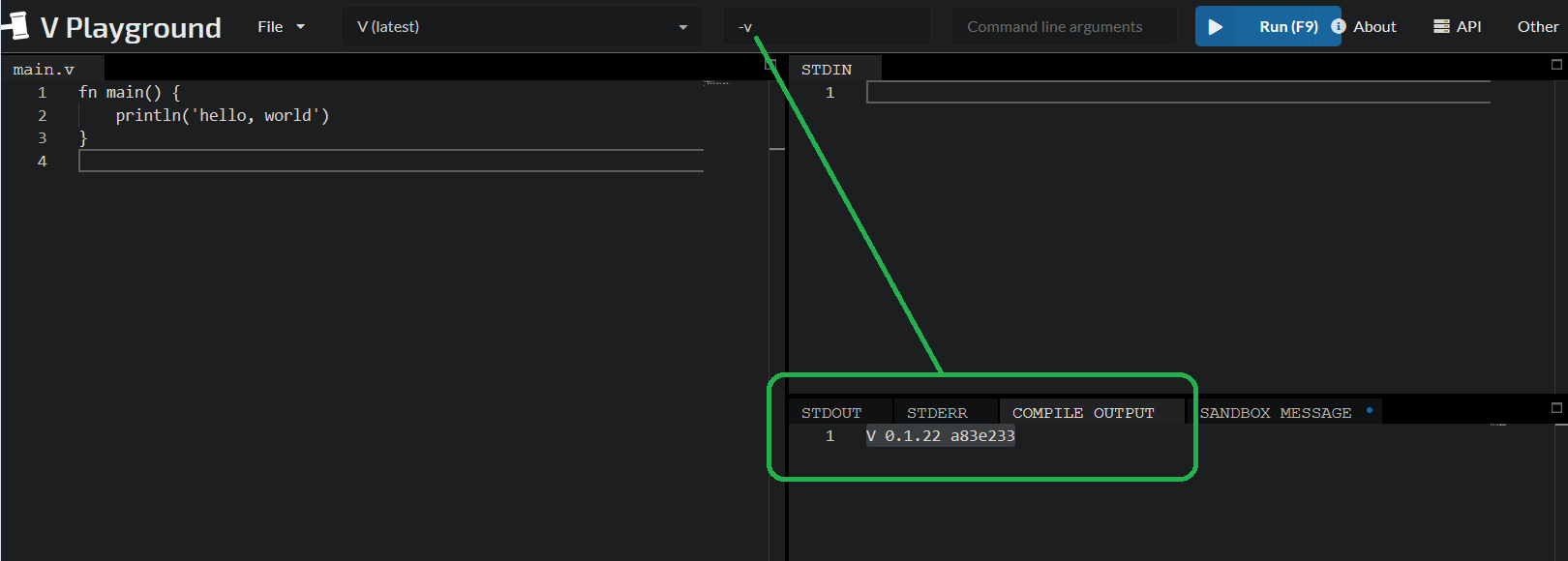
All right, at least we have an up-to-date playground by judge0
gslicer
on 1 Nov 2019
Now V is integrated on the main page of https://ide.judge0.com/?moMA
// On the Judge0 IDE, V is automatically
// updated every hour to the latest version.
fn main() {
    println('hello, world')
}
@adsouza https://vlang.io/play is back, and it won't be gone again :)
 medvednikov
on 7 Nov 2019
medvednikov
on 7 Nov 2019
@adsouza since we have two great playgrounds up and running this ticket has been closed
gslicer
on 7 Nov 2019
I already did :)
medvednikov
on 7 Nov 2019
Awesome :-D
adsouza
on 7 Nov 2019
Related issues
 aurora
·
3Comments
aurora
·
3Comments
 arg2das
·
3Comments
arg2das
·
3Comments
 clpo13
·
3Comments
clpo13
·
3Comments
 PavelVozenilek
·
3Comments
PavelVozenilek
·
3Comments
 markgraydev
·
3Comments
markgraydev
·
3Comments
Most helpful comment
You can use https://vlang.ide.judge0.com/ in the meantime.