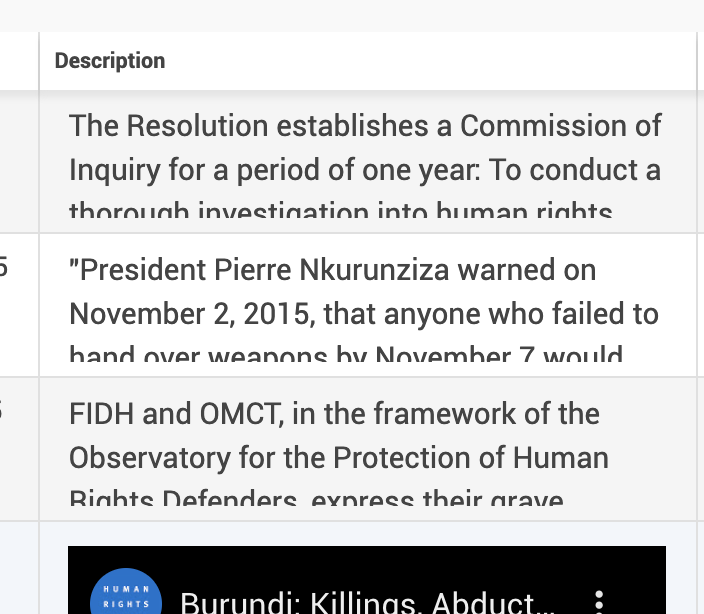
Uwazi: tableview: text cutoff when two or more lines
 simonfossom
All 9 comments
@simonfossom This happens specifically for Markdown/Richtext fields.
The markdown renderer has its own styles. We need to work in a CSS reset for the fields or figure a better way to show the contents.
 fnocetti
on 28 Sep 2020
fnocetti
on 28 Sep 2020
@simonfossom so what is the bug? do we want cut-off or we don't want it?
 txau
on 28 Sep 2020
txau
on 28 Sep 2020
@simonfossom so what is the bug? do we want cut-off or we don't want it?
@txau
I think he reported this like this was for text fields, but this actually happens to MD. Text fields should be fine. So I think we should move the conversation to #3222
fnocetti
on 28 Sep 2020
@simonfossom so what is the bug? do we want cut-off or we don't want it?
@txau
I think he reported this like this was for text fields, but this actually happens to MD. Text fields should be fine. So I think we should move the conversation to #3222
Ok, got it. I think it makes sense to CSS-type the rows and columns depending on the kind of content they contain so the visuals can be properly adapted.
txau
on 28 Sep 2020
The issue is that if cut-off happens user can't read the text. That makes it not useful. So we can either display with better formating or not display the last row.
Another issue is if we want to display rich text fields we have to invite users to read the full thing.
The solution was to click the row to open in the sidebar - the same way as cards work.
simonfossom
on 29 Sep 2020
@simonfossom I thought the cut-off was intentional so users hint there is extra text?
txau
on 29 Sep 2020
By design, we said it would be just truncated and you can click the row to see all.

If we can't do that, I would recommend a link that opens a row where there is a truncation:
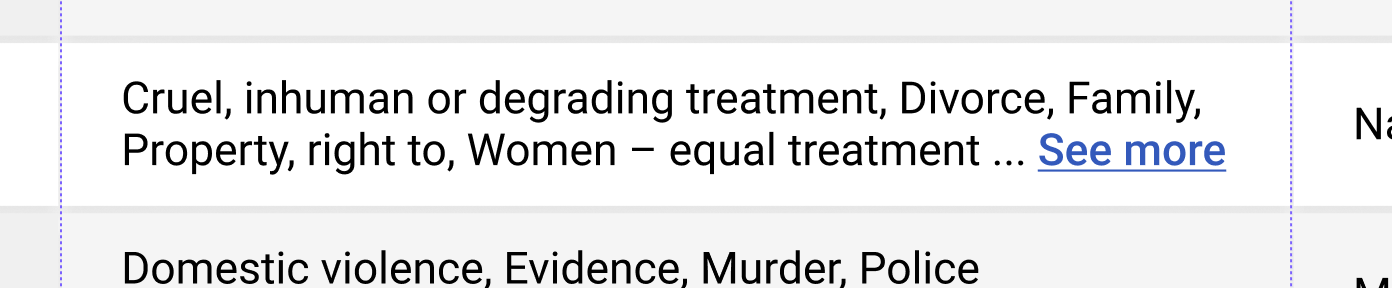
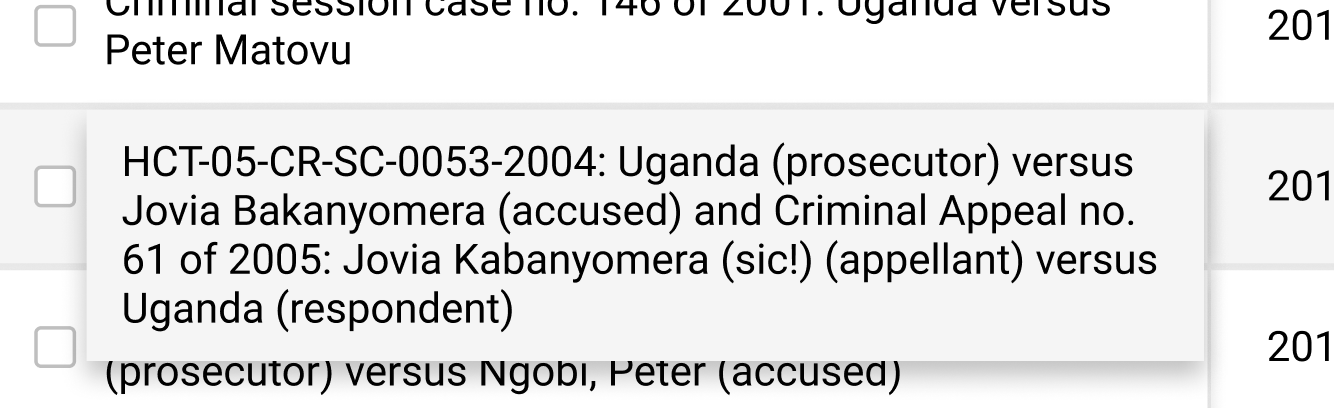
The best in my opinion is to enable click the row (anywhere) to open sidepanel. It would also be great if we could trigger popup over truncated cells to see full content just of that cell. That way user doesn't have to do anything. If he would hover over the cell for 2 sec the popup would appear with full text. So as he reads the full text appears. (Although with this we might be overdoing it.)
I'd like to do some user interviews to see what would be expected behavior and does this break userflows before we continue with it.
Will report back.
simonfossom
on 29 Sep 2020
The best in my opinion is to enable click the row (anywhere) to open sidepanel. It would also be great if we could trigger popup over truncated cells to see full content just of that cell. That way user doesn't have to do anything. If he would hover over the cell for 2 sec the popup would appear with full text. So as he reads the full text appears. (Although with this we might be overdoing it.)
This sounds good to me.
txau
on 29 Sep 2020
I agree on the row click behavior. That makes text selection more difficult, but it can be solved.
I actually also think it's a good solution to have a 'half line' (perhaps with a gradient like in the cards) to hint there is more to the text you are reading.
If we show three lines "exactly", it could appear that that is the whole extent of the text. This allows this notion of: there 'could' be more. So I thought it was a happy coincidence that it happened like that without tinkering the CSS further.
 RafaPolit
on 30 Sep 2020
RafaPolit
on 30 Sep 2020
Related issues
txau
·
5Comments
RafaPolit
·
6Comments
 fititnt
·
4Comments
fnocetti
·
4Comments
RafaPolit
·
3Comments
fititnt
·
4Comments
fnocetti
·
4Comments
RafaPolit
·
3Comments