@gorhill just so he's aware (if not already)
@overdodactyl This is weird man. Help me troubleshoot this sucker.
First of all, it's not like I use the element picker every day, but I think has only been happening for the last few days. It's not Stylus (which had an update to 1.18 a few days ago, but I rolled back to 1.17 which is April 13 and it's still there) - see https://addons.mozilla.org/en-US/firefox/addon/styl-us/versions/
Secondly, it's not all scripts (more on that). Are you seeing this with any of your copious web site styles? (I know you're a style control freak, so you're bound to have a few hundred loaded!)
OT: how do you make those little browser window gif files? Cuz pasting 4 little screenshots sucks
STR:
- Install Stylus
- Add the Github Dark userstyle
- https://github.com/StylishThemes/GitHub-Dark (manually)
- https://userstyles.org/styles/37035/github-dark (userstyles)
- install uBO (I am on stable 1.16.2)
- load a github page
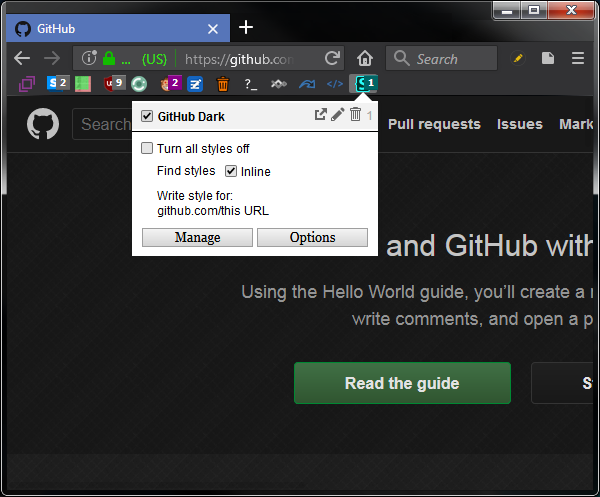
- block an element (web content vanishes as per pic, colors hard to read (as per pic), eg especially if you move the cursor off the dialog box, it gets like totally dark and 100% unreadable))

- select
pickand move your selector around (you can't see what you're selecting)
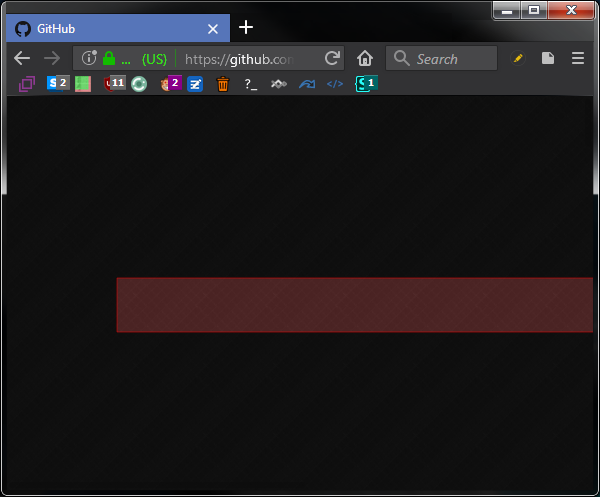
- no need to escape anything, just toggle the user theme off from the stylus toolbar icon

 Thorin-Oakenpants
All 12 comments
PS: been using these styles since before web extensions, and everything was peachy until a few days ago. Not a major issue, because I only have like 10 scripts, and I can always flick em off if I need to use the element picker - it just may be indicative of a wider problem
Thorin-Oakenpants
on 30 Apr 2018
@overdodactyl Actually, your bugzilla dark also causes the element picker to go wonky
Thorin-Oakenpants
on 30 Apr 2018
I've noticed this before, and I think it's been a problem for a while (at least on GitHub using the GitHub Dark theme). I didn't notice it on my bugzilla one, I'll get it fixed. The issue boils down to the user style overriding uBO's html page. The solution is to just increase specificity. For my style, that means changing
body {
    background: url(.....)
}
to
html:not(#ublock0-epicker) body {
    background: url(.....)
}
When I get the chance I'll take a littler closer look at the GitHub one and see if I can submit a PR for it.
 overdodactyl
on 30 Apr 2018
overdodactyl
on 30 Apr 2018
Well that kinda sucks (not knocking anyone here), but surely it is better to fix the ONE source causing the issue than to edit tens of thousands of user styles
Pretty damn sure it's only been happening for a short while - maybe gorhill could wrap the picker in a uniquely named element and force it's own color - I'm confused, why would all the content hide
Thorin-Oakenpants
on 30 Apr 2018
Looking at uBO's code, I would say it's a uBO issue. I do use user stylesheets for the iframe containing the picker, but I use a plain style tag for the inside of the frame, which is where the issue lies. Solution for uBO is to use user stylesheets for the inside of the frame, but not something trivial to fix, the tricky part is to find out the frame id to use to insert these user stylesheets. I will need to experiment.
 gorhill
on 30 Apr 2018
gorhill
on 30 Apr 2018
than to edit tens of thousands of user styles
Another approach meanwhile could be to use a user style specific to uBO's element picker rather than trying to create exceptions for all other styles. What about:
html#ublock0-epicker body {
    background: transparent !important;
}
Another approach meanwhile could be to use a user style specific to uBO's element picker
But that's already in there
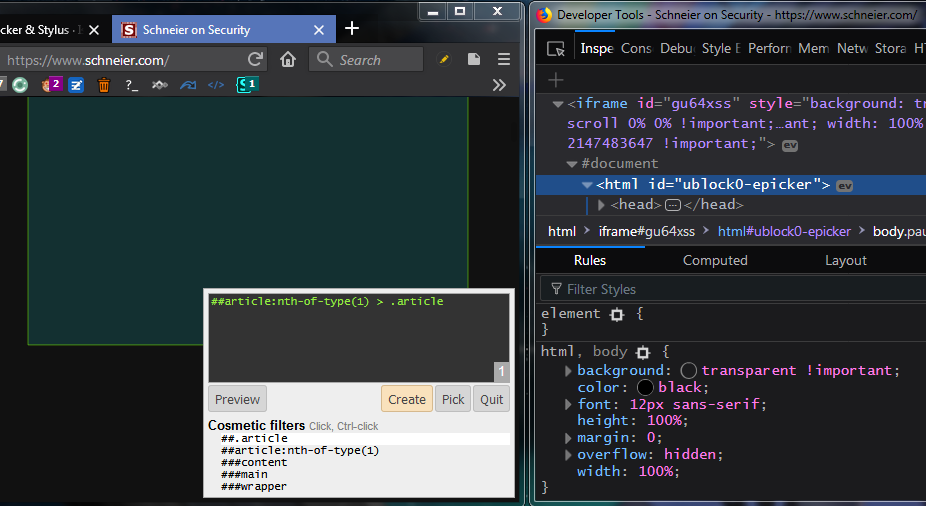
You'd have to make sure that the uBO element picker style is applied last
Edit: I have not made a uBO only style, so not even sure this works (but it should, right?)
Thorin-Oakenpants
on 6 May 2018
But that's already in there
Yes, sorry, I made the mistake of speculating what the issue was instead of investigating it following your repro steps -- I should know better.
I had assumed Stylish was using user stylesheets to implement user styles -- apparently that is not the case. This means that the injected styles were overriding uBO's own styles somehow. Turns out I was not using the ublock0-epicker id in CSS rules to ensure very high specificity, and thus the styles injected by Stylish were overriding uBO's ones.
Will fix asap.
gorhill
on 6 May 2018
Lemme know when it's verified fixed in the next rc and I'll close this
Thorin-Oakenpants
on 6 May 2018
PS: :kiss:
Thorin-Oakenpants
on 6 May 2018
Fix is in 1.16.5b1.
gorhill
on 6 May 2018
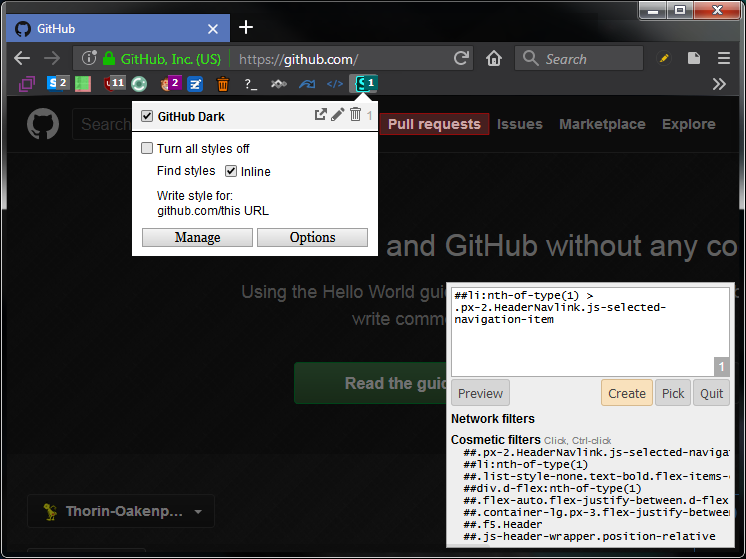
confirmed fixed
Thorin-Oakenpants
on 6 May 2018
Related issues
Thorin-Oakenpants
·
4Comments
Thorin-Oakenpants
·
5Comments
 TerkiKerel
·
4Comments
Thorin-Oakenpants
·
4Comments
Thorin-Oakenpants
·
3Comments
TerkiKerel
·
4Comments
Thorin-Oakenpants
·
4Comments
Thorin-Oakenpants
·
3Comments
Most helpful comment
Yes, sorry, I made the mistake of speculating what the issue was instead of investigating it following your repro steps -- I should know better.
I had assumed Stylish was using user stylesheets to implement user styles -- apparently that is not the case. This means that the injected styles were overriding uBO's own styles somehow. Turns out I was not using the
ublock0-epickerid in CSS rules to ensure very high specificity, and thus the styles injected by Stylish were overriding uBO's ones.Will fix asap.