Urql: next-urql: How to invalidate cache?
"@urql/exchange-graphcache": "^2.4.2",
"next-urql": "^0.3.8",
"urql": "^1.9.7"
I have a app which supports multiple languages. The languages are sent to Graph via a header. I'm using the Graphcache exchange for caching. When a user switches their language, I need to invalidate the entire cache and re-query everything, because the data is no longer in the correct language.
I set up urql globally on _app as follows (the app is SSR only for now, no SSG/static routes):
export default withUrqlClient((ctx) => ({
  url: process.env.NEXT_PUBLIC_API,
  fetchOptions: { headers: { locale: getLocaleFromContext(ctx) } },
  exchanges: [devtoolsExchange, dedupExchange, ssrExchange, cacheExchange({}), fetchExchange],
}))(App)
In the App I then have a little effect taking care of changing the header on the client when the locale changes:
  useEffect(() => {
    console.log('Locale change detected', pageProps.locale)
    client.fetchOptions = { headers: { locale: pageProps.locale } }
    client.requestPolicy = 'cache-and-network'
  }, [pageProps.locale])
This all works fine. However I have not found a way to manually invalidate the cache. I would appreciate any advice you could give.
As you can see at the moment I've resorted to just globally setting the requestPolicy to cache-and-network which then results in data refreshing but this is of course not ideal because it always refreshes even if a language change did not occur.
 pix2D
pix2D
All 4 comments
I'm thinking the best way would be to offer a solution out of the box from next-urql to reset the current active client-instance but this would need a way to easily call/indicate this.
 JoviDeCroock
on 18 Jun 2020
JoviDeCroock
on 18 Jun 2020
So, This problem does come up frequently in the form of either user logouts or language changes. The advantage here you can also use is that this is a rare action, and doesn’t happen frequently.
There’s a very simple way to invalidate all of an SPA’s state. Counterintuitively I’d suggest a location.reload() and just let the page either navigate or reload. This is in my opinion the correct approach because it’s less error prone, deals with it in an intuitive manner, and giving the right caching of files shouldn’t even feel odd to the use 😇
In some E-Commerce sites we’ve suggested this approach multiple times, since changing languages isn’t a frequent action and some local state may always be forgotten about if it’s not managed by a library or client.
 kitten
on 18 Jun 2020
kitten
on 18 Jun 2020
I am sorry but location.reload is not a good enough solution as there are cases in which the page reload would lead to the destruction of valuable data. To exemplify I would like to share a use case with you.
I have a token that is used for email validation and then that email is either attached to a new account or an existent one, as shown in the image below:
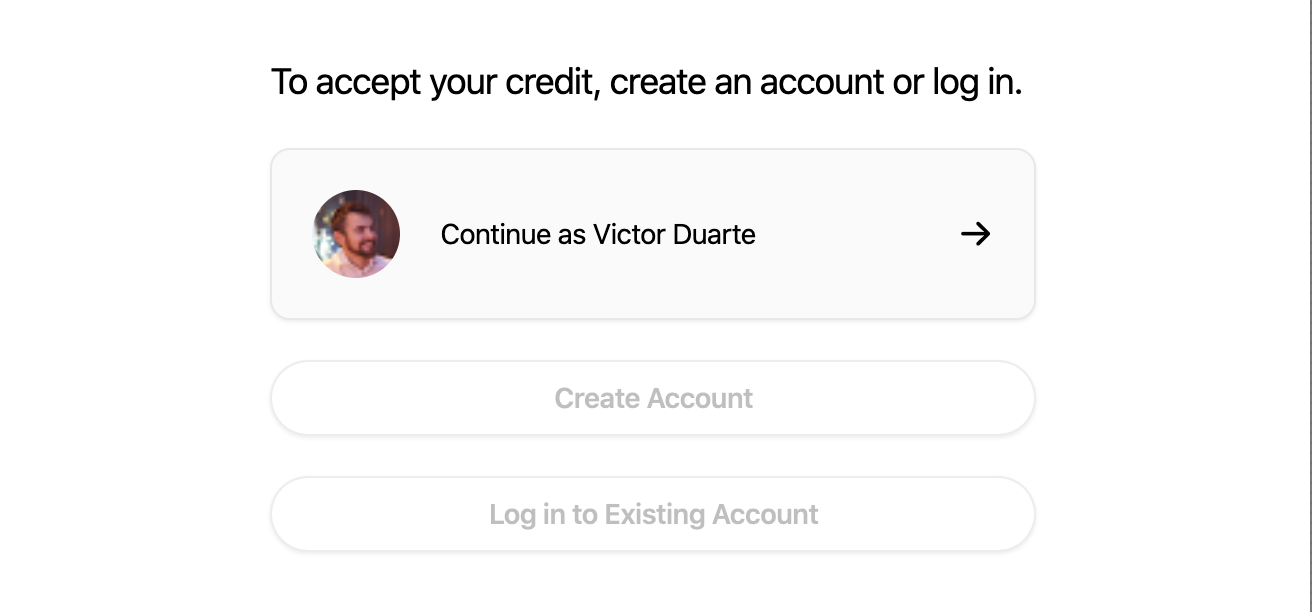
Reloading the page during this process will throw an error, since it would restart the email validation process and the token has already been consumed at this point.
One could argue that this is not a urql problem and that this is just a bad architecture, which I would actually agree. However, the email validation comes from Meteor and works as a nasty blackbox, leaving me no option to flexibilize the flow.
As a developer I end up squeezed between Meteor's prohibition of reloads and urql's exigency of reloads.
Currently this whole page is nicely managed with Apollo's API, which contains a .resetStore() call. Unless I find a similar solution in urql that does not require a reload, I will need to stop the migration to urql 😐
 zvictor
on 2 Jul 2020
zvictor
on 2 Jul 2020
@zvictor This is really more of a next-urql problem, I suppose, since you can't just re-create the client yourself at the Provider's level. One alternative right now is to fork / copy next-urql and to add a small method that recreates the client where it's created https://github.com/FormidableLabs/urql/blob/1cdfbefbf7ddafb9ba181527417c2e57bbbb4861/packages/next-urql/src/with-urql-client.tsx#L39-L60
We're currently discussing to add .dangerously_resetClient method that'll swap out the client near the Provider, which will solve this for next-urql perfectly. In the meantime you could probably patch in the same. 🤔
kitten
on 2 Jul 2020
Related issues
 TLadd
·
4Comments
TLadd
·
4Comments
 davidhouweling
·
4Comments
davidhouweling
·
4Comments
 narinluangrath
·
3Comments
narinluangrath
·
3Comments
 wodnjs6512
·
3Comments
wodnjs6512
·
3Comments
 danielres
·
3Comments
danielres
·
3Comments
Most helpful comment
So, This problem does come up frequently in the form of either user logouts or language changes. The advantage here you can also use is that this is a rare action, and doesn’t happen frequently.
There’s a very simple way to invalidate all of an SPA’s state. Counterintuitively I’d suggest a
location.reload()and just let the page either navigate or reload. This is in my opinion the correct approach because it’s less error prone, deals with it in an intuitive manner, and giving the right caching of files shouldn’t even feel odd to the use 😇In some E-Commerce sites we’ve suggested this approach multiple times, since changing languages isn’t a frequent action and some local state may always be forgotten about if it’s not managed by a library or client.