Uppy: tus: failed to create upload, caused by [object ProgressEvent]
When uploading to https: //master.tus.io/files/ I get for some files this error:
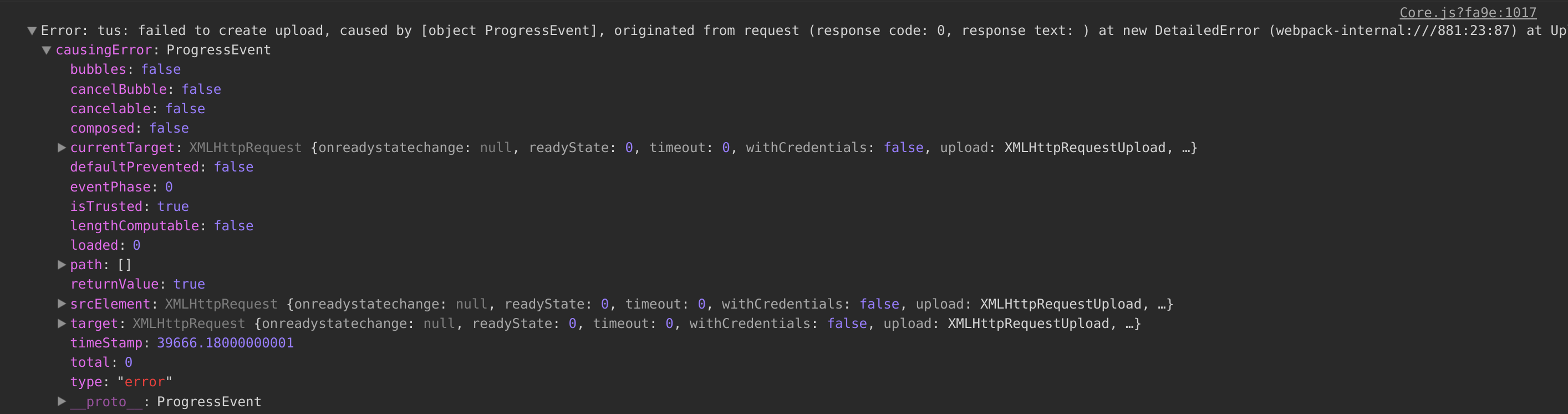
"tus: failed to create upload, caused by [object ProgressEvent], originated from request (response code: 0, response text: )"
Other files are fine... Any idea what is going wrong?
 musicformellons
All 10 comments
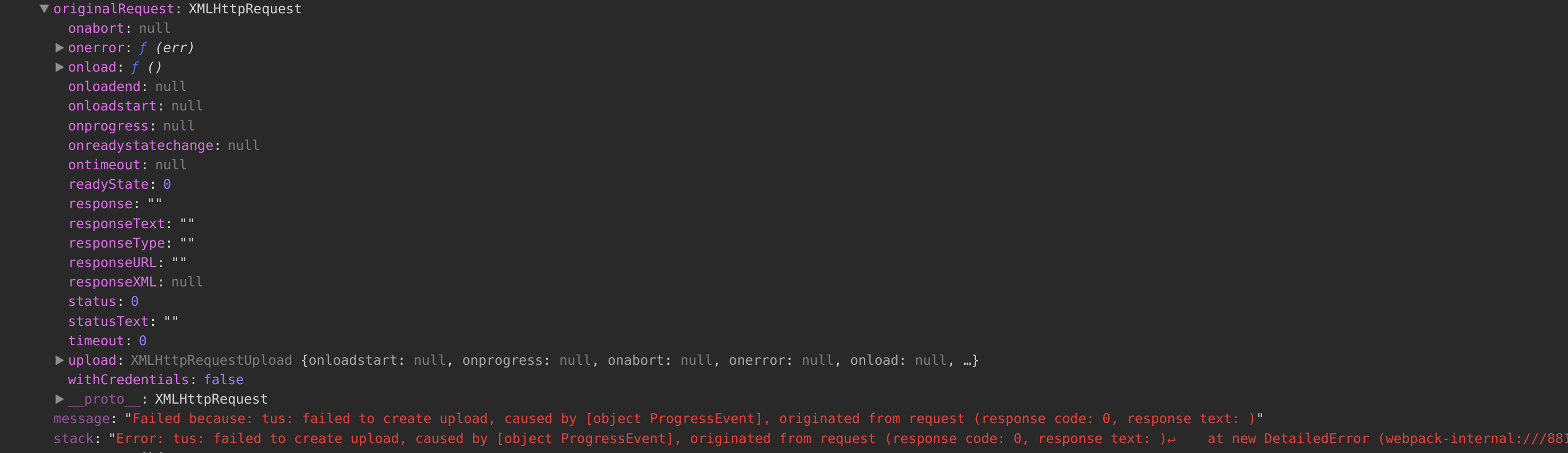
More details:
message:
"Failed because: tus: failed to create upload, caused by [object ProgressEvent], originated from request (response code: 0, response text: )"
stack:
"Error: tus: failed to create upload, caused by [object ProgressEvent], originated from request (response code: 0, response text: )↵    at new DetailedError (webpack-internal:///881:23:87)↵    at Upload._emitXhrError (webpack-internal:///879:243:23)↵    at XMLHttpRequest.xhr.onerror (webpack-internal:///879:356:16)"
musicformellons
on 15 Jan 2018
Furthermore, when 'testing' this:
- E.g. I have 39 files trying to upload. 18 get through, 21 get above error.
- Failed files have similar extensions as successful files.
musicformellons
on 15 Jan 2018
Hmm, usually I get this error when the endpoint is not reachable because a browser extension is blocking it, but if it works for some files and not others that can't be the problem. This is confusing—is there any more information in the Network tab in the developer tools?
 goto-bus-stop
on 15 Jan 2018
goto-bus-stop
on 15 Jan 2018
Mmmh, looks like succesful files are uploaded succesfully before. When I come up with new set of testfiles, they all fail. I unchecked all my chrome browser extensions (except gnome as that one can not be unchecked somehow) and still get same error.
musicformellons
on 15 Jan 2018
@musicformellons In order to get more details, I would like to ask you to show what the networks tab in the browser's developer tools looks like. We recently moved the demo server (master.tus.io) to a new setup, which might cause problem like this.
 Acconut
on 15 Jan 2018
Acconut
on 15 Jan 2018
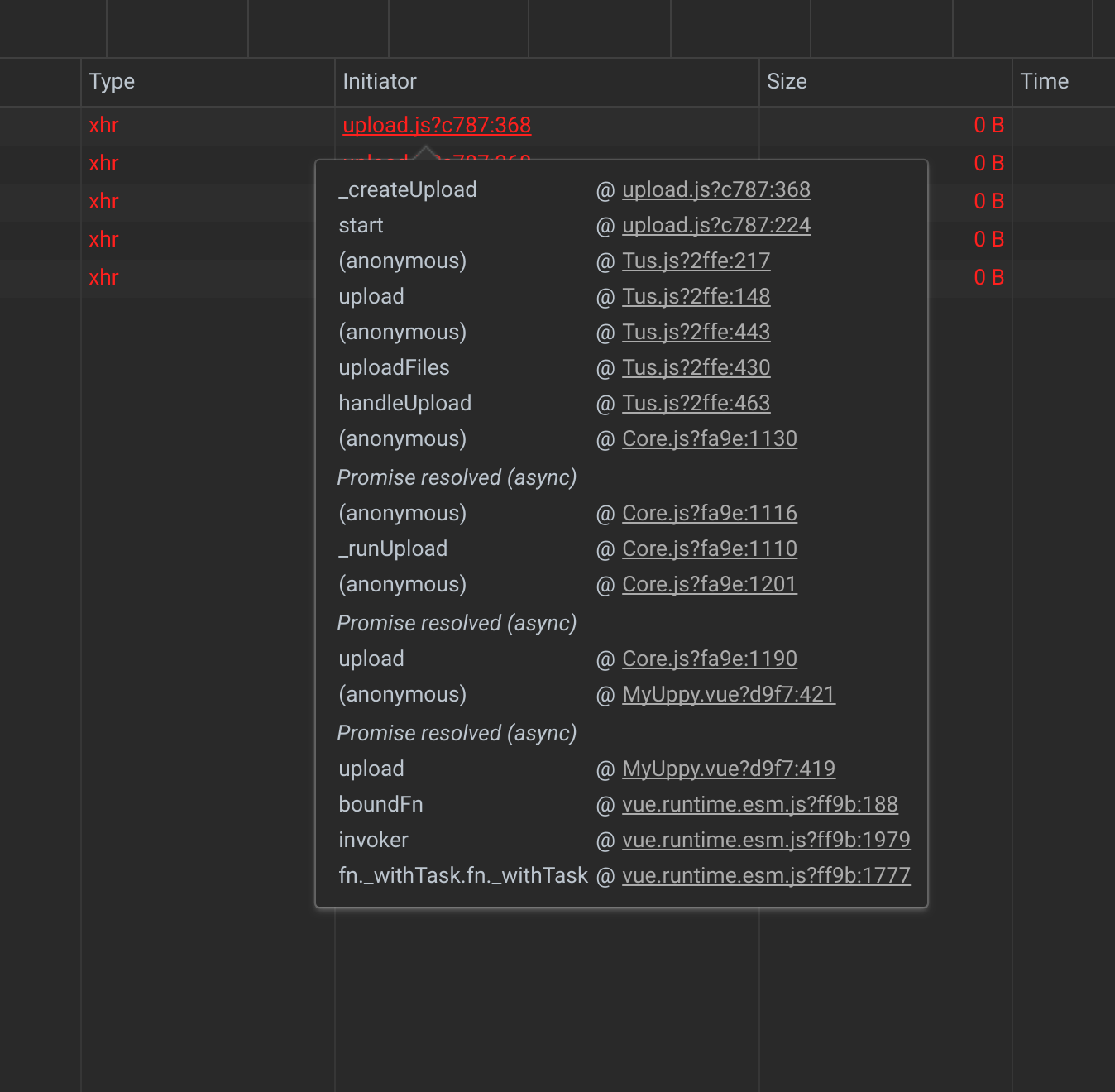
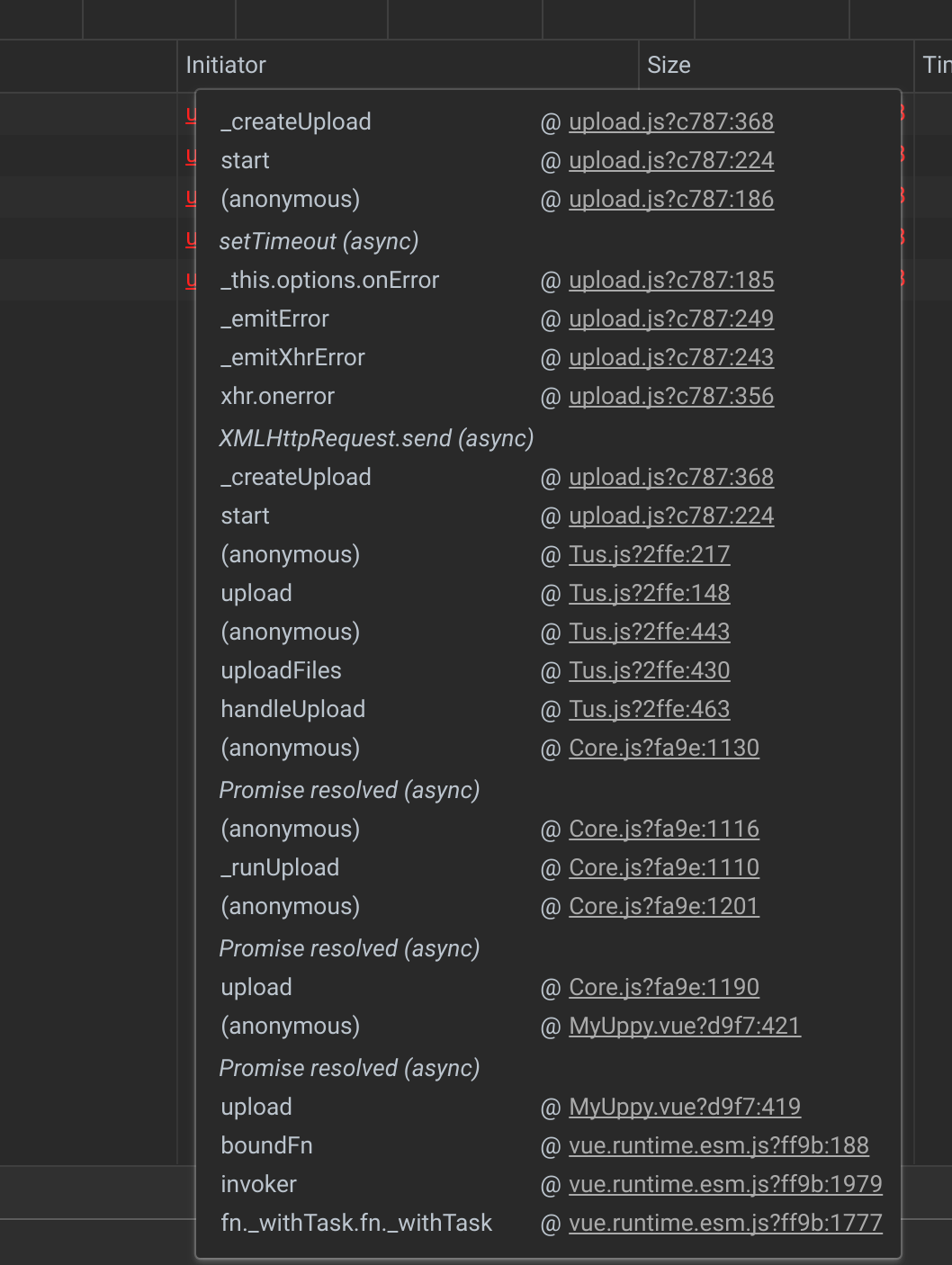
Uh..., something like this? I recorded from the moment before pressing upload button (with one file which was failing). 2nd and 3rd image are details of 1st and 2nd attempt.

musicformellons
on 15 Jan 2018
Yes, those were the screens I was looking for. However, in this case they do not contain any helpful message other then that the requests are failing without getting a response from the server.
As a next step, I would like you to have a look at the dev tools' console and see whether it contains messages about failed requests. They should look similar to this:

If you see some, could you send us the screenshot?
Acconut
on 15 Jan 2018
I get this:
upload.js?c787:368 OPTIONS https://%20//master.tus.io/files/ net::ERR_NAME_NOT_RESOLVED
_createUpload @ upload.js?c787:368
start @ upload.js?c787:224
(anonymous) @ Tus.js?2ffe:217
upload @ Tus.js?2ffe:148
(anonymous) @ Tus.js?2ffe:443
uploadFiles @ Tus.js?2ffe:430
handleUpload @ Tus.js?2ffe:463
(anonymous) @ Core.js?fa9e:1130
Promise resolved (async)
(anonymous) @ Core.js?fa9e:1116
_runUpload @ Core.js?fa9e:1110
(anonymous) @ Core.js?fa9e:1201
Promise resolved (async)
upload @ Core.js?fa9e:1190
(anonymous) @ MyUppy.vue?d9f7:479
Promise resolved (async)
upload @ MyUppy.vue?d9f7:476
boundFn @ vue.runtime.esm.js?ff9b:188
invoker @ vue.runtime.esm.js?ff9b:1979
fn._withTask.fn._withTask @ vue.runtime.esm.js?ff9b:1777
https://%20//master.tus.io/files/ net::ERR_NAME_NOT_RESOLVED
That's the problem, the endpoint you specified (https: //master.tus.io/files/) contains a space. Please remove that and it should work.
Acconut
on 15 Jan 2018
Pheeeew! Thanks Acconut! Works brilliantly all of a sudden...! Aaargh..., must have accidentally added it at some point!? Solved.
musicformellons
on 15 Jan 2018
Related issues
 quetzyg
·
3Comments
quetzyg
·
3Comments
 skunkwerk
·
3Comments
skunkwerk
·
3Comments
 ameft
·
4Comments
ameft
·
4Comments
 ghost
·
4Comments
ghost
·
4Comments
 mokutsu-coursera
·
3Comments
mokutsu-coursera
·
3Comments
Most helpful comment
Pheeeew! Thanks Acconut! Works brilliantly all of a sudden...! Aaargh..., must have accidentally added it at some point!? Solved.