Upbge: Crash (segfault) after recent update
After I updated my build from a6b9e1d1 to 63a35a33, I can no longer run my project as it immediately crashes when I run it.
It doesn't show any meaningful output when it happens and the problem also persists when I run the project using blenderplayer.
My system is Manjaro Linux / GTX970 (CUDA 11.1.1) and UPBGE is built using this setup
You can download the project which hopefully can reproduce the issue on other systems from here:
https://drive.google.com/file/d/1MRdDVf1l_Iy9r7mWqyAjdsWuAt5cW6Jr/view?usp=sharing
 mysticfall
All 12 comments
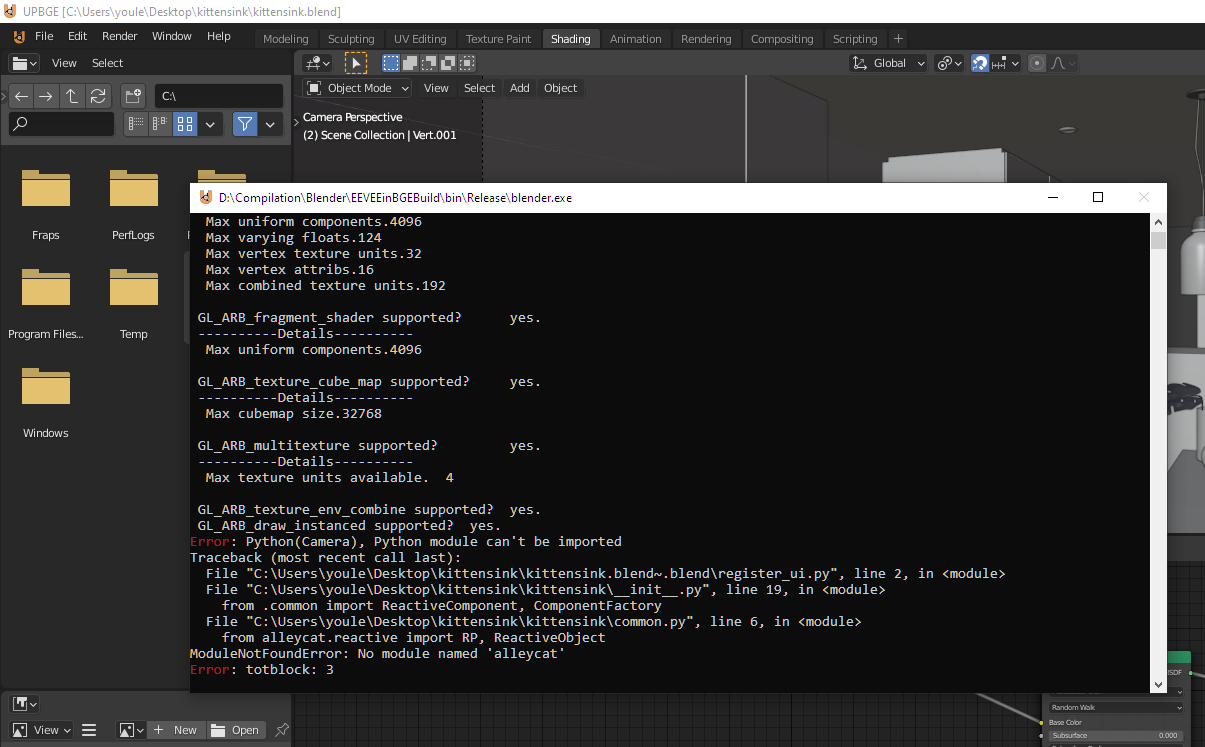
It doesn't crash on my computer on windows. blenderplayer seems to open correctly too but I can't move or do anything.
I have this python error:
 youle31
on 14 Nov 2020
youle31
on 14 Nov 2020
Thanks for testing it. In my environment however, it always crashes with the newer version but it runs fine when I downgrade it.
Is there anyway I could debug it, so I could provide more information about the problem?
mysticfall
on 14 Nov 2020
I'll reboot on linux and try with last master (i just updated it like 1 hour ago)
youle31
on 14 Nov 2020
It works as expected on my linux mint 20. Same python message than on windows.
To build, i follow what is recommended on debian systems:
make clean (to rebuild from scratch)
make update (to update my sources and precompiled libraries)
make -j12 (to build)
I don't know how we do on arch linux. If it doesn't work in last master, you can try to debug it with qtcreator for example (you need to compile in debug mode, create a qtcreator project (https://wiki.blender.org/wiki/Developer_Intro/Environment/Linux_CMake_QtCreator ) and launch blender/upbge from qtcreator debugger). When there's a segfault, normally qtcreator can provide more informations about the crash.
You can also watch at git log/history between the 2 commits you mention to see if you find something...
Also you can look at reported bugs: https://developer.blender.org/maniphest/
Else, you can also try to append everything in a new file to see if you still have a crash.
youle31
on 14 Nov 2020
Thanks! I'll try those methods and will update the issue when I get more information (may take a few days).
mysticfall
on 14 Nov 2020
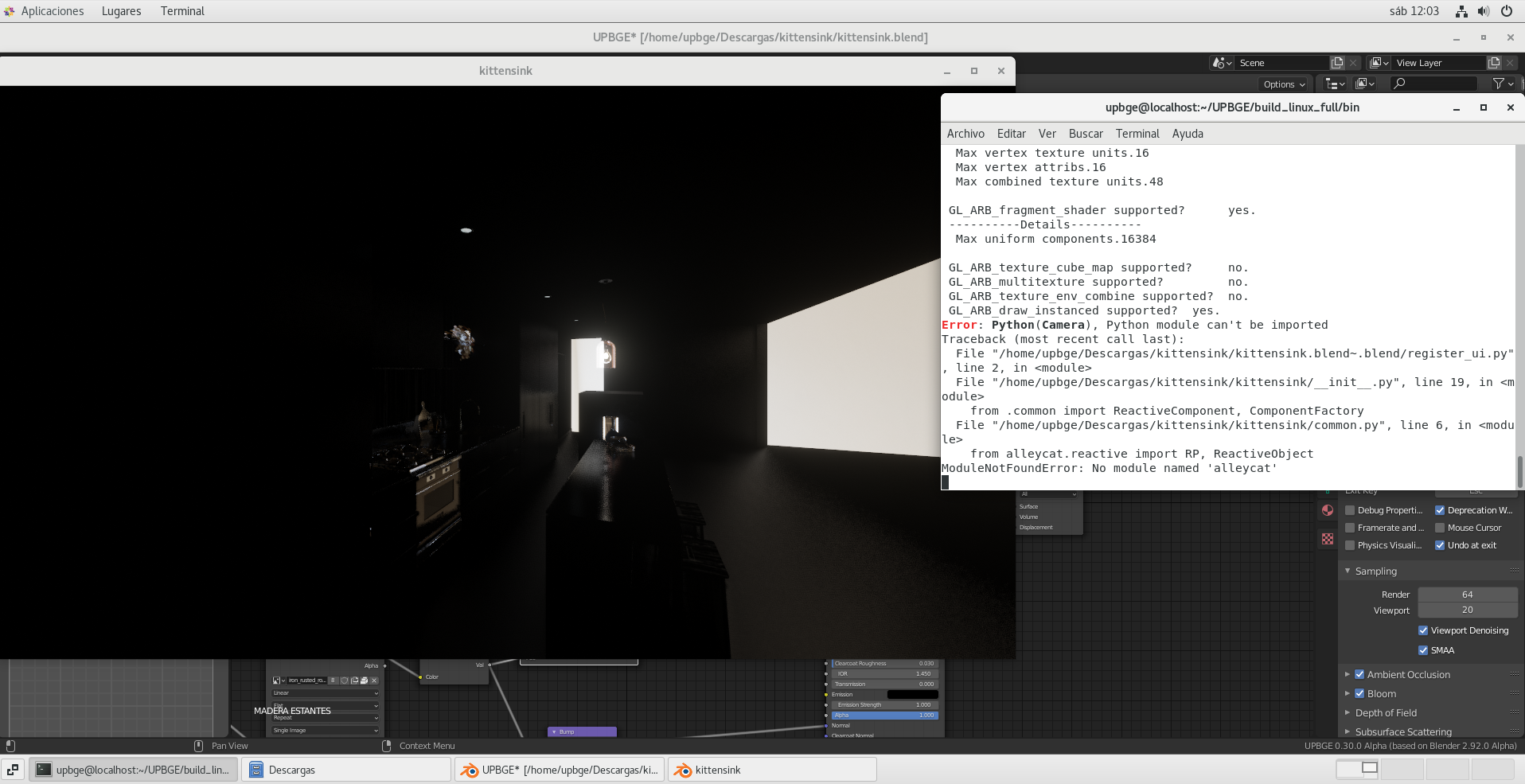
my current build from master works ok in CentOS 7
 lordloki
on 14 Nov 2020
lordloki
on 14 Nov 2020
It looks like it has nothing to do with the Blend file in question, as I was just able to reproduce it with the default scene as well. I'll do a new build and try to dig deeper and see if I can gather more information.
mysticfall
on 17 Nov 2020
Got a stackdump information by running blenderplayer while monitoring the log with journalctl:
Process 55617 (blenderplayer) of user 1000 dumped core.

Stack trace of thread 55617:
#0  0x000055896ea5048f BLI_strncpy_wchar_from_utf8 (blenderplayer + 0x2ff748f)
#1  0x000055896e939c1f PyC_SetHomePath (blenderplayer + 0x2ee0c1f)
#2  0x000055896d774a54 _Z29initGamePlayerPythonScriptingP4MainiPPcP8bContextb (blenderplayer + 0x1d1ba54)
#3  0x000055896d774dec _Z15setupGamePythonP15KX_KetsjiEngineP4MainP7_objectPS4_iPPcP8bContextb (blenderplayer + 0x1d1bdec)
#4  0x000055896d7573d2 _ZN11LA_Launcher10InitEngineEv (blenderplayer + 0x1cfe3d2)
#5  0x000055896d757e07 _ZN17LA_PlayerLauncher10InitEngineEv (blenderplayer + 0x1cfee07)
#6  0x000055896c95dad5 main (blenderplayer + 0xf04ad5)
#7  0x00007fbec4cf7152 __libc_start_main (libc.so.6 + 0x28152)
#8  0x000055896c9af3be _start (blenderplayer + 0xf563be)
Could you try this patch?
https://gist.github.com/lordloki/d4a63cbc98f857b7553e0a0b6ff5139e
lordloki
on 17 Nov 2020
I'm currently building the version that youle has just pushed which he said might be relevant to the problem. I'll try the patch if it doesn't resolve the problem. Thanks :)
mysticfall
on 17 Nov 2020
Nah, I just see that youle committed the same patch in master. hehehe
lordloki
on 17 Nov 2020
I just finished testing the new build and I can confirm that the commit indeed fixed the crash for me.
Thanks much for the help! :)
mysticfall
on 17 Nov 2020
Related issues
 BlenderDoc
·
4Comments
BlenderDoc
·
4Comments
 vlad0337187
·
7Comments
vlad0337187
·
7Comments
 RomStef
·
4Comments
RomStef
·
4Comments
 joelgomes1994
·
4Comments
joelgomes1994
·
4Comments
 IzaZed
·
6Comments
IzaZed
·
6Comments
Most helpful comment
Nah, I just see that youle committed the same patch in master. hehehe