Current behavior
The Windows.UI.Xaml.Controls.TextBox is never garbage collected on iOS. Similar to #3914, but no binding is required to produce this leak, simply place a TextBox control in a Page, then navigate away.
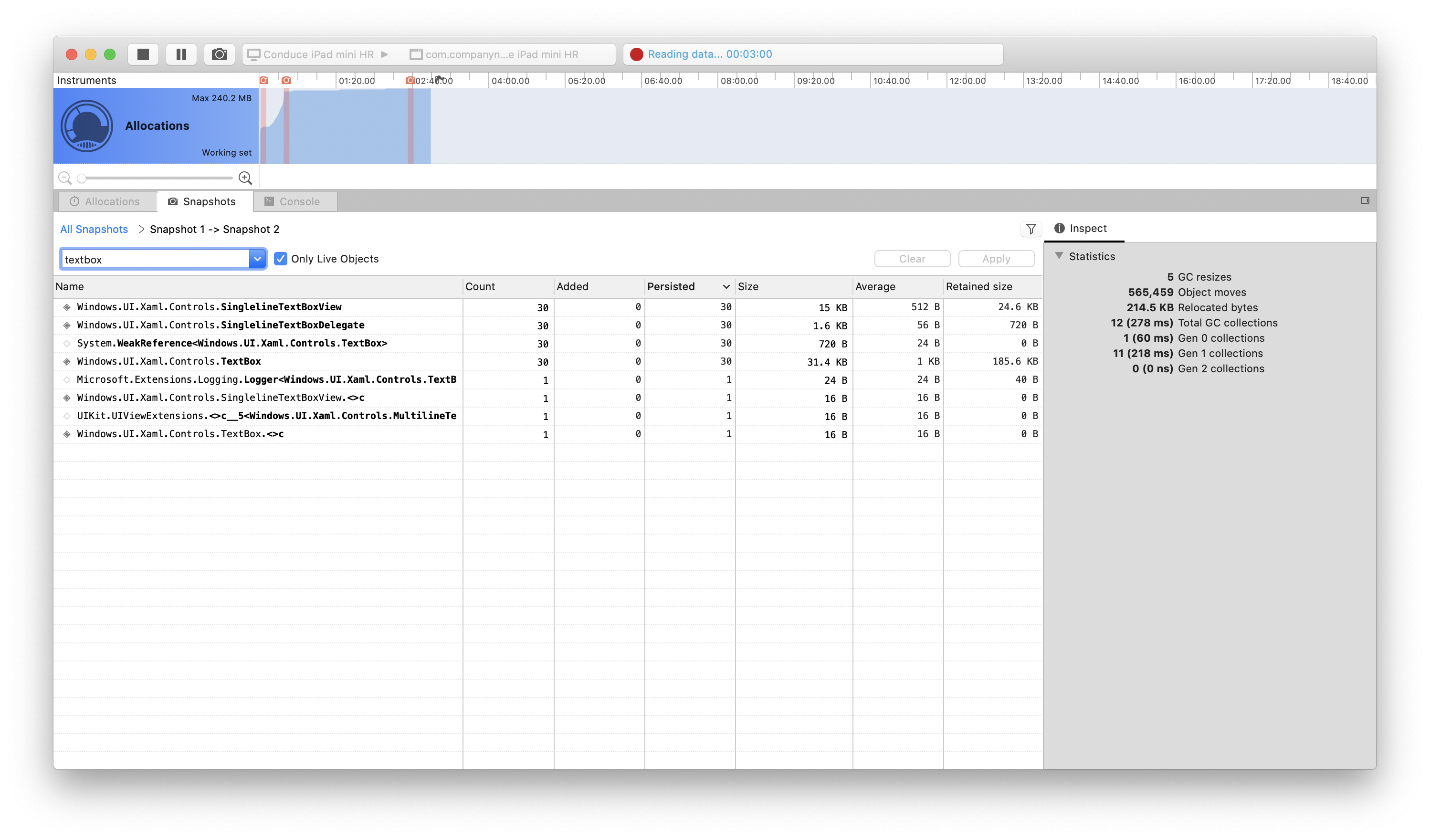
The Memory Instances counter shows the TextBox control is not being collected. One instance persists for each navigation:

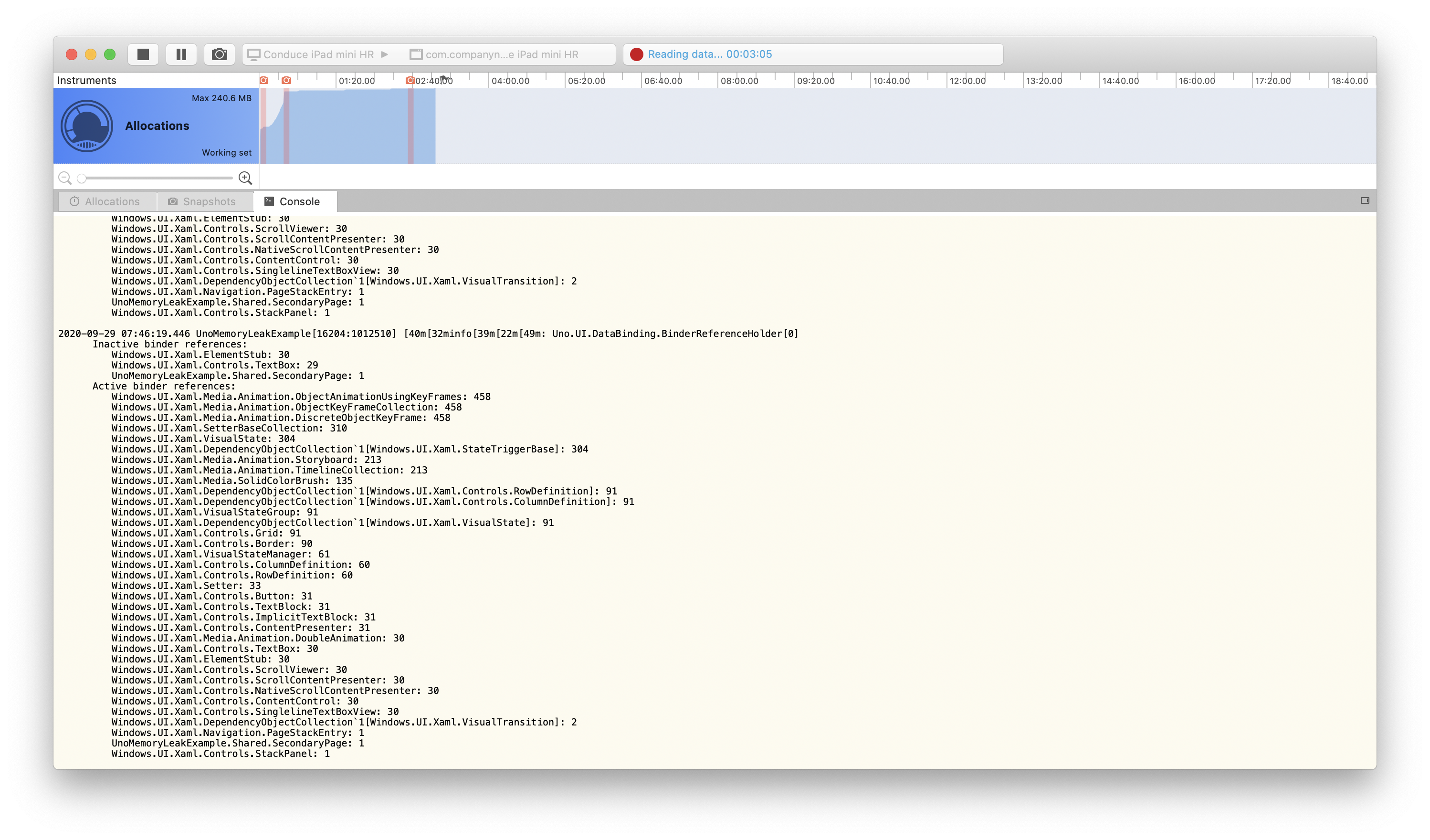
Below are some images of the Xamarin Profiler's output showing the control persisting forever.
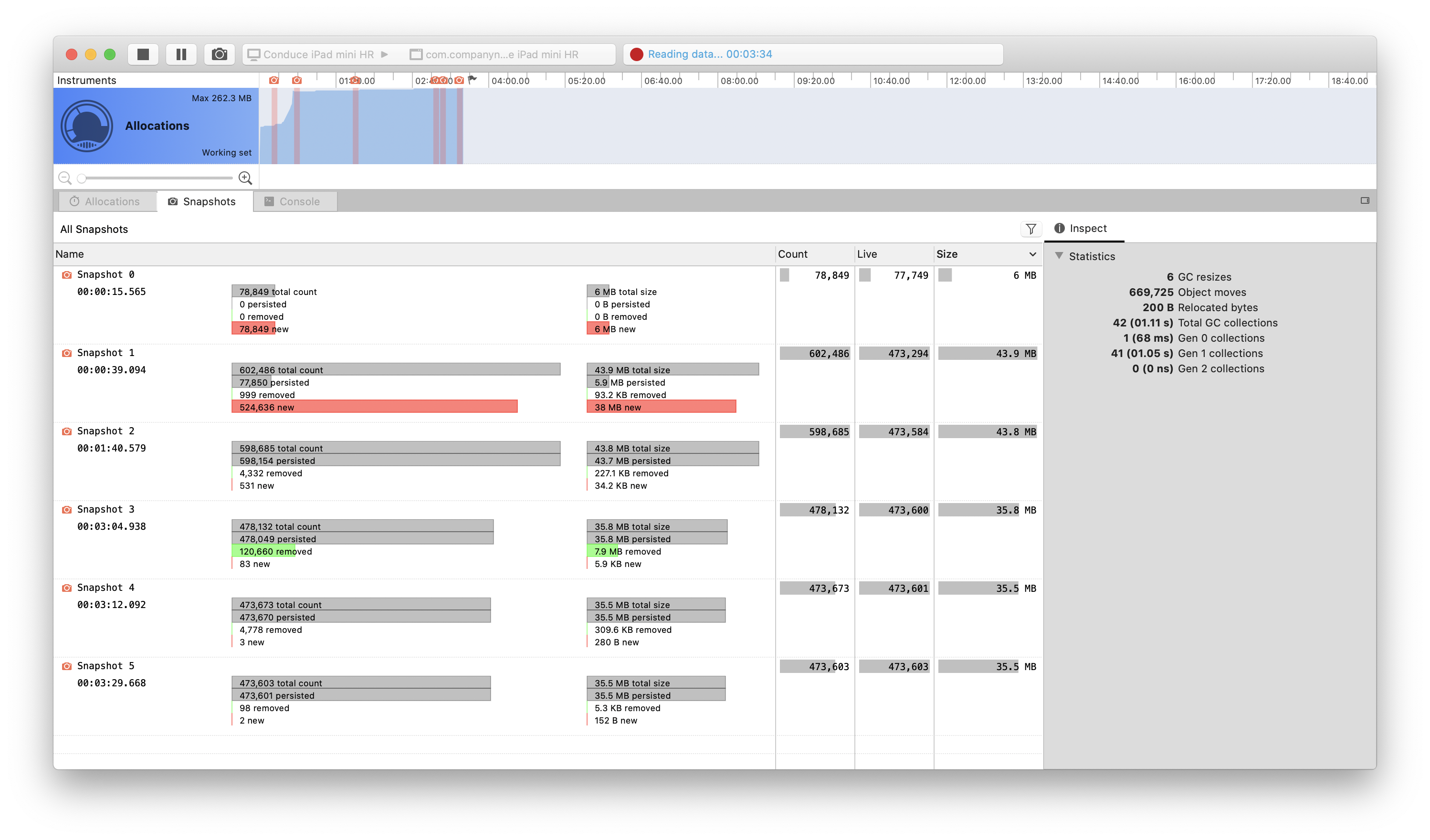
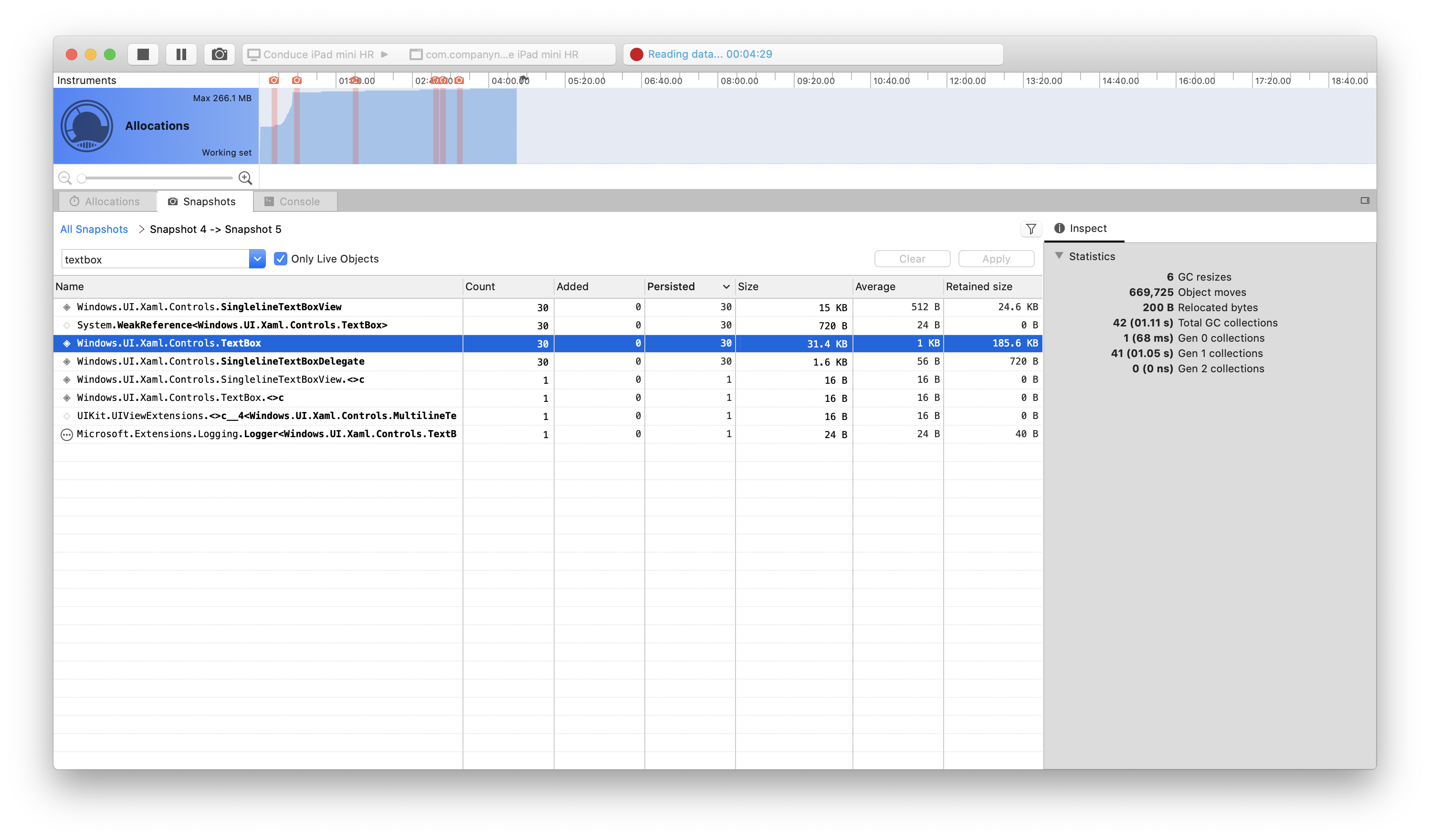
When inspecting the last snapshot, you can see that 30 Windows.UI.Xaml.Controls.TextBox are Persisted, meaning that they are not being released, which results in a memory leak.
Expected behavior
On navigating back from a page, instances of the TextBox control in the previous page should be released, resulting in no memory leak.
How to reproduce it (as minimally and precisely as possible)
Minimal reproducible example: https://github.com/TheRusstler/UnoMemoryLeakExample
Run these steps while using the Xamarin Profiler to watch the memory footprint increase linearly as you continue to navigate between the pages.
- Run the application on an iOS device from Visual Studio for Mac.
- Click the button on the main page of the app to navigate to the secondary page.
- Click the button on the secondary page to navigate to the main page.
- Repeat steps 2 and 3 ad nauseum (around 20-30 times will increase memory usage to ~30MB).
- Stop repeatedly navigating and do nothing for however long you would like.
- Take snapshots every 30 seconds or so in the Xamarin Profiler tool and see that the memory footprint remains roughly the same forever.
- View the Console to see multiple "Inactive binder references" of
Windows.UI.Xaml.Controls.TextBox, one persisting for each navigation.
Workaround
We have been unable to find one so far.
Environment
Nuget Package:
- [x] Uno.UI / Uno.UI.WebAssembly / Uno.UI.Skia
- [ ] Uno.WinUI / Uno.WinUI.WebAssembly / Uno.WinUI.Skia
- [ ] Uno.SourceGenerationTasks
- [ ] Uno.UI.RemoteControl / Uno.WinUI.RemoteControl
- [ ] Other:
Nuget Package Version(s): Uno.UI 3.0.17, Uno.UI 3.1.0-dev.485
Affected platform(s):
- [x] iOS
- [ ] Android
- [ ] WebAssembly
- [ ] WebAssembly renderers for Xamarin.Forms
- [ ] macOS
- [ ] Skia
- [ ] WPF
- [ ] GTK (Linux)
- [ ] Tizen
- [ ] Windows
- [ ] Build tasks
- [ ] Solution Templates
IDE:
- [ ] Visual Studio 2017 (version: )
- [ ] Visual Studio 2019 (version: )
- [x] Visual Studio for Mac (version: 8.7.8 (build 4))
- [ ] Rider Windows (version: )
- [ ] Rider macOS (version: )
- [ ] Visual Studio Code (version: )
Relevant plugins:
- [ ] Resharper (version: )
Anything else we need to know?
 TheRusstler
All 5 comments
Thanks for the report!
 jeromelaban
on 28 Sep 2020
jeromelaban
on 28 Sep 2020
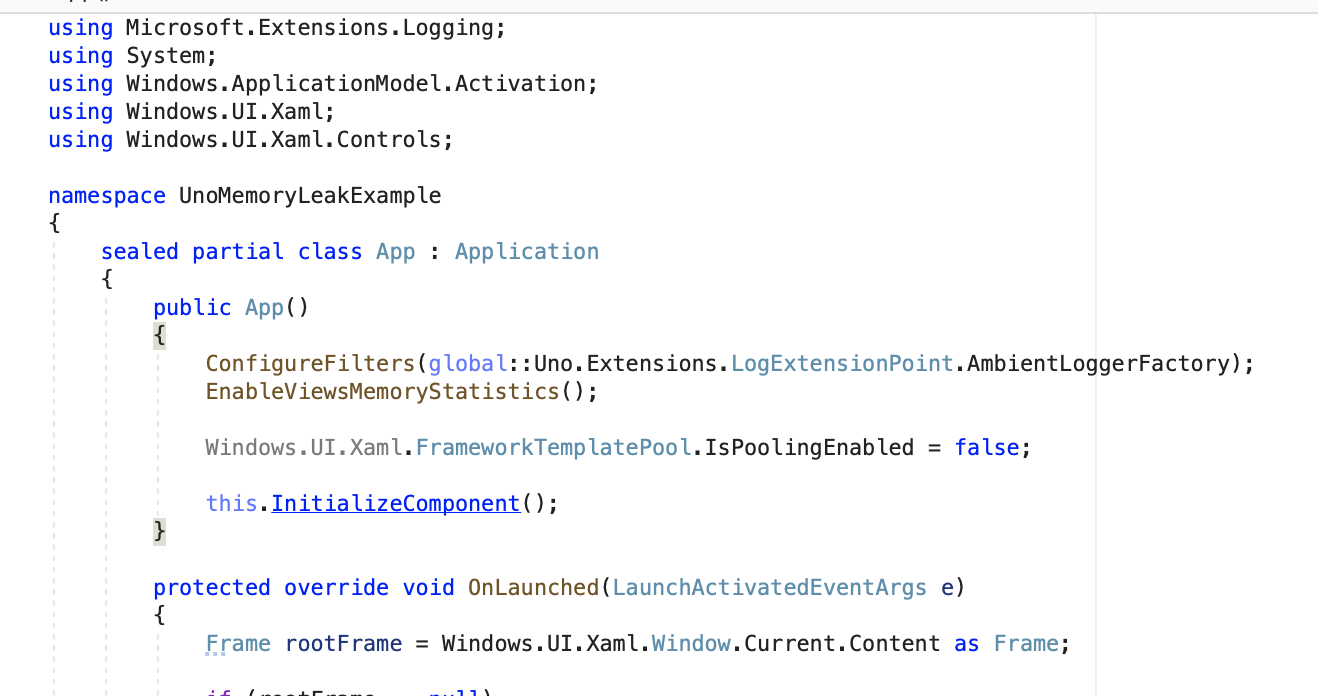
I'm not able to repro this issue with the template pooling disabled. Can you try on your end by either waiting about a minute to take a snapshot ? You can also try disabling the template pool altogether.
jeromelaban
on 29 Sep 2020
Thanks for looking into this & all your incredible work with Uno.
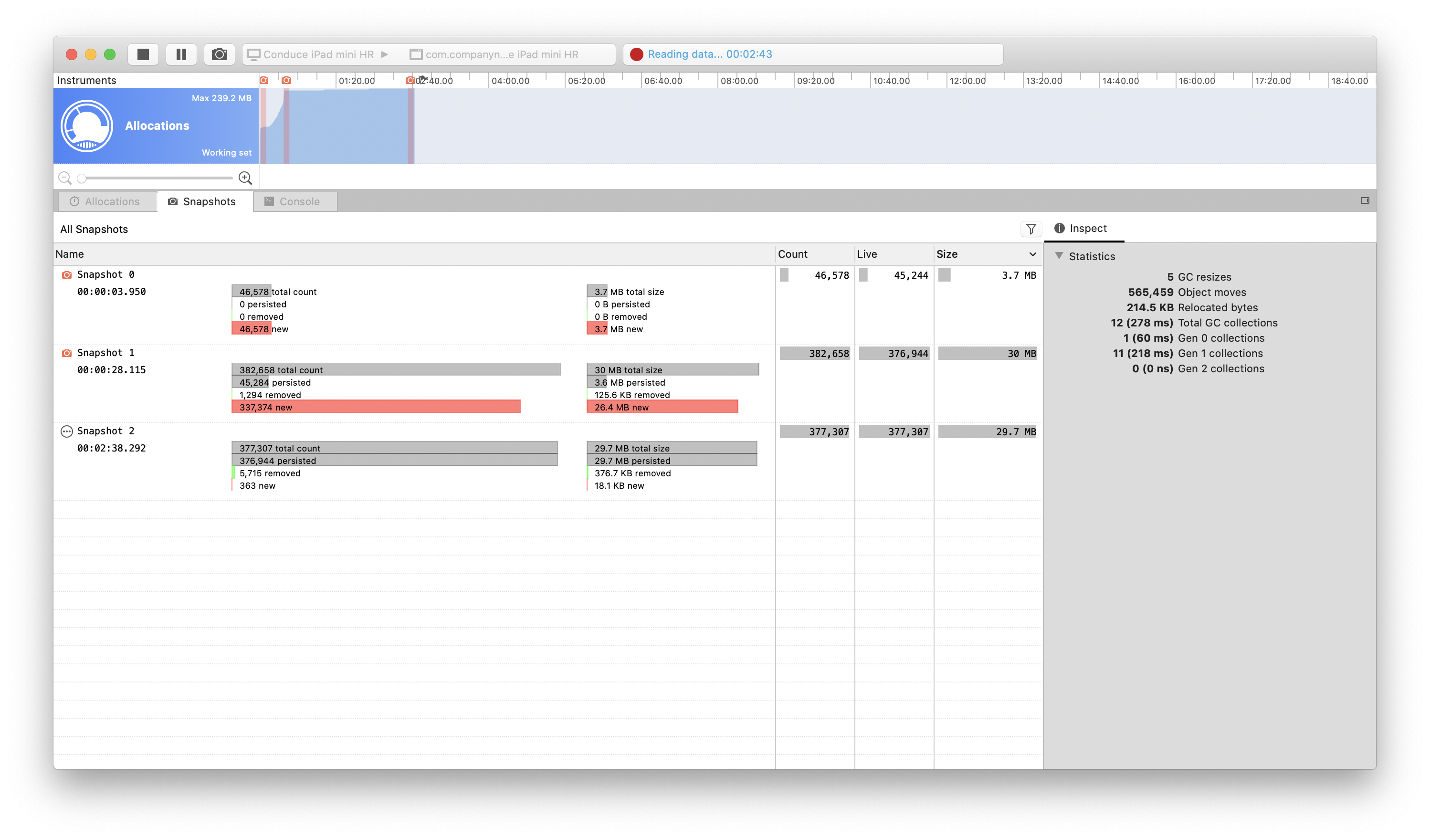
I disabled template pooling, and ran the same test. There are 30 TextBox controls left over as before.
Were you able to repro using the example: https://github.com/TheRusstler/UnoMemoryLeakExample ?
Let me know if I can provide any more assistance - I will try to find a fix myself, but it looks like a tough first issue!
GitHub
A minimal example of iOS memory leak in Uno. Contribute to TheRusstler/UnoMemoryLeakExample development by creating an account on GitHub.
 TheRusstler
on 29 Sep 2020
TheRusstler
on 29 Sep 2020
Thanks for the troubleshooting. One important part of the memory profiling is finding the roots. In general, when looking at the leaking objects, it's possible to find out the path of what causing the leak, for a specific instance. Could you paste a sceenshot of that as well ?
jeromelaban
on 29 Sep 2020
The source of the issue is caused by the "Delete Button" inside of a TextBox:
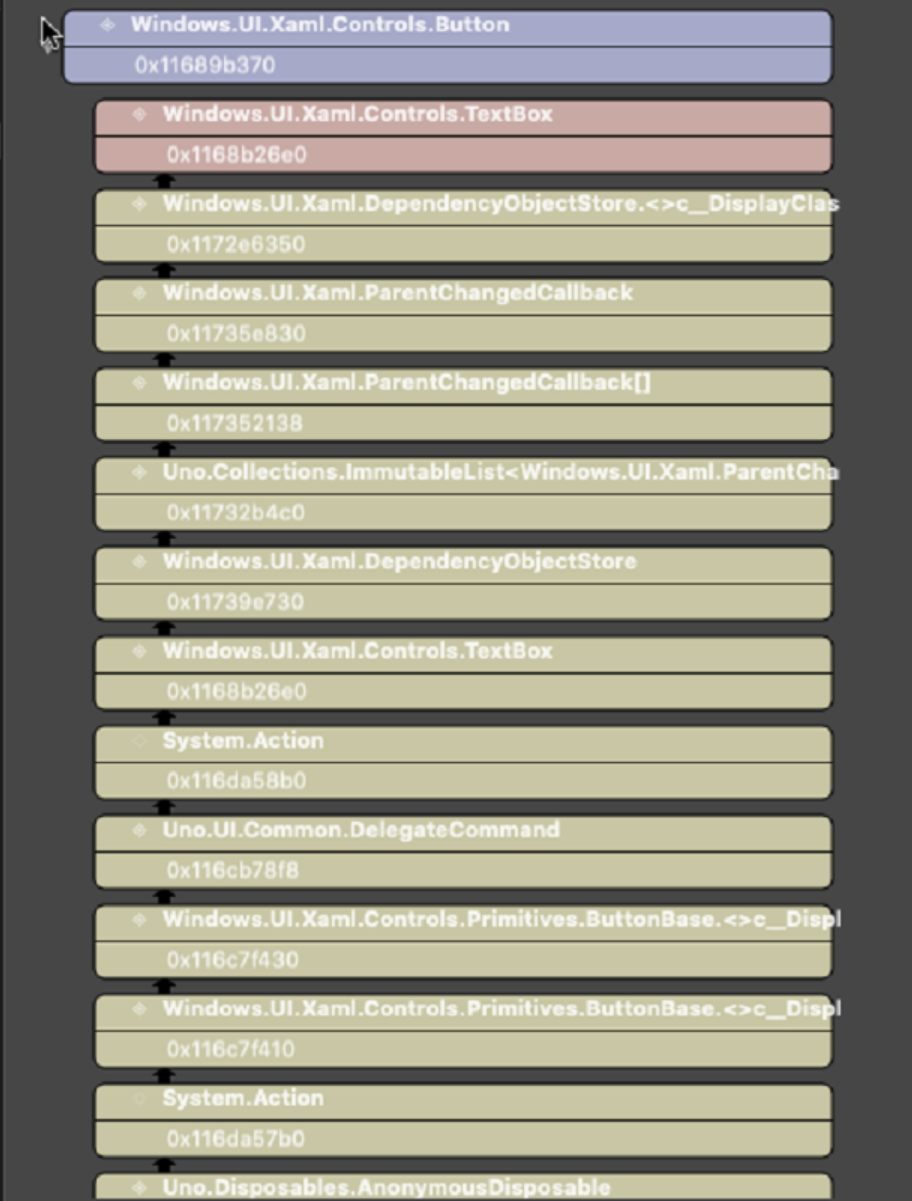
It contains a command that creates a hard between the TextBox and the Button instances, which I'll be fixing.
jeromelaban
on 29 Sep 2020
Related issues
 MartinZikmund
·
3Comments
MartinZikmund
·
3Comments
 carlh98
·
3Comments
carlh98
·
3Comments
 PylotLight
·
3Comments
MartinZikmund
·
3Comments
PylotLight
·
3Comments
MartinZikmund
·
3Comments
 MelbourneDeveloper
·
3Comments
MelbourneDeveloper
·
3Comments