Universalmediaserver: Database thumbnail size
I did some testing today on 3,500 files and found that if I remove the code that write thumbnails to the database, it's only 19MB, but with the thumbnails it is 900+MB.
Maybe we should look at some better compression for them and/or store them as files instead of the whole blob in the database - the database can store the path to the image file.
Another optimization would be to have a thumbnails table and check for exact matches, because at least with my music collection if I have an album of 12 songs it means there are 12 identical album covers that all get stored individually in our db, so people with a similar media setup to that could find the size reduced a lot.
Any thoughts @UniversalMediaServer/developers ?
 SubJunk
All 26 comments
There are several things we can do here, reducing the thumbnail size is the most obvious. Some form of deduplication could probably achieve a lot too. I don't think there are much we can do to "improve" the compression except that we could certainly lower the "quality" setting for JPEGs. The blobs are already compressed as they are either JPEGs or PNGs,
When it comes to the audio files, I think we can do a huge improvement. Those that are retrieved from Cover Art Archive are already stored in TableCoverArtArchive, but per MusicBrainzID. That means they should already be deduplicated. If we made sure to just reference these instead of storing them with the media file, we should be able to make a little revolution with the database size.
 Nadahar
on 14 Jul 2018
Nadahar
on 14 Jul 2018
I tried to see what the quality setting was and it seemed like it is baseline huffman, does that algorithm allow any variation like to set it to 60% or 80% quality, as programs like Photoshop allow?
Later today I'll try using different values here and see how much of a difference that makes. Usually something like 0.6f would be an acceptable minimum https://github.com/UniversalMediaServer/UniversalMediaServer/blob/master/src/main/java/net/pms/image/ImagesUtil.java#L1482
Good idea about the cover art archive. Some combination of all of these things should give us a big improvement.
A more dramatic improvement could just be to disable thumbnail caching by default. I noticed the server still worked nicely with that code removed, with the thumbnails just showing up when they were ready.
SubJunk
on 15 Jul 2018
The same database is 444MB at 0.6f quality so that seems like an easy win. I'm working on the thumbnails table now, and then hopefully we can merge those two changes for a new release
SubJunk
on 15 Jul 2018
@SubJunk I've already got some work going on the thumbnails database solution. Your modification to the quality setting is to simple though. The code you changed is generic and used for many thing, you can't simply reduce it there. Many images are processes multiple times, and when using 60% for each iteration quality will suffer a lot. Not only thumbnails use that code either. You must make sure that the 60% quality is only applied to the last step before storage in the database to achieve your goal. I'm not sure I agree that 60% is acceptable quality though, but it might be good enough for thumbnails.
Nadahar
on 15 Jul 2018
@UniversalMediaServer/developers what about to create linked database/table in each browsed folders like WIN does with Thumbs.db?
 valib
on 15 Jul 2018
valib
on 15 Jul 2018
@valib I'm not sure what the benefit would be. It wouldn't change the total size, and it would slow the system down because we'd have to locale, open and close hundreds of different databases. Also, I don't think the server should write to the shared folders.
Nadahar
on 15 Jul 2018
@Nadahar I've got a working thumbnails DB now and it seems to be working well. Feel free to replace or improve it. I'll post some before/after image comparisons for the quality change soon
SubJunk
on 15 Jul 2018
@valib what would the advantages for that be? It sounds like a lot of complication
SubJunk
on 16 Jul 2018
This is my work so far. It has reduced my 900MB database to 164MB https://github.com/UniversalMediaServer/UniversalMediaServer/pull/1528
Will post quality comparisons of music covers and thumbnails soon.
One remaining thing I will do is to add the new table to the database cleanup step because otherwise that will create new bloat.
SubJunk
on 16 Jul 2018
@Nadahar based on your feedback I have bumped the quality up to 0.8 for thumbnails, and left it at 1.0 for everything else. Does that seem good to you?
I've tested it and it is working nicely so I will merge soon unless there are objections.
Edit: Even with the 0.8 change, the database is only 193MB now, down from 900MB, so that is a big improvement
SubJunk
on 16 Jul 2018
@SubJunk Thanks for reminding me why not to work on UMS. While using MD5 (assuming that the MD5 hashing is fast/efficient, which I guess it is for this small images) wasn't a bad idea, I was working on my original idea of using the MBID to determine equality. Since I determined that it would be best to also cache them deduplicated in memory (to save a corresponding amount of RAM), cache solutions quickly gets complicated so it's taken me some more time. I don't think I was far from getting there now then, I made most of it worked out in my head now and just needed to write the code.
I've pushed whatever I had here: https://github.com/UniversalMediaServer/UniversalMediaServer/commits/DeduplicateAudioThumbnails
As you say, "Feel free to replace or improve it".
Regarding the JPEG compression I think I've already explained what I was asking for, so I don't see a reason to repeat myself. It's not the quality setting of the thumbnails that were my main concern, but the lack of "sophistication". Images and thumbnails potentially go through multiple transformations depending on the limitations on the renderer, padding, overlays etc. The way you've done it applies the quality reduction for every transformation, which I think will degrade quality for no good reason, As I said, I think it should only be done ONCE per thumbnail, only in the processing that takes place before storage in the database. Another issues is PNG thumbnails. I don't remember the exact logic now, but I think the thumbnail is kept as PNG if the source image is PNG. If could be changed to only keep as PNG if there are an alpha channel, and thus save more space by converting the rest (which should be 99%) to JPEG.
Since it's obvious that the only thing that matters is to rush something through and then spending the next months on trying to patch it, I'm out. I simply don't have the energy to do that anymore.
Nadahar
on 16 Jul 2018
@Nadahar I know that you are upset with the "rush something through and then spending the next months on trying to patch it" but I feel that your idea seems promissing. I tried to continue in your code and I have got some usable result but I think that the main problem is that I don't know what idea is in your head 😄. Can you continue with that? It of course could be usable not only for the UMS but also for your DMS.
valib
on 16 Jul 2018
@valib I have already created a branch here: https://github.com/DigitalMediaServer/DigitalMediaServer/commits/DeduplicateAudioThumbnails
I didn't want two days of work to go to waste. I have done more since then, but I haven't pushed it yet as it still isn't finished enough to compile. I'm much closer then I was when I made the "abandon" commit though.
Nadahar
on 17 Jul 2018
@Nadahar by the time you told me you were already working on it, I had already spent hours working on my implementation, so what was I supposed to do? I also didn't know you were very close to finishing it until now.
This has not been rushed, I have tested my code on two operating systems (Windows and macOS) with over 10,000 files now, including images, music and video, and I have spent over two days working on it too. The biggest benefit we get from this change is actually from the new table so if you are still upset about the quality reduction not being sophisticated enough we can revert that.
I should also note that I have tried to be respectful of your idea in what I have been working on - I have not touched the MusicBrainz stuff since I figured your work would be touching on that.
I was feeling good about our collaboration on this; you had left a good review comment, as did @atamariya , we were having good discussions along with @valib , and I thought things were moving in the right direction, and there hadn't been any negative interactions.
Maybe it would have resulted in your implementation replacing mine before anything was merged, which seems likely if you were that close to finishing, if your branch achieves the same thing as mine, or if there were benefits to both approaches we could have merged them.
SubJunk
on 17 Jul 2018
@Nadahar
I was working on my original idea of using the MBID to determine equality
This works well for album covers but I have been surprised to discover that my code is reducing duplicates in video thumbnails too. I expected them to almost always end up slightly different but it turns out that if I have a lot of episodes of the same TV show, a number of them have exactly the same thumbnail generated and we save space that way.
So there are benefits to both of our approaches and I think it would make sense to combine them instead of only having one.
SubJunk
on 17 Jul 2018
It occurred to me too that the MD5 way works offline, and will work for things that aren't in MusicBrainz - I don't seem to get matches from them for some of my library, but haven't looked into it. So a combination of approaches makes sense for audio files too.
SubJunk
on 17 Jul 2018
@UniversalMediaServer/developers I finally got around to doing the image quality and database size comparisons:
With image quality set to 0.8f the 3.5k file database is 192MB
At 1.0f the same database is 231MB
Here are two images at the different qualities:


Two more:


For these two examples, the 100% quality image is around 3x the size of the 80% quality one.
My conclusions based on these tests are:
1) 80% looks ok for thumbnails even if we are reprocessing them, but we can just leave it at 100% since it doesn't seem to make a lot of difference to database size, at least not the most.
2) The main benefit of my branch is the deduplication logic, by far. Look at this folder:
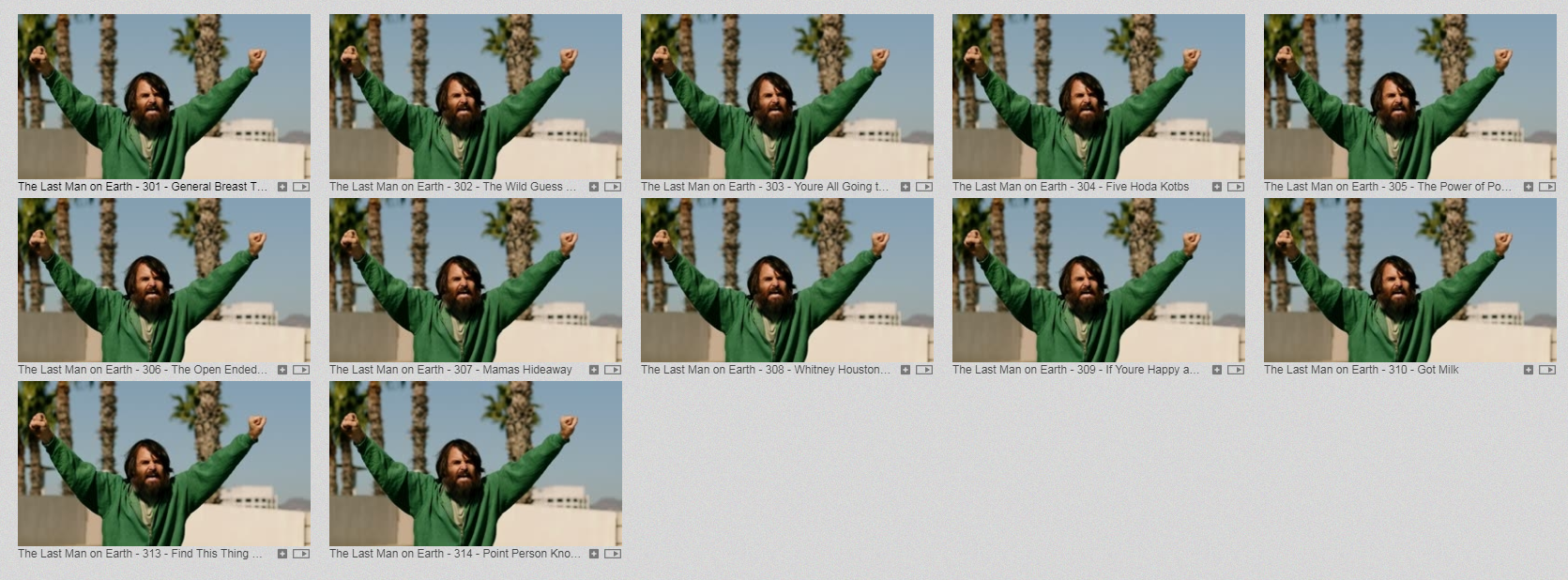
There are about 3 different thumbnails on that page (almost impossible to see without overlay comparisons because they are only about 2 frames apart) so with 14 files in that folder we got a really nice space saving there.
P.S. I have reverted the quality change in my branch too - it is always at 100% now. Maybe it can be addressed in a more sophisticated way later.
SubJunk
on 17 Jul 2018
@SubJunk You seem to completely miss what I react to. It basically boils down to this:
I'm working on the thumbnails table now, and then hopefully we can merge those two changes for a new release
I've got a working thumbnails DB now and it seems to be working well. Feel free to replace or improve it.
I've tested it and it is working nicely so I will merge soon unless there are objections
Editing what you wrote after the fact doesn't change anything, this is what I read and reacted to. It gives me the understanding that you're basically happy with your solution and isn't interested in anything else. You simply want to push it through a make a release, and whatever time I've spent on it has been as waste.
Since I've already adapted the code to DMS now, I'm not "going back" regardless of what is said now. My initial plan was to complete it in UMS and then adapt it to DMS, but the above changed this. You can still use it if you want to, but you'll have to do the adaption back to UMS.
I was never "hurt" by the quality reduction, I was merely trying to make you realize that you were making a "bug". I was indeed the one that suggested both measures, remember? It's not like I'm against using a lower quality setting for the JPEGs, I'm just against a lazy implementation with side effects. I think a quality setting somewhere between 0.6 and 0.7 probably is the "sweet spot", but it must be implemented so that it's only applied once. When you apply the quality reduction multiple times, you don't save any size, all you do is to reduce the quality of the image. It's a no-brainer IMO, you only apply it once and that must be the version that is stored in the database. Subsequent transformations should be done with quality 1.0, which will grow the size again (without gaining quality, but also without degrading it much further). As long as this version isn't put in the database, it is short lived in memory and is disposed once it has been sent to the renderer. I thus thing the extra size is better than the quality degradation.
When it comes to your solution using hashes, I already said that I thought it was a good idea. I didn't look into your implementation though, so I have no views on that. One thing that comes to my mind right away is to measure the cost of doing the hashing, but it's probably well worth it. I would just like to know to be sure, but I know we're very different on such things. I'd also know how well MD5 differentiates between images, I mean how likely a "hash collision" is.
Nadahar
on 17 Jul 2018

The above video shows the degradation from recompressing and image with "high quality" settings in Photoshop (whatever that translates to in the real world). Photoshop doesn't only alter the "quality settings" but also the Huffman tables and some other stuff AFAIK, meaning that the degradation would probably be even worse when sticking to default Huffman tables (which we have to for DLNA compatibility). You can see that even with the "high quality" settings, degradation is noticeable after just a few frames.

Based on this graph (quality setting is that of Photoshop's "Save for web" setting), it looks like the sweet spot might be between 0.7 and 0.8. There's not way to compare our "quality setting" to Photoshop's directly, but assuming that 1.0 approximately corresponds to 100%, we can at least get an idea. Forget the blue line, as it's the size of the reference photo, which was also in JPEG and thus compressed.
Nadahar
on 17 Jul 2018
@valib Now it compiles: https://github.com/DigitalMediaServer/DigitalMediaServer/commits/DeduplicateAudioThumbnails
There's still a lot of cleanup to do, and probably some bugs to fix. Any help with testing is appreciated.
Nadahar
on 17 Jul 2018
I already posted real screenshots that we produce, not hypothetical ones. I'm aware that lossy compression becomes more lossy when it is re-compressed and that's why I did the real-world testing. Regardless, I have removed that part of the code because that wasn't the main benefit, so there is little point in discussing that anymore. Quality remains at 100% always.
The key part I think you should notice about the things you quoted is "unless there are any objections". That is a clear statement from me that I wasn't going to merge it if there were objections, and I followed up on that statement by making changes to my code based on feedback from others, and the fact that it still hasn't been merged.
SubJunk
on 17 Jul 2018
@SubJunk The results won't be consistent. How many transformations an image goes through depends on both the source image, UMS manipulation and renderer requests. The source image itself will also impact the result. My primary concern was rather that it is no good reason to do it, there are no benefits that I can see from doing multiple "reducing" transformation except that you can save a little bit of implementation time. I'm pretty sure implementing it would take less time than what has been spent on discussing it already though.
Regarding the quotes, it wasn't mean as a subject for discussion, but as an explanation of my reaction. Not only the words themselves, but when they are written and in response to what is a part of the complete picture. I'm not saying my interpretation is "right" and that yours is "wrong", I'm simply stating how I perceived it. It is the exact reason why I created DMS in the first place, and this just reminds me why I should work there and avoid these situations.
Nadahar
on 17 Jul 2018
Working on DMS is one way to not encounter these situations for sure, and maybe it is really the best option for you personally. Having a hobby project trigger stress isn't good and I appreciate that you want to protect yourself from it. It has bad effects on me too. Yesterday was the last day of a short holiday for me and I had been feeling good about spending a few days working on and testing this database optimisation, and it really affected me the way things have happened here.
I would prefer if I can find a way to not trigger your negative feelings so that this project can benefit from your expertise. As I have said before, you are probably the most talented Java developer I've worked with, I have learned a lot from your code and I would be disappointed if you left UMS completely. Sure we have friction between us sometimes but in the end we have both made big improvements to this application and potentially still can in the future.
SubJunk
on 18 Jul 2018
Browsing through my stored videos I have a testcase of which I'm currently not satisfied.
Videos from the CCC congress have the conference talk title displayed at around second 9 - 10, which would be a nice feature to be shown as thumbnails. On my 4K Samsung TV they should easily be readable if the thumbnail quality allows it. However from the quite blurry result from the screencap I can only sometimes guess the title if I already saw it before.
Maybe my expectations are too high and its not feasible having this high quality especially as I'm streaming from an odroid box with limited RAM, but if such quality could be achieved that would be awesome.
 felsen2011
on 4 Jan 2019
felsen2011
on 4 Jan 2019
@felsen2011 It's not easy to make everybody happy. Video thumbnails are currently hardcoded to be stored no bigger than 320 x 240. If this size is increased, the database size and memory consumption would go up - which is both something many users don't want.
In addition to that, many (if not most) renderers requests even smaller thumbnails (160 x 160).
To make this happen, you'd have to first figure out what thumbnail size your renderer requests (it's either JPEG_TN, PNG_TN or JPEG_SM). Both JPEG_TN and PNG_TN are limited to 160 x 160, so only if your renderer actually is smart enough to request JPEG_SM thumbnails you would have something to gain by increasing the maximum size.
You can figure this out by turning on "trace" logging and search for "thumb". You should be able to find some thumbnail requests that way and see what it asks for.
To change the hardcoded 320 x 240 limit, you'd have to change the limit in the code and make your own build. Alternatively, somebody would have to make this configurable. JPEG_SM supports up to 640 x 480, so increasing the thumbnail size to this shouldn't require any other changes. Above that, further changes to the code logic must be made.
Edit: I just remembered, the thumbnails creation (with FFmpeg or MEncoder) is also hardcoded to 320, so it would also have to be changed.
Nadahar
on 4 Jan 2019
Yes, I already saw that the mencoder settings were at 320.
I already suspected that it is hardcoded as I didn't find some setting in any configuration file.
Unfortunately I am by no means a Java coder, so having it as a config variable would be great ;)
If not maybe at some point when I have enough time I will nevertheless take all my C/Shell and Python coding knowledge to fix it for myself but it will be a hassle to patch every new version ;)
I just had a look at the TRACE output, my TV just requests all possible formats ;)
<res xmlns:dlna="urn:schemas-dlna-org:metadata-1-0/" protocolInfo="http-get:*:image/jpeg:DLNA.ORG_PN=JPEG_SM;DLNA.ORG_FLAGS=00900000000000000000000000000000">http://192.168.1.5:5001/get/0/thumbnail0000JPEG_SM_root.jpg</res>
<res xmlns:dlna="urn:schemas-dlna-org:metadata-1-0/" protocolInfo="http-get:*:image/jpeg:DLNA.ORG_PN=JPEG_TN;DLNA.ORG_FLAGS=00900000000000000000000000000000">http://192.168.1.5:5001/get/0/thumbnail0000JPEG_TN_root.jpg</res>
<res xmlns:dlna="urn:schemas-dlna-org:metadata-1-0/" protocolInfo="http-get:*:image/png:DLNA.ORG_PN=PNG_LRG;DLNA.ORG_FLAGS=00900000000000000000000000000000">http://192.168.1.5:5001/get/0/thumbnail0000PNG_LRG_root.png</res>
<res xmlns:dlna="urn:schemas-dlna-org:metadata-1-0/" protocolInfo="http-get:*:image/png:DLNA.ORG_PN=PNG_TN;DLNA.ORG_FLAGS=00900000000000000000000000000000">http://192.168.1.5:5001/get/0/thumbnail0000PNG_TN_root.png</res>
Related issues
SubJunk
·
3Comments
SubJunk
·
4Comments
 mbentley
·
8Comments
mbentley
·
8Comments
 Rebel154
·
6Comments
SubJunk
·
3Comments
Rebel154
·
6Comments
SubJunk
·
3Comments