Universalmediaserver: Web interface doesn't work in Safari on macOS
All 9 comments
Not sure if that can be of any help:
https://developer.apple.com/library/content/documentation/Java/Conceptual/Java14Development/03-JavaDeployment/JavaDeployment.html
http://docs.oracle.com/javase/6/docs/technotes/guides/jweb/deployment_advice.html
https://developer.apple.com/library/content/documentation/Java/Conceptual/Java14Development/02-JavaDevTools/JavaDevTools.html#//apple_ref/doc/uid/TP40001884-207993
 Sami32
on 3 Aug 2017
Sami32
on 3 Aug 2017
@Sami32 I think my original assumption was correct, there's no need for Java to be installed/activated in the browser. I was simply confused by the error message.
I know that Safari isn't very well supported because it has it's own quirks, so there's probably some of the javascript or css that doesn't work. I don't know, it works when using Firefox instead of Safari so it's clearly browser-related.
 Nadahar
on 3 Aug 2017
Nadahar
on 3 Aug 2017
@Nadahar Safari is taken about 3% of the browsers. Do we need to take care about it when it is not correctly implemented and supported as you stated in you comment? UMS works on all other browsers without any problems. We can recommend macOS users to use other default browser than Safari or they should ask Apple why it is not working.
 valib
on 4 Aug 2017
valib
on 4 Aug 2017
@valib It is the default browser for all macOS installations just like Internet Explorer or Edge is for Windows. It's not up to me if it should be fixed or not, but it should be considered as having "equal" importance as IE and Edge in my opinion.
I don't think we should ask users to ask Apple why, just like we don't ask users to ask Microsoft why things doesn't work in their browsers. It's probably a JavaScript problem, as that has never been properly standardized.
Nadahar
on 4 Aug 2017
@Nadahar that is why I offered to recommend the macOS users to change their default browser to something else. I am not convinced that we can make changes to the Java scripts to be compatible with the Safari and do not break the support for other browsers but I may be wrong.
valib
on 4 Aug 2017
@valib I don't think that's any problem, web developers make customized code for different browsers "all the time". The question is if any of us are capable of figuring out how to do it.
Nadahar
on 4 Aug 2017
@Nadahar that is the problem. Who will do it? To be honest I am not familiar with that. Maybe @SubJunk can make something. In fact we are only four who can develop this software.
valib
on 4 Aug 2017
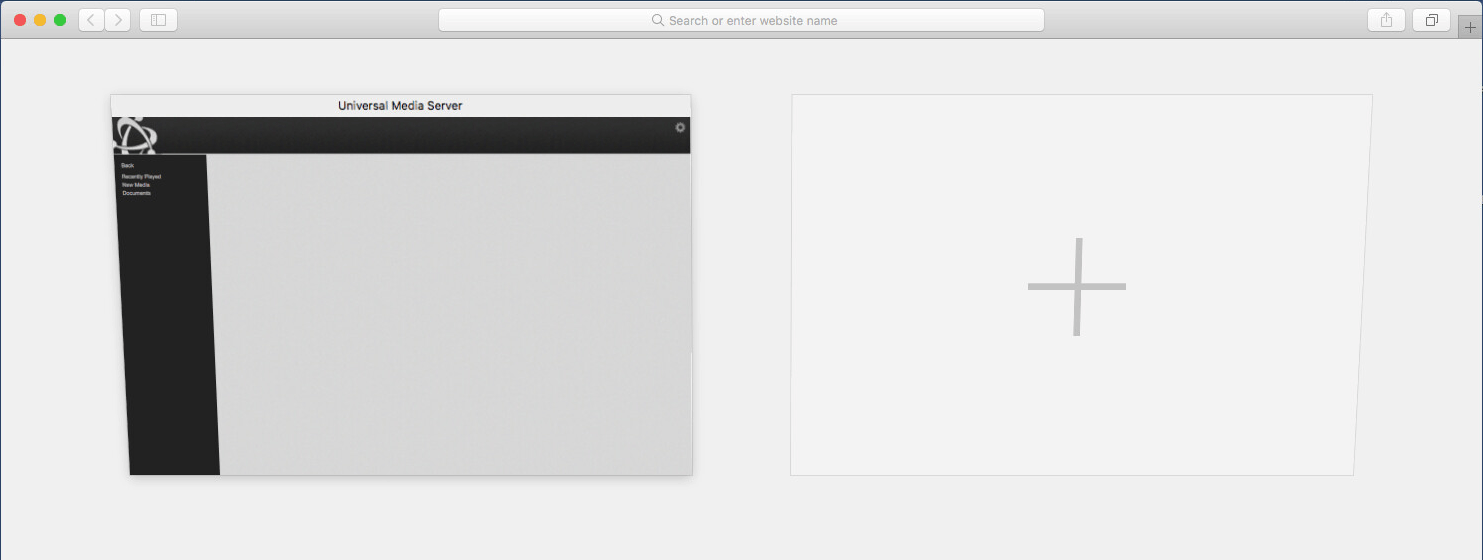
@valib It turns out it's a much simpler problem than it first appears. It's simply a scaling problem, the interface scales so that the left and top "bars" are scaled outside the visible area. When I switch tabs, everything "is there". As soon as I select that tab it first scales correctly, but after 2-300 milliseconds (rough guess) it scales further out and all you see it they grey background. I'm pretty sure that media would display if it was just possible to select a folder first, but since the menu bars disappears so quickly it's impossible to do.
This should be fixable, I know there are some "clever" scaling logic in the web interface. It's probably a bit too clever. My guess is that @SubJunk should be able to fix this.
Nadahar
on 4 Aug 2017
It's seems that the one who could fix it isn't interested. It probably doesn't bother him.
Nadahar
on 1 Sep 2018
Related issues
 SubJunk
·
4Comments
SubJunk
·
9Comments
Nadahar
·
4Comments
SubJunk
·
8Comments
SubJunk
·
3Comments
SubJunk
·
4Comments
SubJunk
·
9Comments
Nadahar
·
4Comments
SubJunk
·
8Comments
SubJunk
·
3Comments