- Before server render

- After server render
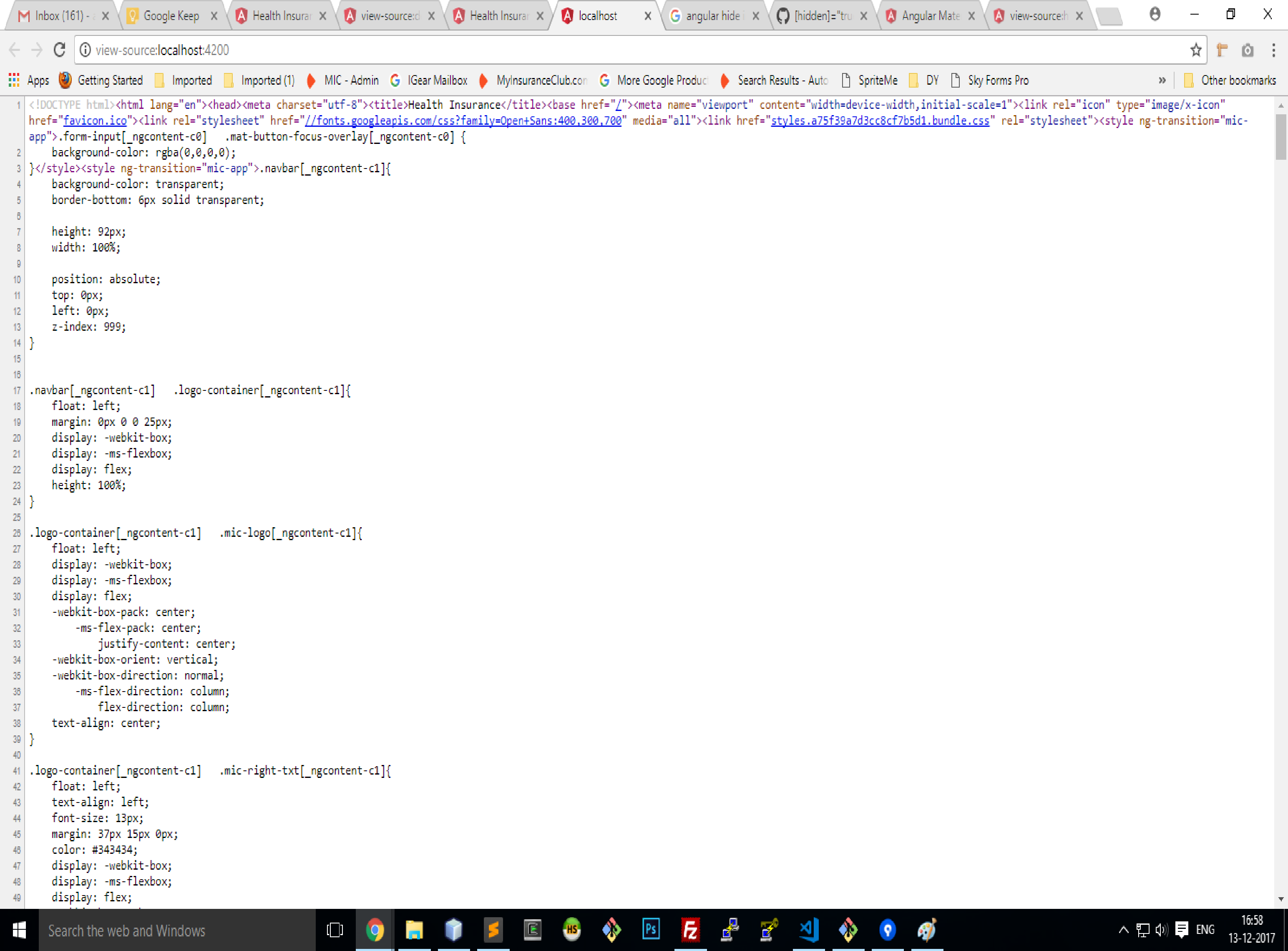
- What is the expected behavior?
Internal css should not be display on view source
Please tell us about your environment:
Angular version: 5.0.1
- Angular Material 2: 5.0.0-rc0
- Browser: [all | Chrome XX | Firefox XX | IE XX | Safari XX ]
- Language: [all | TypeScript X.X | ES6/7 | ES5 ]
- OS: [all | Mac OS X | Windows | Linux ]
- Platform: [all | NodeJs | ]
 Anil24
All 15 comments
Where do you think this styling should go? Keep in mind that the point of SSR is to provide the output generated by the server as quickly as possible, and having an external stylesheet delays this considerably.
 CaerusKaru
on 13 Dec 2017
CaerusKaru
on 13 Dec 2017
I am using angular material in this project which append lots of css. My main concern is it may affect seo performance. I also had worked in angular 1 and material in that if you view source that appended css isn't visible. You can only see I inspect element.
Anil24
on 14 Dec 2017
If you really want to remove this, you can use the BEFORE_APP_SERIALIZED render hook, and then remove any <style> tags from the <head> in the injected DOCUMENT object.
CaerusKaru
on 14 Dec 2017
@CaerusKaru can you help me out to use the BEFORE_APP_SERIALIZED render hook to ramove style tag.
Anil24
on 14 Dec 2017
Close this issue, since this is clearly not a problem with Angular Universal. Use Stack Overflow for support requests, and you can link the SO question here so I can take a closer look at it.
CaerusKaru
on 14 Dec 2017
Anil24
on 14 Dec 2017
@Anil24 did you find a solution to this?
 untitledlt
on 7 Apr 2018
untitledlt
on 7 Apr 2018
Yes.
Anil24
on 8 Apr 2018
Would you mind to share it?
untitledlt
on 8 Apr 2018
At location node_modules\@angular\platform-server\bundles there is a file 'plateform-server.umd.js'. In that they are appending css to view source you have to comment the line i have marked in image.

Anil24
on 8 Apr 2018
thanks @Anil24
untitledlt
on 9 Apr 2018
@Anil24 is there any other solution instead of this hack.
 freemh
on 6 Jun 2018
freemh
on 6 Jun 2018
I don't know.
Anil24
on 6 Jun 2018
I worked out. in app.server.module.js, add an NoRenderServerStylesHost to override the default ServerStylesHost's behavior.
import { NgModule } from '@angular/core';
import { ServerModule, ServerTransferStateModule } from '@angular/platform-server';
import { ModuleMapLoaderModule } from '@nguniversal/module-map-ngfactory-loader';

import { AppModule } from './app.module';
import { AppComponent } from './app.component';
import { ɵangular_packages_platform_server_platform_server_c as ServerStylesHost } from '@angular/platform-server';

export class NoRenderServerStylesHost extends ServerStylesHost {

    onStylesAdded(additions: Set<string>): void {
        // super.onStylesAdded(additions);
        // additions.forEach((s) => console.log(s));
        // ignore styles added
    }
}

@NgModule({
    imports: [
        // The AppServerModule should import your AppModule followed
        // by the ServerModule from @angular/platform-server.
        AppModule,
        ServerModule,
        ModuleMapLoaderModule,
        ServerTransferStateModule,
    ],
    // Since the bootstrapped component is not inherited from your
    // imported AppModule, it needs to be repeated here.
    bootstrap: [AppComponent],
    providers: [{
        provide: ServerStylesHost,
        useClass: NoRenderServerStylesHost
    }]
})
export class AppServerModule {
}
 ian4hu
on 23 Aug 2018
ian4hu
on 23 Aug 2018
This issue has been automatically locked due to inactivity.
Please file a new issue if you are encountering a similar or related problem.
Read more about our automatic conversation locking policy.
_This action has been performed automatically by a bot._
![angular-automatic-lock-bot[bot] picture](https://avatars0.githubusercontent.com/in/40213?v=4&s=40) angular-automatic-lock-bot[bot]
on 4 Sep 2019
angular-automatic-lock-bot[bot]
on 4 Sep 2019
Related issues
 daright
·
6Comments
daright
·
6Comments
 moczix
·
5Comments
moczix
·
5Comments
 inorganik
·
4Comments
inorganik
·
4Comments
 A50
·
5Comments
A50
·
5Comments
 dmitriytretyakov
·
5Comments
dmitriytretyakov
·
5Comments
Most helpful comment
I worked out. in app.server.module.js, add an
NoRenderServerStylesHostto override the defaultServerStylesHost's behavior.