Unigram: Pictures with too wide of an aspect ratio will not be sent
Issue
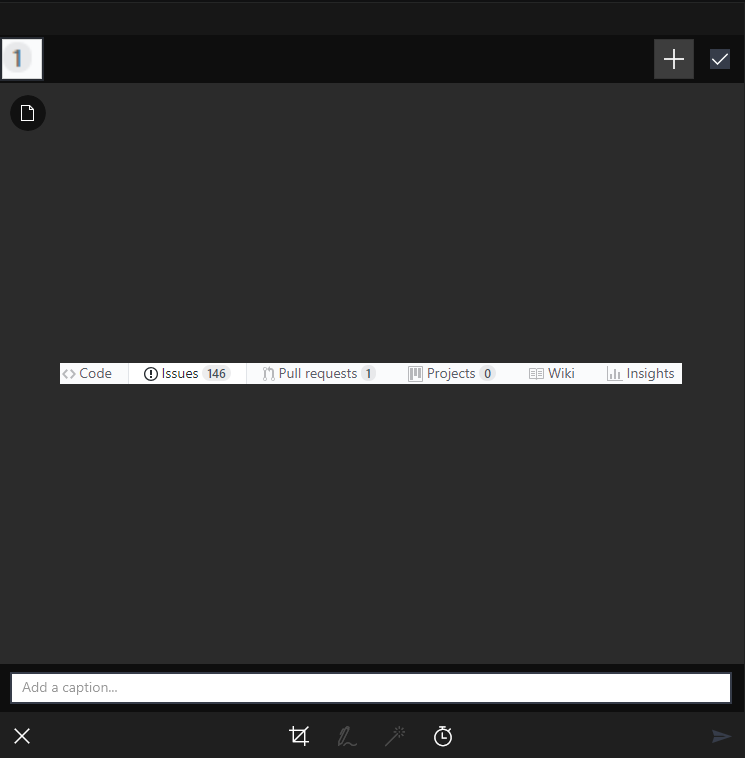
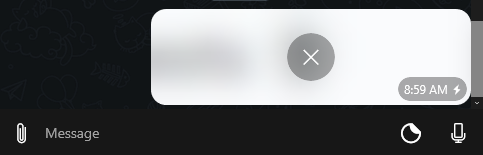
If a picture has an aspect ratio that is too wide the picture will not be sent and a little lightning bolt appears in the lower right corner.
Steps to reproduce
- Open snipping tool
- Select an extremely wide, but short in height area
- Paste the image into Unigram
- Send
- Error will appear
This also happens with wide images that are already saved somewhere. Usage of snipping tool is not necessary.
Possible fix
I believe this problem exists because of telegram not allowing to send those wide pictures. Telegram Desktop sends these images as files whenever they are too wide. It might be a good idea to send them as files whenever this occurs.
 rabiet
All 4 comments
Or ask the user whether they want to send as file, add padding or cancel?
 HimbeersaftLP
on 21 Mar 2019
HimbeersaftLP
on 21 Mar 2019
Adding a padding isn’t a good idea to me... Better to preserve the original file
 FrayxRulez
on 21 Mar 2019
FrayxRulez
on 21 Mar 2019
Indeed it is, but that doesn't have an in-chat preview. (it would be nice to add one for images sent as file, though, however that isn't in the original app)
HimbeersaftLP
on 27 Mar 2019
This is fixed now
FrayxRulez
on 28 Apr 2019
Related issues
 metya
·
6Comments
metya
·
6Comments
 larsschellhas
·
3Comments
larsschellhas
·
3Comments
 ipuneetsingh
·
3Comments
FrayxRulez
·
4Comments
ipuneetsingh
·
3Comments
FrayxRulez
·
4Comments
 smfilipe
·
6Comments
smfilipe
·
6Comments
Most helpful comment
Adding a padding isn’t a good idea to me... Better to preserve the original file