Ungoogled-chromium: WidevineCdm, netflix, not working.
Portable Google chrome after running netflix once has a folder: GoogleChromePortableApp\Chrome-bin\75.0.3770.100\WidevineCdm
But ungoogled chromium has no directly anlogous folder apparently, though the bin folder looks very similar. Regardless, dropping the WidevineCdm folder in the bin folder does nothing. Dropping the dll/sig in also does nothing.
Under chrome://components/ we find:
Widevine Content Decryption Module - Version: 0.0.0.0
Status - Update error
Check for update
No idea where to go from here.
Yes I know it's a duplicate but since guy keeps closing things instead of addressing them, here we are.
 Innomen
All 17 comments
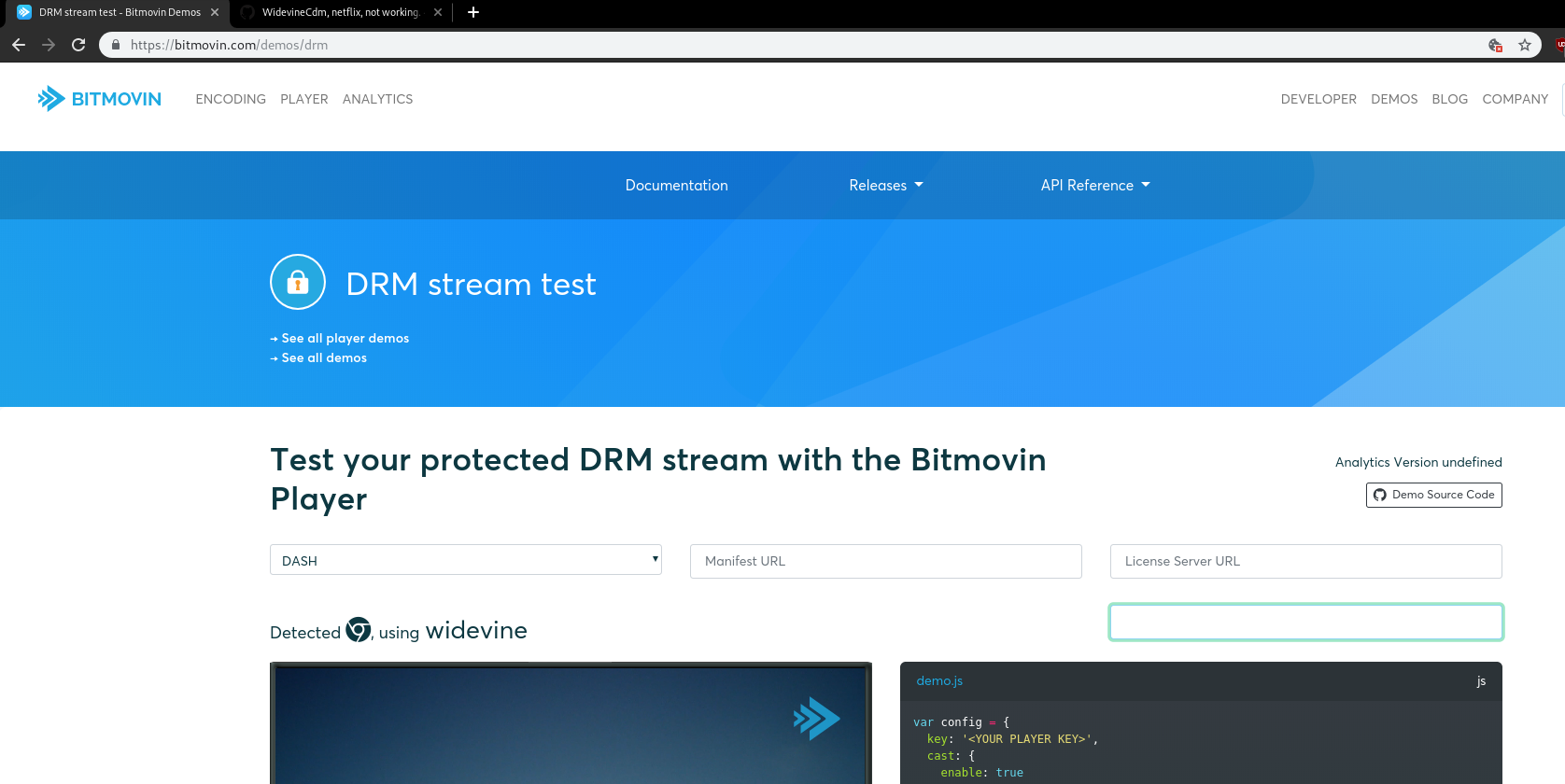
It works, its just that the chrome and ungoogled chromium have to have the exact same version for the widevine dll to work. AFAIK, windows is still on version 75.0.3770.90 whilst chrome is in version 75.0.3770.100
Try to find a chrome package with that version, it should work, pic related, under linux
 jstkdng
on 11 Jul 2019
jstkdng
on 11 Jul 2019
Thanks, hmmm, I'll try that.
Innomen
on 12 Jul 2019
~sigh~ and of course I can't find version "75.0.3770.90"
Innomen
on 12 Jul 2019
you could try to contact that Marmaduke guy to compile the new version, or just compile it yourself. Dunno the instructions for compiling under windows, probably a pain in the ass
jstkdng
on 12 Jul 2019
Managed to get a link to the correct version from portable apps. It should have the correct version.
And it still doesn't work.
To confirm, I installed chrome portable with identical version number to my ungoogled chromium install, I took the widevine folder from it and copied it to my bin folder. And I copied the dll and sig file from within that folder to the bin folder and restarted the browser, and still it doesn't work.
Innomen
on 12 Jul 2019
Once upon a time guy cared about making this work, and apparently once upon a time it worked. I really don't wanna have to abandon the apparently only ungoogled version of chromium. /sigh
Innomen
on 13 Jul 2019
well, this widevine thing affects all chromiums, not just ungoogled chromium.
Literally just downloading chrome and copying dlls is the only way to solve this.
jstkdng
on 13 Jul 2019
well, this widevine thing affects all chromiums, not just ungoogled chromium.
Literally just downloading chrome and copying dlls is the only way to solve this.
Can you (or anyone) tell me what DLLs to copy and where? I have portable chrome that works.
Innomen
on 13 Jul 2019
copy libwidevinecmd.dll to the root of the chromium folder
jstkdng
on 13 Jul 2019
I don't have that file, I tried copying WidevineCdm.dll to the root dir with the launcher and the bin dir, still nothing. Where did you get that file name/file? Maybe it would work for me?
Innomen
on 13 Jul 2019
That dll has to be in the same directory as the chrome.exe file.
Keep in mind that I'm giving you the steps I had to do in linux in order to get widevine, It should be the same for windows, I'm trying to extrapolate since the folder structure for linux and windows are different, pic related.
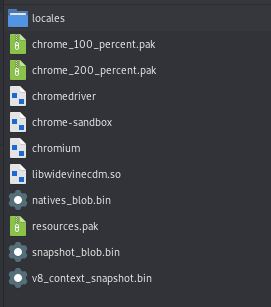
So yeah, I just copied the .so file (in your case would be .dll) in the same directory as chromium (in your case chrome.exe). If that doesn't work, try to copy the directory where that dll was originally.
jstkdng
on 14 Jul 2019
I tried that, like I said above. Guess it's just not possible on windows. /sigh
Innomen
on 14 Jul 2019
Welp, I tried. Maybe someone with windows experience can help.
jstkdng
on 14 Jul 2019
True. Thanks.
Innomen
on 14 Jul 2019
I don't think there's much we can help you with here. Windows support is still broken, and the last working version is really old. You can try asking at the bottom of https://chromium.woolyss.com, since there are probably more Windows users there.
 Eloston
on 29 Jul 2019
Eloston
on 29 Jul 2019
Eloston added help wanted and removed help wanted labels yesterday
Eloston closed this yesterday
Wow...
Innomen
on 30 Jul 2019
Copying the entire WidevineCdm folder to AppData\Local\ChromiumApplication* and then restarting made Netflix work for me.
 537
on 10 Jun 2020
537
on 10 Jun 2020
Related issues
 T-vK
·
4Comments
T-vK
·
4Comments
 playgithub
·
3Comments
playgithub
·
3Comments
 Chilcout
·
3Comments
Chilcout
·
3Comments
 tonowoe
·
3Comments
tonowoe
·
3Comments
 hardhub
·
4Comments
hardhub
·
4Comments