Unform: Unable to retrieve input data on React Native 0.62+
Description of bug
I'm trying to get written data from my Input, but It doesn't return me anything. It looks like everything is right, but It doesn't return the expected data.
To Reproduce
You can check my code at Expo Snack: https://snack.expo.io/nokjkxDeo
Expected behavior
The Input component must return the received data from the user. But instead of it, I made a rule to return an Alert() with a message when it doesn't return the expected data.
Environment:
Windows 10/Android
Additional context
Screenshots
Input file
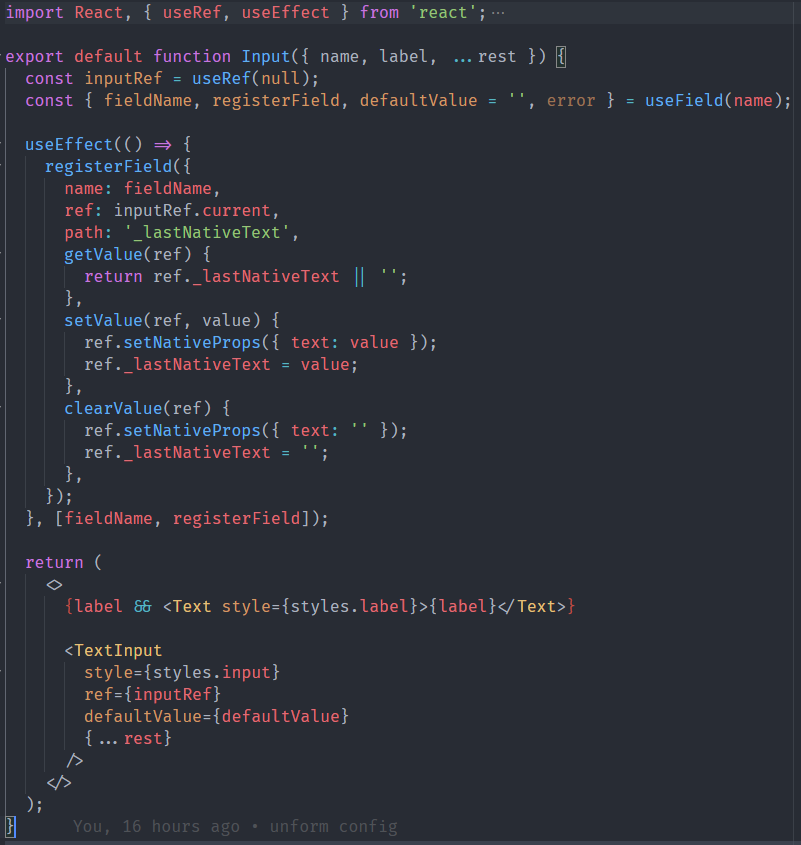
Entry file
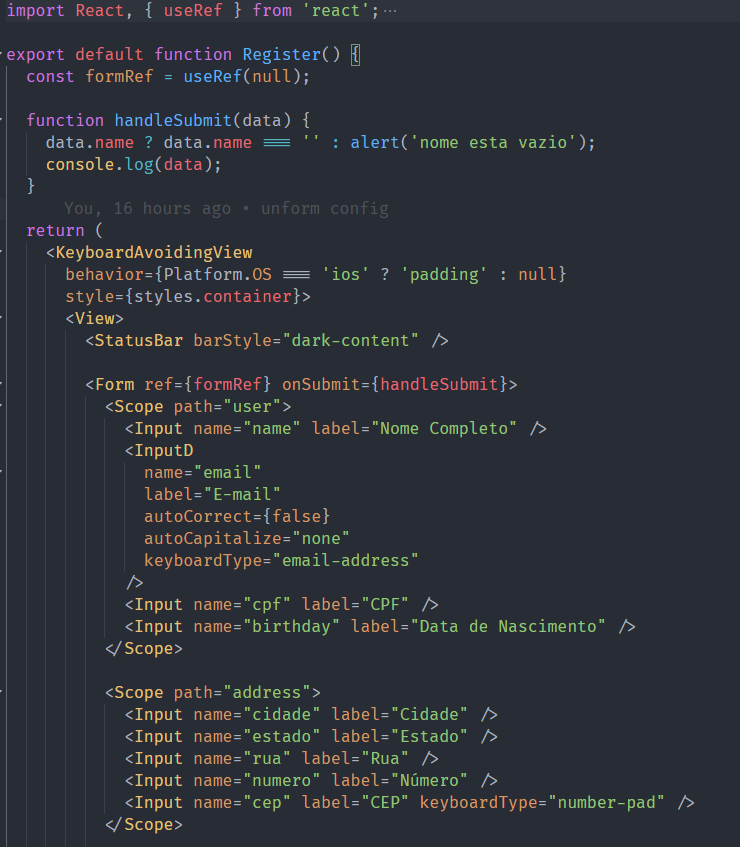
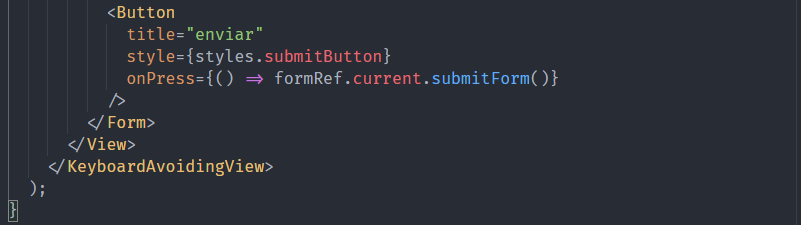
bug
 guilhermebcabral
👍4
>All comments
React Native 0.62 reimplemented the ref on TextInput, so we need to store the input value manually inside the ref. I will update the docs soon, but for now i have a working example:
import React, {
  useEffect,
  useRef,
  useState,
  useCallback,
} from 'react';

import { TextInput } from 'react-native';
import { useField } from '@unform/core';

function Input({ name, icon, style, ...rest }) {
  const inputRef = useRef(null);

  const { fieldName, registerField, defaultValue, error } = useField(name);

  useEffect(() => {
    inputRef.current.value = defaultValue;
  }, [defaultValue]);

  useEffect(() => {
    registerField({
      name: fieldName,
      ref: inputRef.current,
      path: 'value',
      clearValue(ref) {
        ref.value = '';
        ref.clear();
      },
      setValue(ref, value) {
        ref.setNativeProps({ text: value });
        inputRef.current.value = value;
      },
      getValue(ref) {
        return ref.value;
      },
    });
  }, [fieldName, registerField]);

  return (
    <TextInput
      ref={inputRef}
      keyboardAppearance="dark"
      defaultValue={defaultValue}
      placeholderTextColor="#666360"
      onChangeText={value => {
        if (inputRef.current) {
          inputRef.current.value = value;
        }
      }}
      {...rest}
    />
  );
};

export default Input;
 diego3g
on 16 Apr 2020
diego3g
on 16 Apr 2020
👍8
🎉3
😄3
🚀2
Was this page helpful?
0 / 5 - 0 ratings
Related issues
 fmontone
·
4Comments
fmontone
·
4Comments
 EduardoAraujoB
·
4Comments
diego3g
·
4Comments
EduardoAraujoB
·
4Comments
diego3g
·
4Comments
 davifalta
·
4Comments
diego3g
·
3Comments
davifalta
·
4Comments
diego3g
·
3Comments
Most helpful comment
React Native 0.62 reimplemented the
refon TextInput, so we need to store the input value manually inside the ref. I will update the docs soon, but for now i have a working example: