Unform: Problem when setting new value - integration with Material-UI
Description of bug
When I set a new value to a TextField (material-ui) using the Hook, instead of typing the TextField doesn't work correctly. Probably there is somewhere else I need to pass the value?
To Reproduce
Just checkout the codesanbox above and take a look at the Input element: https://codesandbox.io/s/hopeful-wiles-z35ds?fontsize=14&hidenavigation=1&theme=dark
Expected behavior
The TextField should behave the same way as when I type something on it.
Exception or Error
Screenshots

Environment:
IOS, Chrome
Additional context
 gusflopes
All 4 comments
Hi @gusflopes, i was trying to find the solution here and i think i got it.
As it seems, Material UI does not reflect any input changes in it's UI so we need to make some DOM modifications as soon as we set a new value to the input.
So inside the registerField of your input use this:
import React, { useEffect, useRef } from "react";
import { useField } from "@unform/core";
import { TextField } from "@material-ui/core";
import { styled } from "@material-ui/core/styles";

const CustomInput = styled(TextField)({
  marginBottom: "12px"
});

export default function Input({ name, label, ...rest }) {
  const inputRef = useRef(null);
  const materialInputRef = useRef(null);
  const { fieldName, defaultValue, registerField, error } = useField(name);

  useEffect(() => {
    registerField({
      name: fieldName,
      ref: inputRef.current,
      path: "value",
      setValue(ref, value) {
        ref.value = value;

        materialInputRef.current
          .querySelector("label")
          .classList.add("MuiFormLabel-filled", "MuiInputLabel-shrink");
      }
    });
  }, [fieldName, registerField]);

  return (
    <CustomInput
      name={fieldName}
      error={!!error}
      ref={materialInputRef}
      helperText={error || null}
      inputRef={inputRef}
      defaultValue={defaultValue}
      label={label}
      fullWidth
      {...rest}
    />
  );
}
I created a materialInputRef so i can make modifications inside the HTML itself.
It'll add the classes filled and shrink to the input label as soon as the input receives a new value.
Keep in mind that if you wanna use the clearField function or reset form, you'll probably need to implement the clearValue function inside registerField removing these classes with:
 materialInputRef.current
  .querySelector("label")
  .classList.remove("MuiFormLabel-filled", "MuiInputLabel-shrink");
 diego3g
on 5 Apr 2020
diego3g
on 5 Apr 2020
I had same problem here. @diego3g with your above solution dont work after input lose focus.
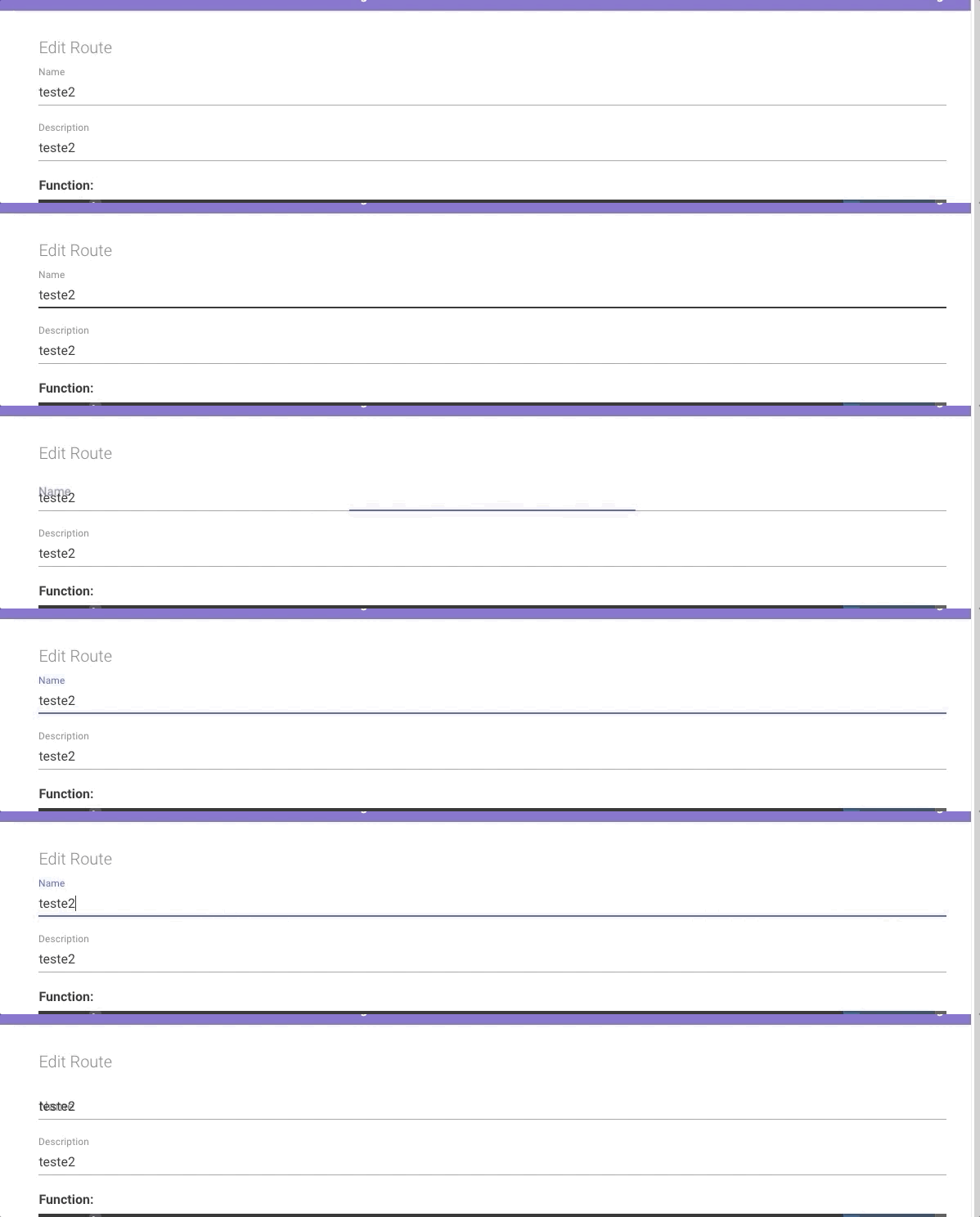
 mja-maia
on 5 Apr 2020
mja-maia
on 5 Apr 2020
@mja-maia I had a similar issue using another Form Lib and this bug seems to be a limitation of Material-UI.
I fixed the problem using this approach, pointed by Material-UI TextField documentation:

You can find more details here: https://material-ui.com/components/text-fields/#textfield
 giovanniantonaccio
on 26 Apr 2020
giovanniantonaccio
on 26 Apr 2020
Closing this issue for now, feel free to reopen it if the problem persists.
diego3g
on 11 May 2020
Related issues
 Davidiasdesousa
·
3Comments
Davidiasdesousa
·
3Comments
 cleitonper
·
4Comments
cleitonper
·
4Comments
 lucascco
·
5Comments
lucascco
·
5Comments
 filipecoelho
·
5Comments
diego3g
·
4Comments
filipecoelho
·
5Comments
diego3g
·
4Comments
Most helpful comment
@mja-maia I had a similar issue using another Form Lib and this bug seems to be a limitation of Material-UI.
I fixed the problem using this approach, pointed by Material-UI TextField documentation:
You can find more details here: https://material-ui.com/components/text-fields/#textfield