Undecimus: “Disable Auto Updates” toggle works the other way around
Describe the bug
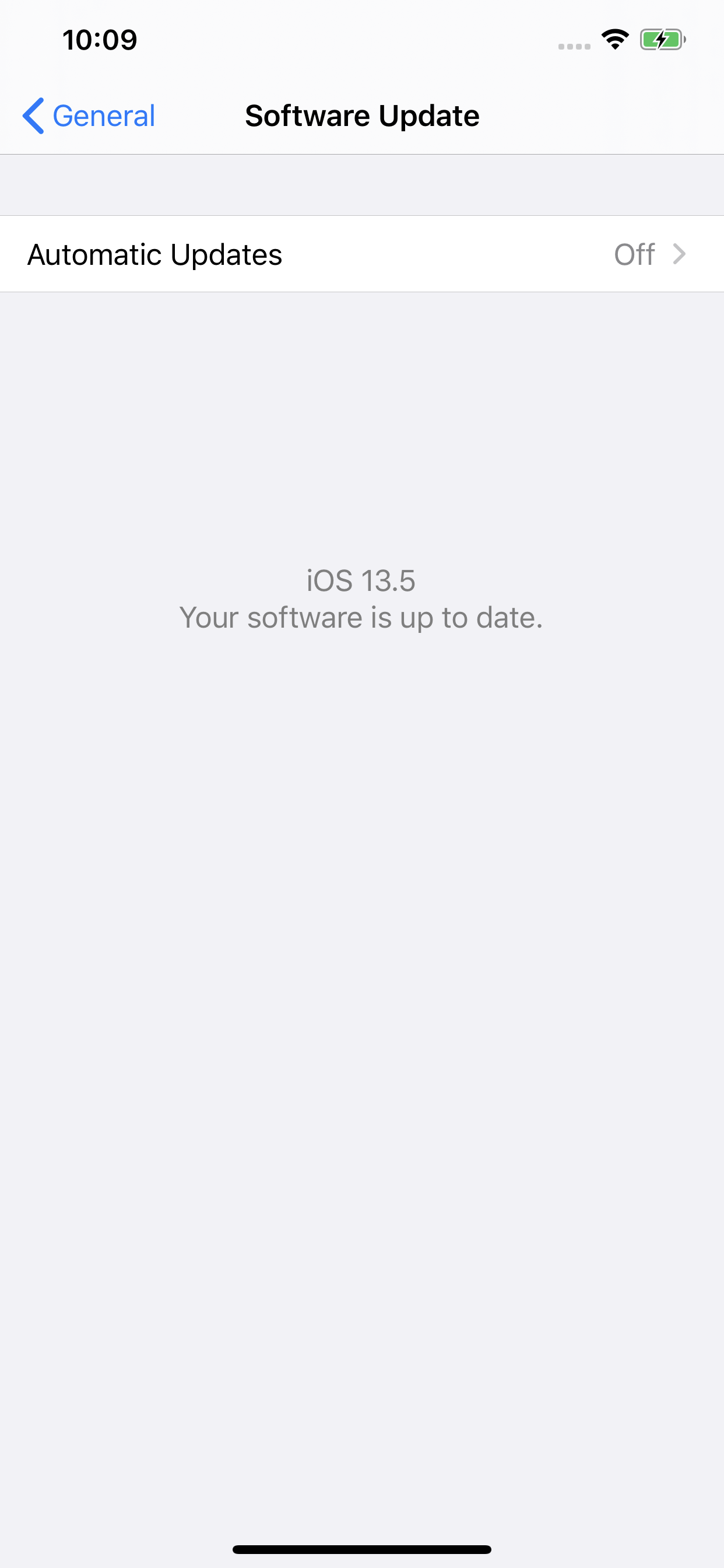
When you toggle ON “Disable Auto Updates”, iOS is able to check for updates.
When you toggle OFF “Disable Auto Updates”, iOS cannot check for updates.
To Reproduce
Steps to reproduce the behavior:
- Go to Settings icon of unc0ver
- Toggle ON/OFF “Disable Auto Updates”
Screenshots
TOGGLED OFF:
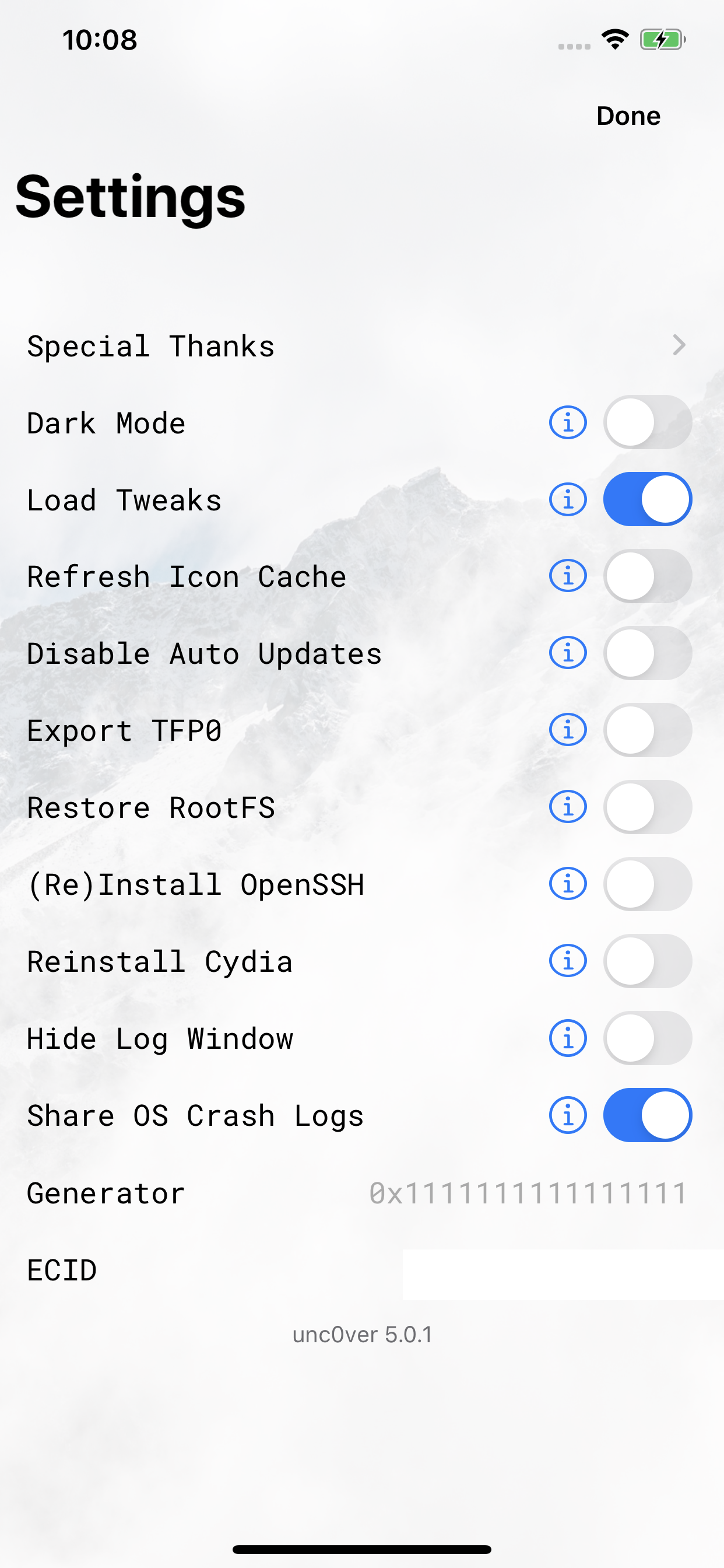

TOGGLED ON

Device (please complete the following information):
- iOS Version: 13.5
- iOS Device: iPhone 11 Pro Max
- unc0ver Version: 5.0.1
Place an "x" between the brackets if true:
- [x] this is a bug others will be able to reproduce
- [x] this issue is present with all tweaks uninstalled(except for default packages) or disabled
- [x] this issue is present after a rootfs restore
- [x] this issue is present on the latest version of unc0ver
 jailbreaker17
👍4
👀1
❤1
All 6 comments
You're right (I just tried it) ! I would never notice it, glad you did.
 Nolife1412
on 26 May 2020
Nolife1412
on 26 May 2020
👍2
Haha this is why I couldn’t ota update from iOS 12.2 to iOS 13.5
 delon5
on 27 May 2020
delon5
on 27 May 2020
Disable Auto Updates check doesn't work for me anymore.
I see Unable to Check for Update all the time despite of toggle check and RootFS restoring.
 dva
on 28 May 2020
dva
on 28 May 2020
👍2
Confirmed !
 bigrck64
on 2 Jun 2020
bigrck64
on 2 Jun 2020
👍1
Is there anyway to reenable auto updates without uncover? My device is unjailbroken now and stuck on iOS 13.5.1.
 L3ZU
on 2 Jul 2020
L3ZU
on 2 Jul 2020
full restore will do it
 Hamlock-maneuverr
on 2 Jul 2020
Hamlock-maneuverr
on 2 Jul 2020
Was this page helpful?
0 / 5 - 0 ratings
Related issues
 miguelr4720
·
3Comments
miguelr4720
·
3Comments
 ghost
·
3Comments
ghost
·
3Comments
 shsh2
·
3Comments
shsh2
·
3Comments
 kalebe2
·
3Comments
miguelr4720
·
3Comments
kalebe2
·
3Comments
miguelr4720
·
3Comments
Most helpful comment
Disable Auto Updatescheck doesn't work for me anymore.I see
Unable to Check for Updateall the time despite of toggle check and RootFS restoring.