After a successful jailbreak, device resprings( for a unsuslly long time based on other unc0ver jb) when finished, Cydia is in my home screen but when opened it just shows a clear screen before crashing - others seem to be having the same issue. Have tried restoring rootfs.
Pressing reinstall cydia just freezes device and reboots.
Issue seems to be after testing: after the device resprings. The device also reboots w the Apple logo
Thus, you were jail broken but by having the phone reboot, you’re not in a jail broken state.
No idea about a fix tho
Screenshots
If applicable, add screenshots to help explain your problem.

Device (please complete the following information):
- iOS Version: iOS 13.2.3
- iOS Device: iPhone 11
- unc0ver Version: 4.0.0
Place an "x" between the brackets if true:
- [ ] this is a bug others will be able to reproduce
- [ ] this issue is present with all tweaks uninstalled(except for default packages) or disabled
- [x ] this issue is present after a rootfs restore
- [ X] this issue is present on the latest version of unc0ver
Logs
If applicable, add logs or error messages here.
 cris028284
All 17 comments
am having the same problem here
 miguelr4720
on 16 Feb 2020
miguelr4720
on 16 Feb 2020
how can it be fixed
miguelr4720
on 16 Feb 2020
same exact issue here...
 stalamuerte
on 16 Feb 2020
stalamuerte
on 16 Feb 2020
Same here!
 shiv213
on 16 Feb 2020
shiv213
on 16 Feb 2020
What’s your guys iOS versions
 andre104623
on 16 Feb 2020
andre104623
on 16 Feb 2020
13.2.3
cris028284
on 16 Feb 2020
You guys can go into unc0ver settings uncheck everything and check off reinstall Cydia then click jailbreak
andre104623
on 16 Feb 2020
13.2.3
I know yours
andre104623
on 16 Feb 2020
Reinstalling cydia causes our phones to freeze then reboot
cris028284
on 16 Feb 2020
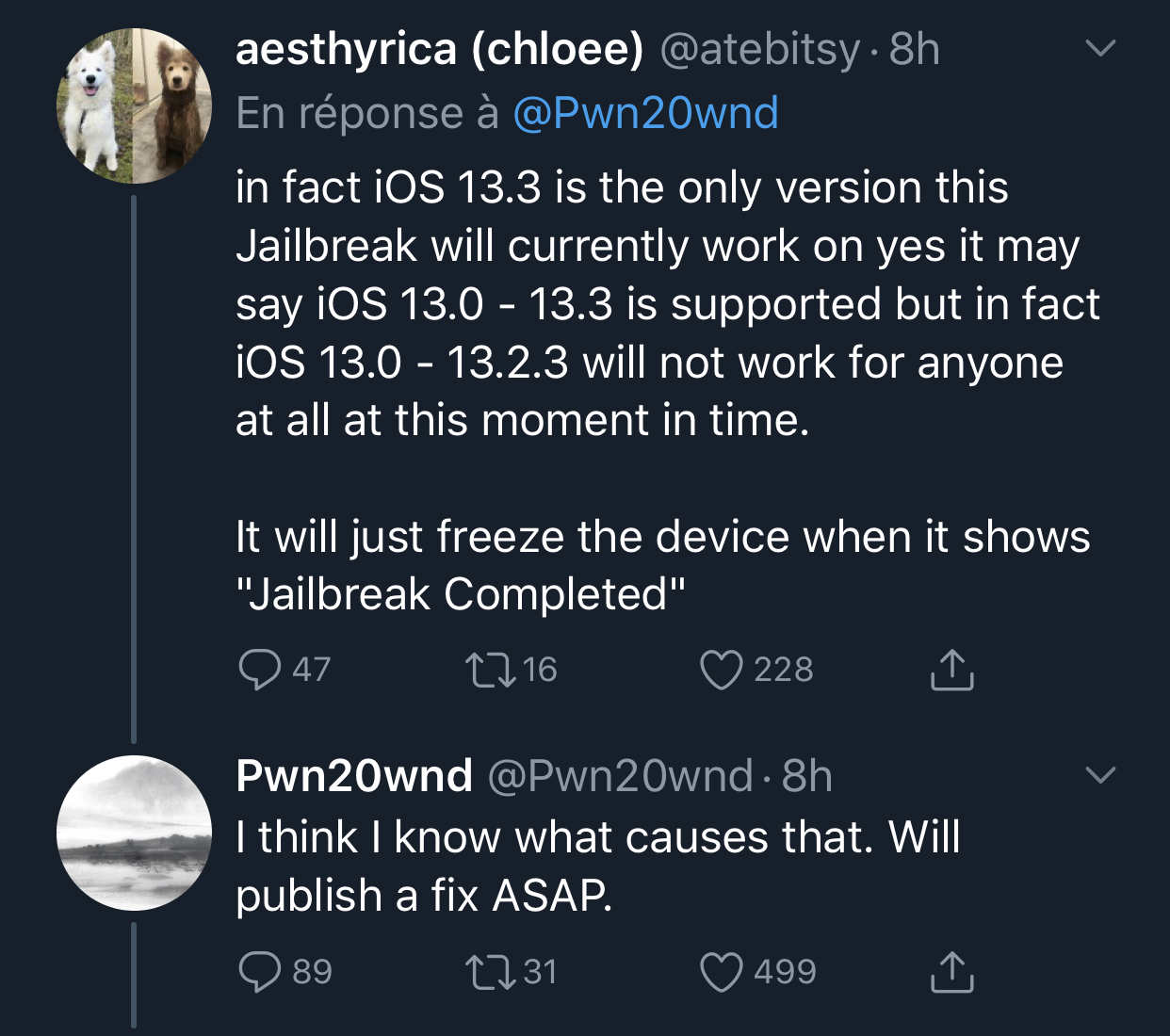
I could be your iOS version pwn said people with 13, 13.1, 13.2, and 13.3 will have the least problems pwn probably needs to update the jailbreak
andre104623
on 16 Feb 2020
13.2 on XS Max for me
stalamuerte
on 16 Feb 2020
13.1 on iPhone XR here
shiv213
on 16 Feb 2020
Can confirm issue still exists on v4.0.1 - iOS 13.1 on iPhone XR
shiv213
on 16 Feb 2020
Same issue in version 4.0.1
The last answer of pwn gave me some hope for a better release soon...
stalamuerte
on 17 Feb 2020
version 4.0.2 resolved my issue ! Thanks 😊
stalamuerte
on 18 Feb 2020
Still facing the same issue after numerous tries on iPhone XR iOS 13.1 v4.0.2 although it takes more tries to even get a successful jailbreak, most often facing #1696
shiv213
on 18 Feb 2020
4.0.2 has resolved my issue.
cris028284
on 18 Feb 2020
Related issues
 rorcores
·
4Comments
rorcores
·
4Comments
 olibub
·
3Comments
olibub
·
3Comments
 NAVECCIER
·
3Comments
NAVECCIER
·
3Comments
 Godneedsleep
·
3Comments
Godneedsleep
·
3Comments
 ghost
·
3Comments
ghost
·
3Comments