Undecimus: FaceID isn’t working on A12
Describe the bug
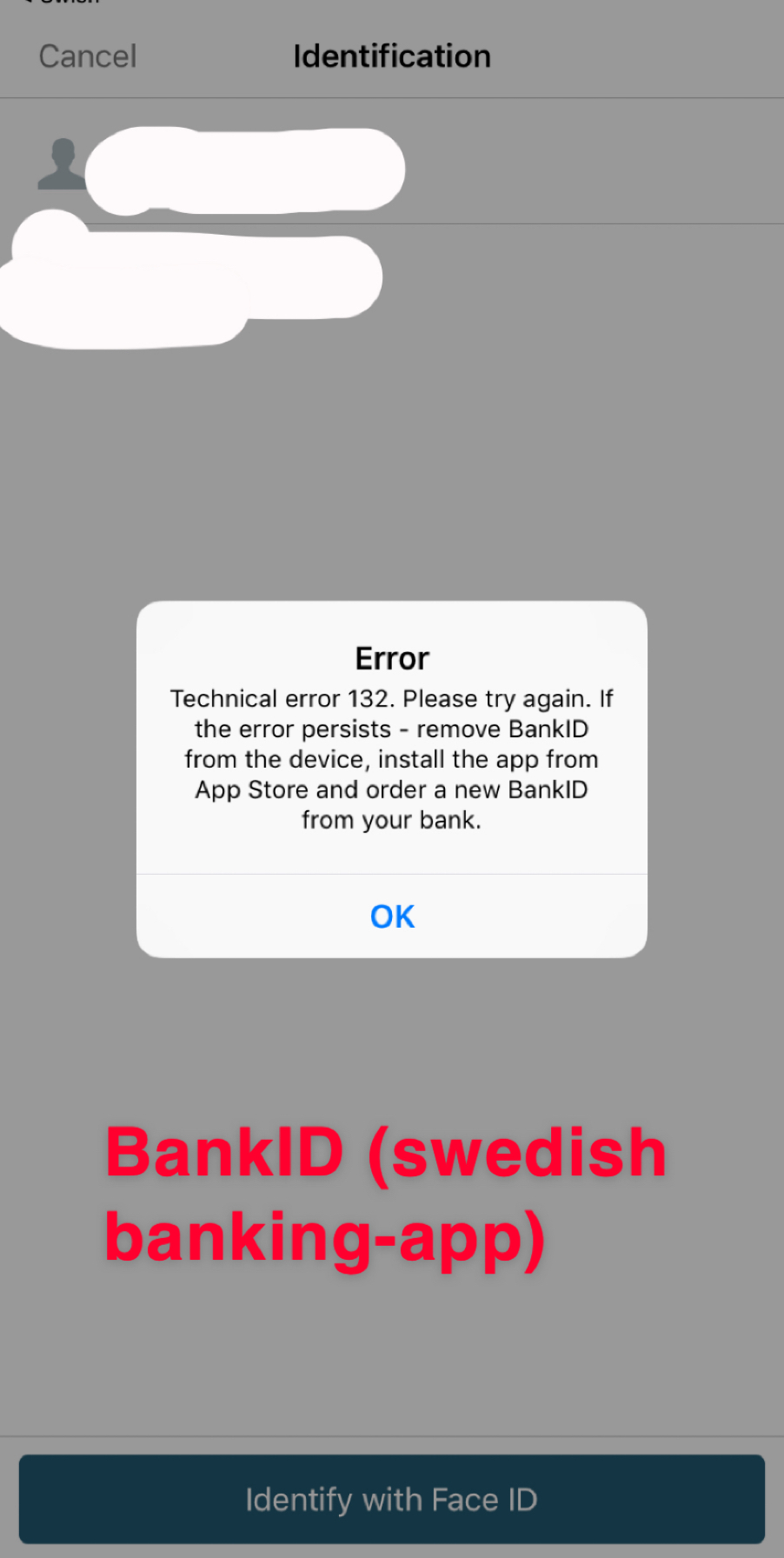
FaceID only works when unlocking the device. Once I have to use it for passwords (in Safari) or in other apps (like PayPal), it just doesn’t work.
To Reproduce
Steps to reproduce the behavior:
- Enable FaceID
- Open the ’Settings’-app
3a. Go to ’FaceID & Passcode’
3b. [Enter your passcode] - Press ’Set Up an Alternative
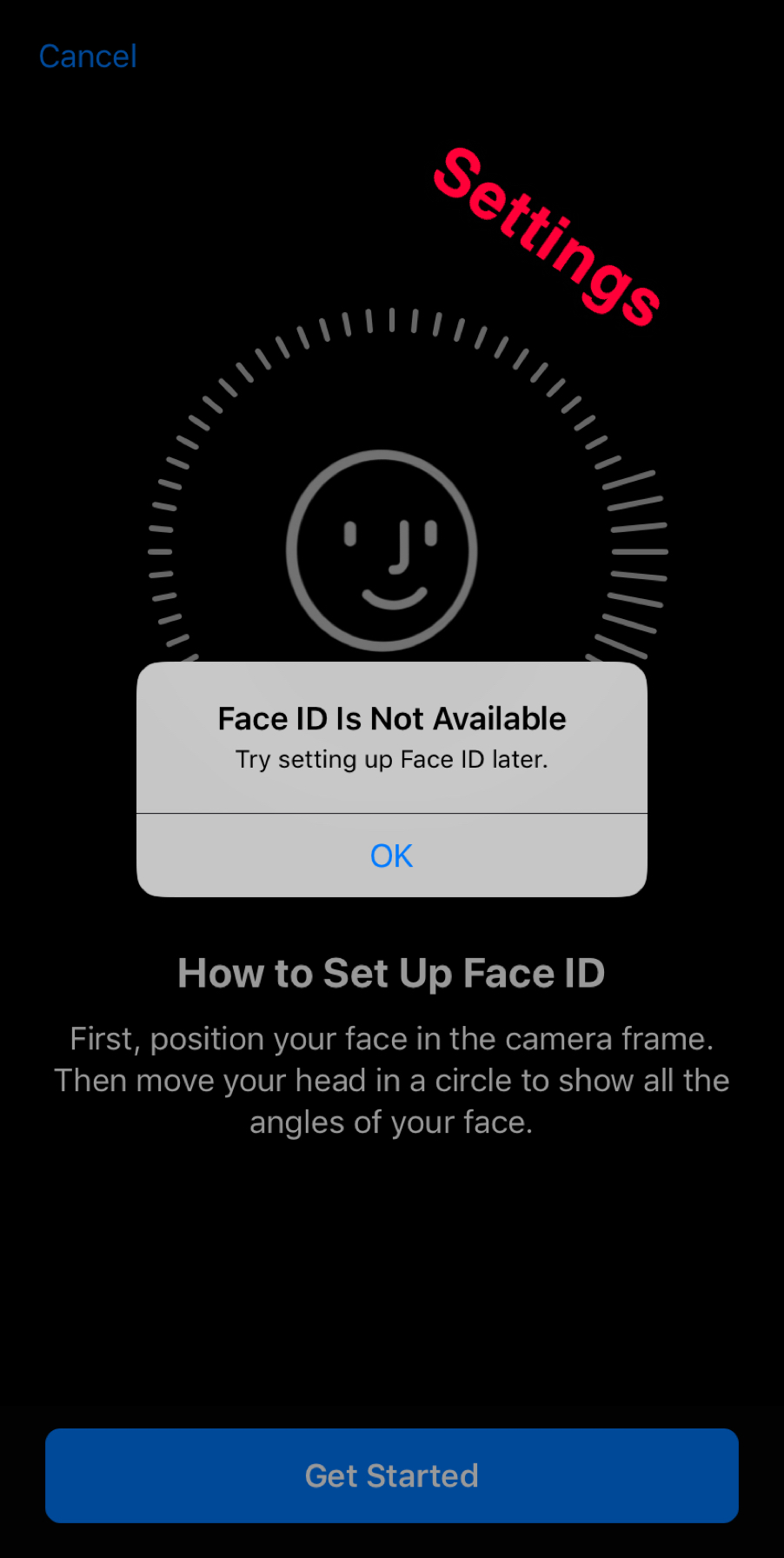
- Press ’Get Started’
- You’ll get the output that FaceID is unavailable.
To obtain the error if this method doesn’t work, simply find any app that wants to access FaceID (like PayPal, BankID, AppStore, Dropbox, Lastpass).
Screenshots

Device (please complete the following information):
- iOS Version: 12.0.1
- iOS Device: iPhone XR
- unc0ver Version: 3.7.0~b1
Place an "x" between the brackets if true:
- [x] this is a bug others will be able to reproduce
- [x] this issue is present with all tweaks uninstalled(except for default packages) or disabled
- [~] this issue is present after a rootfs restore
- [x] this issue is present on the latest version of unc0ver
 DonPabloRP
All 11 comments
More on when this issue pops up. This issue is NOT related to the original jailbreak. When you jailbreak, you can install all your apps and respring and everything will work fine.
HOWEVER...there is one bug that comes up before FaceID is disable (along with FaceID being disabled, all of the “passwords & accounts” features break. So even if it shows you the username for a website above your keyboard, tapping it will not fill in the field). That is that you are unable to REBOOT or SHUTDOWN the iPhone. It will attempt to reboot, but actually crash. After a while, the iphone does a crash-recovery reboot or you will have to do a hard reboot.
And that is where the trouble lies. Whatever is happening that causes the phone to be unable to reboot/shutdown in a jailbroken state, forever breaks FaceID outside of when you are unlocking the phone. This persists until you restore RootFS and jailbreak all over again, at which point it will again work properly until your phone reboots/shuts down for any reason.
I attempted to remove all cydia packages and disabled all cydia functions in icleaner pro, but the problem still existed. RootFS is the only way.
iPhone XS Max on iOS 12.4.
 realHyperMatrix
on 25 Sep 2019
realHyperMatrix
on 25 Sep 2019
Mines is having the same problem too please let me know when its fix this the The Worse Jailbreak I ever seen it's filled with bugs camera
 miguelr4720
on 25 Sep 2019
miguelr4720
on 25 Sep 2019
I would like to thank realHyperMatrix for the good and substantial answer.
So my FaceID will work if I restore RootFS and re-jailbreak?
DonPabloRP
on 26 Sep 2019
Yup. It will work until you reboot/shutdown/crash iOS. Resprings are fine.
Camera still won’t work though.
On Thu, Sep 26, 2019 at 1:15 AM DonPabloRP notifications@github.com wrote:
I would like to thank realHyperMatrix for the good and substantial answer.
So my FaceID will work if I restore RootFS and re-jailbreak?—
You are receiving this because you commented.
Reply to this email directly, view it on GitHub
https://github.com/pwn20wndstuff/Undecimus/issues/1536?email_source=notifications&email_token=ANJT6ZY5IWFCG23CZIS6G7DQLROSLA5CNFSM4I2IBHW2YY3PNVWWK3TUL52HS4DFVREXG43VMVBW63LNMVXHJKTDN5WW2ZLOORPWSZGOD7USFFA#issuecomment-535372436,
or mute the thread
https://github.com/notifications/unsubscribe-auth/ANJT6Z7X4CVOLR7QU24I2Y3QLROSLANCNFSM4I2IBHWQ
.
realHyperMatrix
on 26 Sep 2019
I restored RootFS and renewed my FaceID.
Then I jailbroke again and whenever FaceID stops working now (because of a reboot/shutdown/crash as you mentioned) I just do an LDrestart (ldrestart -r).
DonPabloRP
on 26 Sep 2019
Thanks for that. It didn't work for me. I tried to install the ldrestart
app from Cydia, but it crashed my phone. Lost my FaceID. Doing ldrestart
-r though SSH didn't fix it. BUT....found a better discovery.
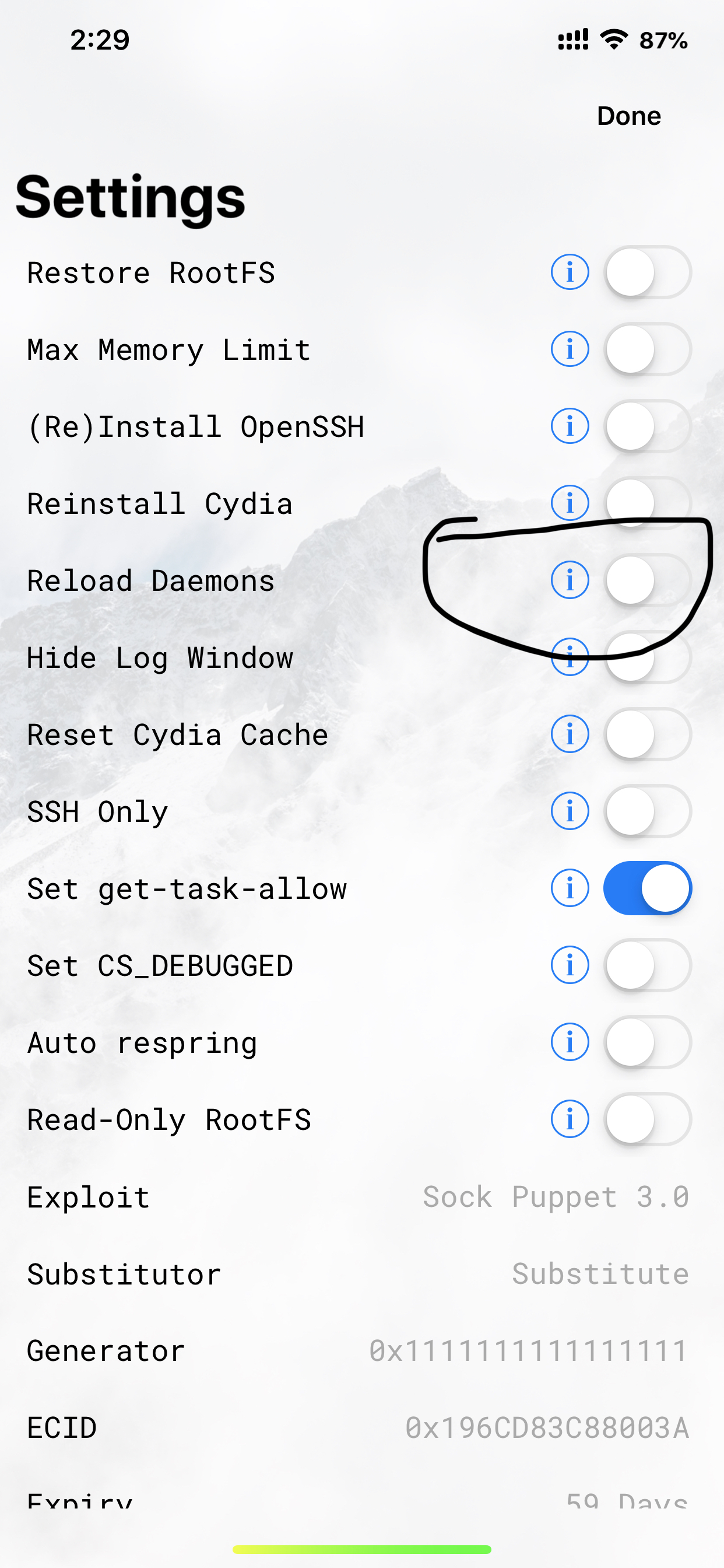
After a restart, uncheck "reload daemons" in unc0ver. FaceID keeps working. Simple as
that.
Now if only there were a way to get the Camera working again. Haha.
On Thu, Sep 26, 2019 at 8:09 AM DonPabloRP notifications@github.com wrote:
I restored RootFS and renewed my FaceID.
Then I jailbroke again and whenever FaceID stops working now (because of a
reboot/shutdown/crash as you mentioned) I just do an LDrestart (ldrestart
-r).—
You are receiving this because you commented.
Reply to this email directly, view it on GitHub
https://github.com/pwn20wndstuff/Undecimus/issues/1536?email_source=notifications&email_token=ANJT6Z64IXXKW5LVQ2UWJGLQLS7AFA5CNFSM4I2IBHW2YY3PNVWWK3TUL52HS4DFVREXG43VMVBW63LNMVXHJKTDN5WW2ZLOORPWSZGOD7VWD4I#issuecomment-535519729,
or mute the thread
https://github.com/notifications/unsubscribe-auth/ANJT6Z3WQSCE25SQRHP3PJTQLS7AFANCNFSM4I2IBHWQ
.
realHyperMatrix
on 27 Sep 2019
I just reboot and re-jailbreak my device to fix the camera. Are you unable to do that without reloading daemons?
DonPabloRP
on 28 Sep 2019
Regardless of whether reload daemons is on or off, the camera won't work. It either shows a black screen, or shows an image for about 3 seconds before freezing up. Seems to be a fairly common issue with this jailbreak as reported on reddit. I'm surprised it works for you. Which iPhone do you have?
realHyperMatrix
on 28 Sep 2019
For camera. Follow my steps:
- Reboot
- Open camera
- Close camera
- Re-jailbreak
 taimaiduc
on 28 Sep 2019
taimaiduc
on 28 Sep 2019
I’m using iPhone XR. You?
DonPabloRP
on 29 Sep 2019
@DonPabloRP
XS MAX
You can turn off Reload demo as well
taimaiduc
on 8 Oct 2019
Related issues
miguelr4720
·
3Comments
 rorcores
·
4Comments
rorcores
·
4Comments
 Xerxious
·
4Comments
Xerxious
·
4Comments
 JBL1503
·
3Comments
JBL1503
·
3Comments
 olibub
·
3Comments
olibub
·
3Comments
Most helpful comment
More on when this issue pops up. This issue is NOT related to the original jailbreak. When you jailbreak, you can install all your apps and respring and everything will work fine.
HOWEVER...there is one bug that comes up before FaceID is disable (along with FaceID being disabled, all of the “passwords & accounts” features break. So even if it shows you the username for a website above your keyboard, tapping it will not fill in the field). That is that you are unable to REBOOT or SHUTDOWN the iPhone. It will attempt to reboot, but actually crash. After a while, the iphone does a crash-recovery reboot or you will have to do a hard reboot.
And that is where the trouble lies. Whatever is happening that causes the phone to be unable to reboot/shutdown in a jailbroken state, forever breaks FaceID outside of when you are unlocking the phone. This persists until you restore RootFS and jailbreak all over again, at which point it will again work properly until your phone reboots/shuts down for any reason.
I attempted to remove all cydia packages and disabled all cydia functions in icleaner pro, but the problem still existed. RootFS is the only way.
iPhone XS Max on iOS 12.4.