Undecimus: Unable to exploit the kernel
Describe the bug
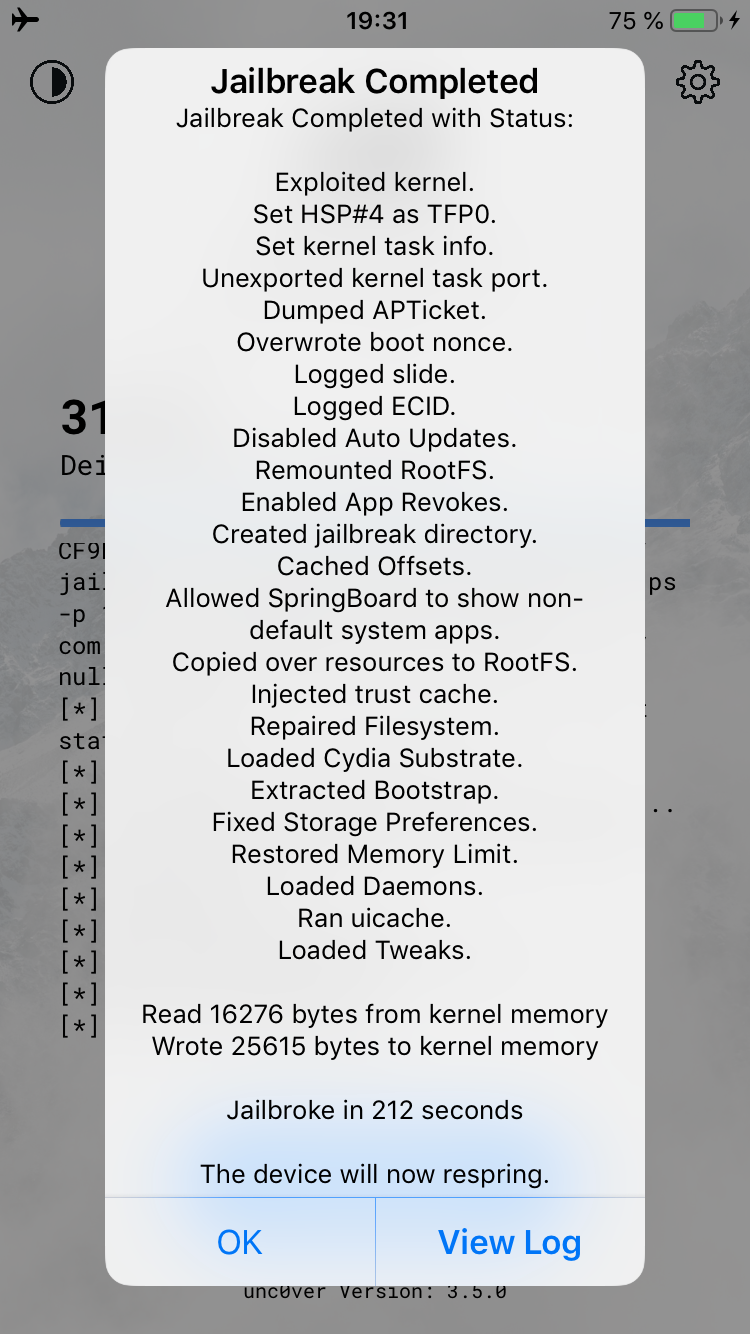
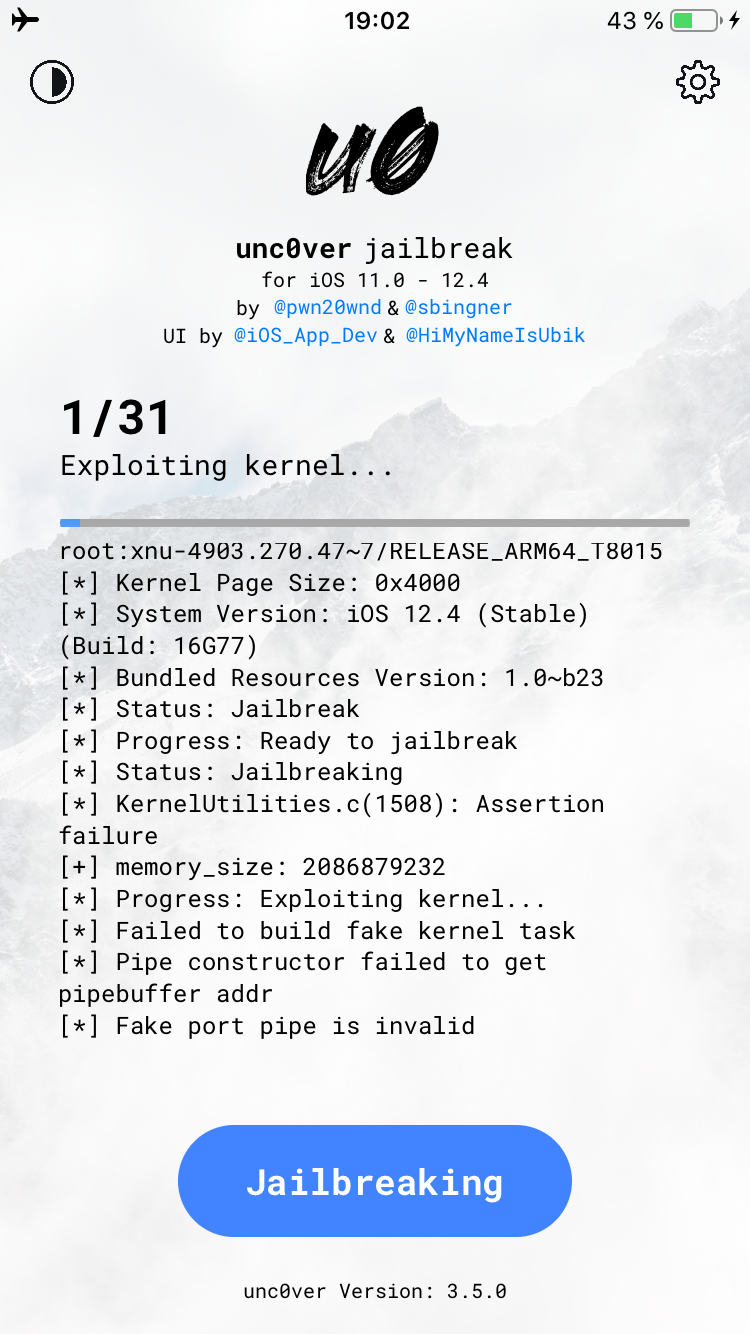
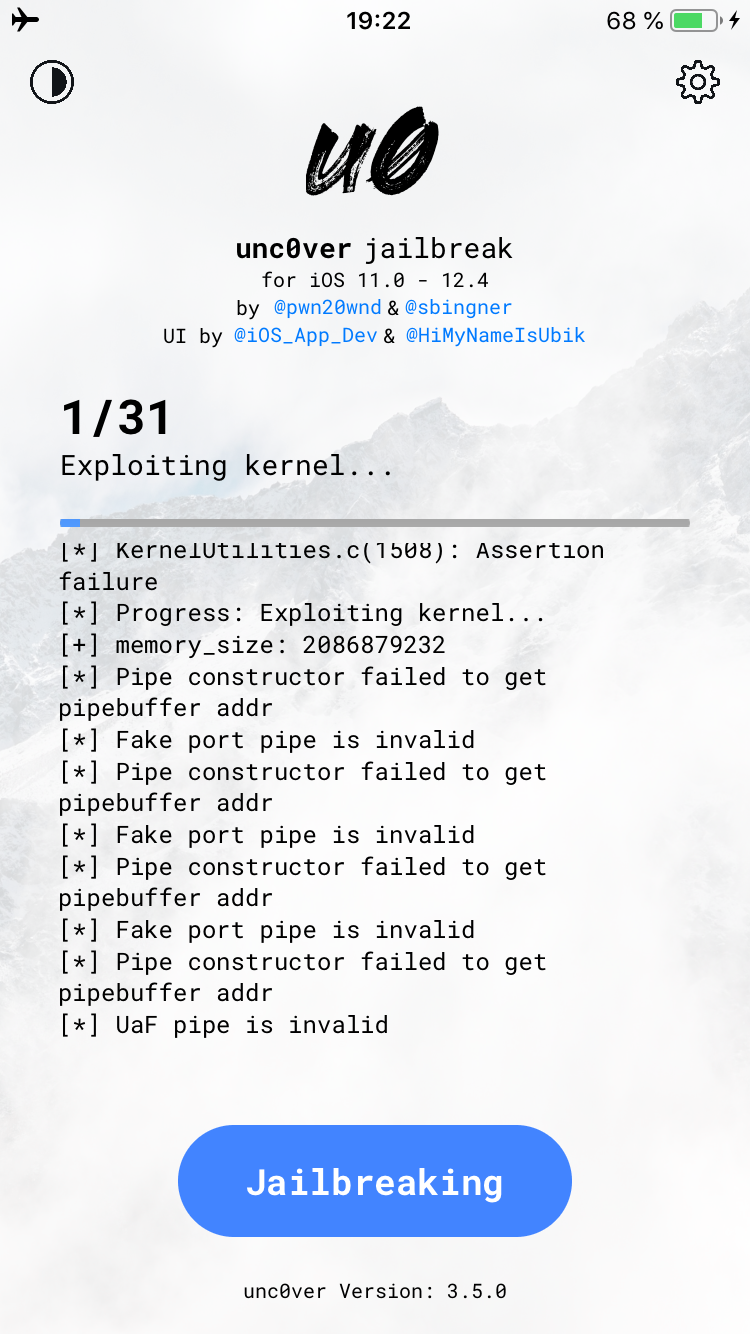
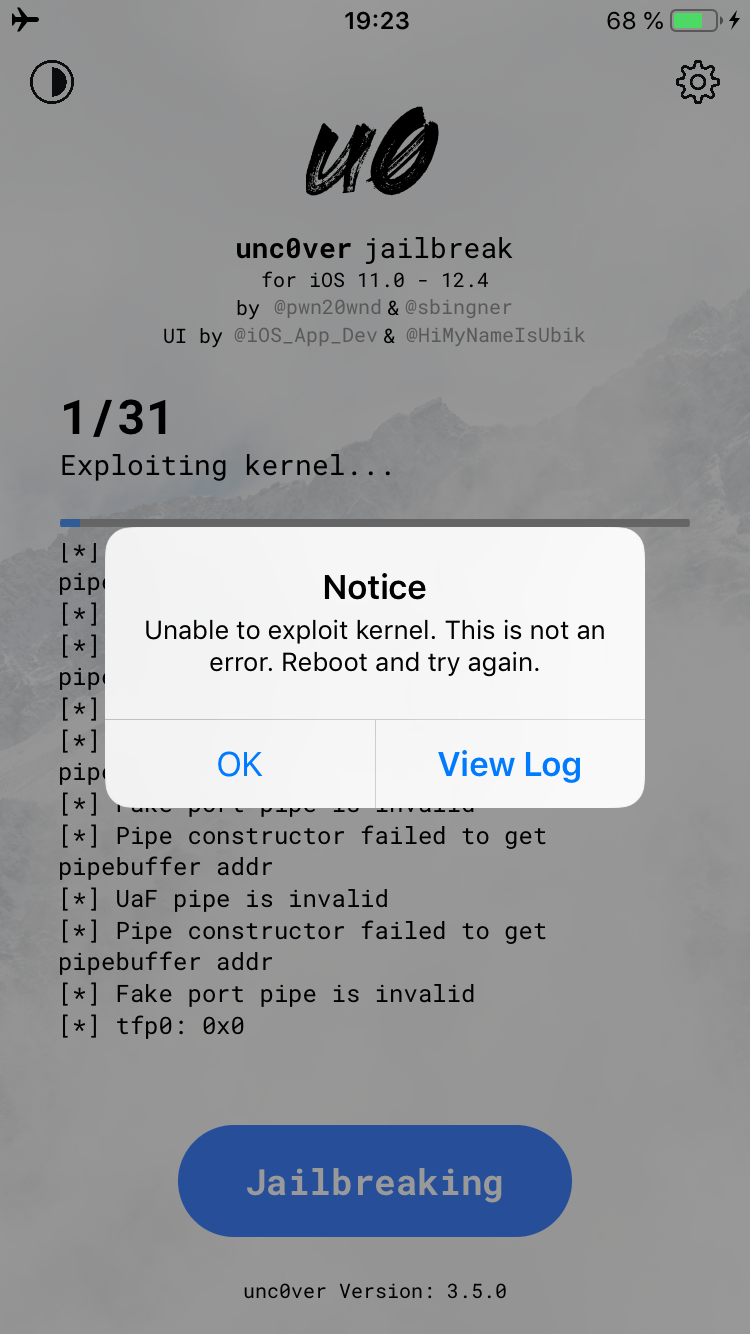
I can't jaibreak the iphone, it shows a ton of errors, see screenshots.
Edit: After a few tries it did rename the system snapshot, but after that it keeps crashing.
Edit 2: Managed to get Cydia working after ~7 tries.
To Reproduce
Steps to reproduce the behavior:
- Go to unc0ver
- Click on "jailbreak"
- After a few minutes you'll see the error.
Screenshots
Device (please complete the following information):
- iOS Version: 12.4 ( Restored from 12.1.2 via iTunes with DFU mode, did restoreRootFS before restore )
- iOS Device: iPhone 8 64GB (GSM)
- unc0ver Version: 3.5.0
Place an "x" between the brackets if true:
- [?] this is a bug others will be able to reproduce
- [x] this issue is present with all tweaks uninstalled(except for default packages) or disabled
- [x] this issue is present after a rootfs restore
- [x] this issue is present on the latest version of unc0ver
Logs
diagnostics.zip
 RegLoiD
All 20 comments
Can you try the other available exploit, please?
 clarityzzz
on 18 Aug 2019
clarityzzz
on 18 Aug 2019
Can you try the other available exploit, please?
You can't use Sock Port exploit on A11 device.
RegLoiD
on 18 Aug 2019
The issue is closed i guess. If you are having the same issue - just keep trying.
RegLoiD
on 18 Aug 2019
Can you try the other available exploit, please?
You can't use Sock Port exploit on A11 device.
You should, it's fully compatible from a7 through a12.
clarityzzz
on 18 Aug 2019
Can you try the other available exploit, please?
You can't use Sock Port exploit on A11 device.
You should, it's fully compatible from a7 through a12.

Looks like i miss understood about Sock Port then, i thought it works only for A7-A7X.
RegLoiD
on 18 Aug 2019
I'm also having the same issue on my iPhone! But on iPhone 8 Plus GSM 64 GB! Sock Port not working either...
 twbro54l
on 18 Aug 2019
twbro54l
on 18 Aug 2019
I'm also having the same issue on my iPhone! But on iPhone 8 Plus GSM 64 GB! Sock Port not working either...
Keep trying dude :/
RegLoiD
on 18 Aug 2019
I have the same issue, using sock puppet on iX so A11 bionic.
 DrissiReda
on 18 Aug 2019
DrissiReda
on 18 Aug 2019
It took about 5 or 6 times on the iPad Pro 2017 10.5 cellular. It worked after uninstalling/reinstalling unc0ver.
Full steps I followed:
Cleaned rootfs, uninstalled unc0ver, backed up iPad, did a shift+update, restored from backup, tried a few times, cleaned rootfs, tried a couple more times, uninstalled unc0ver, rebooted, reinstalled unc0ver. It worked the next two times. I had to run again and choose reinstall Cydia to get icon. Note: Rebooted after every attempt and kept airplane mode on.
 jinx10000
on 18 Aug 2019
jinx10000
on 18 Aug 2019
I’ve tried several times now, rebooting, uninstalling/reinstalling, still getting the same error. I will try doing a restore via iTunes now... I know jailbreaks don’t like OTA updates, which is what I did.
 brosope
on 18 Aug 2019
brosope
on 18 Aug 2019
I’ve tried several times now, rebooting, uninstalling/reinstalling, still getting the same error. I will try doing a restore via iTunes now... I know jailbreaks don’t like OTA updates, which is what I did.
I don't think it's cuz of OTA, but you can try. Also Pwn knows about the issue:
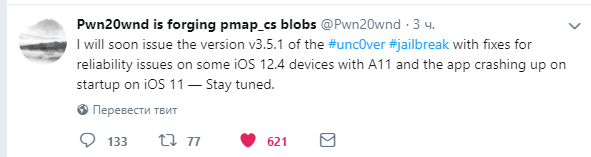
RegLoiD
on 18 Aug 2019
Ahh okay. I’ll keep an eye out for 3.5.1 then. Thanks for the update!
brosope
on 18 Aug 2019
Sorry to be that guy - but it's not just A11. It's also A9 - like with my iPad Pro 12.9" 1st gen also constantly failing to assert KernelUtilities.c
 TimetoDance
on 18 Aug 2019
TimetoDance
on 18 Aug 2019
Sorry to be that guy - but it's not just A11. It's also A9 - like with my iPad Pro 12.9" 1st gen also constantly failing to assert KernelUtilities.c
If 3.5.1 won't fix your issue, you should open new "Issue" i guess.
RegLoiD
on 19 Aug 2019
I just reinstalled unc0ver 3.5.0 on jailbreaks - and it ended up working... O_O
TimetoDance
on 19 Aug 2019
I attempted 12 times to failure and it would seem reinstalling it worked...
TimetoDance
on 19 Aug 2019
Mine all of the sudden just worked. I guess just keep trying and be patient. I had to jailbreak 7 times. Last time worked.
brosope
on 19 Aug 2019
This work for me confirmed, update to 12.4 with iPhone X
 liger89
on 19 Aug 2019
liger89
on 19 Aug 2019
I also recommend to keep "Refresh icon cache" enabled in settings or cydia doesn't show in the HOMESCREEN!
TimetoDance
on 19 Aug 2019
Other 2 iPad Pros I jailbroke - AFTER reinstalling unc0ver 3.5 worked splendidly well. Only 1 attempt was necessary vs my 12 before I did it....lol
TimetoDance
on 19 Aug 2019
Related issues
 issacgithub
·
3Comments
issacgithub
·
3Comments
 Xerxious
·
4Comments
Xerxious
·
4Comments
 soum91
·
3Comments
soum91
·
3Comments
 JBL1503
·
3Comments
JBL1503
·
3Comments
 gbm777
·
3Comments
gbm777
·
3Comments