Umbrel: Installing v0.2.10 Update - Not Clear If Update is Progressing or Not - Stuck on "STARTING UPDATE"
- Click "INSTALL NOW" on Settings page
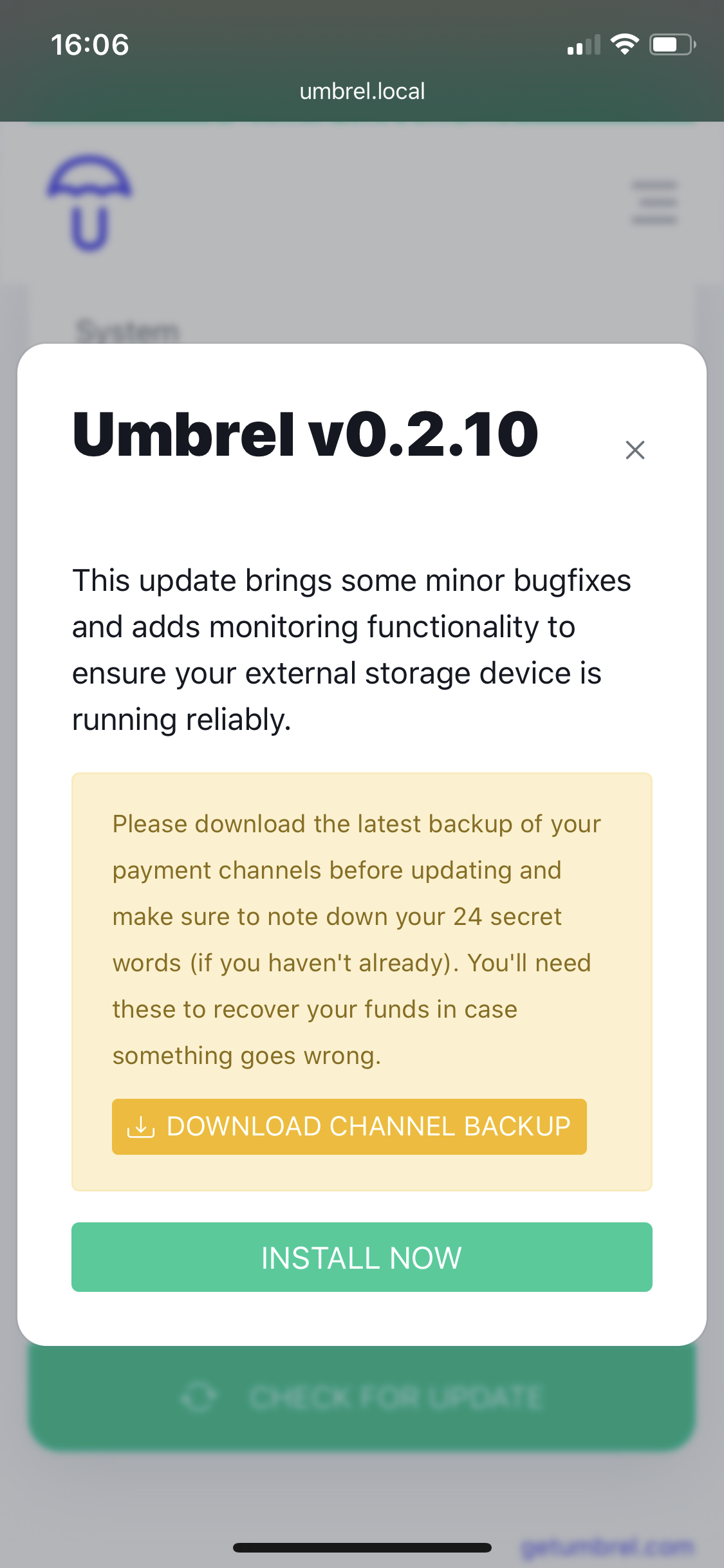
- Pop up is displayed, including button for downloading channel backup and summary of update
- Click "INSTALL NOW"
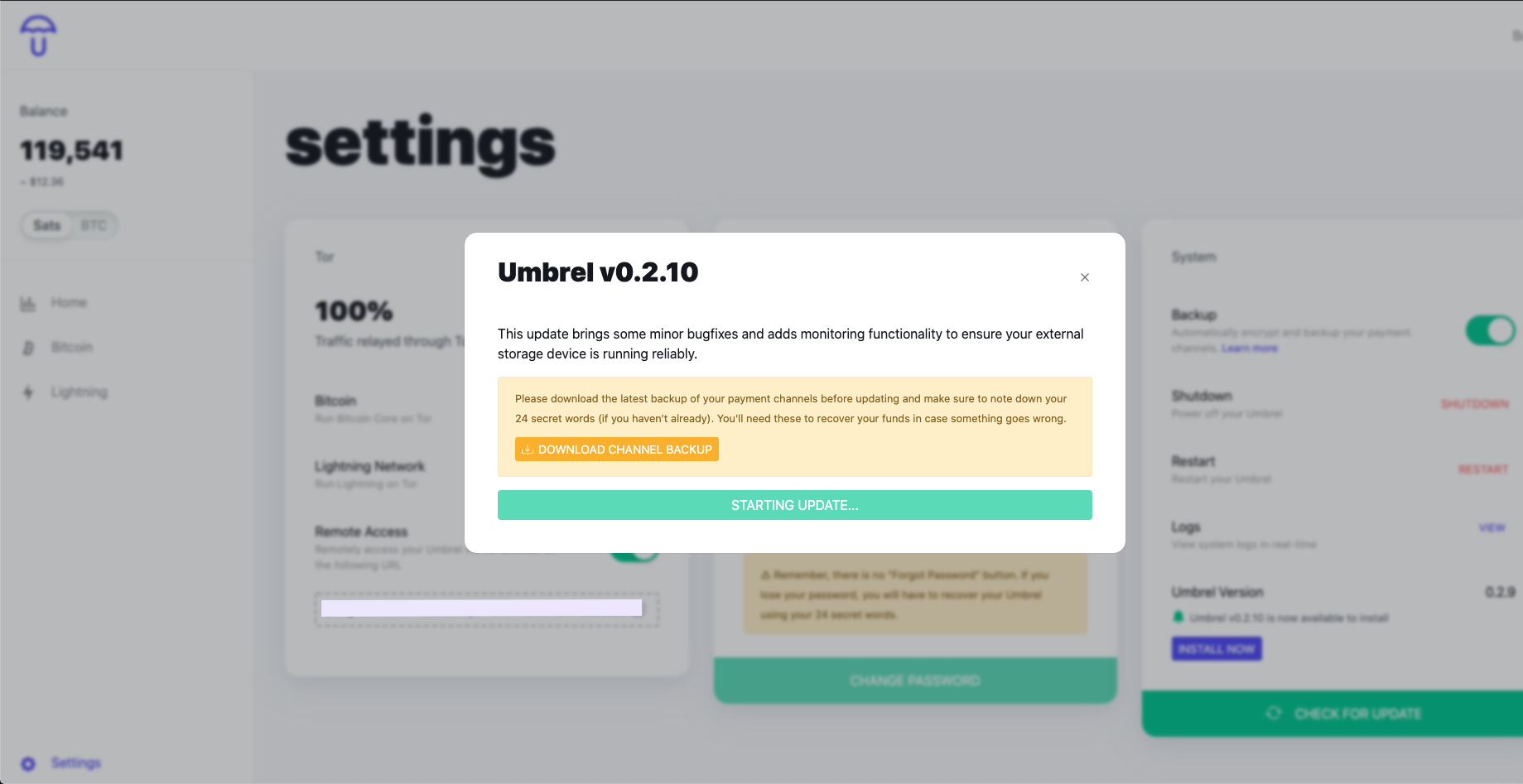
- Button changes wording to "STARTING UPDATE"
- Stuck in this state (However, I can click the "X" in top right corner of pop up to dismiss it)
- Not synchronized across devices (I can access umbrel.local from another device and start the process over, as if I didn't already go through the steps above)
- No ability to visually understand progress of the update (Although I'm assuming my update never began)
Screen-shots from 2 devices, showing that initializing the update is not synchronized across instances of accessing umbrel.local
 paulo03
All 6 comments
Hi!
Is this Umbrel OS or is it a manual install?
 jgmontoya
on 11 Sep 2020
jgmontoya
on 11 Sep 2020
Hi!
Is this Umbrel OS or is it a manual install?
Hey there, its Umbrel OS
paulo03
on 11 Sep 2020
Thanks for the detailed repot @paulo03.
Do you have a way we can contact you privately? It would be great if you could share some logs with us but not publicly.
I'm interested specifically in the output of:
journalctl -u umbrel-startup
and
journalctl -u umbrel-external-storage
Are you familiar with SSH to log in and get these? If not I can walk you through it.
You can DM me on Twitter or Telegram: @lukechilds
 lukechilds
on 11 Sep 2020
lukechilds
on 11 Sep 2020
Thanks for the detailed repot @paulo03.
Do you have a way we can contact you privately? It would be great if you could share some logs with us but not publicly.
I'm interested specifically in the output of:
journalctl -u umbrel-startupand
journalctl -u umbrel-external-storage
Sure, no problem. I see your gmail on your profile. Is it best to contact you there?
paulo03
on 11 Sep 2020
Twitter or Telegram DM (@lukechilds) might be a little easier but email is also fine if you don't have access to them.
lukechilds
on 11 Sep 2020
The issue was a bug in Umbrel OS v0.2.9 that prevented Umbrel from being able to run system commands (update/shutdown/restart) on it's first boot.
You can resolve the issue by rebooting via SSH. You can run this on a machine connected to the same local network as your Umbrel:
ssh -t [email protected] sudo reboot
Password: moneyprintergobrrr
Once your Umbrel comes back online (give it a couple of minutes) you should then be able log in to the dashboard and update as normal.
lukechilds
on 11 Sep 2020
Related issues
 rstmsn
·
5Comments
rstmsn
·
5Comments
 jaonoctus
·
3Comments
jaonoctus
·
3Comments
 junderw
·
3Comments
junderw
·
3Comments
 mayankchhabra
·
3Comments
mayankchhabra
·
10Comments
mayankchhabra
·
3Comments
mayankchhabra
·
10Comments
Most helpful comment
The issue was a bug in Umbrel OS v0.2.9 that prevented Umbrel from being able to run system commands (update/shutdown/restart) on it's first boot.
You can resolve the issue by rebooting via SSH. You can run this on a machine connected to the same local network as your Umbrel:
Password: moneyprintergobrrr
Once your Umbrel comes back online (give it a couple of minutes) you should then be able log in to the dashboard and update as normal.