Umbraco-cms: v8.1 Avoid data loss when using culture variant elements in Nested Content
I just updated to version Umbraco 8.1 on cloud.
I have notest that Nested Content inside Nested Content are not saved.
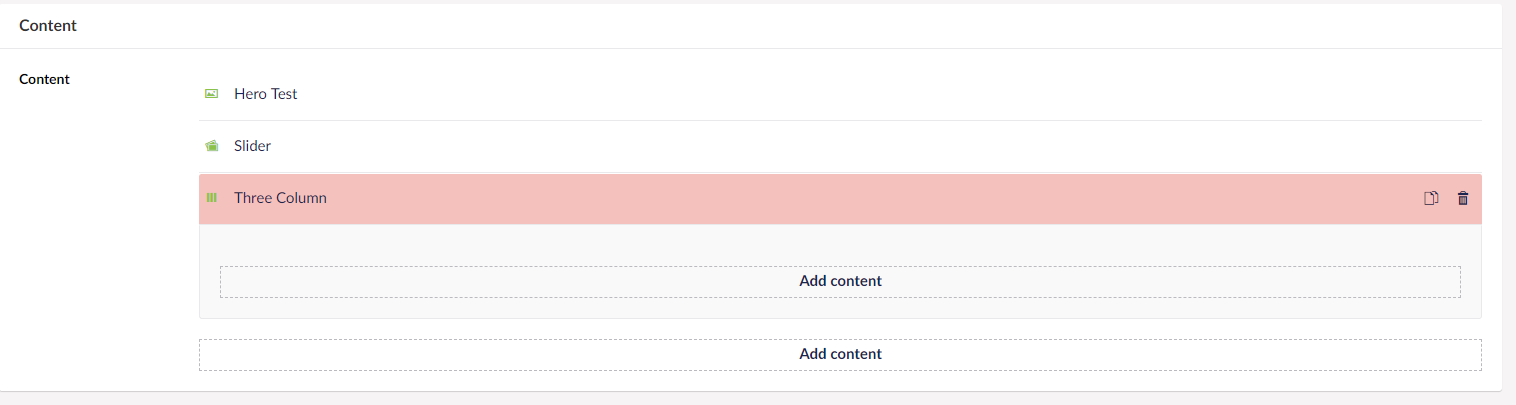

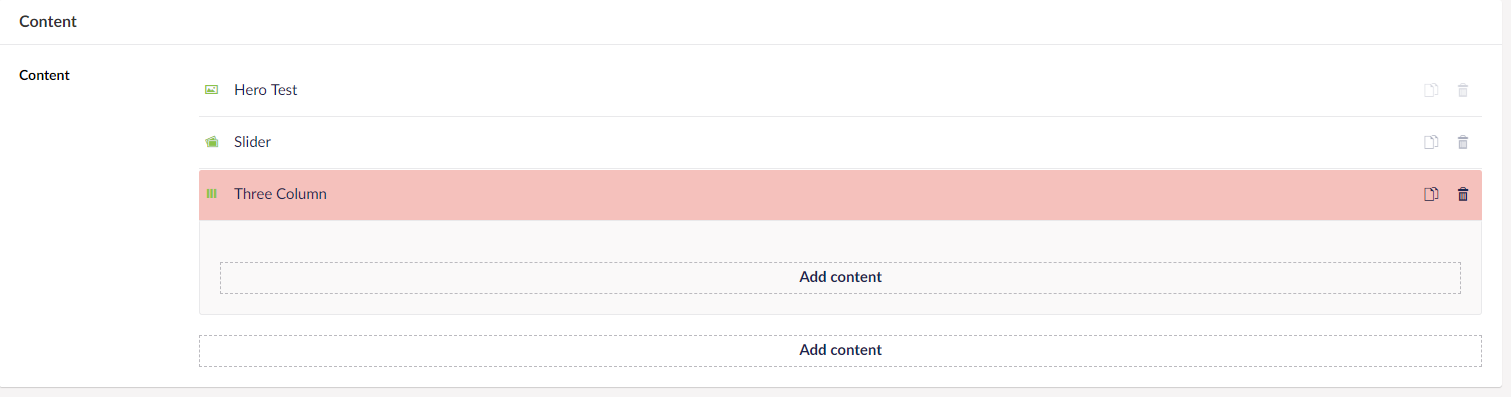
When publishing every thing looks fine, but if you reload page you can see that the content are not saved.
I have looked in the database, and it's not saved there.
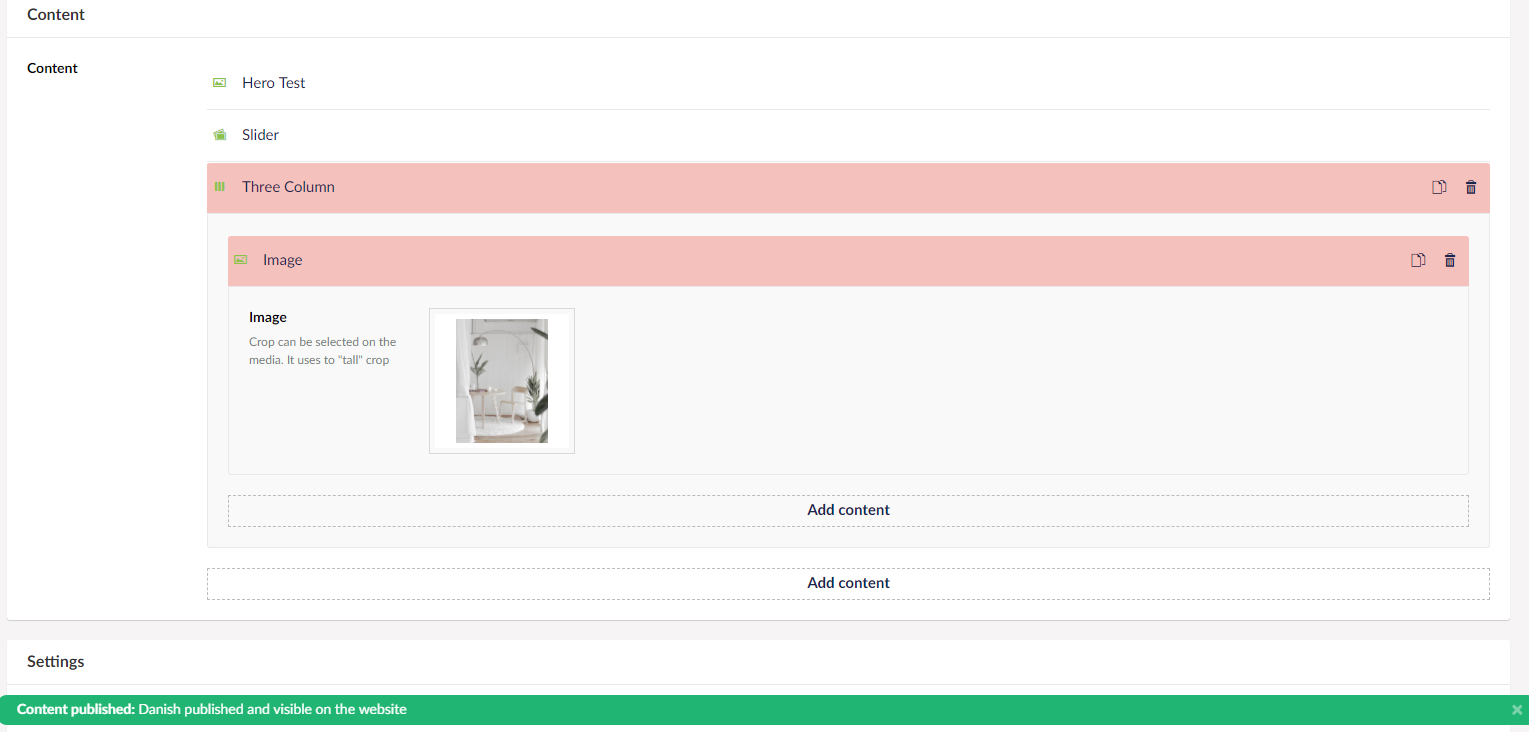
Level 1. Nested are saved, but not level 2. Nested Content
 thomashdk
All 21 comments
I opened this again because i'm still getting a similar error.
Sometimes the content are not saved to database... ex. here I have en content picker en selectes a local node and after I have save and published and reload the page, the contetn are gone.
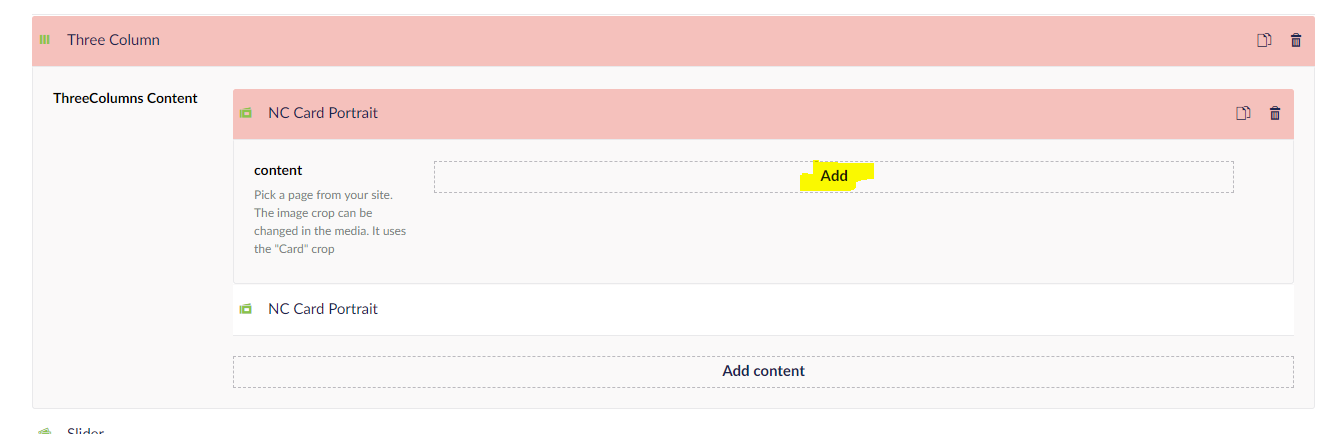
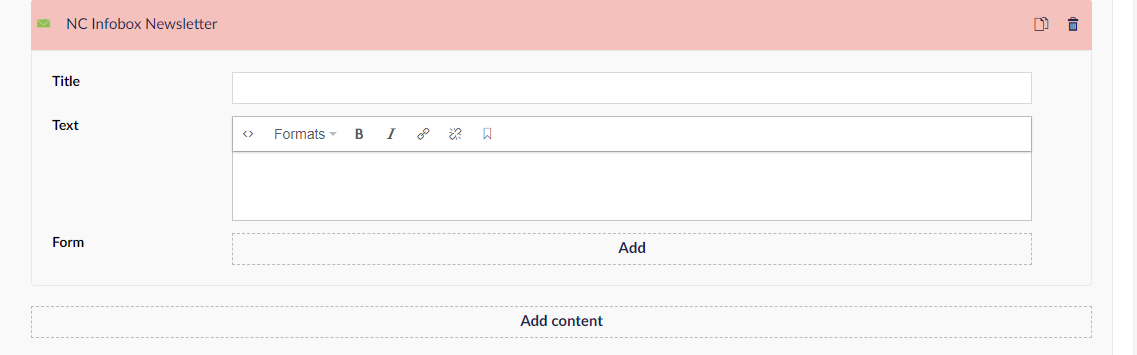
The same happens with the form componenet I have. All the fields are empty after save/publish and relaod page.
The DB don't have the content saved
thomashdk
on 10 Jul 2019
After some debug I notes that some of my other components worked.
If the fields did'nt had the "Allow varying by culture" active, it wouldn't save the content.
The doctype with the fields were set to allow carying by culture"

thomashdk
on 10 Jul 2019
I've just seen the same behavior on 8.1 as reported.
Triggered the same behavior and resolution on a node on a list view, that had nested content (where the content ie. images and drop-downs can't be saved).
Thanks for spreading the word on this one @thomashdk 🐛
 kjsguld
on 11 Jul 2019
kjsguld
on 11 Jul 2019
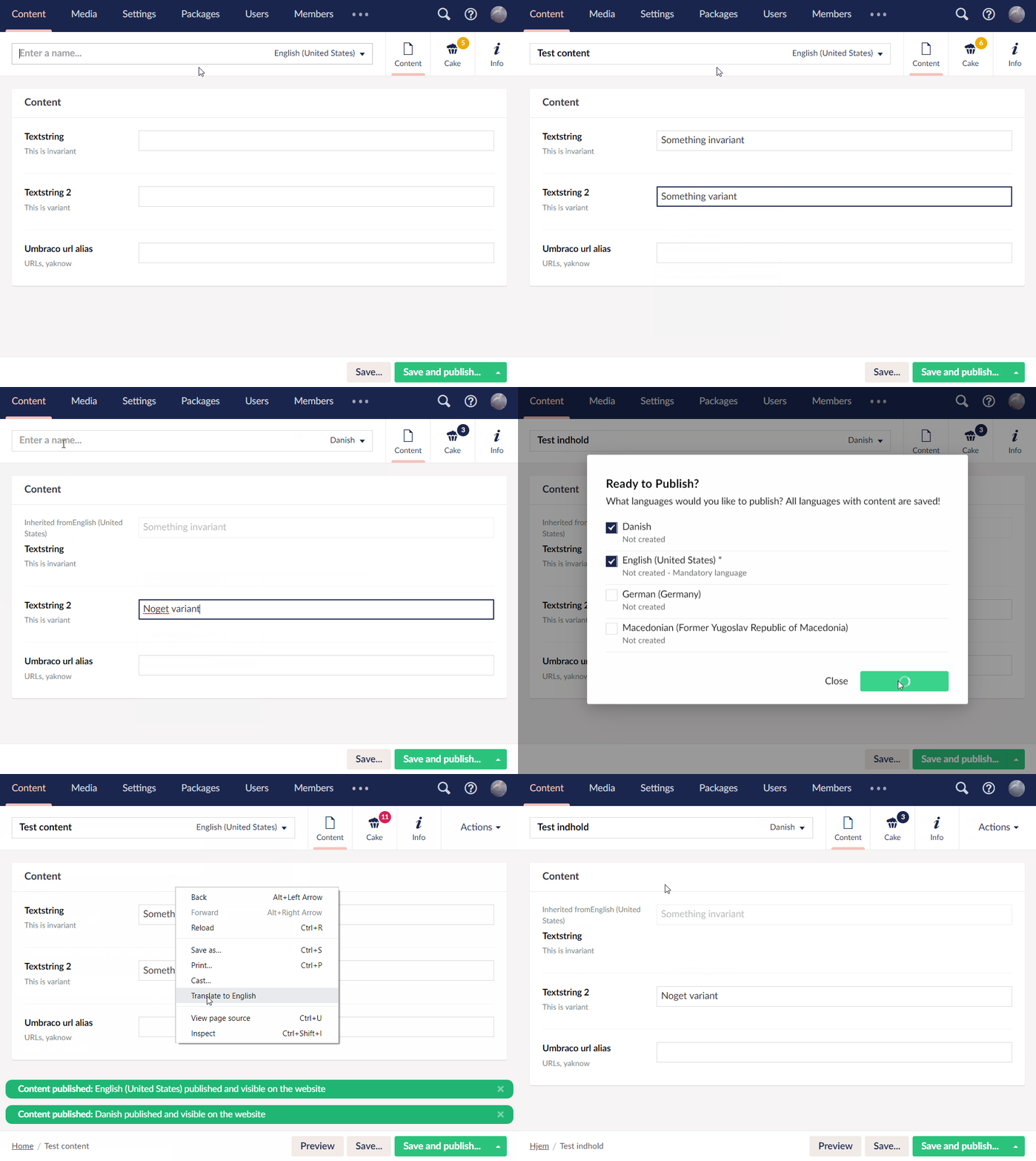
For the life of me I can't reproduce this. I have a doctype with both variant and invariant properties; this is how it works when creating a new item of that doctype:
 kjac
on 12 Jul 2019
kjac
on 12 Jul 2019
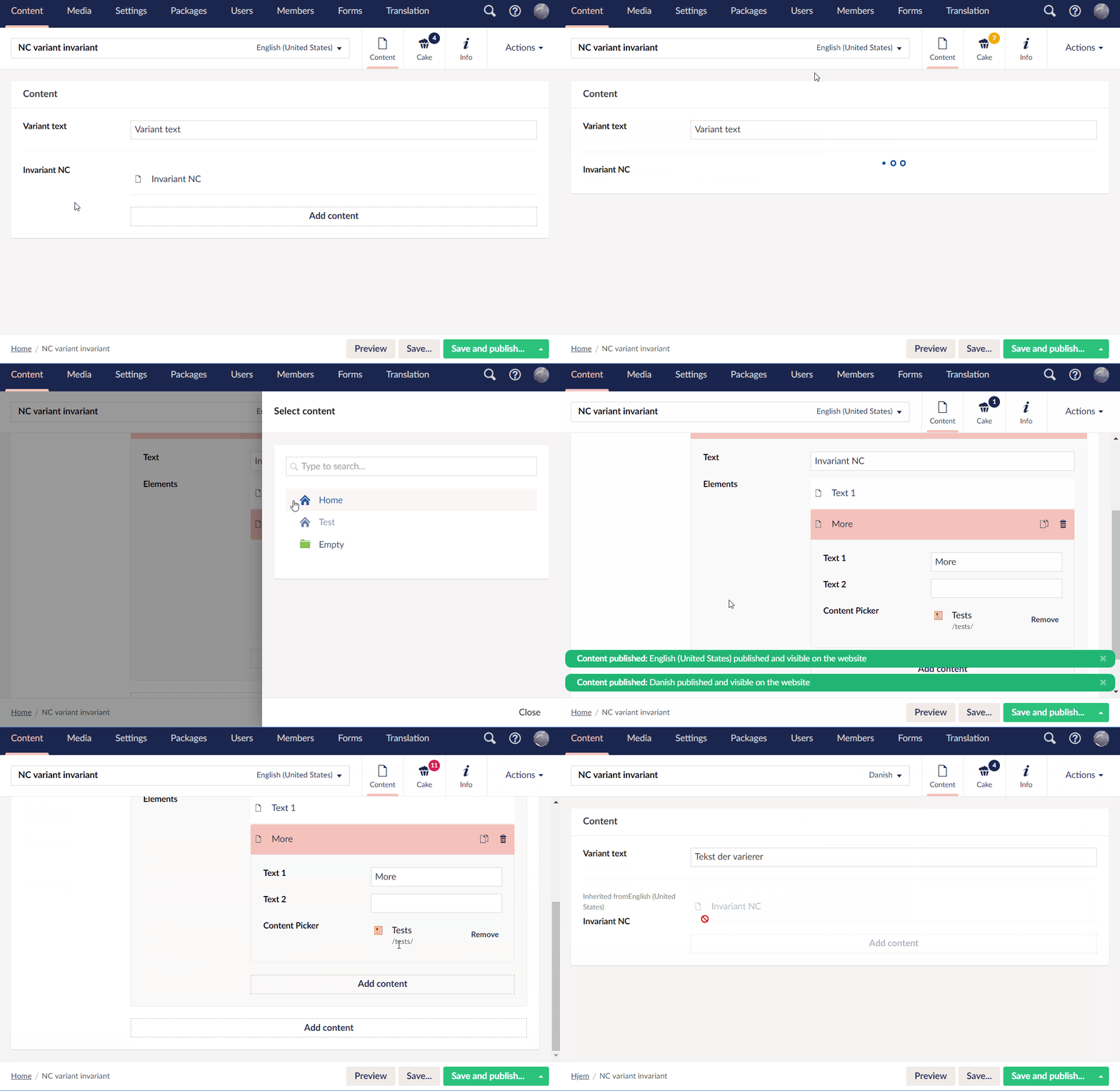
So I've tried creating a variant doctype with an invariant Nested Content field. The Nested Content has Nested Content within it, and the nested Nested Content has a content picker. I still can't make it fail; here's another GIF:
@thomashdk perhaps you could explain more in detail how you've set things up so we can reproduce and fix?
kjac
on 15 Jul 2019
@kjac what do you use to create the animated gifs?
I can confirm that my issue (#5909) seems to be a duplicate of this - happy for you to close that one down
I noticed that if I hover over the problematic fields, the title was weird/different:

That got me to this change (v8.0.2 vs 8.1)
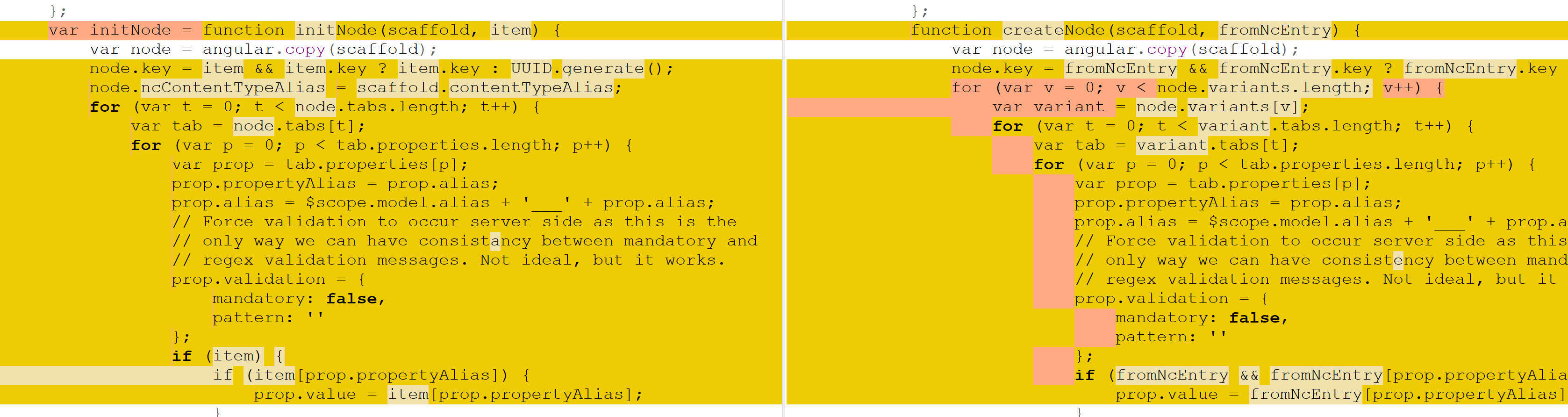
Just thought I would give some of my investigation into the matter - as mentioned on my issue, just disabling "Allow varying by culture" is enough for me to "fix" this.
 miackers
on 16 Jul 2019
miackers
on 16 Jul 2019
Oh - just to mention about the title - i've got 4 languages, and stickySidebar repeats for each language variant. When I tested this on a clean instance with 2 languages, it repeated 2 times.
miackers
on 16 Jul 2019
@miackers leave it open for now, both issues have their own merit. Just wanted to make sure the two were linked for the eventual resolution.
As for GIFs I highly recommend https://www.screentogif.com/ ... It has become an essential part of my toolkit.
kjac
on 17 Jul 2019
thanks @kjac
miackers
on 17 Jul 2019
I've found the problem - will submit a fix shortly.
kjac
on 19 Jul 2019
PR in #5952
kjac
on 19 Jul 2019
Hi @kjac can you please advise on what the title of this bug report should be ? (it shows up in the release notes)
 Shazwazza
on 22 Jul 2019
Shazwazza
on 22 Jul 2019
@Shazwazza I figure something along these lines: "Avoid data loss when using culture variant elements in Nested Content".
kjac
on 22 Jul 2019
Hi guys, i am still facing this issue after latest upgrade to v8.1, is there any update on this?
 RabeaM
on 23 Jul 2019
RabeaM
on 23 Jul 2019
Hi @RabeaM, the fix is not yet in any release. It might be included in 8.1.1 - for the time being you can work around the issue by making your element types non variant.
kjac
on 23 Jul 2019
This is not fixed in v 8.1.1 and i cant see that its scheduled for next release
 CodeartIT
on 30 Jul 2019
CodeartIT
on 30 Jul 2019
Problem still occurs....
 ylinssen
on 12 Aug 2019
ylinssen
on 12 Aug 2019
@YvoLinssen yep, the PR hasn't been merged in yet.
kjac
on 12 Aug 2019
We're working on this soon!
In the mean time, if anyone wants to help test, you could try to apply the change manually on your current 8.1 install to see if you can test it then that would be awesome!
In ~/Umbraco/Js/umbraco.controllers.js around line 20042 replace this block:
            for (var v = 0; v < node.variants.length; v++) {
                var variant = node.variants[v];
                for (var t = 0; t < variant.tabs.length; t++) {
                    var tab = variant.tabs[t];
                    for (var p = 0; p < tab.properties.length; p++) {
                        var prop = tab.properties[p];
                        prop.propertyAlias = prop.alias;
                        prop.alias = $scope.model.alias + '___' + prop.alias;
                        // Force validation to occur server side as this is the
                        // only way we can have consistency between mandatory and
                        // regex validation messages. Not ideal, but it works.
                        prop.validation = {
                            mandatory: false,
                            pattern: ''
                        };
                        if (fromNcEntry && fromNcEntry[prop.propertyAlias]) {
                            prop.value = fromNcEntry[prop.propertyAlias];
                        }
                    }
                }
            }
With this block:
             var variant = node.variants[0];

            for (var t = 0; t < variant.tabs.length; t++) {
                var tab = variant.tabs[t];
                for (var p = 0; p < tab.properties.length; p++) {
                    var prop = tab.properties[p];
                    prop.propertyAlias = prop.alias;
                    prop.alias = $scope.model.alias + '___' + prop.alias;
                    // Force validation to occur server side as this is the
                    // only way we can have consistency between mandatory and
                    // regex validation messages. Not ideal, but it works.
                    prop.validation = {
                        mandatory: false,
                        pattern: ''
                    };
                    if (fromNcEntry && fromNcEntry[prop.propertyAlias]) {
                        prop.value = fromNcEntry[prop.propertyAlias];
                    }
                }
            }
That should do the trick.
The best way to make sure your browser picks up the changes is to then update the version in ClientDependency.config (just make it 1 higher or lower).
Make sure to comment here with the results! 👍
 nul800sebastiaan
on 13 Aug 2019
nul800sebastiaan
on 15 Aug 2019
nul800sebastiaan
on 13 Aug 2019
nul800sebastiaan
on 15 Aug 2019
Cherry picked to 8.1.3 7e8364eae48be9bbd3a160c3f3aab03eb374ab1f
nul800sebastiaan
on 15 Aug 2019
Related issues
 vonbv
·
4Comments
vonbv
·
4Comments
 sofietoft
·
3Comments
sofietoft
·
3Comments
 Myronics
·
3Comments
Myronics
·
3Comments
 Matthew-Wise
·
4Comments
Matthew-Wise
·
4Comments
 creativesuspects
·
3Comments
creativesuspects
·
3Comments
Most helpful comment
I've just seen the same behavior on 8.1 as reported.
Triggered the same behavior and resolution on a node on a list view, that had nested content (where the content ie. images and drop-downs can't be saved).
Thanks for spreading the word on this one @thomashdk 🐛