Umbraco-cms: Wrong package version is listed in Developer -> Packages in Backoffice
I have recently released a new version of my package and submitted it to Our Umbraco. However, when searching for my package in the backoffice Umbraco, it still lists the old version with no option to select the new version.
This issue may have been reported before, there's a note at the bottom of U4-7391:
see CON-928 as well, sometimes the very newest version doesn't always show up in the package name/version.
However, I'm not sure what CON-928 is and I cannot find it.
Reproduction
Bug summary
Umbraco incorrectly retrieves the wrong version for install in the backoffice when viewing a package.
Specifics
My package is https://our.umbraco.com/packages/backoffice-extensions/iconator/
Bug reproduced in Umbraco 7.12.3
Tested in FF and Chrome
Go to /umbraco/#/developer/packager/overview and search for "Iconator" and click on the first result:
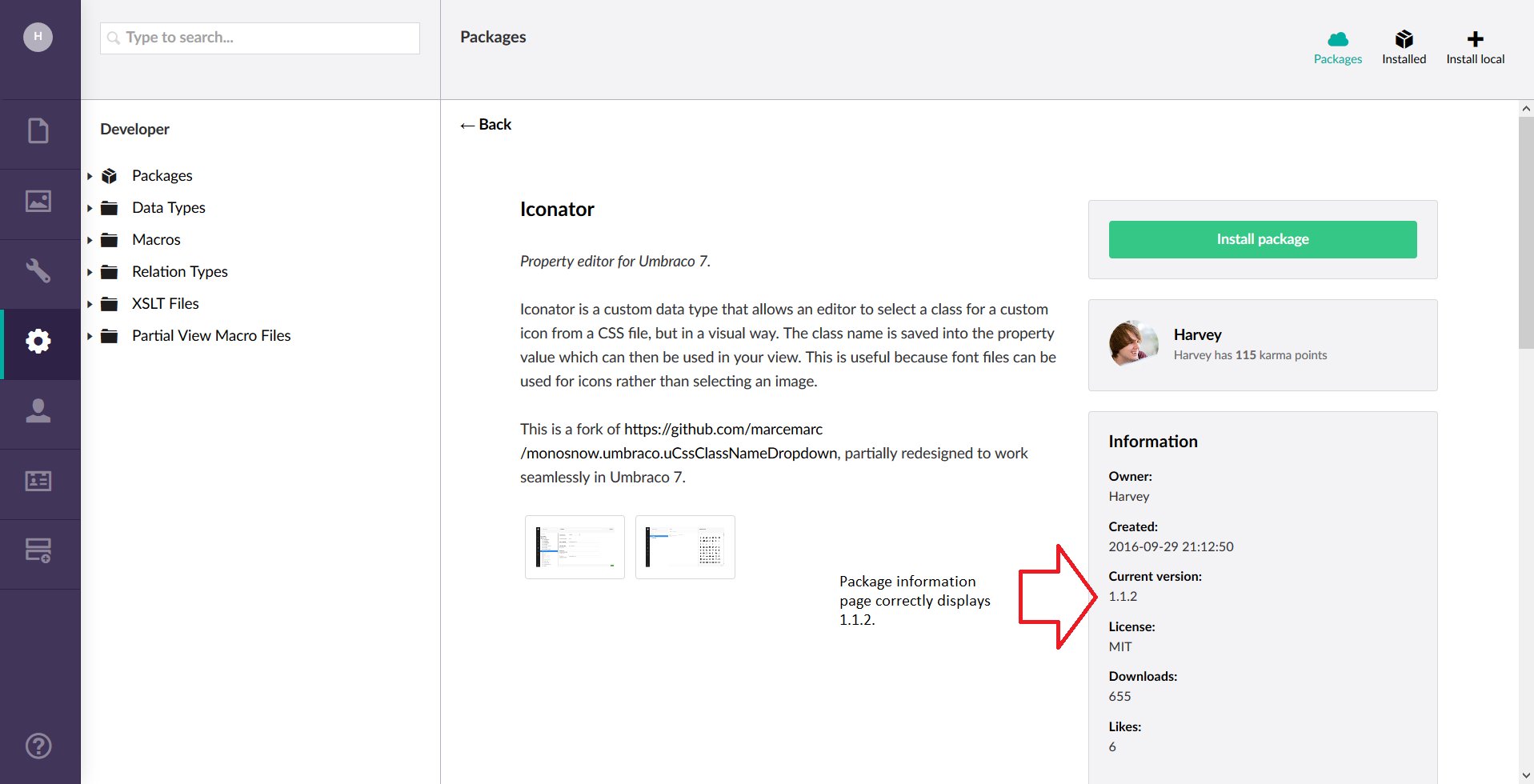
Above, we can see that the correct version is listed (1.1.2).
Click "Install package"
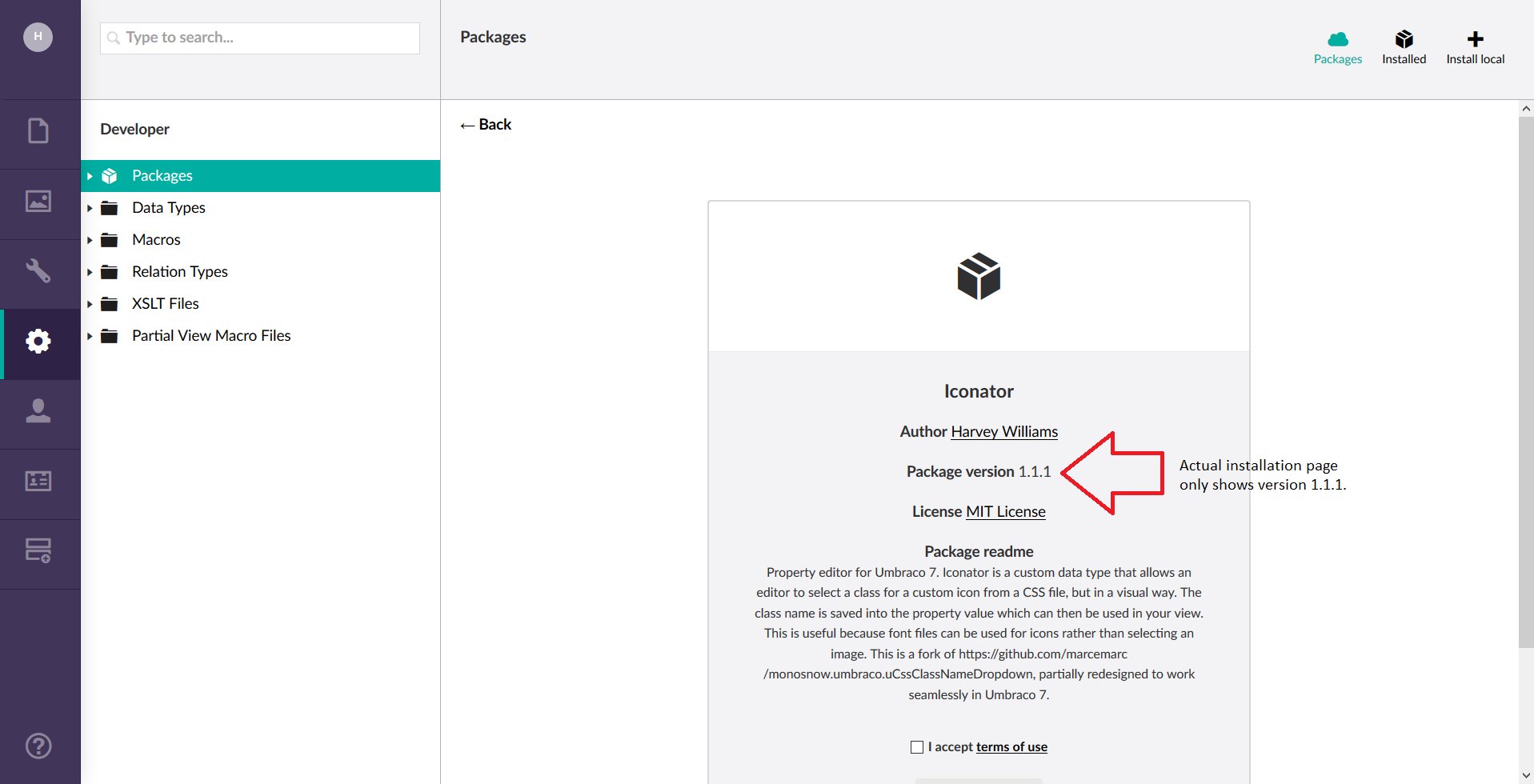
The wrong version is now listed.
I have tested the install and it installs 1.1.1 rather than 1.1.2.
I have left it about a week and the wrong version is still returned so I assume it's not some caching issue on the Umbraco API.
 Harvzor
All 6 comments
That's annoying! I can confirm this a problem and we'll have to have a look at this soon, thanks for reporting.
 nul800sebastiaan
on 20 Nov 2018
nul800sebastiaan
on 20 Nov 2018
@HarveyWilliams You seem to have the same problem as Lee here, your latest package file no longer has a strict requirement: https://twitter.com/cultiv/status/1064870298720313350
nul800sebastiaan
on 20 Nov 2018
I'll reopen this, if anyone wants to help fix this, the logic has been like this for a while, you can find it in PackageRepositoryService.MapContentToPackageDetails, in strictPackageFileVersions we ignore the fact that a package is possibly archived. That might be something that could be updated to not include archived ones.. But it will take a bit of puzzling and headscratching!
nul800sebastiaan
on 20 Nov 2018
I specifically chose my version number in Umbraco, and it's added the type="strict" param:
<requirements type="strict">
  <major>7</major>
  <minor>4</minor>
  <patch>0</patch>
</requirements>
However, when I go to install the package, it's still listing version 1.1.1 as the installable version. Is this a caching issue?
You can download the latest version (1.1.3) here: https://our.umbraco.com/packages/backoffice-extensions/iconator/
Harvzor
on 20 Nov 2018
@Harvzor We've recently made some improvements in this area, I am getting 1.1.3 now so I feel this is resolved. Let me know if it happens again! 👍
nul800sebastiaan
on 12 Feb 2019
@nul800sebastiaan I've tested too and the right version is coming up. Thanks.
Harvzor
on 12 Feb 2019
Related issues
 vonbv
·
4Comments
vonbv
·
4Comments
 sniffdk
·
3Comments
sniffdk
·
3Comments
 sofietoft
·
3Comments
sofietoft
·
3Comments
 janvanhelvoort
·
4Comments
janvanhelvoort
·
4Comments
 0Neji
·
3Comments
0Neji
·
3Comments