Ultisnips: Get name of current file in snippet
For expanding out Java classes I want to get the currently-being-edited file's base name.
 theonlygusti
>All comments
Try to use snip.basename in a python interpolation.
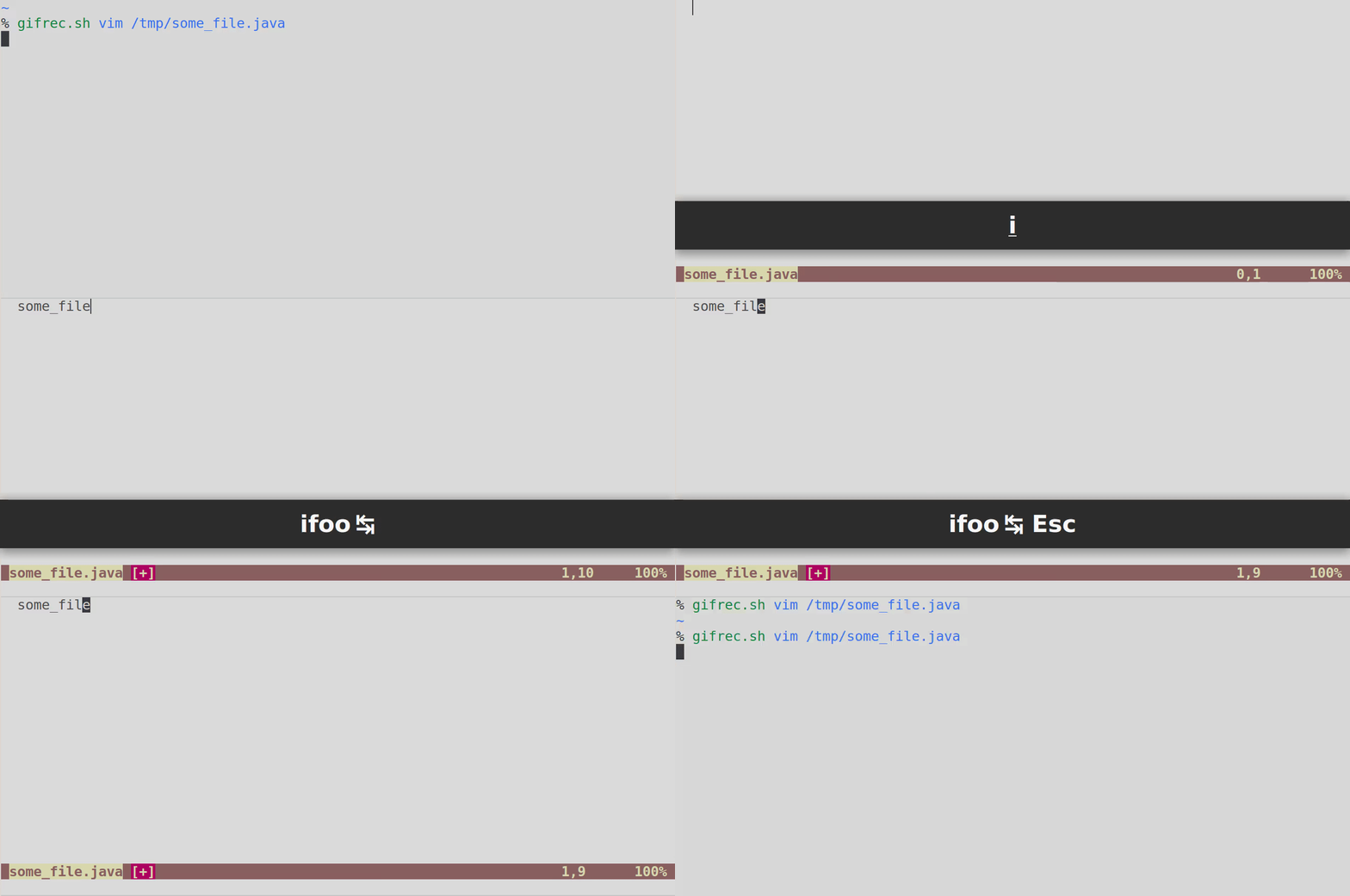
As an example, write this snippet in your java.snippets file:
snippet foo ""
`!p snip.rv = snip.basename`
endsnippet
Insert foo in your .java file and press the key to expand the snippet; the result should be the basename of the current file.
For more information, see :h Ultisnips-python.
If you have other usage questions, try to visit https://vi.stackexchange.com/ and tag your question with plugin-ultisnips.
 lacygoill
on 10 Jan 2019
lacygoill
on 10 Jan 2019
👍4
😄1
Was this page helpful?
0 / 5 - 0 ratings
Related issues
 vanabel
·
7Comments
vanabel
·
7Comments
 LinArcX
·
3Comments
LinArcX
·
3Comments
 kirillbobyrev
·
4Comments
kirillbobyrev
·
4Comments
 PratikBhusal
·
3Comments
PratikBhusal
·
3Comments
 ghost
·
8Comments
ghost
·
8Comments
Most helpful comment
Try to use
snip.basenamein a python interpolation.As an example, write this snippet in your
java.snippetsfile:Insert
fooin your.javafile and press the key to expand the snippet; the result should be the basename of the current file.For more information, see
:h Ultisnips-python.If you have other usage questions, try to visit https://vi.stackexchange.com/ and tag your question with plugin-ultisnips.