Ueli: Error when activating Application Search
I can not launch any application with Ueli and I get an error when activating or modifying the Application search.
The error:
{ "cmd": "mdfind "kind:apps" | egrep "^\/Applications"", "code": 1, "killed": false, "level": "error", "service": "user-service", "signal": null, "timestamp": "2020-03-06T11:36:49.611Z" }
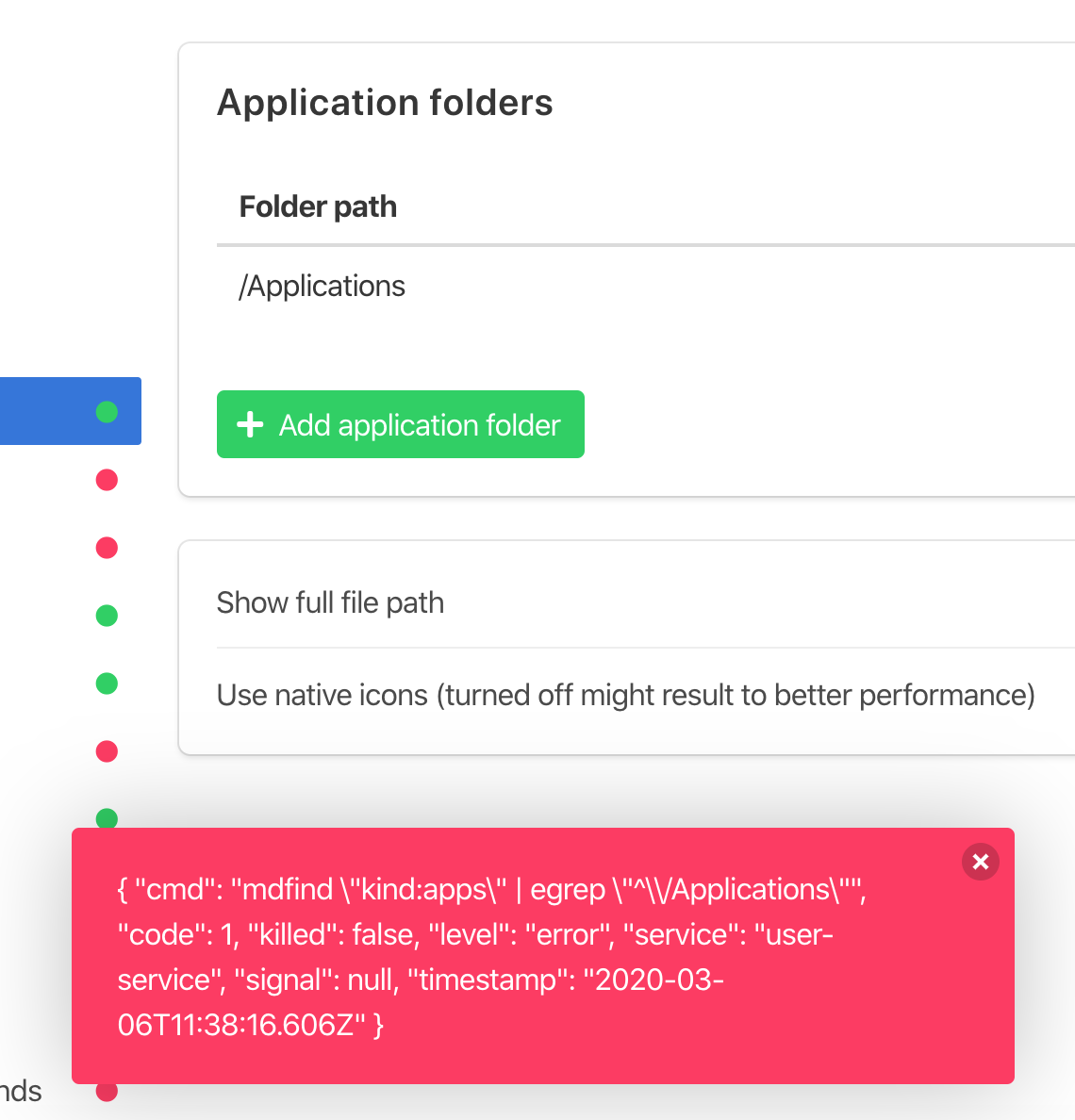
I'am using Ueli version 8.5.3 on the latest Mac OS 10.15.3
debug.log
 pauLee
All 26 comments
The bug : You probably might have disabled indexing which this app is using.
https://www.technipages.com/macos-sierra-enable-disable-spotlight
Solution : Try running sudo launchctl load -w /System/Library/LaunchDaemons/com.apple.metadata.mds.plist
 blmhemu
on 7 Mar 2020
blmhemu
on 7 Mar 2020
Thank you for that idea but this wasn't the problem. The spotlight-index isn't disabled. I also tried to rebuild the index. Spotlight itself works very good.
pauLee
on 8 Mar 2020
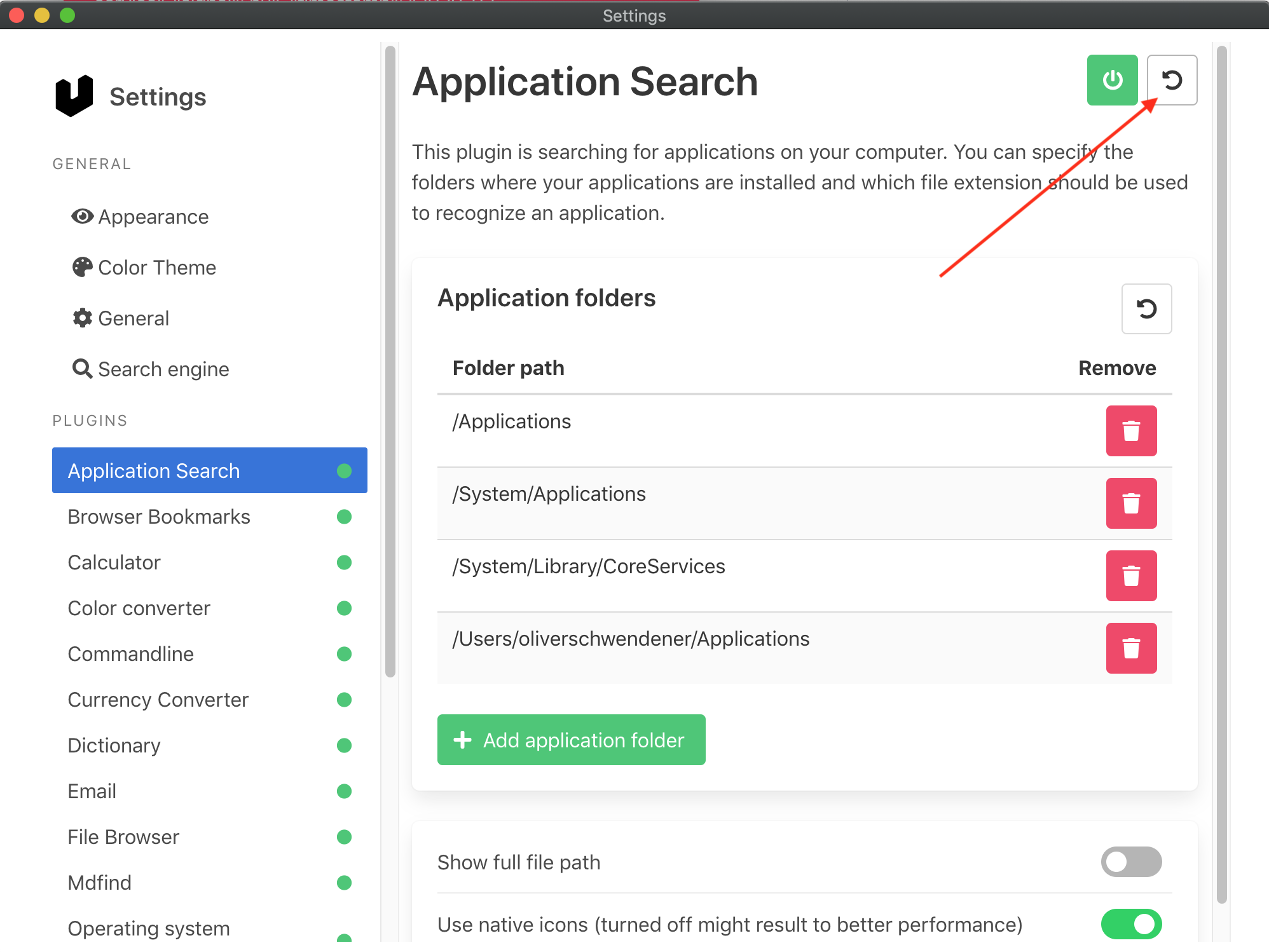
What happens if you reset the application search settings to default?
 oliverschwendener
on 19 Mar 2020
oliverschwendener
on 19 Mar 2020
The error still remains.
pauLee
on 19 Mar 2020
What happens if you remove all folders in the settings?
oliverschwendener
on 19 Mar 2020
The error disappears when I delete the last folder path. But it doesn't matter which path I remove last.
And the error does not occur if I disable and enable the plugin when all folders are deleted.
pauLee
on 22 Mar 2020
@oliverschwendener I might have found the issue:
I'm running mac OS 10.15.3 and running mdfind kind:apps or mdfind "kind:apps" in the terminal returns nothing, but when I run mdfind kMDItemContentTypeTree=com.apple.application-bundle it seems to return a full list of apps.
 dkanas
on 3 Apr 2020
dkanas
on 3 Apr 2020
@oliverschwendener I might have found the issue:
I'm running mac OS 10.15.3 and running
mdfind kind:appsormdfind "kind:apps"in the terminal returns nothing, but when I runmdfind kMDItemContentTypeTree=com.apple.application-bundleit seems to return a full list of apps.
Yes, same for me!
pauLee
on 3 Apr 2020
I´ve just added the mentioned command in application-searcher.ts in line 39
executeCommandWithOutput(mdfind kMDItemContentTypeTree=com.apple.application-bundle | egrep "${folderRegex}")
that improves the search but still does not show all applications. Outlook is working now but Mail (Apple Mail) is still missing.
Maybe the folderRegex has to be updated too.
 xfirf
on 6 May 2020
xfirf
on 6 May 2020
@xfirf Did you try adding /System/Applications to the application folders in the settings?
oliverschwendener
on 6 May 2020
@xfirf Did you try adding
/System/Applicationsto the application folders in the settings?
Ah. Now it´s working as intended. (with the changed line mentioned above)
Thank you.
xfirf
on 6 May 2020
@pauLee You still aren't able to find all applictions?
oliverschwendener
on 6 May 2020
Yes, unfortunately the situation is still the same. I can't find any apps.
But I get another error:
Error: Command failed: mdfind "kind:apps" | egrep "^/Applications|^/System/Library/CoreServices|^/Users/tom/Applications|^/System/Applications/"
pauLee
on 6 May 2020
When will this fix merged to public and released? The error is thill there on my macOS.
#372
 pthoelken
on 4 Jun 2020
pthoelken
on 4 Jun 2020
Before I consider #372 to really fix this problem I want to understand why & when the issue occurs. Unfortunately I can't find a pleasing documentation on how to use mdfind correctly.
For me it seems that mdfind "kind:apps" works just fine on macOS 10.14.x. Are you guys (those who experience this issue) using macOS 10.15.x?
oliverschwendener
on 5 Jun 2020
Before I consider #372 to really fix this problem I want to understand why & when the issue occurs. Unfortunately I can't find a pleasing documentation on how to use
mdfindcorrectly.For me it seems that
mdfind "kind:apps"works just fine on macOS 10.14.x. Are you guys (those who experience this issue) using macOS 10.15.x?
Yes, I´m on OSX 10.15.x
xfirf
on 5 Jun 2020
Before I consider #372 to really fix this problem I want to understand why & when the issue occurs. Unfortunately I can't find a pleasing documentation on how to use
mdfindcorrectly.For me it seems that
mdfind "kind:apps"works just fine on macOS 10.14.x. Are you guys (those who experience this issue) using macOS 10.15.x?
Yes, I'am on Mac OS 10.15.x too.
pauLee
on 5 Jun 2020
Yes, I'am on Mac OS 10.15.x too.
pthoelken
on 5 Jun 2020
So to me it looks like these are the correct ways to retreive apps:
- macOS 10.14.x and older:
mdfind "kind:apps" - macOS 10.15 and newer:
mdfind kMDItemContentTypeTree=com.apple.application-bundle
Can you guys confirm this?
oliverschwendener
on 5 Jun 2020
mdfind kMDItemContentTypeTree=com.apple.application-bundle
works for me in macOS 10.15.5
mdfind "kind:apps"
didn't work
pthoelken
on 5 Jun 2020
mdfind kMDItemContentTypeTree=com.apple.application-bundle
works for me in macOS 10.15.5
mdfind "kind:apps"
didn't work
Same for me!
pauLee
on 5 Jun 2020
What are you guys getting when executing this: mdfind "kind:preferences" ?
oliverschwendener
on 5 Jun 2020
What are you guys getting when executing this:
mdfind "kind:preferences"?
Nothing.
pauLee
on 5 Jun 2020
Then this needs to be updated too. But let's create a separate issue for that.
oliverschwendener
on 7 Jun 2020
I'm encountering this error on 10.13.6. mdfind "kind:apps" returns nothing, while mdfind kMDItemContentTypeTree=com.apple.application-bundle works as expected and returns a huge list of apps.
 stefarossi
on 12 Sep 2020
stefarossi
on 12 Sep 2020
I doubt anybody will have the same issue, but I was also having the "mdfind" errors under 10.15. In my case, this is because in System Preferences, under Spotlight, in the "Privacy" tab, I had setup Spotlight to not index a list of directories which ended up containing the applications directory I wanted to have indexed by ueli.
Thank you!
 gregsadetsky
on 9 Nov 2020
gregsadetsky
on 9 Nov 2020
Related issues
 moses-bowman
·
3Comments
moses-bowman
·
3Comments
 chrislachance
·
5Comments
chrislachance
·
5Comments
 xXKeyleXx
·
4Comments
xXKeyleXx
·
4Comments
 pbuw
·
5Comments
pbuw
·
5Comments
 walter6469
·
6Comments
walter6469
·
6Comments
Most helpful comment
@xfirf Did you try adding
/System/Applicationsto the application folders in the settings?