Udemy-dl: Download of videos fails with URLError
Download a course fails with the current Git master (f5623f1195bfabf29467367ed47923afe03c944a). Login works fine, the overview pages are also fetched and with --sub-only I get the subtitle. But every video download is skipped with URLError : either your internet connection is not working or server aborted the request.
The course doesn't matter, but I just reconfirmed the problem with this free course:
https://www.udemy.com/become-an-options-trading-expert/
Is there any way to make udemy-dl more verbose? Let me know if there are any other means for me to help in debuging.
 Janed89
All 16 comments
@Janed89 i will try to reproduce and fix ASAP. thanks for the report.
Edit
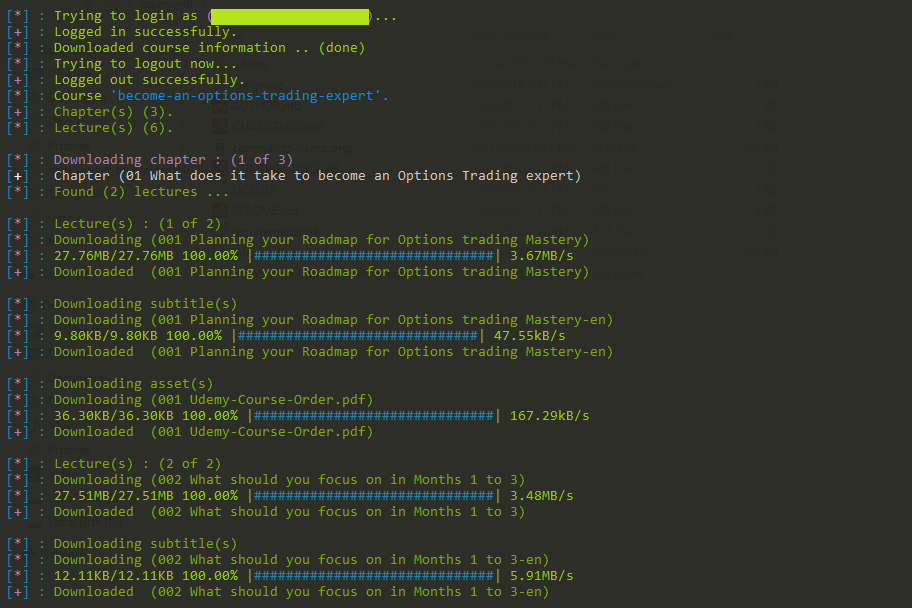
i 'm unable to reproduce the error, for me it works fine take a look at POC.
 r0oth3x49
on 21 Dec 2018
r0oth3x49
on 21 Dec 2018
Thanks for your reply. I tried again and the error stays the same for me
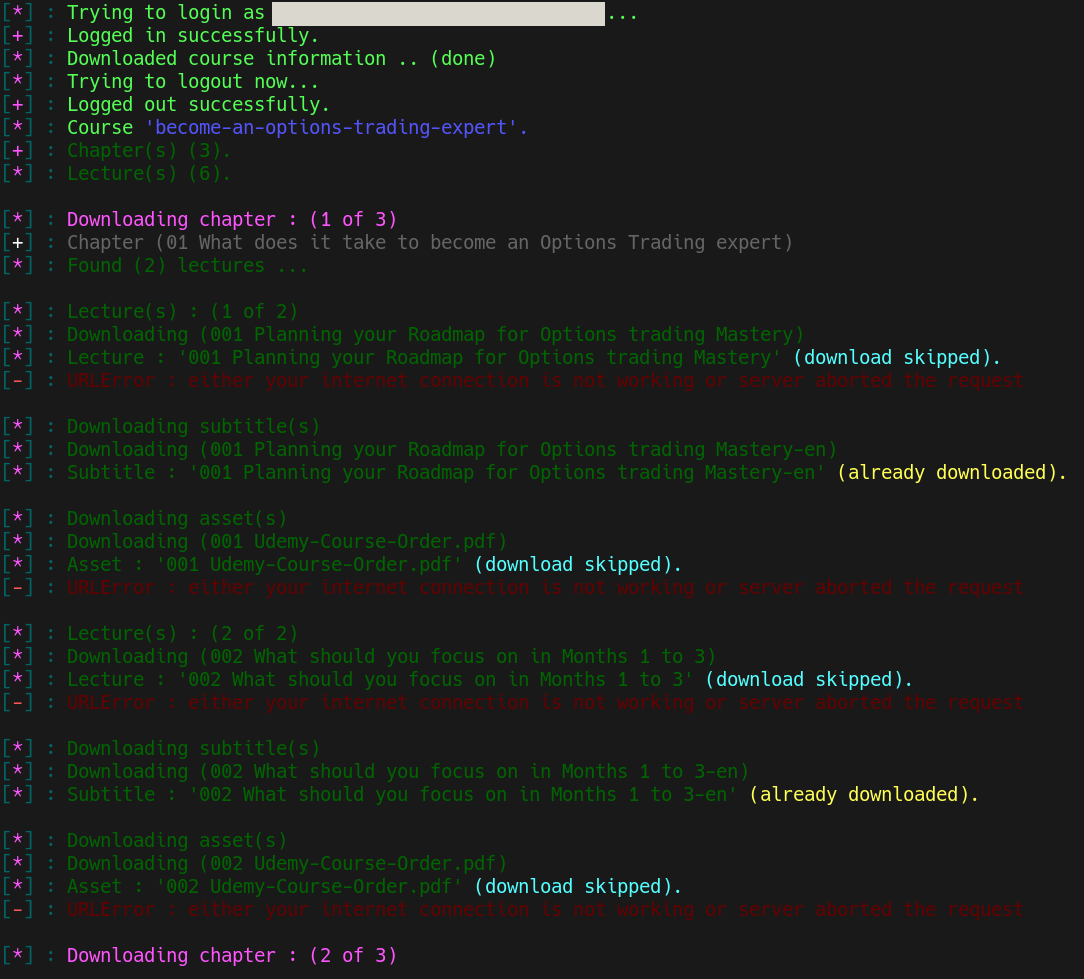
When I use the --save option, I can feed the resulting file to wget -i and it downloads just fine. Unfortunately, that way the filenames are completely unusable (e.g. "WebHD_720p.mp4?nva=20181222053024&token=03b16d2b666dcaf7b69a9") but it's a workaround for now.
Janed89
on 22 Dec 2018
The problem seems to be related to urllib. I'm using Python3 BTW.
Crudely replacing it with a call to wget fixes the whole issue for me. Attached is the very hacky workaround I use now. I deliberately did not make this a pull request because it should actually not be used :-)
Janed89
on 22 Dec 2018
I'm getting the same error, but i can't understand what should I do with this patch. Can you explain me, please?
 henriqueln7
on 23 Dec 2018
henriqueln7
on 23 Dec 2018
have you guys tried to upgrade your packages?
r0oth3x49
on 24 Dec 2018
I'm getting the same error, but i can't understand what should I do with this patch.
Sorry, but it really is not meant to be used. As I mentioned it's extremely crude and merely a POC to show that the downloading routines of udemy-dl are the root of the problem (for me).
have you guys tried to upgrade your packages?
Yes. udemy-dl had no updates (HEAD is still f5623f1195bfabf29467367ed47923afe03c944a) and all packages in the venv are up to date:
Package | Version
--------------- | ----------
asn1crypto | 0.24.0
certifi | 2018.11.29
cffi | 1.11.5
chardet | 3.0.4
colorama | 0.4.1
colorlog | 4.0.2
cryptography | 2.4.2
future | 0.17.1
idna | 2.8
pip | 9.0.1
pkg-resources | 0.0.0
pycparser | 2.19
pyOpenSSL | 18.0.0
requests | 2.21.0
setuptools | 39.0.1
six | 1.12.0
udemy-dl | 0.2.1
unicode-slugify | 0.1.3
Unidecode | 1.0.23
urllib3 | 1.24.1
Janed89
on 25 Dec 2018
Actually printing the exception (instead of a fixed text) sheds some light on this issue
Traceback (most recent call last):
File "/usr/lib/python3.7/urllib/request.py", line 1317, in do_open
encode_chunked=req.has_header('Transfer-encoding'))
File "/usr/lib/python3.7/http/client.py", line 1229, in request
self._send_request(method, url, body, headers, encode_chunked)
File "/usr/lib/python3.7/http/client.py", line 1275, in _send_request
self.endheaders(body, encode_chunked=encode_chunked)
File "/usr/lib/python3.7/http/client.py", line 1224, in endheaders
self._send_output(message_body, encode_chunked=encode_chunked)
File "/usr/lib/python3.7/http/client.py", line 1016, in _send_output
self.send(msg)
File "/usr/lib/python3.7/http/client.py", line 956, in send
self.connect()
File "/usr/lib/python3.7/http/client.py", line 1392, in connect
server_hostname=server_hostname)
File "/usr/lib/python3.7/ssl.py", line 412, in wrap_socket
session=session
File "/usr/lib/python3.7/ssl.py", line 853, in _create
self.do_handshake()
File "/usr/lib/python3.7/ssl.py", line 1117, in do_handshake
self._sslobj.do_handshake()
ssl.SSLError: [SSL: DH_KEY_TOO_SMALL] dh key too small (_ssl.c:1056)
The lecture content is on https://udemy-assets-on-demand2.udemy.com and if you check that server (actually these servers) you will find that it tries to use DH with 1024 bit keys. All the cipher suites it offers are weak. www.udemy.comon the other hand is well configured (only TLS 1.2, ECDH with 3072 bits). So clients that refuse to download simply use updated TLS implementations that refuse to perform a key exchange using weak ciphers. This should be working neither in decent up-to-date browsers nor with wget.
To fix the problem, either allow weak TLS cipher suites or wait and hope for Udemy to properly configure their content servers.
EDIT: While wget does not complain, curl also refuses to connect to the misconfigured servers
curl: (35) error:141A318A:SSL routines:tls_process_ske_dhe:dh key too small
Janed89
on 5 Jan 2019
@Janed89 Your patch works like a charm. For anyone wanting to know how to install it, here you go:
Navigate to the udemy folder. Copy the patch to this folder. Make a backup copy of _shared.py and _shared.pyc (just because its good to backup before modifying). Delete _shared.pyc, then run:
sudo patch < 0001-Crude-Workaround.patch.txt
The udemy-dl script should now run successfully.
Referencing comment above: https://github.com/r0oth3x49/udemy-dl/issues/319#issuecomment-449570482
 marcelluseasley
on 19 Feb 2019
marcelluseasley
on 19 Feb 2019
hey @marcelluseasley .... something went wrong... in my side there is no "shared.pyc" file... is it wrong? I just downloaded the latest Udemy-dl and even inside Udemy-dl's folder this is no .pyc file =\
 tofanelli
on 20 Feb 2019
tofanelli
on 20 Feb 2019
@tofanelli
no .pyc file is good. it is automatically generated after you try to run the udemy-dl.py once. The .pyc files are just the regular .py files compiled to bytecode to make future runs faster. There is no problem if the .pyc file isn't there. The main thing is to run the patch on the .py file.
marcelluseasley
on 20 Feb 2019
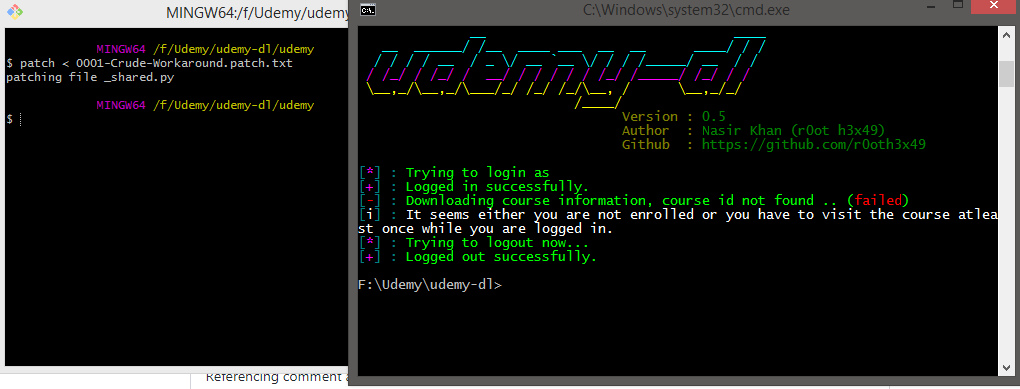
@marcelluseasley, so what it might happened here then?? I ran the patch, went good, as you can see, and then ran Udemy-dl and still getting the same error....
I'm on a windows machine... if this makes any difference =)
tofanelli
on 20 Feb 2019
@tofanelli
Yes...that makes a big difference, because the script contains a call to wget, which is a linux program. You can do a google search for "wget for windows" and find something compatible that can be run from the command line. That way the python script can call it just like it would from a linux machine.
marcelluseasley
on 20 Feb 2019
@marcelluseasley
something like this?
EDIT
I installed this program, added its path to env variables, restarted the machine, and still, no luck... no chicken dinner for me yet =\
any thoughts?
tofanelli
on 20 Feb 2019
@tofanelli what do you get when you type wget --version on the command line? what is the output from udemy-dl when you run it now?
marcelluseasley
on 21 Feb 2019
well, i get this @marcelluseasley
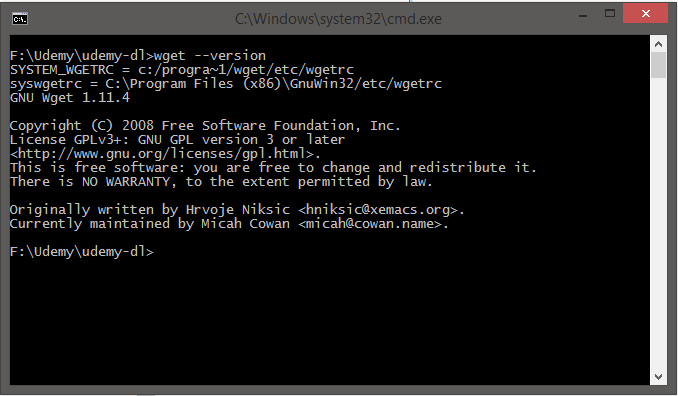
so, its installed successfully and running as it should be... and the result is still the same
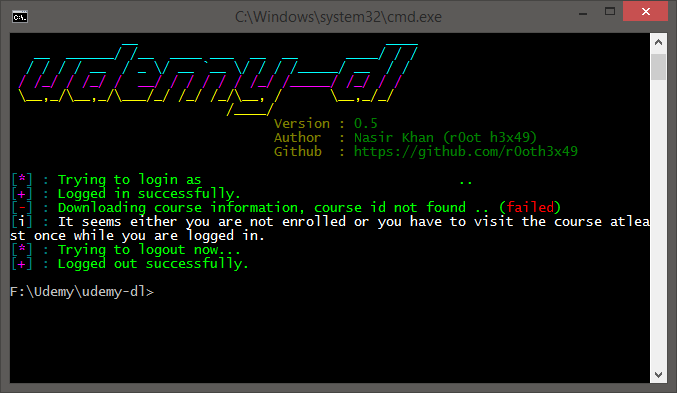
I have the course, i watched at least one lecture of it, and still no luck =(
Should I copy 'wget.exe' to 'udemy-dl' folder?
Wget files copied to udemy-dl folder and still same results....
tofanelli
on 21 Feb 2019
works on kali 2019
 urieloko
on 20 Mar 2019
urieloko
on 20 Mar 2019
Related issues
 TechieGenie
·
10Comments
TechieGenie
·
10Comments
 badjano
·
6Comments
badjano
·
6Comments
 SwapnilSoni1999
·
7Comments
SwapnilSoni1999
·
7Comments
 vipksmosar
·
6Comments
vipksmosar
·
6Comments
 casoleGiovanni
·
4Comments
casoleGiovanni
·
4Comments
Most helpful comment
The problem seems to be related to
urllib. I'm using Python3 BTW.Crudely replacing it with a call to
wgetfixes the whole issue for me. Attached is the very hacky workaround I use now. I deliberately did not make this a pull request because it should actually not be used :-)0001-Crude-Workaround.patch.txt