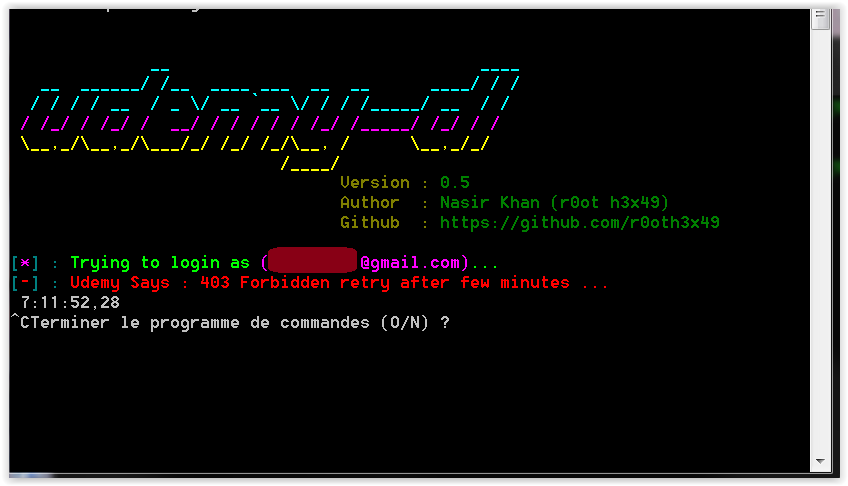
When trying to login "Udemy says: 403 forbidden error" shows up.

 ghost
ghost
All 87 comments
Im really interested In this problem to be solved, Im getting this error .
running on python3 my commands are;
python3 udemy-dl.py https://www.udemy.com/the-complete-cyber-security-course-end-point-protection/ -u c*****@gmail.com -p *********
my error goes;
Udemy Says : 403 Forbidden retry after few minutes ...
 coozgan
on 18 Nov 2018
coozgan
on 18 Nov 2018
@coozgan the issue is specific to python3 version and related to SSL, don't know why, but i 'm also looking for solution. with python 2 it works fine.
 r0oth3x49
on 18 Nov 2018
r0oth3x49
on 18 Nov 2018
@r0oth3x49 Can you tell me the pip command to upgrade the ssl? and also the python version.
 TheBaby5
on 18 Nov 2018
TheBaby5
on 18 Nov 2018
@TheBaby5 if you really want to make it work for now. then uninstall any python version you have installed. and download python2 from official site and install. clone the repo again and install requirements with --upgrade switch. done you can then download courses. the issue is currently specific to python3 and i 'm looking for the solution and will try to Fix ASAP.
r0oth3x49
on 18 Nov 2018
@TheBaby5 if you really want to make it work for now. then uninstall any python version you have installed. and download python2 from official site and install. clone the repo again and install requirements with
--upgradeswitch. done you can then download courses. the issue is currently specific to python3 and i 'm looking for the solution and will try to Fix ASAP.
Hey, it worked! 👍
TheBaby5
on 19 Nov 2018
Hiya there,
I uninstalled python 3 and switch to python 2.7.15
But I'm getting this URL Error, After I have upgraded the requirements.
This is a new installed python 2.7.15. and Im using Mac

Note that my internet is working. and Im having this kind of error.
coozgan
on 20 Nov 2018
Hello,
I have same issue here, i have a forbiden message, last day as i had that i logged in via browser and there i had a windows asking me if i was human after that was working again, but now anymore and i have no more a window in my browser.
 oskippy
on 20 Nov 2018
oskippy
on 20 Nov 2018
Same issues in python 3.7 on windows 10.Now its happening to python 2.7 version installations according to posts above.
 ronkiwest
on 20 Nov 2018
ronkiwest
on 20 Nov 2018
Same issues with Python 3.6.5 on Ubuntu 18.04
 OmenApps
on 20 Nov 2018
OmenApps
on 20 Nov 2018
Same issues with: Python 3.7.1 on Manjaro Linux, pip 18.1, udemy-dl 0.5
 ds2k5
on 21 Nov 2018
ds2k5
on 21 Nov 2018
i am getting same issue in python3
 jaan143
on 21 Nov 2018
jaan143
on 21 Nov 2018
Has anybody been able to figure out the root cause of this issue? Obviously the authentication is broken. But has anybody looked into it further and want to share some notes? I'm asking the question from a development perspective so if you have dove into the code and figured out the root but just not how to fix it let me know as it can save me some time, thanks.
 BinaryFallen
on 21 Nov 2018
BinaryFallen
on 21 Nov 2018
Actually it seems like the problem lies with this code which is auth in the .py scripts:
 def authenticate(self, access_token='', client_id=''):
        if not access_token and not client_id:
            form = self._form_hidden_input('login-form')
            auth_response = self._session._post(LOGIN_URL, data=form)
            auth_cookies = auth_response.cookies

            access_token = auth_cookies.get('access_token') or None
            client_id = auth_cookies.get('client_id') or None

        if access_token and client_id:
            self._session._set_auth_headers(access_token=access_token, client_id=client_id)
            return self._session
        else:
            self._session._set_auth_headers()
            return None
and the website itself. Does udemy have an .api or something that was being used to verify these logins? Anybody have any documentation?
BinaryFallen
on 21 Nov 2018
@BinaryFallen - Looks like there is an API, but I haven't had a chance to dig in yet: https://www.udemy.com/developers/affiliate/
OmenApps
on 22 Nov 2018
@BinaryFallen can you tell me whats wrong with the code? the entire repository is created on the basis of instruction provided by udemy developers API. for me it still works on Python2 latest version on any platform, I will test on Mac soon. so as i said the problem is specific to python3 which is failing in SSL verification on udemy servers causes 403 Forbidden, Even Python3 failed when i tried a simple request to some course on udemy. (no authentication, no downloading) just a simple GET request using python3 latest version. Still i 'm trying to figure whats the problem, there is no problem with code, It is something related to SSL/TLS verification.
Edit
You can check the solution, I have suggested worked for @TheBaby5 Comment.
POC

r0oth3x49
on 22 Nov 2018
@TheBaby5 if you really want to make it work for now. then uninstall any python version you have installed. and download python2 from official site and install. clone the repo again and install requirements with
--upgradeswitch. done you can then download courses. the issue is currently specific to python3 and i 'm looking for the solution and will try to Fix ASAP.
This has worked for me also.
UPDATE
After leaving the download running. It gave a long name exception but when I tried to restart it from a different lecture, the error came back
 VictoriaChama
on 22 Nov 2018
VictoriaChama
on 22 Nov 2018
I am also getting the same error
 enankobh
on 22 Nov 2018
enankobh
on 22 Nov 2018

still not workin'! Please help me
already upgraded requirements.txt
ghost
on 22 Nov 2018
tha same erro, i have python 2.7.15
 LexMtz
on 22 Nov 2018
LexMtz
on 22 Nov 2018
Update the yum , and then work!
 Carlosx7
on 23 Nov 2018
Carlosx7
on 23 Nov 2018
Update the yum , and then work!
but it's windows
ghost
on 23 Nov 2018
Error message again!
Carlosx7
on 23 Nov 2018
Yes! Same
ghost
on 23 Nov 2018
I could success login in first time , but cant login next time.
Carlosx7
on 23 Nov 2018
@BinaryFallen can you tell me whats wrong with the code? the entire repository is created on the basis of instruction provided by udemy developers API. for me it still works on Python2 latest version on any platform, I will test on Mac soon. so as i said the problem is specific to python3 which is failing in SSL verification on udemy servers causes 403 Forbidden, Even Python3 failed when i tried a simple request to some course on udemy. (no authentication, no downloading) just a simple GET request using python3 latest version. Still i 'm trying to figure whats the problem, there is no problem with code, It is something related to SSL/TLS verification.
Edit
You can check the solution, I have suggested worked for @TheBaby5 Comment.POC
That was simply an assumption, that why I said it 'seems'. What I mean was we needed to take a better look at the auth that was going on. I read through the API documentation that was linked by @OmenApps , thanks btw Omen for that, and I have to admit the documentation isn't very good.
Have you tried resetting the .api bearer token?
I take it back, what I said earlier about where we should be looking, I think we should all be probably looking here:
from ._compat import (
                sys,
                time,
                requests,
                HEADERS,
                LOGOUT_URL,
            )
from ._colorized import *


class Session(object):

    def __init__(self):
        self._headers = HEADERS
        self._session = requests.sessions.Session()

   #Specifically here this def_set_auth_headers

    def _set_auth_headers(self, access_token='', client_id=''):
        self._headers['X-Udemy-Bearer-Token'] = access_token
        self._headers['X-Udemy-Client-Id'] = client_id
        self._headers['Authorization'] = "Bearer {}".format(access_token)
        self._headers['X-Udemy-Authorization'] = "Bearer {}".format(access_token)

    def _get(self, url):
        self._headers.update({'Referrer' : url, 'User-Agent' : 'Mozilla/5.0 (Windows NT 6.1; WOW64) AppleWebKit/537.21 (KHTML, like Gecko) Mwendo/1.1.5 Safari/537.21'})
        session = self._session.get(url, headers=self._headers, allow_redirects=False)
        if session.ok:
            return session
        if session.status_code == 403:
            sys.stdout.write(fc + sd + "[" + fr + sb + "-" + fc + sd + "] : " + fr + sb + "Udemy Says : 403 Forbidden retry after few minutes ...\n")
            time.sleep(0.8)
            sys.exit(0)

    def _post(self, url, data):
        self._headers.update({'Referrer' : url, 'User-Agent' : 'Mozilla/5.0 (Windows NT 6.1; WOW64) AppleWebKit/537.21 (KHTML, like Gecko) Mwendo/1.1.5 Safari/537.21'})
        session = self._session.post(url, data, headers=self._headers, allow_redirects=False)
        if session.ok:
            return session
        if session.status_code == 403:
            sys.stdout.write(fc + sd + "[" + fr + sb + "-" + fc + sd + "] : " + fr + sb + "Udemy Says : 403 Forbidden retry after few minutes ...\n")
            time.sleep(0.8)
            sys.exit(0)

    def terminate(self):
        self._get(LOGOUT_URL)
        self._set_auth_headers()
        return
I really feel like the token needs to be reset and that would resolve issues, I mean let's think about it logically, our Python doesn't update unless we tell it to, so for the people that were using 3 before this happened, it shouldn't have stopped working unless we updated, which I know I didn't, and even then we should be able to roll back to a previous version of 3 and have it work, but that doesn't fix it either, also, on my end, 2 isn't working anymore either. I get you are seeing different results, but still, there is obviously an issue and I don't think it is on the Python side of things, I think it's on Udemy's side of things, the only thing that it all has in common is your calls to the API for Udemy. The only thing having to do with authentication according the documentation is the Oauth 2 protocol and the bearer token. Unless there is something else? Sorry I'm still reversing all this in my head here.
BinaryFallen
on 23 Nov 2018
I had Python 3 and got this error. I got python 2 and resolved it. Now Python 2 and it happened again yesterday :( Same issue
 luis00987
on 23 Nov 2018
luis00987
on 23 Nov 2018
I had Python 3 and got this error. I got python 2 and resolved it. Now Python 2 and it happened again yesterday :( Same issue
I had it resolved with this, worked the first time, I was able to download 1 course. Tried to download another course the next day, then this happened.
 trickoooo
on 23 Nov 2018
trickoooo
on 23 Nov 2018
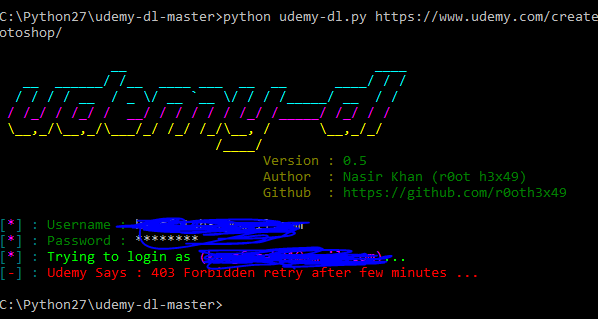
When trying to login "Udemy says: 403 forbidden error" shows up.
same issue, im using 3.7
 Keweb
on 23 Nov 2018
Keweb
on 23 Nov 2018
@TheBaby5 if you really want to make it work for now. then uninstall any python version you have installed. and download python2 from official site and install. clone the repo again and install requirements with
--upgradeswitch. done you can then download courses. the issue is currently specific to python3 and i 'm looking for the solution and will try to Fix ASAP.
im already to tyr this bu still same, i hope you can fix it sir,
Keweb
on 23 Nov 2018
@coozgan the issue is specific to python3 version and related to SSL, don't know why, but i 'm also looking for solution. with python 2 it works fine.
Sorry, I disagree. On my Windows 10 laptop, I installed fresh Python 2.75 and installed udemy-dl using requirements.txt; but it still gives me same error :-(
Can you please check and fix it ASAP?
 NikhilPampatwar
on 23 Nov 2018
NikhilPampatwar
on 23 Nov 2018
I have done same thing and also upgraded requirements.txt but still error appearing
ghost
on 23 Nov 2018
there are other methods which works as well, i have updated the code, it works with cookie based session. tested on python3 and python2 both. so try with cookie based login. follow these steps. how to extract cookie and then try to download the course with -k switch. it works for me on python2 and 3 both tested on MAC as well.
POC.
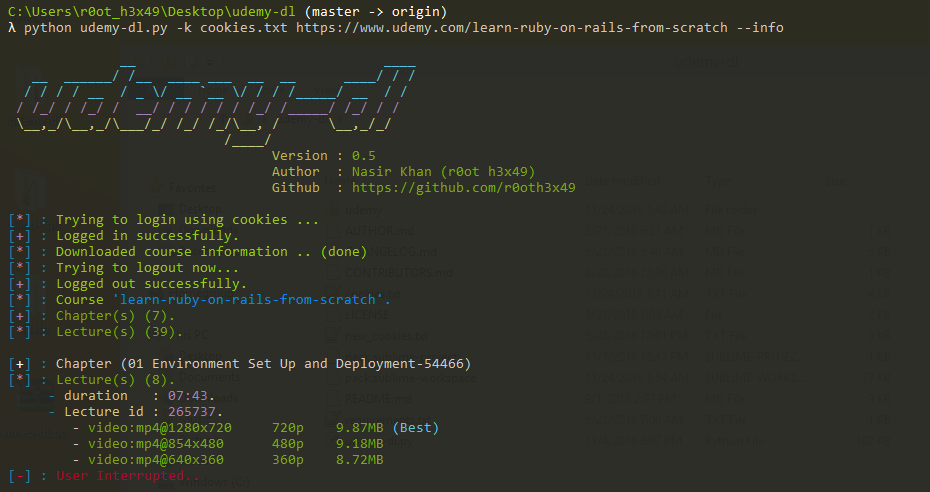
Hopefully this time cookie based method works.
r0oth3x49
on 23 Nov 2018
@BinaryFallen _set_auth_headers if only called if a user gets the session, and 403 forbidden occurs before that which means udemy is detecting this as bot.
r0oth3x49
on 23 Nov 2018
I used to cookie method, and have been successful (at least on my first course. I'll try downloading another shortly, and will update)
I did find that the directions don't work (for me at least) with Chrome, because the network tab doesn't offer the option to copy the request header. You only get option for copying the response. But it worked just fine with Firefox.
Edit: second course successfully downloading
OmenApps
on 23 Nov 2018
@OmenApps don't hammer the server :stuck_out_tongue_winking_eye:.
Edit : that is why i already mentioned in extracting request headers / cookies, I did with Firefox.
r0oth3x49
on 23 Nov 2018
Thanks @r0oth3x49 , cookie based method works 👍
 lamlephamngoc
on 24 Nov 2018
lamlephamngoc
on 24 Nov 2018
@OmenApps don't hammer the server 😜.
Edit : that is why i already mentioned in
extracting request headers / cookies, I did with Firefox.
Wow!!! Thank you so much, it worked!
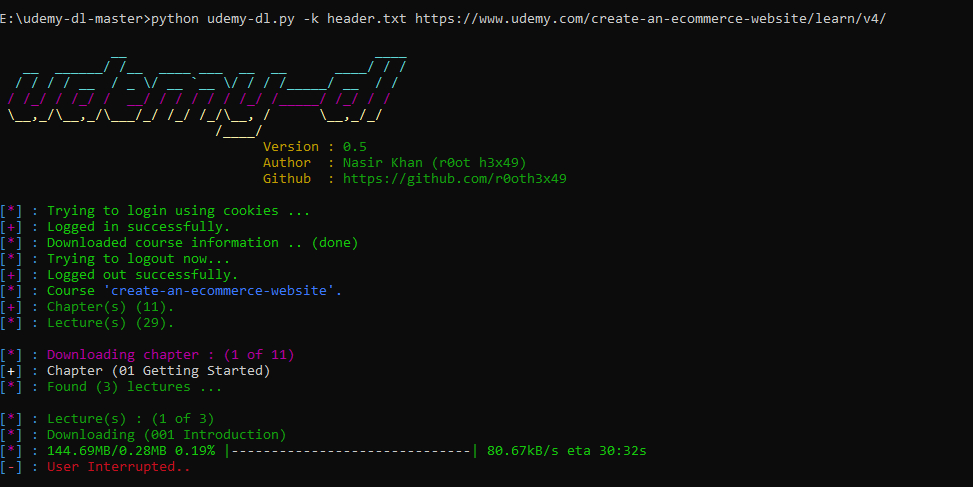
very fast reply! responsive guy! keep it up!! (⭐⭐⭐⭐⭐)
ghost
on 24 Nov 2018
by the way, every time I have to update this header file or only one time (like I already did)??
ghost
on 24 Nov 2018
maybe update the text to add Post request, people could keep choosing Get request and that would not work.
like "Right click on any of the Post Request which is links to udemy.com. Simply copy Request Headers and save to text file."
 soccio
on 24 Nov 2018
soccio
on 24 Nov 2018
Here is step I used to extract cookie from Udemy to text file:
- Open Chrome
- Goto https://www.udemy.com/home/my-courses/learning/
- Login if you need it
- Right click and open Inspect
- Goto Network TAB and refresh your browser as picture below
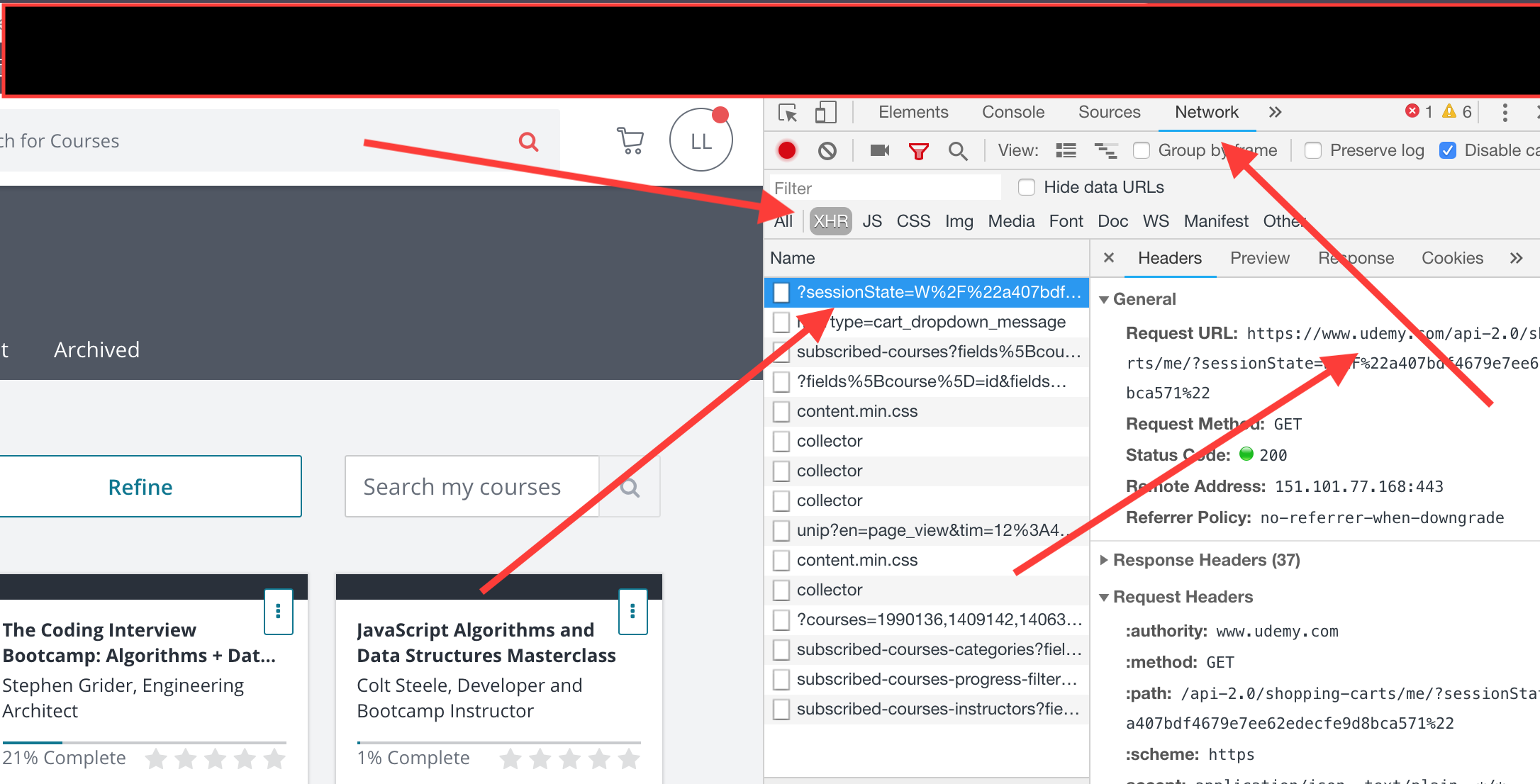
- Right click on any request (from Udemy of course)
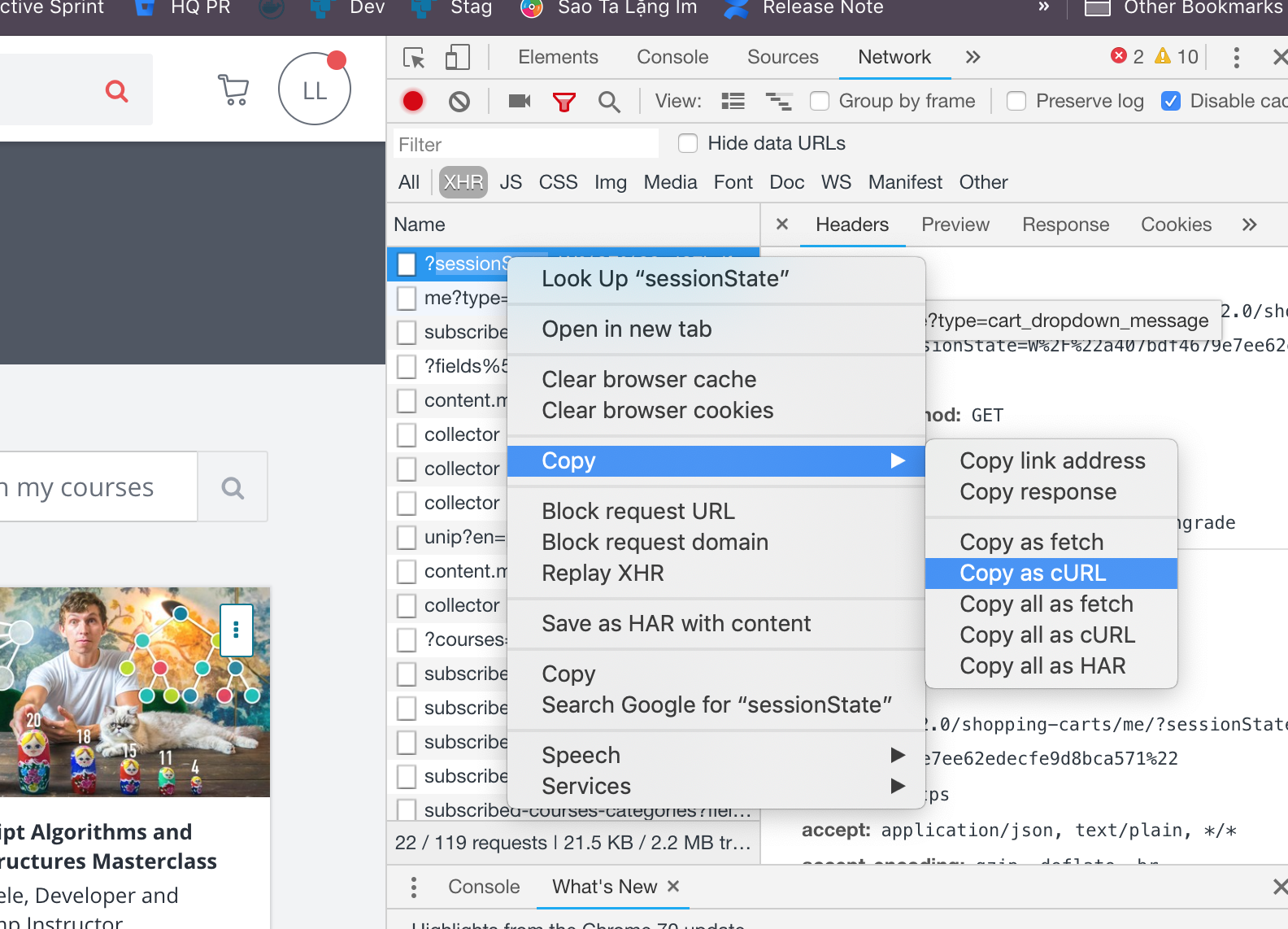
- Copy as cURL
Here is an example of Cookie text file which I am using
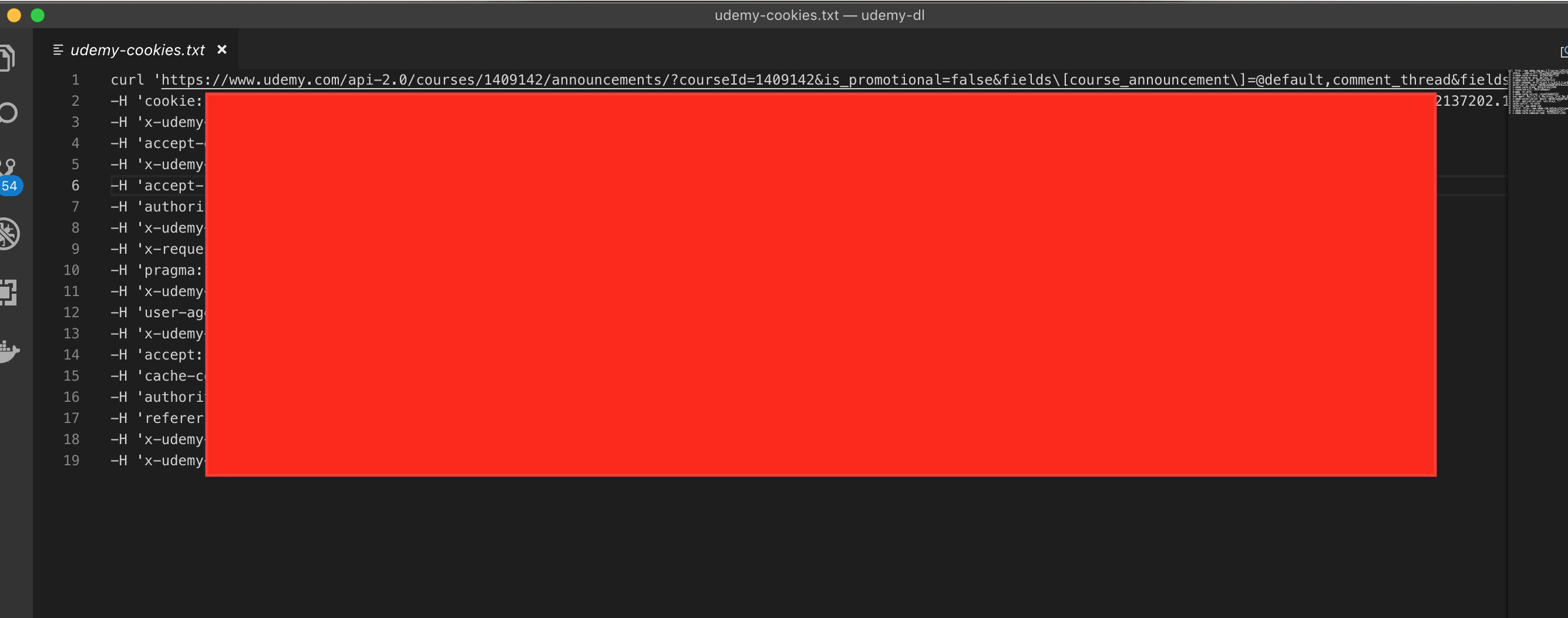
Hope my guide line can help anyone
lamlephamngoc
on 24 Nov 2018
Seems to be working for me! I used Firefox to copy the raw headers into a .txt and we're off to the races.
Thanks for the fix!
 jlfrank312
on 24 Nov 2018
jlfrank312
on 24 Nov 2018
It worked! nice work! @r0oth3x49
trickoooo
on 24 Nov 2018
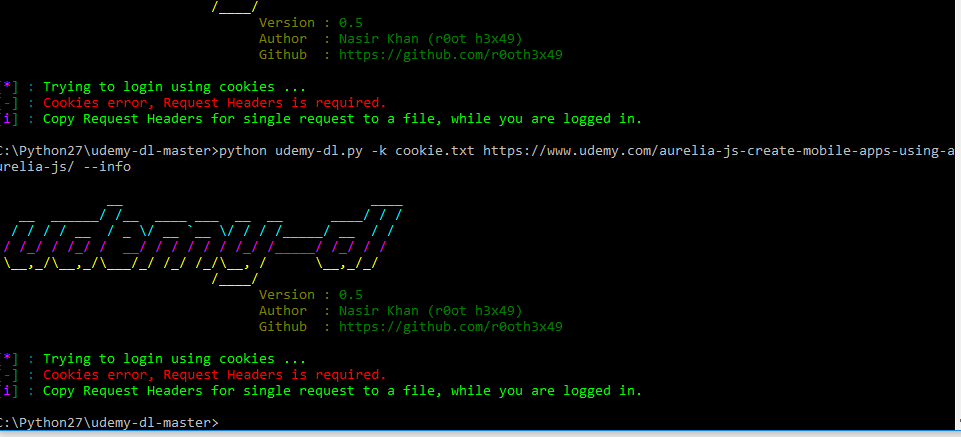
sad :( im still error help me, i need video please ,
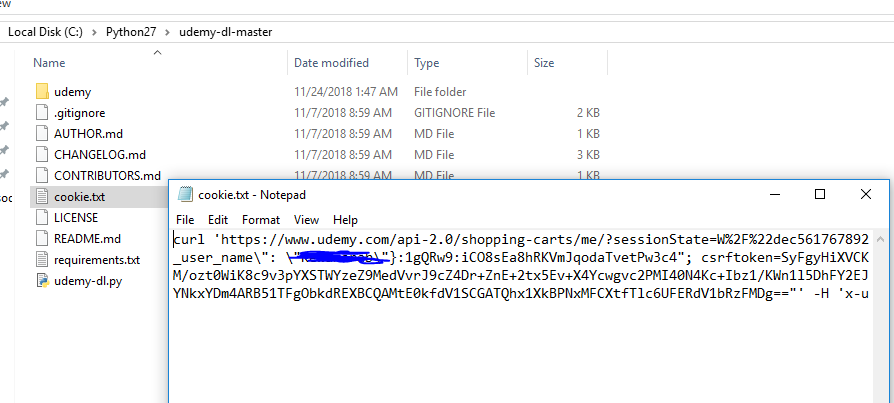
Keweb
on 24 Nov 2018
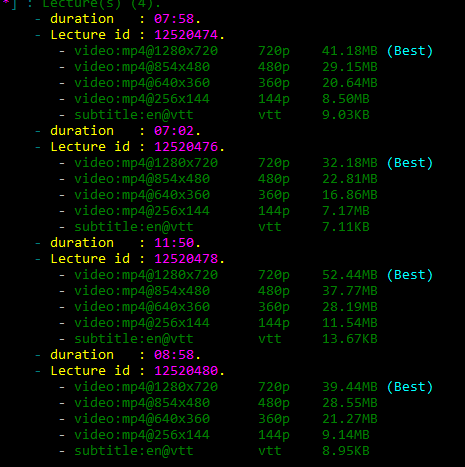
solved
tq, i dont use cookies .txt (already to include)
Keweb
on 24 Nov 2018
hello everyone, can i download other video in udemy ? but i im no buy it. im try to download it bu still 403 frobidden retry after minute

Keweb
on 24 Nov 2018
hello everyone, can i download other video in udemy ? but i im no buy it. im try to download it bu still 403 frobidden retry after minute
me too, how to fix this?
 tadejdanev
on 24 Nov 2018
tadejdanev
on 24 Nov 2018
hello everyone, can i download other video in udemy ? but i im no buy it. im try to download it bu still 403 frobidden retry after minute
@Keweb , @tadejdanev if both of you are talking about, downloading a paid course for free, then the answer is no. even for free course you have to enroll first to download.
Remember
- This is a simple utility (
to download a course for which you already paid) not an exploit. - sorry if i 'm not getting your point, the answer is as per my understanding.
r0oth3x49
on 24 Nov 2018
maybe update the text to add Post request, people could keep choosing Get request and that would not work.
like "Right click on any of the Post Request which is links to udemy.com. Simply copy Request Headers and save to text file."
@soccio i have updated the README guide for extracting cookies.
r0oth3x49
on 24 Nov 2018
by the way, every time I have to update this header file or only one time (like I already did)??
@praitkbalar123 the answer is no until the cookies are expired by udemy. and once the cookies are expired you will again face 403 Forbidden which means you have to provide the cookies again.
r0oth3x49
on 24 Nov 2018
oh so i have to enroll it first from start to end and then download? yes i paid for it :)
tadejdanev
on 24 Nov 2018
@tadejdanev you only need to be enrolled in the course once you are enrolled you can download the course.
r0oth3x49
on 24 Nov 2018
i did that but the error is there.
tadejdanev
on 24 Nov 2018
i did that but the error is there.
did you cloned the most recent repo, and used the cookie based method?
r0oth3x49
on 24 Nov 2018
repo is latest, nah regular
python udemy-dl-master course-url
tadejdanev
on 24 Nov 2018
@tadejdanev email me your credentials with complete process you are trying to download a course, if you are okay with that i can test and try to fix because i cannot reproduce.
r0oth3x49
on 24 Nov 2018
Here is step I used to extract cookie from Udemy to text file:
1. Open Chrome

2. Goto https://www.udemy.com/home/my-courses/learning/

3. Login if you need it

4. Right click and open Inspect

5. Goto Network TAB and refresh your browser as picture below
1. Right click on any request (from Udemy of course)
1. Copy as cURLHere is an example of Cookie text file which I am using
Hope my guide line can help anyone
do you have to be on chosen course?
do you save the file?
more details please....thanks
tadejdanev
on 24 Nov 2018
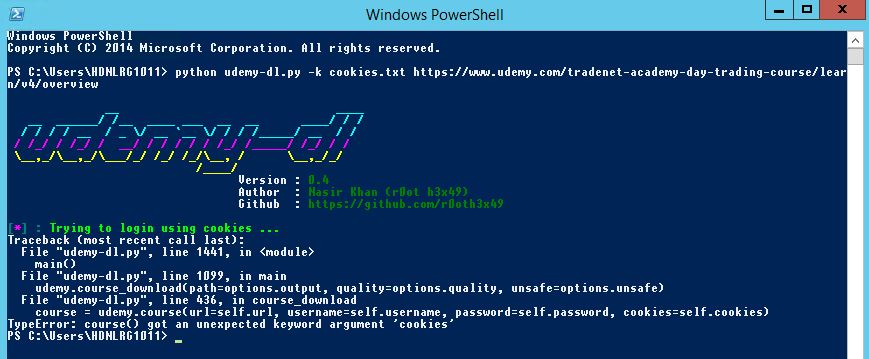
@r0oth3x49 bro i am getting this error please help me
jaan143
on 24 Nov 2018
Hi Nasir, I've sent mail to you regarding the same issue.
 undeinf
on 24 Nov 2018
undeinf
on 24 Nov 2018
I am getting "It seems you are not enrolled in course XXXXXXXXXX" even though I am enrolled. Using the script with Python2. Any suggestion?
 ArjonBu
on 24 Nov 2018
ArjonBu
on 24 Nov 2018
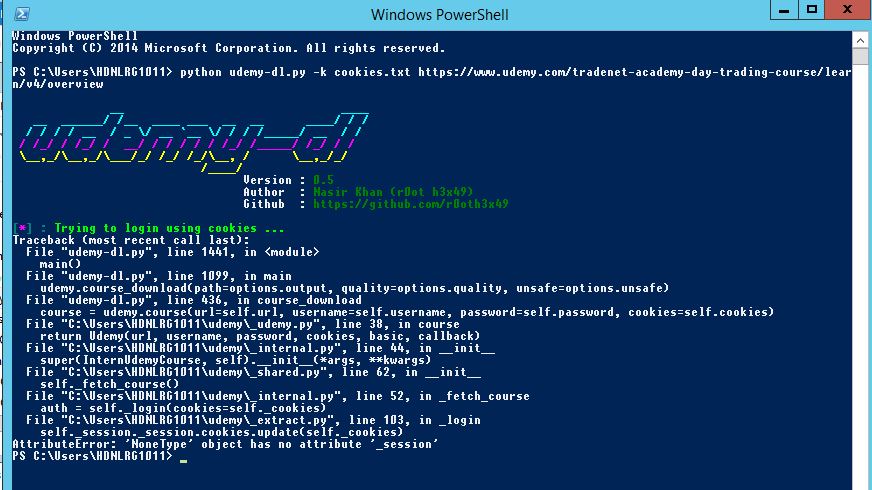
@r0oth3x49 bro i am getting this error
jaan143
on 24 Nov 2018
@r0oth3x49 bro i am getting this error
Remove that "/overview" and make sure you have put right cookie and you're good to go, I guess
ghost
on 24 Nov 2018
The Issue is resolved you guys can check the POC below.
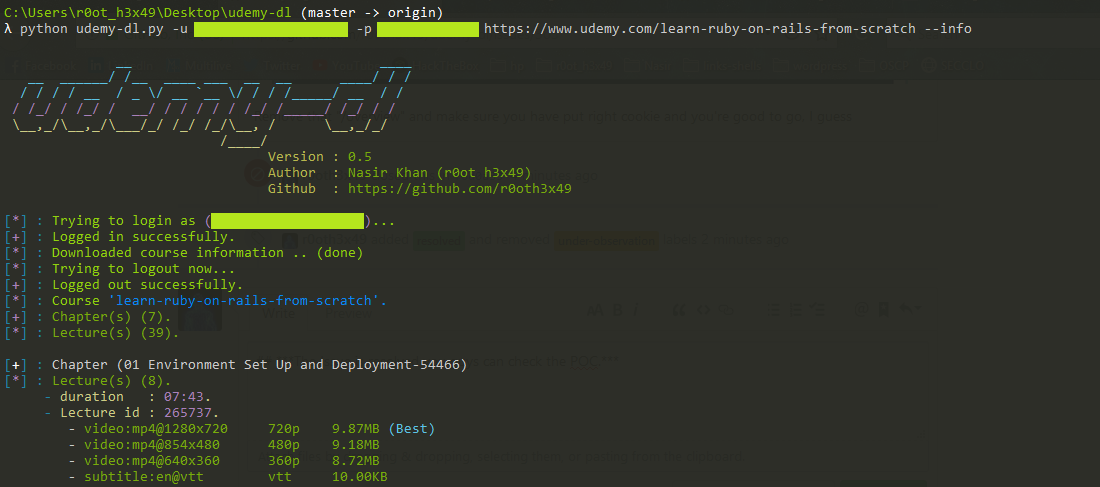
just clone the most recent repository and have fun.
Special thanks to a great friend @FaisalUmair
r0oth3x49
on 24 Nov 2018
Works! Thanks
ArjonBu
on 24 Nov 2018
you're god !!!!
tadejdanev
on 24 Nov 2018
Yup fixed my problem right up as well.
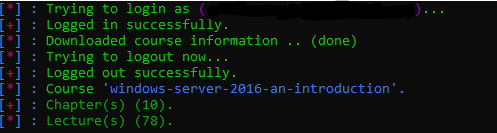
For the curious what was the problem?
Oh and you should totally pin this thread or put it somewhere at top or something where people see it right away so they stop bothering you with the same questions lol.
BinaryFallen
on 25 Nov 2018
@ TheBaby5 si realmente quieres que funcione por ahora. luego desinstale cualquier versión de python que haya instalado. y descarga python2 desde el sitio oficial e instala. Clone nuevamente el repositorio e instale los requisitos con el
--upgradeinterruptor. Hecho entonces puedes descargar los cursos. el problema es actualmente específico de python3 y estoy buscando la solución e intentaré arreglar lo antes posible.Hey, funcionó!
Yo tento el mismo problema, estoy utilizando fedora 29, como lo puedo resolver?
 AndersonCastellon
on 26 Nov 2018
AndersonCastellon
on 26 Nov 2018
Yup fixed my problem right up as well.
For the curious what was the problem?
Oh and you should totally pin this thread or put it somewhere at top or something where people see it right away so they stop bothering you with the same questions lol.
the problem was Basic Authorization header. that is great suggestion 🤣 although i already created a guide for creating issue don't know why the hack people don't even look at that.
@AndersonCastellon don't know what you want to ask but the issue is fixed, just pull the recent master.
r0oth3x49
on 26 Nov 2018
Whelp, the change seems to have got my account suspended and possibly permabanned from udemy, be careful all and I think they may be cracking down on this. It says in their TOS that you can't re-distribute or illegally download, to my knowledge not only are we not illegally downloading (we paid for the course, and on mobile we can download), but I have not shared anything. So not sure what's up with that but I'm super pissed off right now about it.
BinaryFallen
on 27 Nov 2018
@BinaryFallen Oh , shoot - what will we do then?Is this the end for udemy-dl?Did you get your account back?
ronkiwest
on 30 Nov 2018
Whelp, the change seems to have got my account suspended and possibly permabanned from udemy, be careful all and I think they may be cracking down on this. It says in their TOS that you can't re-distribute or illegally download, to my knowledge not only are we not illegally downloading (we paid for the course, and on mobile we can download), but I have not shared anything. So not sure what's up with that but I'm super pissed off right now about it.
any news about this?
tadejdanev
on 5 Dec 2018
Sorry all, here is an update, Udemy has asked that I proved account ownership by sending them proof of purchase etc. Pending this (Sent today), they are more than likely going to restore my account... I hope. The support person I have been communicating with via email for this issue has stated that they will not divulge why my account was banned nor are they required to do so when they ban you. I asked them how I was supposed to avoid a ban in the future if I was given no specific warning about where I broke the TOS and communicated that I didn't feel I had done so at all. To which I got the same reply 'we don't have to tell you what you did and we won't'. So that went nowhere. I hope I get my account back but be careful dudes. I can tell you this, as soon as I get my account back I'm going to store as many of my videos as I can and probably abandon them as a platform. I have spent well over 1k since becoming a member in like 2015 or 2016. To be treated that way by them is absolutely infuriating.
BinaryFallen
on 5 Dec 2018
Update they gave me my account back, told me to watch it, and next time they would not give it back to me and keep it banned. So all is well that ends well I guess, just be careful guys.
BinaryFallen
on 6 Dec 2018
nice to know. so you think they noticed that we rip paid courses somehow?
tadejdanev
on 6 Dec 2018
For New versions of Chrome use Copy as cURL (bash). And the element to inspect, is the Video Inspect. Create a cookies.txt and paste copy cookies.
 Fconffesor
on 13 Mar 2019
Fconffesor
on 13 Mar 2019
recently show me this error
[] : Username : [email protected]
[] : Password : **
[*] : Trying to login as ([email protected])...
[-] : Udemy Says : 400 Bad Request ['Oops, something went wrong.muc2'] ...
 diogoab
on 13 Mar 2019
diogoab
on 13 Mar 2019
@diogoab @r0oth3x49 I am getting the same error
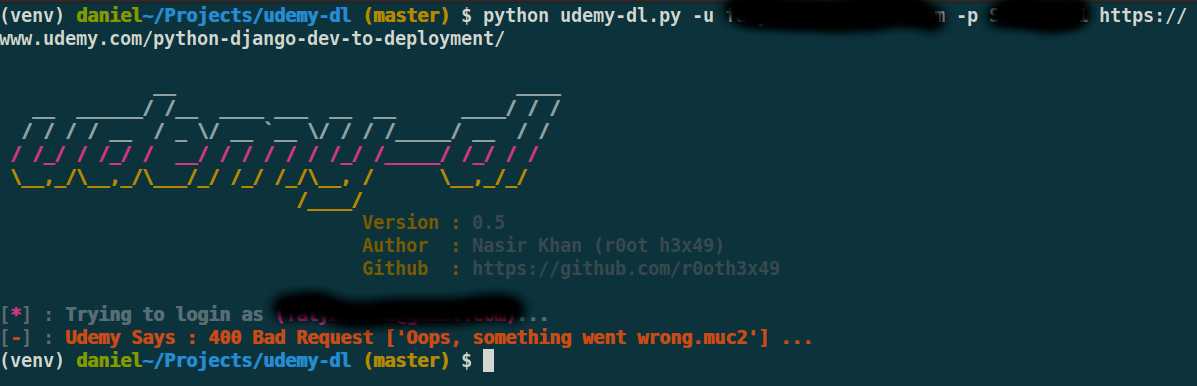
 danielotieno
on 15 Mar 2019
danielotieno
on 15 Mar 2019
Same error from me.
 Xoslorg
on 17 Mar 2019
Xoslorg
on 17 Mar 2019
Udemy Says : 429 Too Many Requests Request was throttled. Expected available in 2063 seconds. ...
 jbb26354
on 20 Mar 2019
jbb26354
on 20 Mar 2019
The same here:
[-] : Udemy Says : 400 Bad Request ['Oops, something went wrong.muc2'] ...
 ropuho
on 20 Mar 2019
ropuho
on 20 Mar 2019
I got
[-] : Udemy Says : 502 Bad Gateway ...

 febriinanda
on 22 Mar 2019
febriinanda
on 22 Mar 2019
Same error from me.
same error for me ;( " Udemy Says : 400 Bad Request ['Oops, something went wrong.muc2'] ..."
 bhooshanmore
on 26 Mar 2019
bhooshanmore
on 26 Mar 2019
Udemy Says : 400 Bad Request Oops, something went wrong. ...
 luis-sego
on 29 Mar 2019
luis-sego
on 29 Mar 2019
I logged in successfully with the cookies but then I got this error:
MacBook-Pro-de-Joe:UDEMY VIDEOS Joe$ python3 udemy-dl.py https://www.udemy.com/bootstrap-4-from-scratch-with-5-projects/ --cookie=cookies.txt -q 360 --skip-sub
__ ____
__ ______/ /__ ____ ___ __ __ ____/ / /
/ / / / __ / _ \/ __ `__ \/ / / /_____/ __ / /
/ /_/ / /_/ / __/ / / / / / /_/ /_____/ /_/ / /
__,_/__,_/___/_/ /_/ /_/__, / __,_/_/
/____/
Version : 0.5
Author : Nasir Khan (r0ot h3x49)
Github : https://github.com/r0oth3x49
[] : Trying to login using cookies ...
[+] : Logged in successfully.
[] : Downloading course information .. -Traceback (most recent call last):
File "udemy-dl.py", line 1443, in
main()
File "udemy-dl.py", line 1098, in main
udemy.course_download(skip_captions=options.skip_captions, path=options.output, quality=options.quality, unsafe=options.unsafe)
File "udemy-dl.py", line 436, in course_download
course = udemy.course(url=self.url, username=self.username, password=self.password, cookies=self.cookies)
File "/Users/Joe/Desktop/WEBSITE BUILDING/TUTORIALS/UDEMY VIDEOS/udemy/_udemy.py", line 38, in course
return Udemy(url, username, password, cookies, basic, callback)
File "/Users/Joe/Desktop/WEBSITE BUILDING/TUTORIALS/UDEMY VIDEOS/udemy/_internal.py", line 44, in __init__
super(InternUdemyCourse, self).__init__(args, *kwargs)
File "/Users/Joe/Desktop/WEBSITE BUILDING/TUTORIALS/UDEMY VIDEOS/udemy/_shared.py", line 62, in __init__
self._fetch_course()
File "/Users/Joe/Desktop/WEBSITE BUILDING/TUTORIALS/UDEMY VIDEOS/udemy/_internal.py", line 56, in _fetch_course
self._info = self._real_extract(self._url)
File "/Users/Joe/Desktop/WEBSITE BUILDING/TUTORIALS/UDEMY VIDEOS/udemy/_extract.py", line 547, in _real_extract
'subtitles' : self._extract_subtitles(tracks),
File "/Users/Joe/Desktop/WEBSITE BUILDING/TUTORIALS/UDEMY VIDEOS/udemy/_extract.py", line 345, in _extract_subtitles
lang = track.get('language') or track.get('srclang') or track.get('label') or track['locale'].get('locale').split('_')[0]
KeyError: 'locale'
 luloproductions
on 3 Apr 2019
luloproductions
on 3 Apr 2019
The same error here:
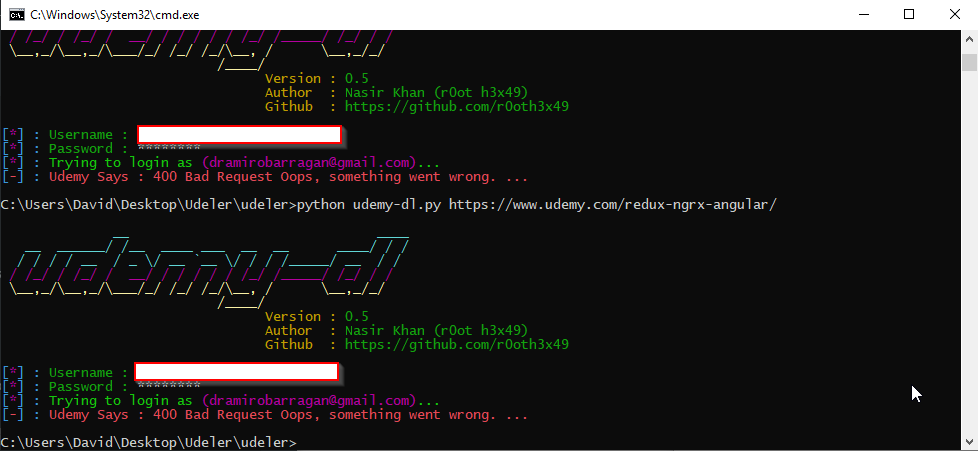
 DavidRamiroBarragan
on 4 Apr 2019
DavidRamiroBarragan
on 4 Apr 2019
the same here in python 3 in osx.

 digomes87
on 15 Apr 2019
digomes87
on 15 Apr 2019
Also getting the "400 bad request" error like others
Tried with fresh installs of both python 2.7.16 and 3.7.3 (Win10), and getting the same error on both versions.
HOWEVER, I managed to get it going again using the cookie solution at https://github.com/r0oth3x49/udemy-dl/issues/341#issuecomment-473413510 (using python 2.7.16 - haven't tried with 3.7.3) and save the cookie.txt file in the same folder as your _udemy-dl.py_ script (or _udemy-dl.exe_ if you're using the compiled version)
If you don't know how to get cookie values from your browser, googol: how to get cookie value in {YOUR BROWSER NAME} - eg:
how to get cookie value in internet explorer
how to get cookie value in firefox
how to get cookie value in chrome
etc...
@r0oth3x49 Thanks for all your hard work in keeping this project going
 eatthebeast
on 23 Apr 2019
eatthebeast
on 23 Apr 2019
I use Allavsoft to download videos from udemy, lynda, youtube etc.
Still works
 idealitystarts
on 23 Sep 2019
idealitystarts
on 23 Sep 2019
Related issues
 casoleGiovanni
·
4Comments
casoleGiovanni
·
4Comments
 sagarsamrat3956
·
7Comments
sagarsamrat3956
·
7Comments
 mynameismaxz
·
6Comments
mynameismaxz
·
6Comments
 serhattsnmz
·
3Comments
serhattsnmz
·
3Comments
 vipksmosar
·
6Comments
vipksmosar
·
6Comments
Most helpful comment
Here is step I used to extract cookie from Udemy to text file:
Here is an example of Cookie text file which I am using
Hope my guide line can help anyone