Ublock: some elements are hidden after it is displayed
Filter issues MUST NOT be reported here. Read first: https://github.com/gorhill/uBlock/blob/master/CONTRIBUTING.md
Describe the issue: When i open websites for some second element or blank space is displayed and than hide. Mainly i see on google based site
One or more specific URLs where the issue occurs
[URL(s) for issue on a specific site are mandatory]
Screenshot in which the issue can be seen

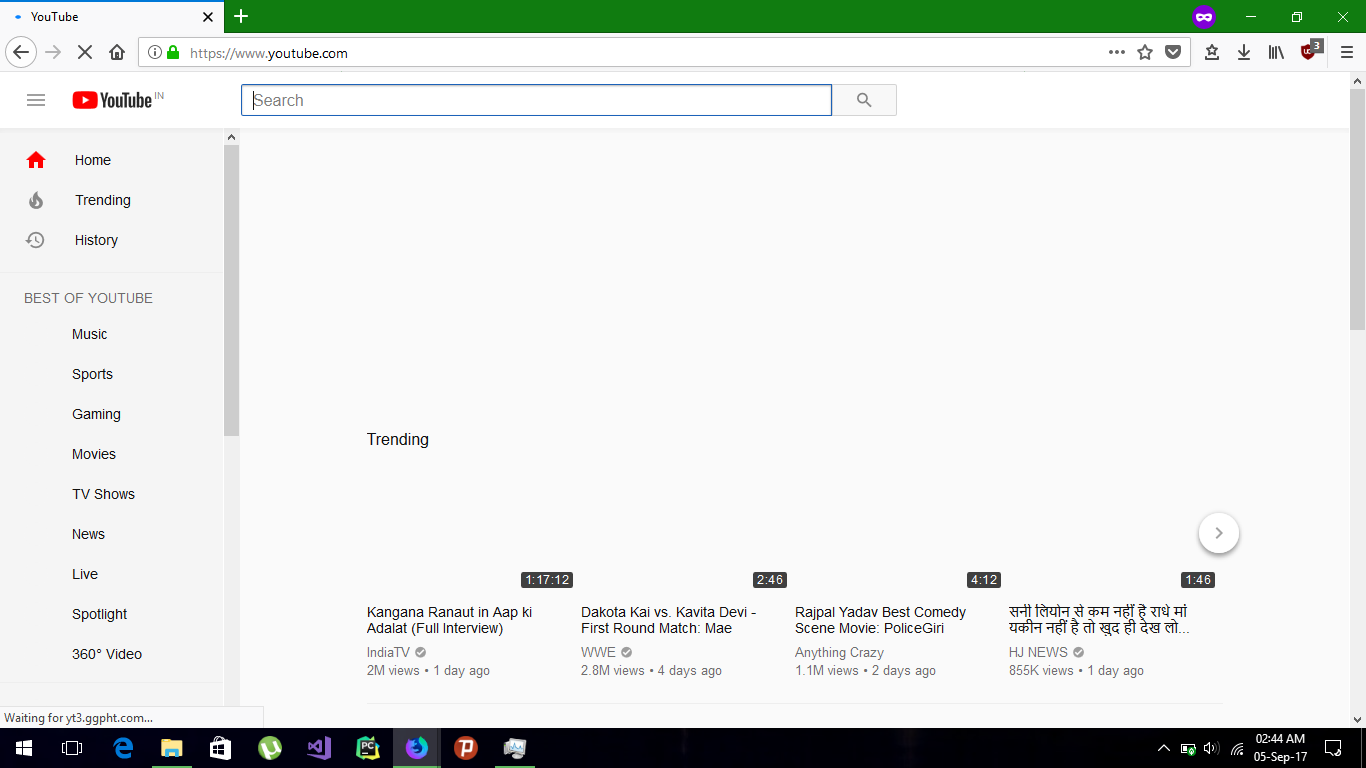
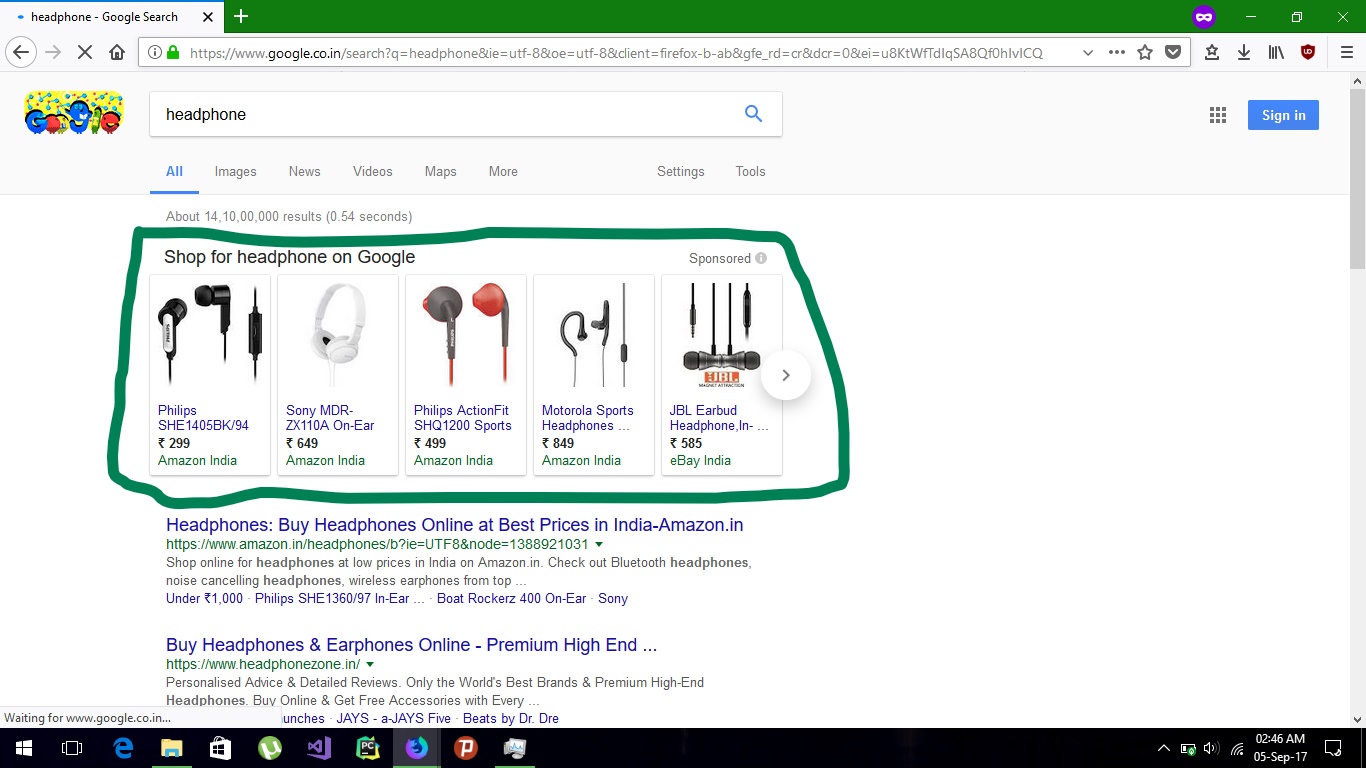
[Screenshot(s) for visual issues are mandatory]
Steps for anyone to reproduce the issue
Just open https://www.youtube.com and you will see. There are other site also where the blank space is displayed sorry because i was not listing all of them. Test this on "Private Window" because store data may change result
Your settings
[If you fail to provide this info, I will mark the issue as invalid. Lists all settings which differs from default settings]
- OS/version: Windows 10
- Browser/version: Nightly FF57
- uBlock Origin version: 1.14.7 rc0
Your filter lists
My filters, uBlock filters – Badware risks, uBlock filters – Unbreak, uBlock Protector List, EasyPrivacy, Fanboy’s Enhanced Tracking List, Fanboy’s Annoyance List, Peter Lowe’s Ad and tracking server list
Your custom filters (if any)
Anti popads.net, Clickbait Blocklist, Fanboy's Indian, Overlay Blocker,
Subscription, that block sites with skimming scripts, Adguard English, Adguard Annoyances, Adguard Spyware
 Anoop2609
All 11 comments
By design: https://github.com/gorhill/uBlock/wiki/Does-uBlock-block-ads-or-just-hide-them%3F#cosmetic-filters
I must say is more visible lately.
 gwarser
on 4 Sep 2017
gwarser
on 4 Sep 2017
Yes, after switching to webext pure css filters that were before flicker free now often lags behind and you can see elements before they are hidden. I guess we will have to live with it.
 kasper93
on 4 Sep 2017
kasper93
on 4 Sep 2017
So ublock should report this on Bugzilla because this is a problem for efficiency.
Anoop2609
on 5 Sep 2017
By design:
For Google search page and Youtube, there are specific cosmetic filters, so it's not by design -- it would be by design if we were dealing with generic cosmetic filters.
I haven't experience such flickering on my side.
 gorhill
on 5 Sep 2017
gorhill
on 5 Sep 2017
My filters, uBlock filters – Badware risks, uBlock filters – Unbreak, uBlock Protector List, EasyPrivacy, Fanboy’s Enhanced Tracking List, Fanboy’s Annoyance List, Peter Lowe’s Ad and tracking server list
There is your issue: please do not un-check "uBlock filters", there is absolutely no good reasons to do so, unless you want to sabotage uBO I would say, not only the filters in there are optimized for uBO, this is also where all the anti-blocker filters reside.
gorhill
on 5 Sep 2017
@gorhill can you explain this, please:
On https://www.dobreprogramy.pl/Juz-po-wakacjach-a-WiFi-w-Pendolino-nadal-nie-ma,News,82964.html
UBO reset to default + Fanboy’s Annoyance List + POL,POL + https://www.kiboke-studio.hr/i-dont-care-about-cookies/abp/ + update lists
Firefox ESR (also 55.0.2)
UBO 1.14.7rc0 legacy
- no visual issues
Firefox Nightly
UBO 1.14.7rc0 webext
- cookie message flashes on top
- when autoscrolling (bit faster than you read), just above comments section, social buttons flashes (facebook/twitter)
Of course, may be just nightly quirk :/
Thank you.
gwarser
on 5 Sep 2017
I'm not saying that what is documented at https://github.com/gorhill/uBlock/wiki/Does-uBlock-block-ads-or-just-hide-them%3F#cosmetic-filters is no longer true -- it's just as relevant now as it was before, webext or legacy.
I am saying that OP's specific issue (Google and Youtube) does not exist if "uBlock filters" are enabled, so I am not going to waste time investigating a non-issue.
Whether you run Firefox 55 or Nightly, it's the same uBO code. If you have specifics which are unrelated to the issue here, open a new issue and I will look into it. The way Firefox is configured may matter (servo? out-of-process? etc.)
gorhill
on 5 Sep 2017
@gwarser I tried your steps, and I couldn't see a difference on my side, nothing flickered -- not that I was not expecting it given that cookie notices and social buttons are typically generic cosmetic filters, but there was no flicker in both FF55 and FF57 on my side. Of course reloading the page to test again is pointless because after the first load the formerly generic cosmetic filters are cached as specific cosmetic filters. I did restart Nightly to try again, still no flickering.
You have other extensions on Nightly along uBO?
gorhill
on 5 Sep 2017
I tested with addons disabled, and only first page load after restart (no caching). Now rechecked with and without servo and no change.
Edit:
I willl try changing e10s
Edit:
New profile, e10s enabled/disabled - no change.
gwarser
on 5 Sep 2017
@gorhill I can reproduce the issue, like I said after switching to webext it started to happen. But I don't have clear STR, it happens from time to time. I might try latter to figure out how to reproduce it reliably and report back.
kasper93
on 5 Sep 2017
Open a new issue if you want to report STR, the issue here is not valid: in 2014, specific cosmetic filters were created to avoid the issue in OP, so disabling those filters was not a valid case. I can't use the issue here as a reference for code change, so if you want something to be investigated/fixed (if possible at all) because things have worsened relative to legacy, a new issue is required.
gorhill
on 5 Sep 2017
Related issues
 ghost
·
3Comments
ghost
·
3Comments
 pfofi
·
4Comments
pfofi
·
4Comments
 butonic
·
3Comments
butonic
·
3Comments
 GitHubBlow
·
4Comments
GitHubBlow
·
4Comments
 Darkspirit
·
4Comments
Darkspirit
·
4Comments