Uassets: videohelp.com is not loaded completely when I use 1.31.0 or (now) newest v1.31.3rc2
Prerequisites
- [x] I verified that this is not a filter issue
- Filter issues MUST be reported at filter issue tracker
- Filter issues MUST be reported at filter issue tracker
- Support issues and questions are handled at /r/uBlockOrigin
- Your issue may already be reported.
- [x] uBlock Origin is the only extension
- [x] uBlock Origin with default lists/settings
- [x] using a new, unmodified browser profile
Description
Website is not loaded completely
A specific URL where the issue occurs
videohelp.com
Steps to Reproduce
go to videohelp.com
Expected behavior:
videohelp.com should load completely but without ads
Actual behavior:
site is not loaded completely, for example new tools and forum is not loaded. I suspect they have a scanner for uBlock usage
Your environment
- uBlock Origin version: 1.3.1 or v1.31.3rc2
- Browser Name and version: Firefox 84.0
- Operating System and version: Win 10 20H2 latest updates as of today
 Klaus1189
All 22 comments
Update your filters.
 llacb47
on 17 Dec 2020
llacb47
on 17 Dec 2020
Already done, did not help
Klaus1189
on 17 Dec 2020
@Klaus1189 it was fixed three days ago. Go to uBO Dashboard -> Filter lists -> click on the clock icon at the end of "uBlock filters" line -> click on "Update now" on top. Alternatively click on "Purge all caches" -> "Update now"
 gwarser
on 17 Dec 2020
gwarser
on 17 Dec 2020
Try force update filter via free VPN?
(Maybe your IP overloaded the Github and you see outdated cache file as latest possible?)
Very optional use this:
updateAssetBypassBrowserCache
https://github.com/gorhill/uBlock/wiki/Advanced-settings#updateassetbypassbrowsercache
 krystian3w
on 17 Dec 2020
krystian3w
on 17 Dec 2020
Now I know why it is not working for me: I use Site layout: Classic
If I use Default, then it is working, but not when I use Classic.
But as a long term user, I prefer Classic.
Try it out. Set it to Classic at the very bottom of the page and the site will not load.
Klaus1189
on 18 Dec 2020
. Set it to Classic at the very bottom of the page and the site will not load.
Set it to Classic and then click on Change button, layout changes as expected. But after the change, the selection still shows Default as activated and happens without uBlock activated too, so a site issue.
 uBlock-user
on 18 Dec 2020
uBlock-user
on 18 Dec 2020
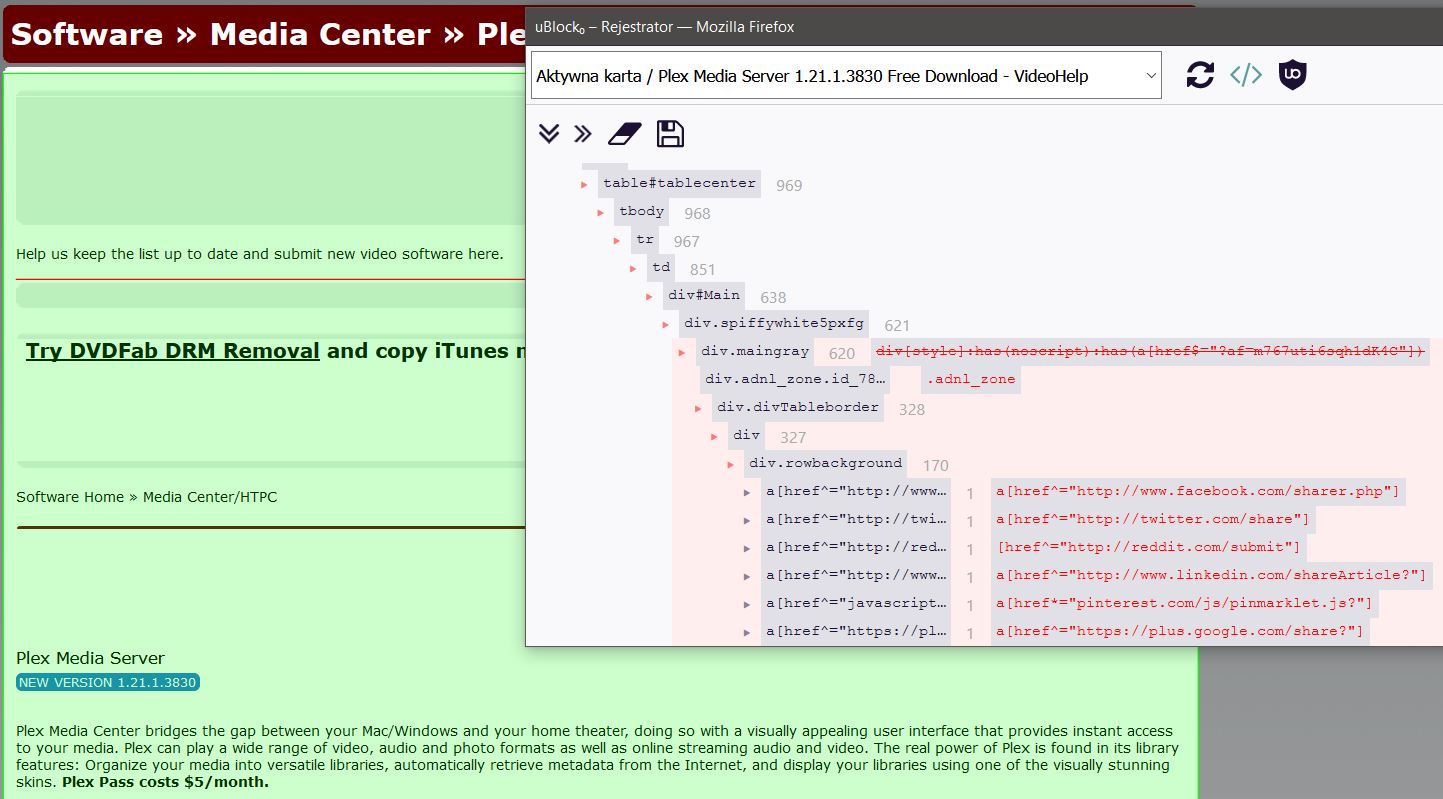
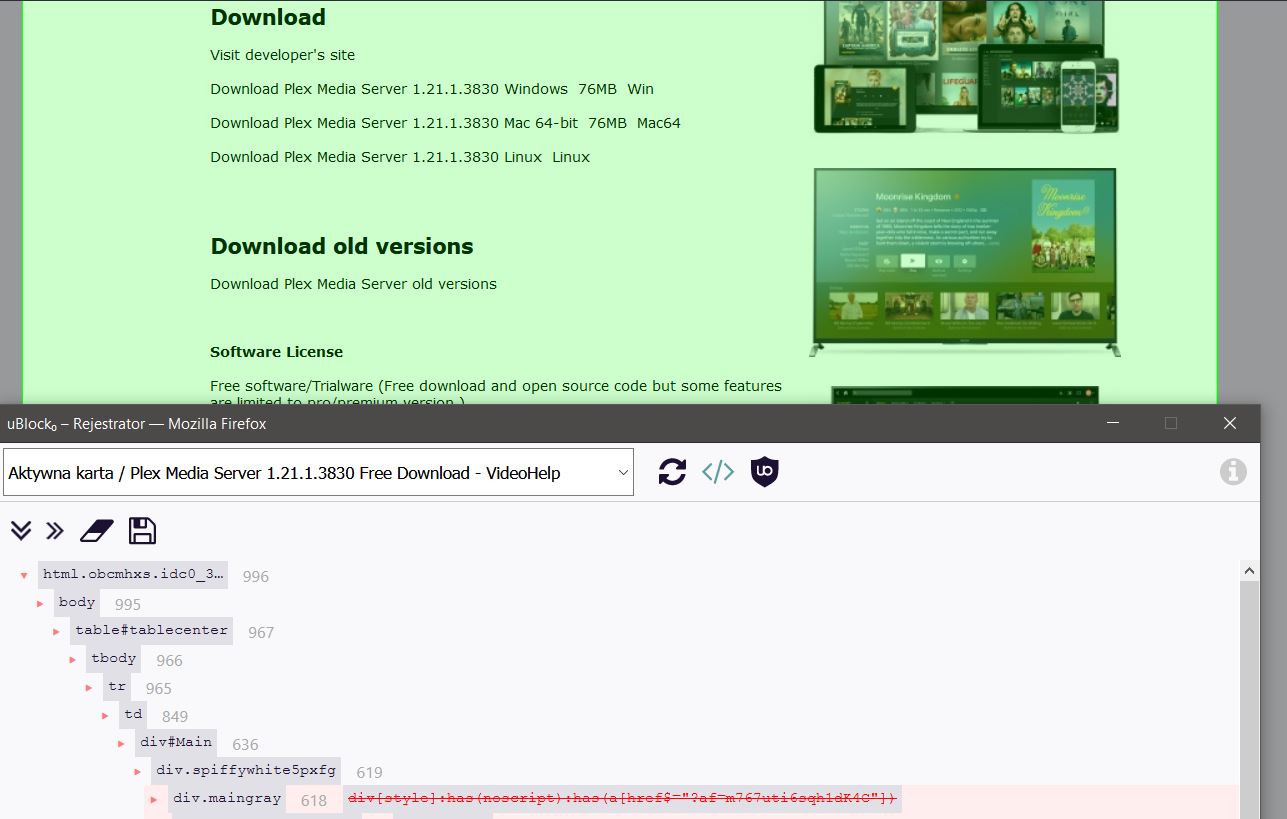
But procedural filters is too agresive on classic and blue layout:
https://www.videohelp.com/software/Plex:
 |
| 
--- | ---
@Yuki2718
krystian3w
on 18 Dec 2020
Fixed, I can see the breakage.
 lain566
on 18 Dec 2020
lain566
on 18 Dec 2020
I updated filters list and deleted the cookie(s) of videohelp in my browser and then configured new and it works now.
Indeed it is weird behavior when you choose your desired style, but always "Default" be "selected".
I think this is not really a selection of "Default", it is simply picked "Default", it will only take effect when you press on change.
But if I did set it up my way select another style, sometimes I must delete my cookies and start new so I can get Classic 100% and no Thumbnails.
Anyway thank you for fixing that issue ;-)
Klaus1189
on 18 Dec 2020
"unable to reproduce" is wrong in summary, isn't it? There was indeed an issue with specific styles of videohelp.com
Klaus1189
on 18 Dec 2020
There was indeed an issue with specific styles of videohelp.com
Where ? You didn't click on the Change button that's why it wasn't working for you.
uBlock-user
on 18 Dec 2020
You didn't click on the Change button that's why it wasn't working for you.
I don't get that. I set it to "Classic" and was working for months. So I must have clicked on Change, otherwise I would NOT have seen Classic style - it its the reddish one ;-)
And I have set it to Classic - 100% - No thumbnails months ago. I like that style.
I know that I need to click on the "Change" button to take effect. Strange claim, don't you think?
The reason I opened this issue, is that videohelp loaded only parts, but disabling uBlock fixed it. And today I remebered that I use custom site layout other may not use, so I checked with default style settings and the site loaded completely and can confirm that other may have not used the Classic style.
Then I changed it again to Classic and it didn't work, again. I know, that there is sometimes an issue where I have to delete the cookies in my browser to get my Classic 100% no thumbnails showing again - this has nothing to do with uBlock, this is an site issue, but I don't know anything about website design, so I don't blame anything or anybody about it. But I know how to "fix" that issue by deleting the cookies and set it up how I want and leave it then.
I did the same thing yesterday with history deletion, cookies deletion, but nothing worked. Today I saw that a commit was added and checked again and now it works. Still thinking about the last claim, but I simply don't get it.
Klaus1189
on 18 Dec 2020
Today I saw that a commit was added and checked again and now it works.
https://github.com/uBlockOrigin/uAssets/commit/156119d71345a0e34e83b15fb8868984224f6787
The commit blocks a banner, doesn't fix the layout issue you're having. Click the commit and see for yourself.
Always test with default settings + all other extensions disabled if you believe the issue was caused by uBO.
uBlock-user
on 18 Dec 2020
Always test with default settings + all other extensions disabled if you believe the issue was caused by uBO.
I did that. What's wrong with you?
Still stating I didn't clicked on "Change"? I am so stupid.
I can only repeat myself that yesterday it did not work with the layout. Today it worked and still does.
What intention do you have in stating such questionable things?
Today I saw that a commit was added and checked again and now it works.
And exactly that is the part which potentially caused it. The site was loading till the banner would show up, but uBlock blocks it but the rest of the website was not loading.
Please let me know how I can get yesterdays filters list I can take screenshots for you if you don't trust me.
Klaus1189
on 18 Dec 2020
What intention do you have in stating such questionable things?
Because the layout doesn't change until I click the Change button and since you didn't mention any of this in the very first post of yours it remained a question.
uBlock-user
on 18 Dec 2020
The commit [...] doesn't fix the layout issue you're having.
Then I changed it again to Classic and it didn't work, again. I know, that there is sometimes an issue where I have to delete the cookies in my browser to get my Classic 100% no thumbnails showing again - this has nothing to do with uBlock, this is an site issue, but I don't know anything about website design, so I don't blame anything or anybody about it. But I know how to "fix" that issue by deleting the cookies and set it up how I want and leave it then.
The site issue is not a uBlock issue. But I said it ealier
Klaus1189
on 18 Dec 2020
videohelp.com##div[style]:has(noscript):has(a[href$="?af=m767uti6sqh1dK4C"])
That's the filter that was removed. If you want to try to reproduce the issue, add the above filter to my Filters and see if you can reproduce the issue again.
uBlock-user
on 18 Dec 2020
What intention do you have in stating such questionable things?
Because the layout doesn't change until I click the Change button and since you didn't mention any of this in the very first post of yours it remained a question.
I thought you had understood how this site works, I admit it is a bit strange, but I did not program/create or whatever you call it this site. But I think now you know how it works and can follow me and this issue. But please do not be too fast in judging things, like in this case.
If you still don't trust me, please get me a link to old filters list and I create screenshots - just for you, that with the reddish "Classic" style, beware the style is reddish not black. If it is black it is still the Default one applied.
I know how that site works, trust me.
Do me a favour and reread this hole thread and think about it how you reacted. Way too fast. It is not my problem if you judge way too fast in things you don't understand and claim that others, in this case me, don't understand how something works:
Because the layout doesn't change until I click the Change button and since you didn't mention any of this in the very first post of yours it remained a question.
This is not my fault, it is yours, if you don't understand how this works, but blaiming me is not very nice of you:
You didn't click on the Change button that's why it wasn't working for you.
Klaus1189
on 18 Dec 2020
videohelp.com##div[style]:has(noscript):has(a[href$="?af=m767uti6sqh1dK4C"])That's the filter that was removed. If you want to try to reproduce the issue, add the above filter to my Filters and see if you can reproduce the issue again.
I added it and now the issue is here:
https://drive.google.com/file/d/11ilVuJ4lvgWNGsR6gVbD6-2H8eObW4q5/view?usp=sharing
Klaus1189
on 18 Dec 2020
Private video.
Perhaps it is better to consider the blue and classic code as abandaware.
If you find another breakage that disappears with an inactive UBO, please provide a direct link to the bugged part of the site.
krystian3w
on 18 Dec 2020
Please do not judge too fast, exactly this filter was causing it, not me not pressing the Change button. Come on.
Today I saw that a commit was added and checked again and now it works.
The commit blocks a banner, doesn't fix the layout issue you're having. Click the commit and see for yourself.
Always test with default settings + all other extensions disabled if you believe the issue was caused by uBO.
@Yuki2718 Why thumbs up, if the statement is wrong. EXACTLY that was causing this issue. Also very strange person.
Proof:
videohelp.com##div[style]:has(noscript):has(a[href$="?af=m767uti6sqh1dK4C"])
That's the filter that was removed. If you want to try to reproduce the issue, add the above filter to my Filters and see if you can reproduce the issue again.I added it and now the issue is here:
https://drive.google.com/file/d/11ilVuJ4lvgWNGsR6gVbD6-2H8eObW4q5/view?usp=sharing
Klaus1189
on 18 Dec 2020
Because we are probably dragging the thread.
Once you've established how the footer widget works, you have to remember to click the "change" button and ignore which dot lights up when you see changes in the page template or use these:
videohelp.com##+js(ra, checked, form[name="formlayout"] input)
videohelp.com##form[name="formlayout"] input[value]:not(:checked) ~ #layoutchange
videohelp.com##html:root form[name="formlayout"] input[value]:checked ~ #layoutchange:style(display: inline-block !important)
PS Blue no support 75% width (page enforce "classic" brown 75%) and this is bug into website widget code.
krystian3w
on 18 Dec 2020
Related issues
 Jose1971AB
·
3Comments
Jose1971AB
·
3Comments
 JulianNorton
·
3Comments
JulianNorton
·
3Comments
 pepablock
·
4Comments
krystian3w
·
3Comments
pepablock
·
4Comments
krystian3w
·
3Comments
 terrorist96
·
3Comments
terrorist96
·
3Comments