Uassets: (Annoyances Request) Instagram turn on notifications popup
URL(s) where the issue occurs
https://www.instagram.com/
Describe the issue
instagram keep asking to enable notification when first time logged in
Screenshot(s)
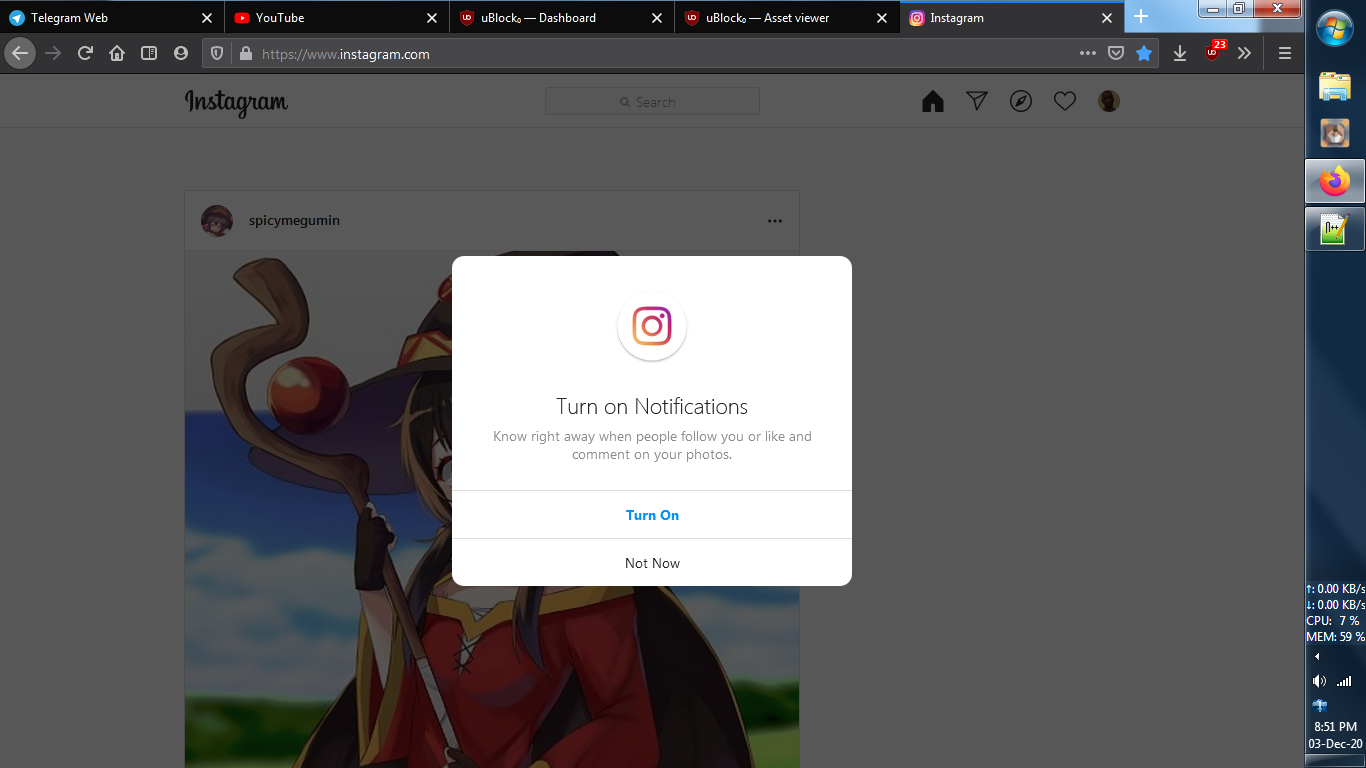
Versions
- Browser/version: firefox 83.0
- uBlock Origin version: 1.31.0
Settings
- default filter + annoyances
Notes
i created this filters, works fine
www.instagram.com##body:style(overflow: auto !important;)
www.instagram.com##[src*="/static/images/ico/"]:upward(7)
 aviegdown
All 12 comments
Fixed, made more specific to avoid false positive.
 Yuki2718
on 3 Dec 2020
Yuki2718
on 3 Dec 2020
Hiding that caused problem after I went somewhere, returned back with browser's back button, and clicked home icon i.e. can't enter home as it only prompts the hidden popup. I have to take video SS but now don't have time. Disabled temporary.
(also not always follow fb-root, maybe ##div[style^="position: fixed; top:env"] ~ div[role="presentation"]:has(> div[role="dialog"] > div[class^="_"] img[alt=""][src^="/static/images/ico/xxhdpi_launcher.png/"][width="76px"][height="76px"]))
@krystian3w @yourduskquibbles [Update] Never mind, I forgot I was already in Home. But the filter causes blink when you click e.g. direct inbox, so I'll leave it to you.
Yuki2718
on 3 Dec 2020
maybe something like:
##+js(set, Notification.requestPermission, falseFunc)
##+js(aopr, Notification.requestPermission)
 krystian3w
on 3 Dec 2020
krystian3w
on 3 Dec 2020
or legacy:
##+js(grant-fake-notification)
# Grant fake notification permission
grant-fake-notification.js application/javascript
(function() {
    Notification = function() { };
    Notification.permission = 'default';
    Notification.requestPermission = function(callback) {
        Notification.permission = 'granted';
        if ( callback ) {
            setTimeout(callback, 0, 'granted');
        }
        return Promise.resolve('granted');
    };
})();
if serviceWorker no tests your accept/reject.
krystian3w
on 3 Dec 2020
@krystian3w non-procedural filter instagram.com##.Yx5HN.RnEpo also doesn't cause blink, but I'm not sure if it's universal.
Yuki2718
on 4 Dec 2020
could you test for breakage ?
instagram.com##:xpath(//*[contains(@src,'/static/images/ico/')]):upward([role="presentation"])
 mapx-
on 7 Dec 2020
mapx-
on 7 Dec 2020
IMO blink less if manually accept cookies before logon.
krystian3w
on 7 Dec 2020
@mapx- Still causes blink.
Yuki2718
on 7 Dec 2020
@krystian3w Does instagram.com##.Yx5HN.RnEpo work for you and doesn't cause FP?
Yuki2718
on 7 Dec 2020
See these:
https://github.com/uBlockOrigin/uAssets/commit/aaddd2b9a110da3ee8ee3f39a5f4ac84cd1653ba
@yourduskquibbles where I found "followers"?
krystian3w
on 7 Dec 2020
omg I got too much overthink, instagram.com##.Yx5HN work for me. however that element similar to logout popup
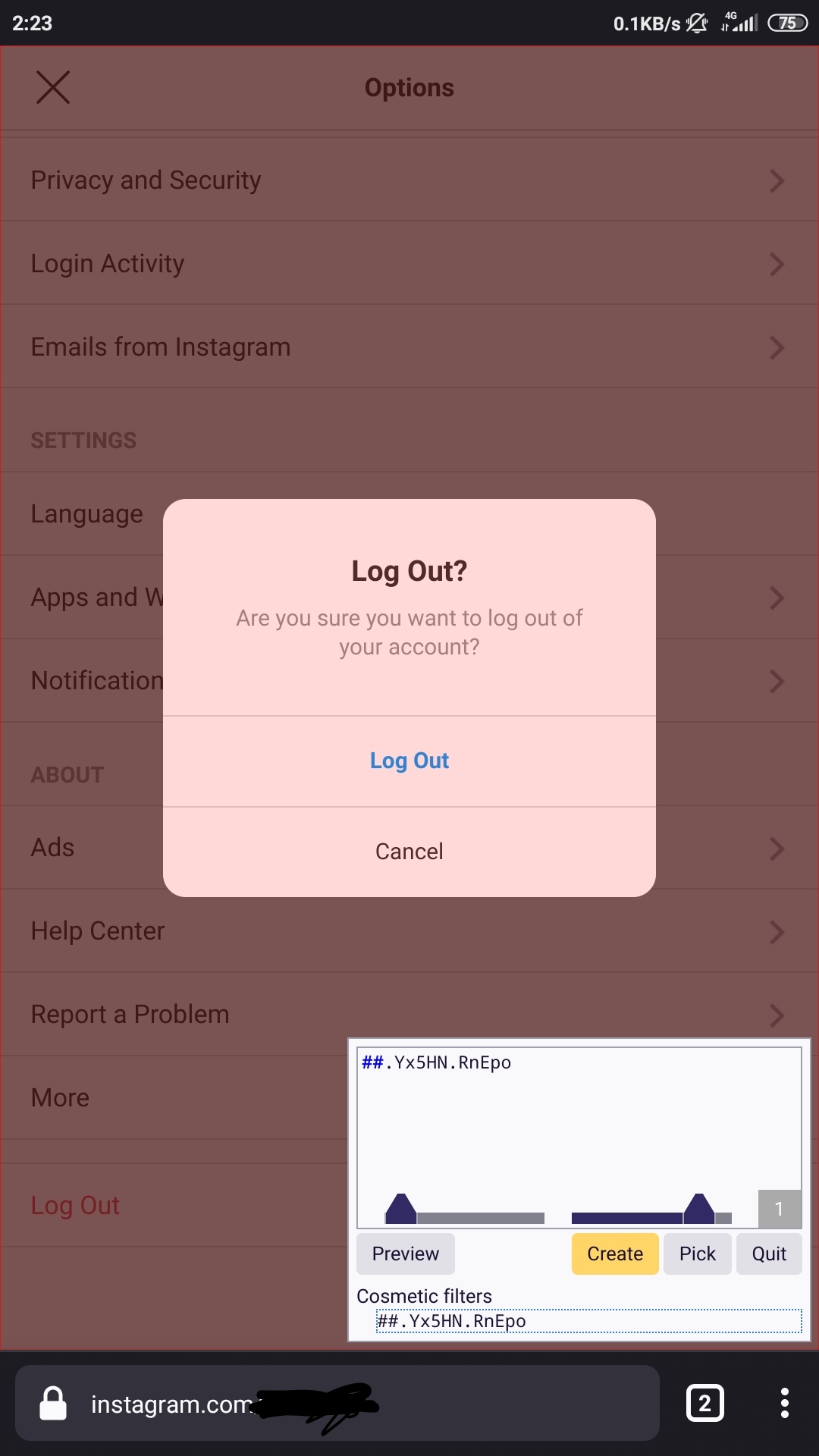
~www.instagram.com##.Yx5HN:not(h3:has-text(Log)) is this good?~
Edit
found another issue, when selecting post menu
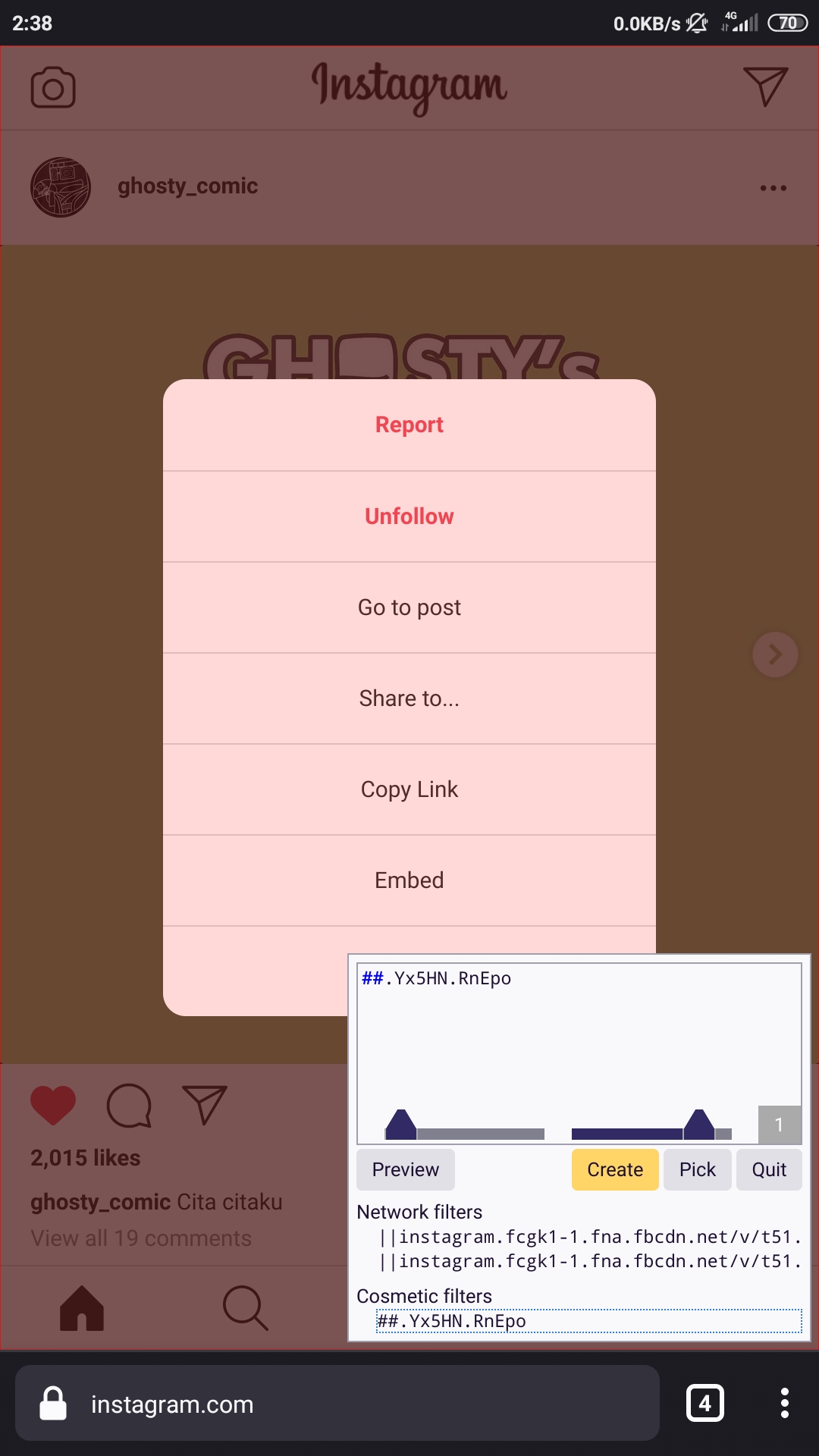
~so maybe www.instagram.com##.Yx5HN:not(h3:has-text(Log)):not(:has(.fPMEg.pbNvD)) look good?~ no, it don't
aviegdown
on 9 Dec 2020
IMO still can generate heavy blinks with push notifications.
but good know:
##.Yx5HN.RnEpo = almost any instagram pop-up
krystian3w
on 9 Dec 2020
Related issues
krystian3w
·
3Comments
 pepablock
·
4Comments
pepablock
·
4Comments
 Jose1971AB
·
3Comments
Jose1971AB
·
3Comments
 KiLL4FuNK
·
4Comments
KiLL4FuNK
·
4Comments
 BurungHantu1605
·
3Comments
BurungHantu1605
·
3Comments