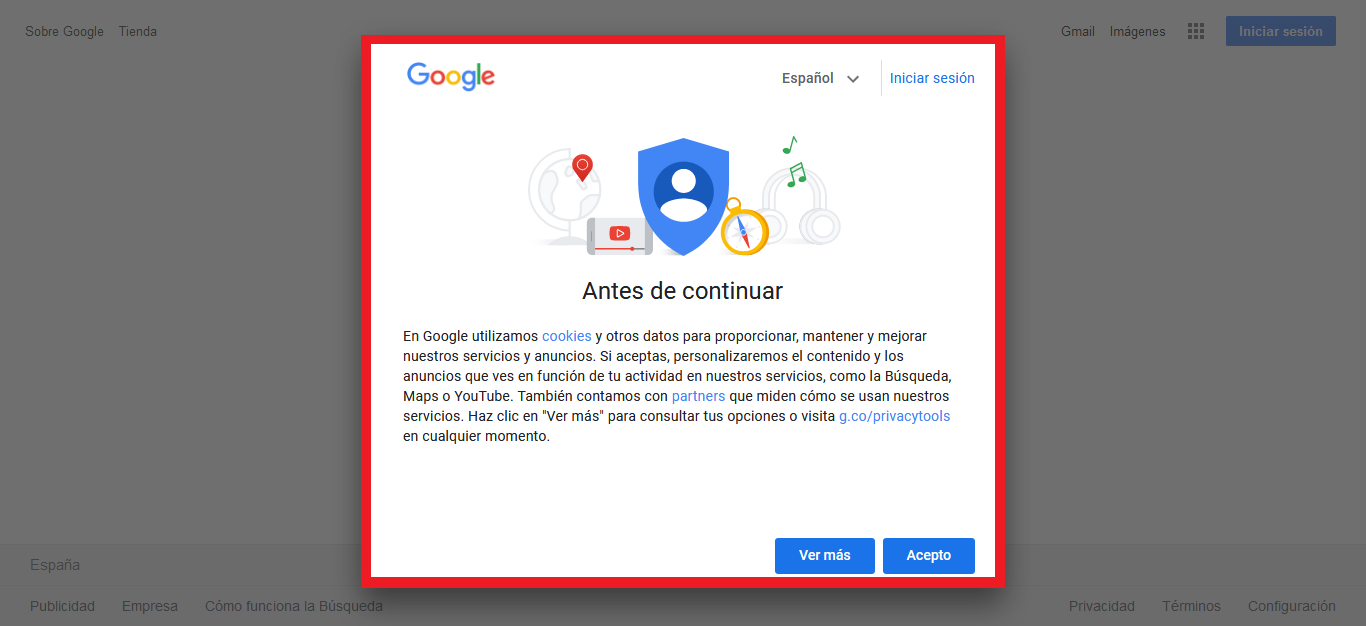
Uassets: Notification to accept cookies when entering https://www.google.es/
Hello friends, good afternoon.
URL(s) where the issue occurs
[https://www.google.es/]
Describe the issue
For the last 10-15 days, every time I log on to [https://www.google.es/] I get a warning to accept cookies. I am forced to accept them or to log in. I don't like to log in to perform searches, is there a possibility to solve this?...
Screenshot(s)
Versions
- Browser/version: [Firefox 64-bit 80.0.1]
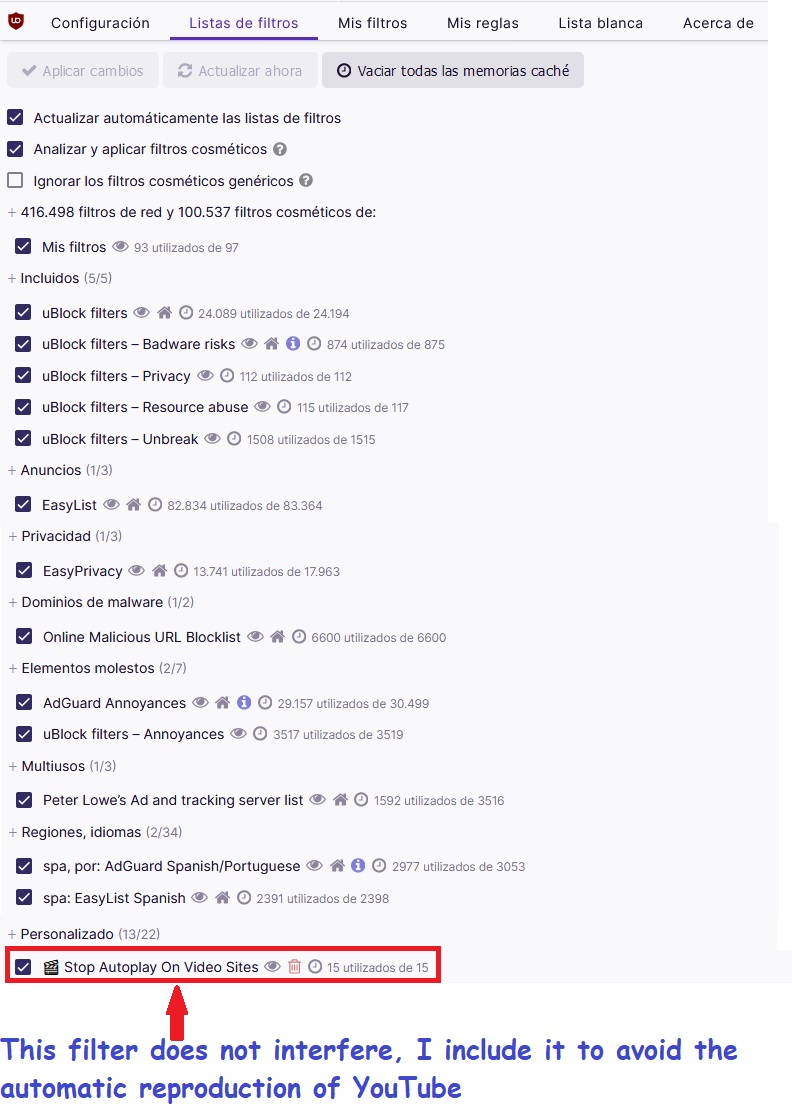
- uBlock Origin version: [v1.29.2]
Settings
Notes
Good afternoon and thank you very much
 Jose1971AB
All 11 comments
test these filters
google.*##[src*="consent"]:upward(5)
google.*##html:style(overflow: auto !important;)
 mapx-
on 17 Sep 2020
mapx-
on 17 Sep 2020
||consent.google.com^
google.*##+js(aeld, DOMContentLoaded, CONSENT)
GDPR messages will not be addressed in uAssets.
 uBlock-user
on 17 Sep 2020
uBlock-user
on 17 Sep 2020
aeld do not help
 krystian3w
on 17 Sep 2020
krystian3w
on 17 Sep 2020
##html:style(overflow: auto !important;) may break other subprojects by Google.
@yourduskquibbles often repair glitches with scrolling on Google - has extensive experience with Google "visionary".
krystian3w
on 17 Sep 2020
##html:style(overflow: auto !important;) shouldn't break any google subdomain pages from what I know and have experienced.
An issue could arise if one sets either overflow, overflow-y or overflow-x to hidden _i.e._ google.*:style(overflow: hidden !important;) has high likelihood of unintended breakage if used with google.* and not targeted to specific google domain/subdomain.
In general, google search, google finance, & google news are the only google sites that use the www subdomain so if a filter is applied as www.google.* it should should not break other subdomains like account.google.com, docs.google.com, photos.google.com, mail.google.com, support.google.com, etc.
 yourduskquibbles
on 17 Sep 2020
yourduskquibbles
on 17 Sep 2020
In general, google search, google finance, & google news are the only google sites
Maps also use www. instead maps. subdomain.
krystian3w
on 17 Sep 2020
Hello mapx, good evening.
Sorry to reopen the subject, I honestly do not know where I should reopen the case and I do it here.
You gave me 2 parameters to add them in the tab of My filters, at least that's how I understood in your answer, to solve my problem, but it turns out that I just realized that it is solved for one thing and breaks other two.
The two parameters in question are
google.##[src="consent"]:upward(5)
google.*##html:style(overflow: auto !important;)
I explain...
If I set both parameters, the warning to accept cookies in [https://www.google.es/] is fixed, but it breaks google images.
https://i.ibb.co/QdMHdbP/AA.jpg
I solve this by leaving only the first parameter --> google.*##[src*="consent"]:upward(5) That is, so far leaving only google.##[src="consent"]:upward(5) fixes the warning to accept cookies in [https://www.google.es/] and google images but breaks for google results, loses the scroll bar, so I can not scroll. See the image
https://i.ibb.co/Qn2X0mF/3.png
Any solution for this?
Greetings again, good night and thank you very much.
Note: I put the images in URL because it did not let me drag the images into the text box, it did not load them.
Jose1971AB
on 26 Sep 2020
I have no idea what to do
mapx-
on 26 Sep 2020
Poland use:
www.google.*##body.QVCmK:style(position: static !important; overflow-y: visible !important;)
www.google.*##html.QVCmK:style(overflow-y: visible !important;)

www.google.*###lb > div[id^="_"] > div[class*=" "]:not([id]):empty:matches-css(opacity: 0.7)
www.google.*###lb > div[id^="_"] > div[class*=" "]:not([id]):empty:matches-css(opacity: 0.7):remove()

www.google.*###lb > div[id^="_"] > div[class*=" "]:not([id]):has( > span > div[role="dialog"] > #cnsw > iframe[src*="://consent.google.com"])
www.google.*###lb > div[id^="_"] > div[class*=" "]:not([id]):has( > span > div[role="dialog"] > #cnsw > iframe[src*="://consent.google.com"]):remove()
The :remove:() filters also delete itself .QVCmK bad class, so scroll works without CSS.
krystian3w
on 26 Sep 2020
Hello @krystian3w good evening.
I'm a basic user and reading your answer I don't understand well what you mean, but I've added to the tab My filters the parameters you put and it resolves all the errors. The fact is that it worked.
Is what I have done correct? put those parameters in the tab My filters?...
I hope that no more problems arise regarding the domain of google.
A greeting, many thanks and good night..
Note: thank you for the collaboration of @mapx-
Jose1971AB
on 26 Sep 2020
Well pasted.
The problem may begin when Google activates again that limit: from around 10 000 images per search result it will show olny around 30 on the screen (The very old version of the pop-up had such a limit/glitch, then you could not hide the pop-up with "CSS" on Google Images).
krystian3w
on 26 Sep 2020
Related issues
 ip012
·
3Comments
ip012
·
3Comments
 igitur
·
3Comments
igitur
·
3Comments
 Htin
·
4Comments
Htin
·
4Comments
 ghost
·
3Comments
ghost
·
3Comments
 wis
·
4Comments
wis
·
4Comments
Most helpful comment