URL(s) where the issue occurs
https://www.pornhub.com/view_video.php?viewkey=ph5cd3984c39c73
(NSFW) for example, but it seems to occur on every video
Describe the issue
Advertisements are showing up in the right column instead of the recommended videos.
Screenshot(s)
Versions
- Browser/version: Firefox Developer Edition 68.0b8 20190606101422
- uBlock Origin version: 1.19.6
Settings
- I have a bunch of other filter lists enabled, but I tested with a fresh profile + default uBO and the ads still show up.
Notes
The ads started showing up for me a few days ago. The ads don't appear in Chrome + uBO. The ads seem to come from an inline script after the closing </html> tag:
...
</html>
<script>window.zone_6={"zone_id":"6","link":"http:\/\/cp.cbbp1.com.\/_z\/eyJjbGljayI6Imh0dHBz...
</script>
I have added this filter
www.pornhub.com##^script:has-text(window.zone_)
which seems to work.
 distren
All 56 comments
ads are back this time they are inside a shadow root. looks like you can hide them but i think the class names are random.
 dumbusernameidk
on 19 Jun 2019
dumbusernameidk
on 19 Jun 2019
Does
pornhub.com##+js(abort-current-inline-script.js, Math, createShadowRoot)
work without breaking anything?
 okiehsch
on 19 Jun 2019
okiehsch
on 19 Jun 2019
everything seems to be working and the ads are gone.
dumbusernameidk
on 19 Jun 2019
ads back again they sit inside a shadowroot again. like if you look at the DOM it just goes #shadow-root (closed) then the ads.
dumbusernameidk
on 10 Mar 2020
Could you test
pornhub.com##+js(aopr, HTMLElement.prototype.attachShadow)
 mapx-
on 10 Mar 2020
mapx-
on 10 Mar 2020
Sorry for the late response but yes that filter does work thank you.
dumbusernameidk
on 10 Mar 2020
Please update rules to include pornhub.org and pornhub.net mirrors as well, like was done for onion.
 in4u
on 11 Mar 2020
in4u
on 11 Mar 2020
Clicking any video thumbnail on the first visit of homepage in private browsing mode is triggering a popup. Subsequent clicks anywhere in the same session don't seem to trigger it.
in4u
on 11 Mar 2020
@mapx-
Issue:
Video playback fails @ pornhub.com, when using Pale Moon + uBO Legacy.
How to reproduce:
1 - First, this UA override needs to be added in Pale Moon, to circumvent Pornhub's faulty UA sniffing (in about:config):
general.useragent.override.pornhub.com
Mozilla/5.0 (Windows NT 6.1; Win64; x64; rv:60.0) Gecko/20100101 Firefox/60.0
2 - Try to play a video @ pornhub.com.
Result: Playback fails!
Problem filter:
- uBlock filters
Problem rule:
pornhub.*,pornhubthbh7ap3u.onion##+js(aopr, HTMLElement.prototype.attachShadow)
Possible fix (for 'uBlock filters - Legacy'):
pornhub.*,pornhubthbh7ap3u.onion#@#+js(abort-on-property-read.js, HTMLElement.prototype.attachShadow)
Note:
As a result of disabling the problem rule, additional blocking rule(s) will be necessary.
I've come up with a couple rules, and posted them here:
https://forum.palemoon.org/viewtopic.php?f=3&t=23825&start=20#p185749
..but I'm not sure if they're completely good ones.
PS:
Perhaps Pornhub's faulty UA sniffing can be circumvented with a ##+js rule too?
 THEtomaso
on 15 Mar 2020
THEtomaso
on 15 Mar 2020
As a result of disabling the problem rule, additional blocking rule(s) will be necessary.
I've come up with a couple rules, and posted them here:
Does pornhub.*,pornhubthbh7ap3u.onion##+js(set-constant.js, HTMLElement.prototype.attachShadow, null) work instead ?
 uBlock-user
on 15 Mar 2020
uBlock-user
on 15 Mar 2020
Yes, that seems to do the trick! :)
THEtomaso
on 15 Mar 2020
any additional filters required ?
uBlock-user
on 15 Mar 2020
Even without that replacing filter I get no ads (on right side) (in palemoon)
mapx-
on 15 Mar 2020
any additional filters required ?
Well, there seems to be some empty containers on the front page.
This rule (which I posted in the Pale Moon forum) seems to take care of them:
pornhub.*,pornhubthbh7ap3u.onion##.alpha
Not sure if it has any side-effects, although I don't see any at the moment.
THEtomaso
on 15 Mar 2020
pornhub.*,pornhubthbh7ap3u.onion##.alpha
That hides lots of thumbnails on Firefox and one menu component too.
We could add it that rule to Legacy list though.
uBlock-user
on 15 Mar 2020
This takes care of the menu component:
pornhub.*,pornhubthbh7ap3u.onion##.alpha:not(.menu)
Don't see any missing thumbnails though.
We could add it that rule to Legacy list though.
Hmm..
Perhaps it would be better to simply leave those empty containers.
Aren't there any ampty containers in other browsers?
THEtomaso
on 15 Mar 2020
@THEtomaso I added pornhub.*,pornhubthbh7ap3u.onion##.alpha in the Legacy list.
uBlock-user
on 15 Mar 2020
Think you've better remove it.
I'm not all that familiar with the site, and which things should be shown there.
THEtomaso
on 15 Mar 2020
https://github.com/uBlockOrigin/uAssets/commit/f9d8b8281de88adf20603f4f2322238e0d4224e6
I confirm: it's a wrong filter in palemoon too, removed
mapx-
on 15 Mar 2020
Aren't there any ampty containers in other browsers?
Oh I see one the right hand side on every video, but targetting it only hides two other child elements, not the parent element unfortunately.
uBlock-user
on 15 Mar 2020
Like I pointed out, adding :not(.menu) at the end takes care of the broken menu item(s).
Could you post a link with broken thumbnails?
THEtomaso
on 15 Mar 2020
It happens on the home page.
mapx-
on 15 Mar 2020
On Firefox ? The homepage itself.
uBlock-user
on 15 Mar 2020
I don't see it, but some of the +More Videos buttons are moved to offset positions.
Guess those empty containers really doesn't matter that much, anyway.
But what about that nasty UA sniffing of theirs..
Could it be remedied through a script injector rule?
THEtomaso
on 15 Mar 2020
I don't see it,
Put the ##.alpha in the Picker and then click Preview and undo Preview, notice the difference.
uBlock-user
on 15 Mar 2020
Actually, that function doesn't work for me.
Neither in Pale Moon, nor in Chromium-ungoogled.
When pressing "Preview", the page simply seems to be covered by a modal overlay.
THEtomaso
on 15 Mar 2020
There's a breakage. The related videos in the right hand sidebar (of the currently playing video) are blocked.
Also, on .org (for Indian IP address) and perhaps on .net mirror too, there's an ad overlay box which is coming up on pausing the video. This was an old problem which was solved when @mapx- updated the filters to include the mirror domains. It has come back after today's changes.
Just to clarify, talking about Firefox here.
in4u
on 15 Mar 2020
Pale Moon 28.8.4 32-bit; uB0-legacy 1.16.4.19; filters hard-refreshed to their latest versions.
Perhaps one of you filter wizards can solve the following PornHub puzzle:
Sample URL : https://www.pornhub.com/view_video.php?viewkey=ph5e5eac0502707
With either uBlock filters, Easylist or both enabled, the right-hand sibebar space is completely empty:
and it's empty all the way down if you scroll...
With uBlock filters and Easylist both disabled, the sidebar contains first two empty containers (the space where ads normally show up is www.pornhub.com##.clearfix.RANDOMSTRING > div:nth-of-type(3) > div) followed by two needed sections, the Related Videos and the Live Cam Models one:
(NSFW) https://imgur.com/ZxYSmEj
Disabling Easylist unfortunately causes other annoyances in PornHub, e.g. pre-video ads, overlay ads when you pause the video playback, etc...
Unfortunately, I have close to no experience in filter lists but, the way I see it,
- Both
EasylistanduBlock filtershave some overlap in their capacity to kill fully the right-hand sidebar... - The
Easylistpornhub "sidebar" rule has to be negated (probably an issue to be reported to its maintainers), while theuBlock filterspornhub "sidebar" rule has to be amended to allow those two wanted sections (just below the two ad containers when uB0 is disabled on pornhub) ...
I hope it's an issue that can be tackled... Thanks in advance, thanks to all for your outstanding efforts in providing those filters to such wide communities! 👍
EDIT: Though on Firefox, I think @in4u's comment
The related videos in the right hand sidebar (of the currently playing video) are blocked.
contains the same issue as the one I'm experiencing under latest Pale Moon with uB0-legacy!
 Vangelis66
on 15 Mar 2020
Vangelis66
on 15 Mar 2020
@in4u I cannot test .net / .org
However, I used an UK vpn and I can reproduce the missing right column
test
pornhub.*,pornhubthbh7ap3u.onion#@#+js(aopw, AdDelivery)
mapx-
on 15 Mar 2020
I may not be available for a little while but just quickly tested .com with a US IP and the sidebar seems to be back.
Not sure about .net but you can test .org with HTTPS on Indian IP (https://www.pornhub.com gets redirected to https://www.pornhub.org in that case).
in4u
on 16 Mar 2020
@Vangelis66
test
pornhub.*,pornhubthbh7ap3u.onion#@#script:inject(set-constant.js, atob, trueFunc)
pornhub.*,pornhubthbh7ap3u.onion#@#script:inject(abort-on-property-write.js, AdDelivery)
@@||static.trafficjunky.com/ab/ads_test.js$script,domain=pornhub.com|pornhub.net|pornhub.org|pornhubthbh7ap3u.onion
@mapx-
Thanks for looking into this 👍 ; I tested your code in My filters (PM 28.8.4, uB0-legacy 1.16.4.19)
and two problems:
Easylistdisabled,uBlock filtersenabled: The Related Videos and Live Cam Models sections do reappear in the right sidebar, but not until I scroll down considerably (pay attention to the tab content scrollbar in the linked screengrab):
(NSFW) https://imgur.com/fzeff3R
That vertical gap can be reduced considerably by the following cosmetic rule:
||cdn1d-static-shared.phncdn.com/iframe-1.1.5.html$subdocument
The bit at the top that still remains is of code:
##.clearfix.randomalphanumericstring
- Once
Easylistis re-enabled, the "sidebar" again turns completely empty 💢 Optimally, we would want a solution withEasylistenabled, for reasons outlined in my previous comment 😜
I browsed quickly the latest Easylist code and there are 419 (!) occurrences of the string pornhub in it, it's quite hard for me to pinpoint the rule responsible for wiping out the right sidebar...
BTW, it's 02:30 (am) here, so I'll be turning in soon...
Perhaps @THEtomaso (our PM specialist!) can devise something once the new day dawns...
EDIT: See below; as it turns, this is now an _outdated_ report, based on _outdated proposed solution_...
Vangelis66
on 16 Mar 2020
@mapx-
(Posting a new comment so as you get properly re-notified!)
My report on my immediately previous comment was based on your initial code:
pornhub.*#@#script:inject(set-constant.js, atob, trueFunc)
pornhub.*#@#script:inject(abort-on-property-write.js, AdDelivery)
However, you edited the code while I was composing my report and I was not notified by GitHub... Sorry!
Testing now the amended code:
pornhub.*,pornhubthbh7ap3u.onion#@#script:inject(set-constant.js, atob, trueFunc)
pornhub.*,pornhubthbh7ap3u.onion#@#script:inject(abort-on-property-write.js, AdDelivery)
@@||static.trafficjunky.com/ab/ads_test.js$script,domain=pornhub.com|pornhub.net|pornhub.org|pornhubthbh7ap3u.onion
I am pleased to report that _it appears to be doing the trick fine_ 🥇 with both uBlock filters & Easylist enabled; a job very well executed! 👍
Other testers on other browsers should also confirm my findings... Will keep an eye for when the code is merged... Many thanks again!
Vangelis66
on 16 Mar 2020
Oh man, I just finished testing your filters and was coming here to report results only to see you made a fresh commit! I'll share the results anyway:
With https://github.com/uBlockOrigin/uAssets/issues/5799#issuecomment-599276681, .com was ok but .org still had breakage and pause overlay.
With https://github.com/uBlockOrigin/uAssets/issues/5799#issuecomment-599279485, .com was ok but .org still had breakage, pause overlay plus weird problems on playing certain videos. Like some video wouldn't play unless it was clicked on at least 4-6 times (and play button control was disabled during that time). In one instance, the video eventually started playing but with a small black rectangle overlay stating that "Video is not available at the moment".
With the recent commit, .com is ok but .org still had breakage and pause overlay. However, enabling Adguard Annoyances filter gets rid of the breakage and sidebar comes back. Strange! Pause overlay still remains though.
in4u
on 16 Mar 2020
enabling Adguard Annoyances filter gets rid of the breakage and sidebar comes back
that list has 3 pornhub.com filters, I don't understand how could fix the issue
I tried some free socks5 for India , does not work
mapx-
on 16 Mar 2020
If I disable Adguard Annoyances list and just test with their 3 rules separately, it doesn't work. I suspect some content is perhaps being loaded through another CDN or site which is somehow being addressed by AG.
in4u
on 16 Mar 2020
The sidebar in one of the broken modes and pause overlay mention ads from TrafficJunky. Maybe it's one of the ad serving domains or CDN which is impacting things. How to investigate what's happening?!
in4u
on 16 Mar 2020
See if you can find any working HTTP/S proxy from here. It worked for me with https://www.pornhub.org. Somehow any SOCKS based proxy doesn't seem to work.
Update: Found an easier solution. Install FireX Proxy addon for Firefox and select India HTTP proxy filter. There will only be a handful of matches and a couple of them do work in successfully getting that redirect from .com to .org!
in4u
on 16 Mar 2020
with firex and pornhub.org
Your requested URL has been blocked as per the directions received from Department of Telecommunications, Government of India. Please contact administrator for more information.
mapx-
on 16 Mar 2020
it seems firefox needs this filter too
@@||static.trafficjunky.com/ab/ads_test.js$script,domain=pornhub.com|pornhub.net|pornhub.org|pornhubthbh7ap3u.onion
mapx-
on 16 Mar 2020
Bingo! After adding that filter, the sidebar is back even without AG. Now only the pause overlay remains.
Oh and for that block message, keep trying a few other HTTP proxies. One of them will definitely work.
in4u
on 16 Mar 2020
Did you try the element picker for the overlay ?
mapx-
on 16 Mar 2020
Here's a screenshot of the pause overlay:
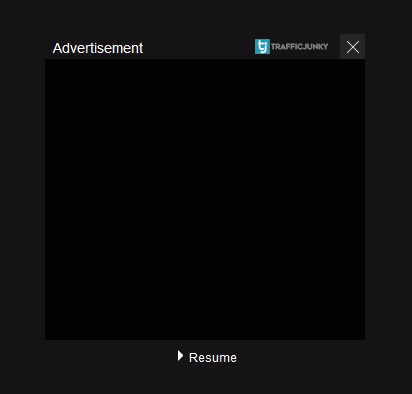
Order of rogue layers in element picker is: ###pb_block and then ###pb_template. With ###pb_template rule, I see no problem with play/pause and overlay gone.
Oddly, I just encountered the 2nd testing result effects I mentioned here on a couple of random videos. Will test more for that.
in4u
on 16 Mar 2020
pornhub.*,pornhubthbh7ap3u.onion###pb_template => is breaking the pages ?
mapx-
on 16 Mar 2020
No, that filter is fine and not causing any problem.
It's probably due to previous filters or something else. What I noticed is that randomly a video will not load and the orange loading spinner will keep on spinning. On reloading the page, everything will be normal. If choosing to wait instead of reloading then after a while it may display overlay message "Video is not available at the moment" just as the video starts playing.
On one video the reloading trick didn't work and the spinner kept on spinning waiting for video to load. Refreshed 3-4 times. Finally, wondering what resource was it waiting for I opened the network monitor and reloaded the page. But the next load was the fastest the site ever loaded a video, at par with .com version! (Not sure why but .org takes slightly longer to start playing a video than .com)
in4u
on 16 Mar 2020
@mapx- if you want to test yourself, try tunnelbear vpn for PC...browser extension proxies never work in india
 ghajini
on 16 Mar 2020
ghajini
on 16 Mar 2020
thx @ghajini finally I got it running
mapx-
on 16 Mar 2020
Those proxies are transparent, they will never work anywhere else either.
uBlock-user
on 16 Mar 2020
@Alex-302 If you are still struggling with https://github.com/AdguardTeam/AdguardFilters/issues/51307 then can you please try the above suggestion by @ghajini and test using Tunnelbear VPN for PC?
in4u
on 16 Mar 2020
@in4u nothing:(
 Alex-302
on 20 Mar 2020
Alex-302
on 20 Mar 2020
@Alex-302 I just checked the HTTP proxy 117.255.222.64:53281 which worked well. Another is 14.140.131.82:3128 but it's very slow and just barely redirects from .com to .org and fails to load full content. Let me know if they help you test the redirection.
in4u
on 21 Mar 2020
Alex-302
on 25 Mar 2020
@Alex-302 I have a feeling that scientists will develop a vaccine for COVID-19 sooner than you can figure out a way to reproduce this .com to .org redirection, haha! BTW have you tried every single proxy I listed here at one go in a single session? It's very unlikely that all those proxies are down simultaneously. I checked randomly and found a few still up.
in4u
on 25 Mar 2020
Hello @in4u most of ip's you are suggesting or (proxies in web for india) are from airtel/idea/vodafone/bsnl ISP on which pornhub/pornhub alternative sites are strictly blocked on govt orders,so no matter how you convince Alex-302/uassets contributors ,they will not be able to reproduce unless they are using good proxy ip address......
ghajini
on 26 Mar 2020
These transparent proxies will be detected and blocked, use a VPN that offers end to end tunnel.
uBlock-user
on 26 Mar 2020
I know @ghajini but not all Indian ISPs have blocked these mirrors. I only shared those specific proxies which were personally tested by me and found unblocked. The only problem is their chances of going offline increase with the delay between my sharing them and the time they are put to test. To overcome this, I had listed a bunch of proxies in the other thread in the hope that not all 10 of them would be offline simultaneously.
@uBlock-user I don't think transparent proxies are an issue in this case. I've had unblocked success with some transparent IPs just like I've faced censor block with some elite anonymous IPs. It's more like if the IP belongs to an ISP which has censored the domain then it will be blocked otherwise the request will successfully go through.
in4u
on 26 Mar 2020
Related issues
 Jose1971AB
·
3Comments
Jose1971AB
·
3Comments
 Htin
·
4Comments
Htin
·
4Comments
 wis
·
4Comments
wis
·
4Comments
 melnation-com
·
4Comments
melnation-com
·
4Comments
 igitur
·
3Comments
igitur
·
3Comments