Uassets: Ads in the twitter UI refresh
URL(s) where the issue occurs
[At least one URL for a web page where the clearly described issue occurs is **mandatory**. The backticks surrounding the URLs is important, it prevents the URL from being clickable. Warn with "NSFW" where applicable.]
https://twitter.com/home
Describe the issue
[Be as clear as possible: nobody can read mind, and nobody is looking at your issue over your shoulder.]
- Navigate to Twitter's homepage in your web browser.
- Opt-in to the new UI refresh.
- Scroll down.
What should happen
I should not see any advertisements.
What actually happened
I see advertisements.
Screenshot(s)
[Screenshot(s) for difficult to describe visual issues are mandatory. Post links instead of Inline Images for Screenshots containing Adult material.]

Versions
- Browser/version: 65.0b12 (64-bit)
- uBlock Origin version: v1.17.4
Settings
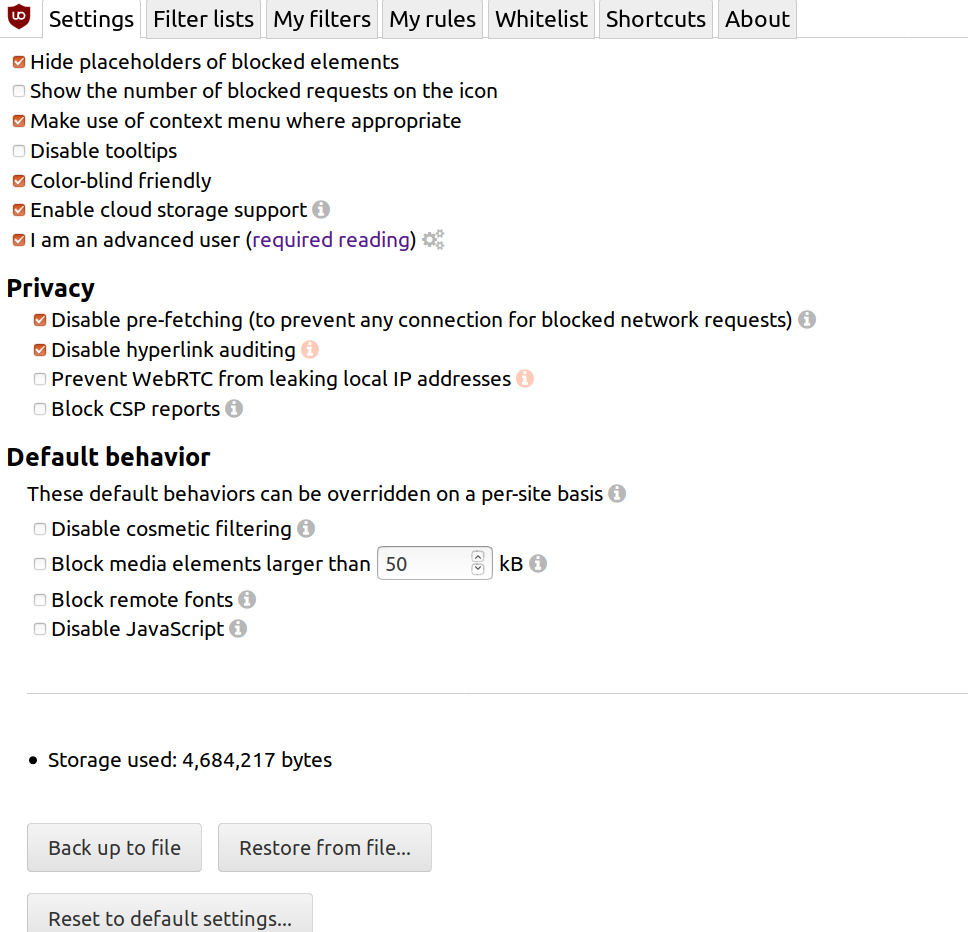
- [List here all the changes you made to uBO's default settings]
Settings:
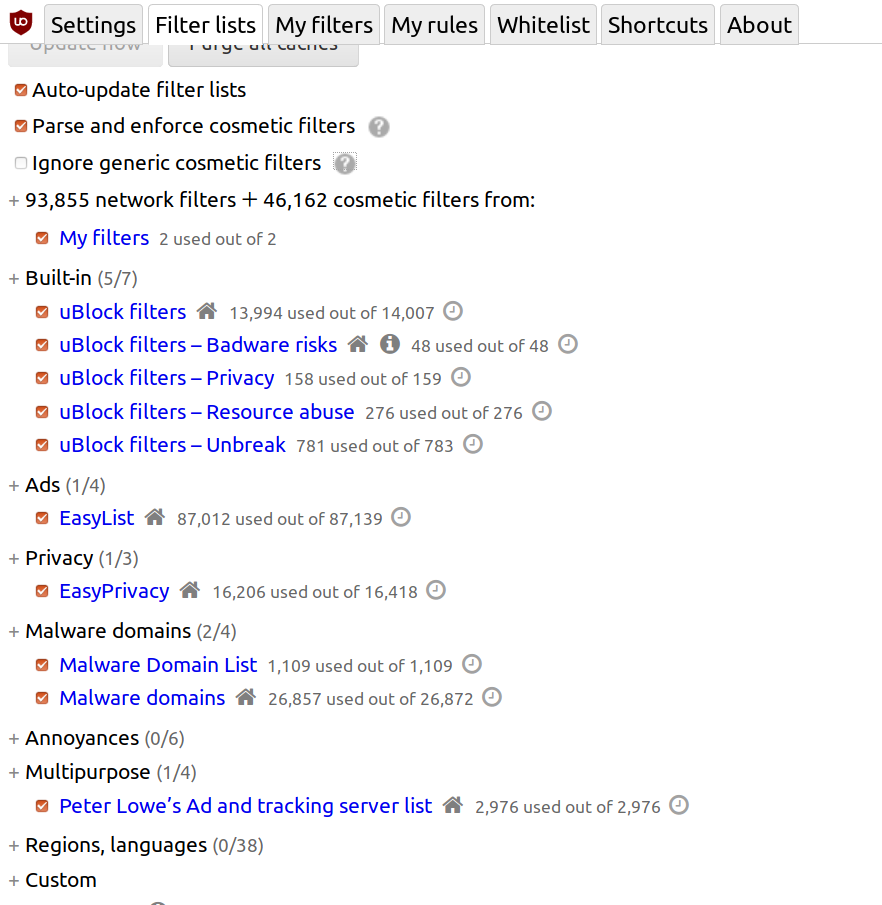
Filters:
 sbrl
sbrl
All 40 comments
@krystian3w @mapx- This does not work. I added this filter to this "Реклама" and happened
twitter.com##[data-testid="tweet"]:has-text(/Promoted|Gesponsert|Реклама/).
Look at the screenshot below.

upd: And fuck .. your filter is only for "tweet" / in short, it is still necessary to modify it. and add something else to the sidebar. because the sidebar also has ads
 bogachenko
on 25 Jan 2019
bogachenko
on 25 Jan 2019
@krystian3w Well .. this is of course the collective farm option. but the sidebar is UserCell, so
twitter.com##[data-testid="UserCell"]:has-text(/Promoted|Gesponsert|Реклама/)
But it breaks it .. then me need another cosmetic filter
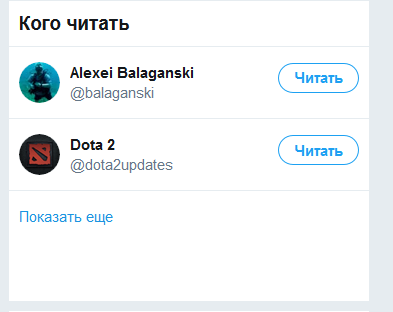
This is no[data-testid="tweet"] - as you wrote.
??
bogachenko
on 25 Jan 2019
@krystian3w I insist.
??
Nevermind.
bogachenko
on 25 Jan 2019
and add something else to the sidebar. because the sidebar also has ads
how does works this:
twitter.com##[data-testid="tweet"],[data-testid="UserCell"]:has-text(/Promoted|Gesponsert|Реклама/)
Works.
bogachenko
on 25 Jan 2019
Does this work ?
twitter.com##[data-focusable="true"]:has-text(/Promoted|Gesponsert|Реклама/)
 mapx-
on 25 Jan 2019
mapx-
on 25 Jan 2019
Yes. but it still breaks the sidebar @mapx-
bogachenko
on 25 Jan 2019
What is broken ?
mapx-
on 25 Jan 2019
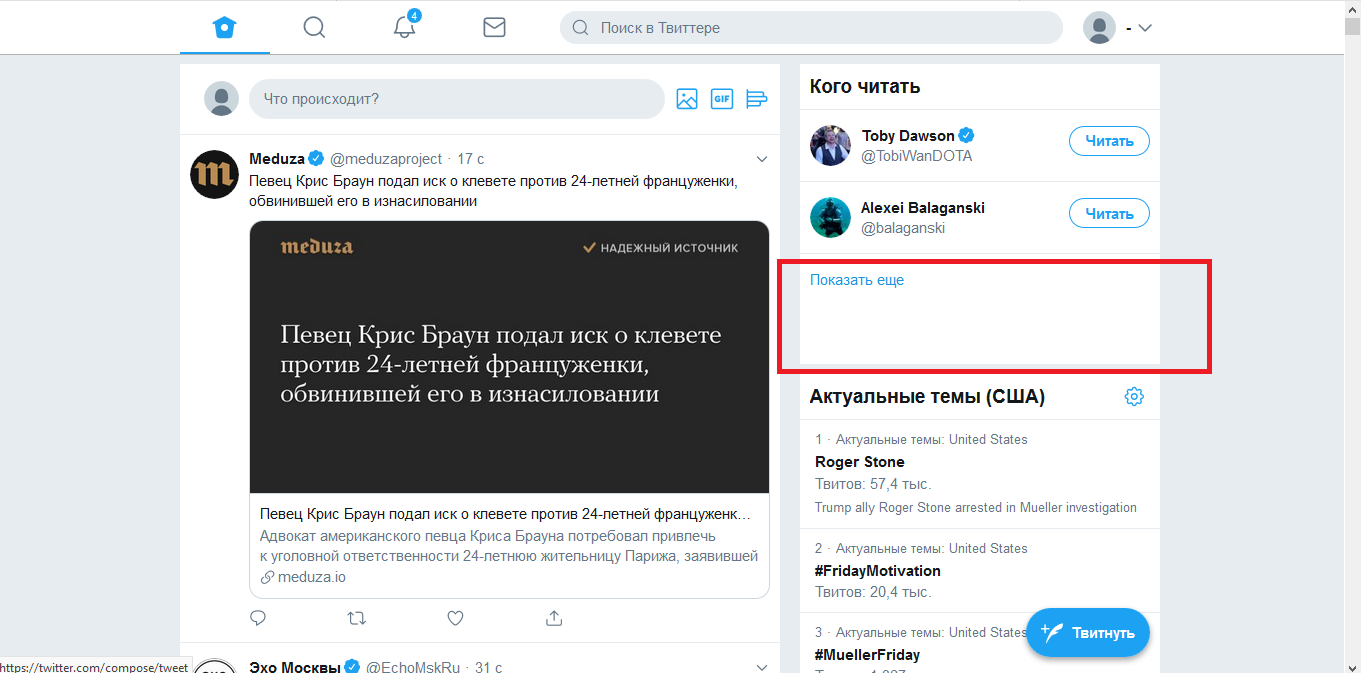
space that was supposed to be advertising @mapx-
bogachenko
on 25 Jan 2019
I'd say it's nothing broken ..
mapx-
on 25 Jan 2019
@mapx- Well ... how is it? Can u raise? plz
bogachenko
on 25 Jan 2019
ага, конечно же нет. просто закрыть...
bogachenko
on 25 Jan 2019
I guess sometimes there are only 2 followable guys there and so the space !?
mapx-
on 25 Jan 2019
@mapx- Man There are 3 places. 1 ad. 2 under the people. ads is the first, after its removal 2 subsequent places are shifted upwards. A space forms below.
And it would be cool to remove it. It's all
bogachenko
on 25 Jan 2019
Even if in the logger I see the the data-focusable filter I still get 3 full places (99% of cases).
Sometimes (1%) I get only 2 places.
mapx-
on 25 Jan 2019
@mapx- ...
Strange. When checked it was an empty space. Now after the millionth tab update, it has disappeared. I admit my mistake.
bogachenko
on 25 Jan 2019
Thanks for the fix!
Unfortunately, I'm unable to verify it because I switched back to the old interface (and can't find a button to go to the new one again)
sbrl
on 27 Jan 2019
@mapx- breaks the sidebar, as there is the inscription "Advertising", it can not be opened, it is not closed immediately. On the sidebar there is the item "Advertise on Twitter", and since your filter contains this word, the sidebar immediately closes / hides
@sbrl
Thanks for the fix!
Unfortunately, I'm unable to verify it because I switched back to the old interface (and can't find a button to go to the new one again)
Click on your avatar, and at the very end will be "Switch to a new interface"
bogachenko
on 7 Feb 2019
proof @mapx-
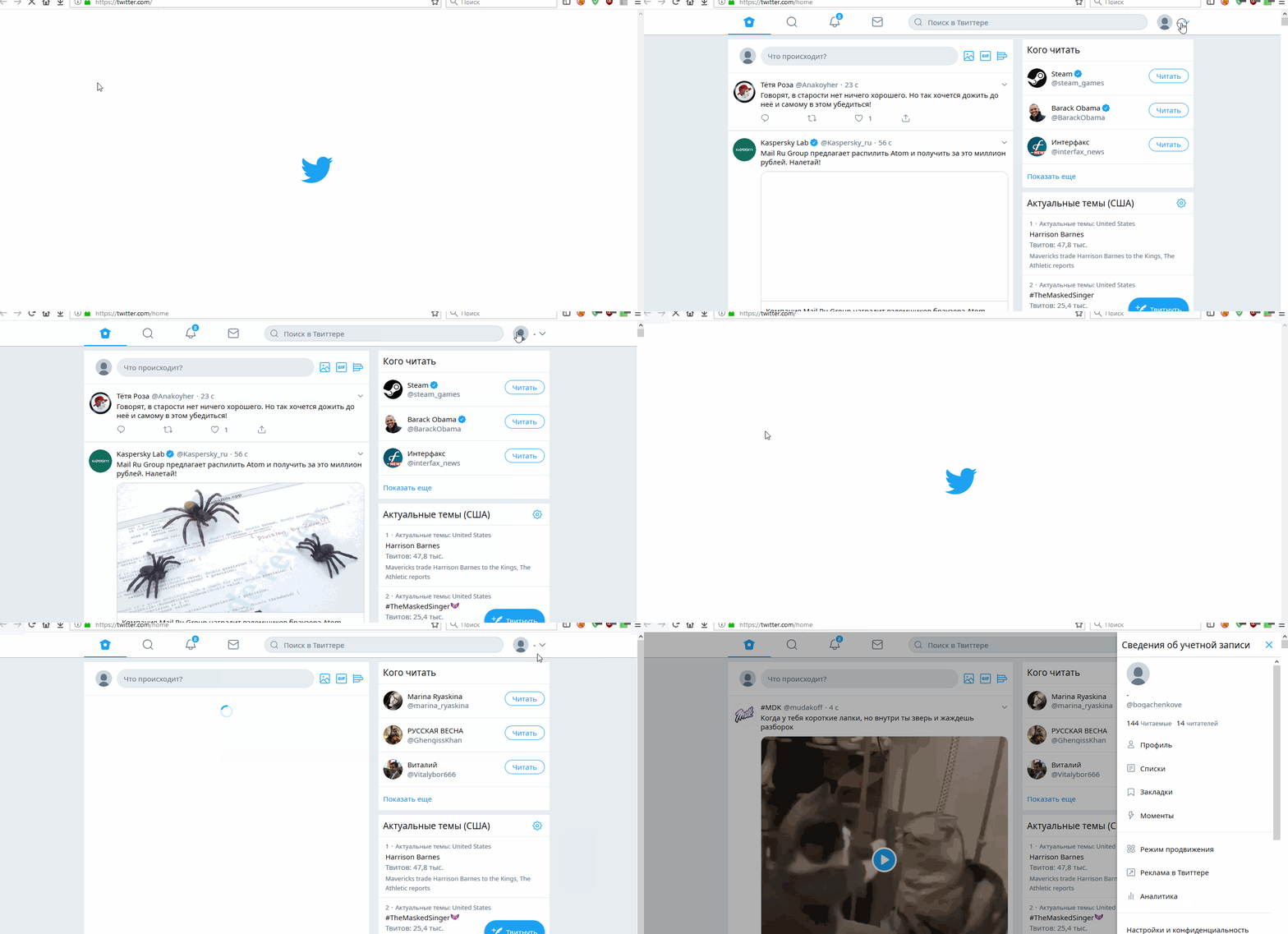
bogachenko
on 7 Feb 2019
I commented for now the filter, I get no "promoted" placeholders right now
mapx-
on 7 Feb 2019
~it seems everything works~
no, the sidebar opening breaks again @mapx-
bogachenko
on 7 Feb 2019
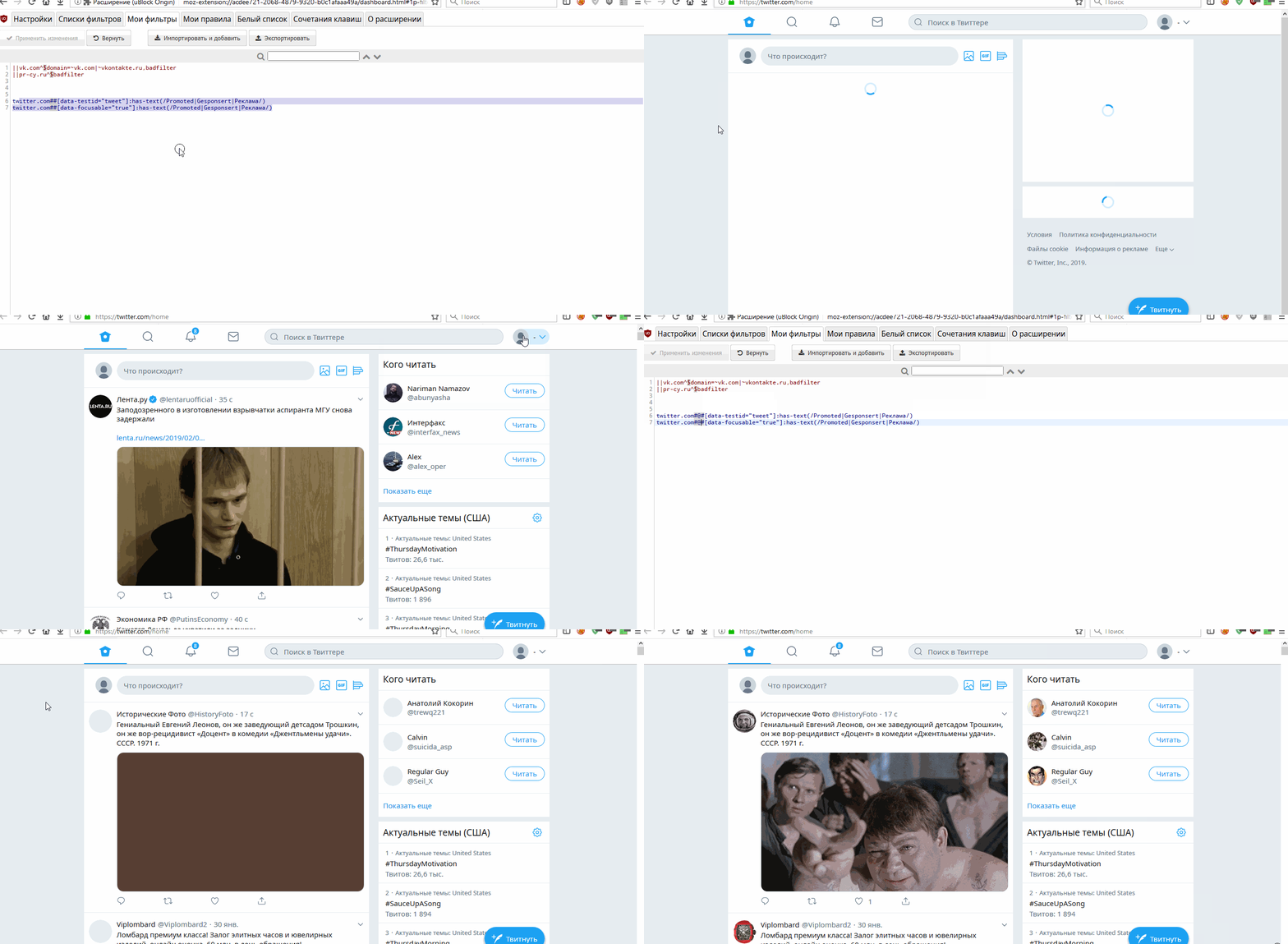
it closes automatically. I already wrote, there is a line "Реклама в Twitter"
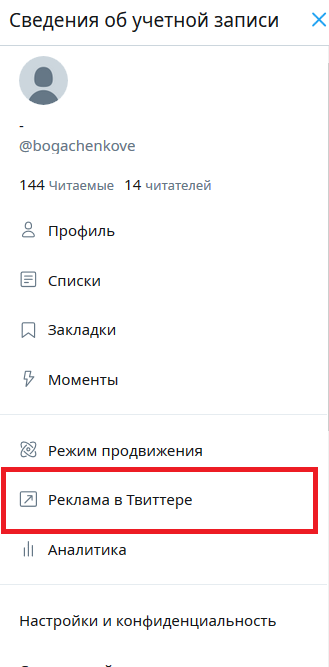
it is the cause of (emergency) closure
In the English region, it does not break, because "Twitter Ads" is written on the side panel, the word "Ads" is not in your 2 filters.
If you remove the "Реклама" from your filters (2 filters), then the sidebar will stop breaking and advertising will show for the RU region, but this is not an option.
How to do it right @mapx- ?
bogachenko
on 7 Feb 2019
does this work for you ? (no other custom filter)
twitter.com#@#[data-focusable="true"]:has-text(/Promoted|Gesponsert|Реклама/)
mapx-
on 7 Feb 2019
@mapx- it seems yes (advertising is not visible, it seems? and the sidebar does not break)
I hope so .. I will write later if I find
bogachenko
on 7 Feb 2019
@mapx- Hey, there is a place from advertising left .. he is clickable. and if you click on it then throws on the advertising post
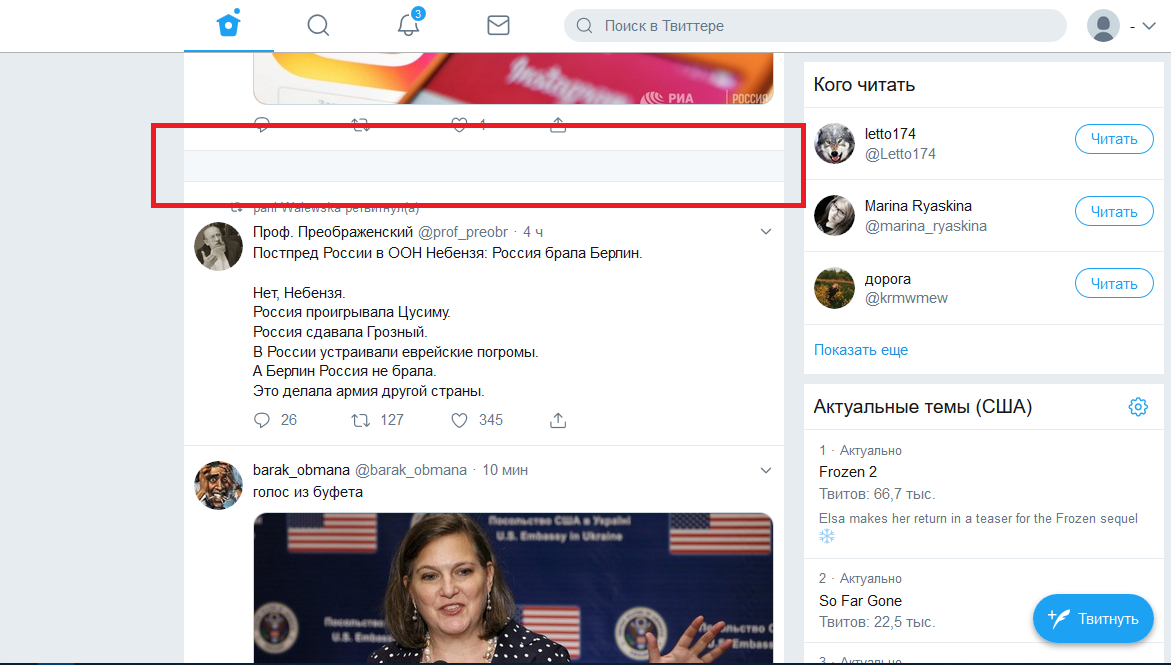
bogachenko
on 13 Feb 2019
sended
bogachenko
on 13 Feb 2019
no email yet ?!
mapx-
on 13 Feb 2019
@krystian3w I do not have mail on mail.ru
@mapx- sent from yandex .. now with google I will try
bogachenko
on 13 Feb 2019
I sent again from Google
bogachenko
on 13 Feb 2019
Did you logoff before saving the page ?
mapx-
on 13 Feb 2019
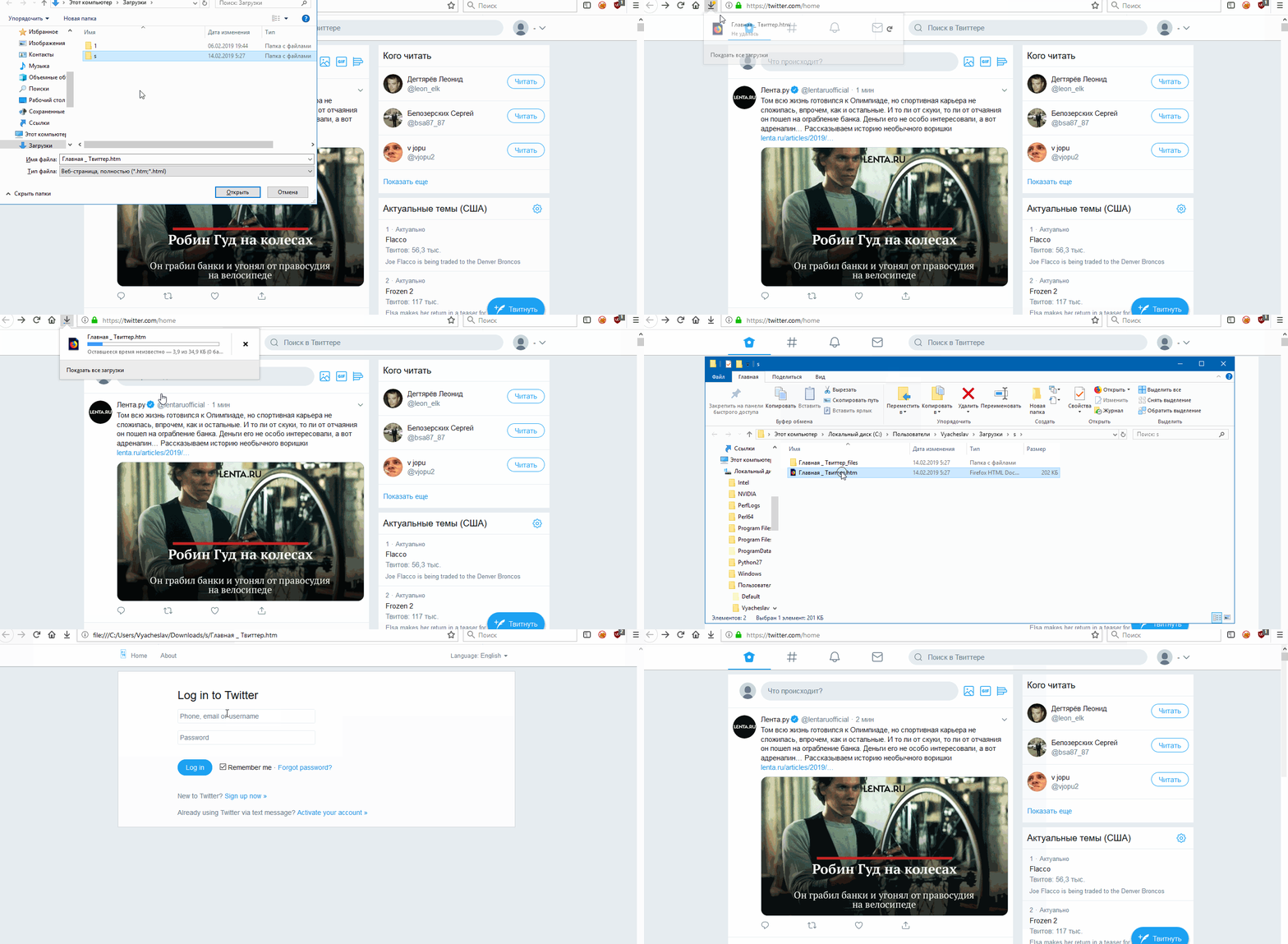
@mapx- No. I wrote you, before sending the message, I saved main page and opened to check, but only the window with the password and login was loaded. I sent to this thread a screenshot and asked if you need such a page? I waited for the answer minutes 5-10, you did not answer. I deleted this post. And I sent you a message with a page.
ну и что я делаю не так?
bogachenko
on 13 Feb 2019
nvm, test this filter
twitter.com##[data-testid="tweet"]:has-text(/Promoted|Gesponsert|Реклама/):xpath(..)
mapx-
on 13 Feb 2019
mb Реклама? not Promoted?
bogachenko
on 13 Feb 2019
ok, see above
mapx-
on 13 Feb 2019
At the moment, no ads are visible, I will test. I will write
bogachenko
on 13 Feb 2019
does this work for you ? (no other custom filter)
twitter.com#@#[data-focusable="true"]:has-text(/Promoted|Gesponsert|Реклама/)
will you delete? at least for the Russian region
bogachenko
on 13 Feb 2019
thank u so much
bogachenko
on 13 Feb 2019
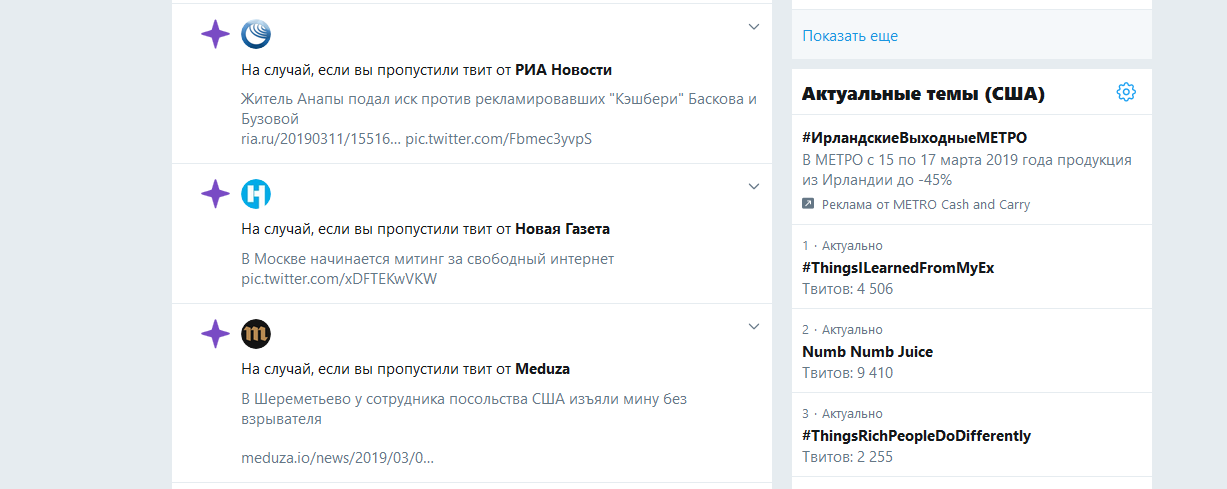
again
bogachenko
on 14 Mar 2019
@mapx- This rule helps for ru twitter.com##[data-testid="trend"]:has-text(Реклама):xpath(..)
bogachenko
on 14 Mar 2019
Hello @mapx- , there is no advertising, I just want to say if you remember (and if you are interested) for me (for the Russian-speaking region) did not have a sidebar and you helped me fix it here, and you, at my request, deleted this rule for the Russian-speaking region, and so (It seems, check me, maybe I'm wrong) i found how to fix it.
Look this rule
twitter.com##[data-focusable="true"]:has-text(/Promoted|Gesponsert|Реклама/):not(:xpath(//div[contains(text(),'Реклама в Твиттере')]))
I've removed the data-focusable="true" filter for now, this was the cause of really annoying jumpiness-when-scrolling I was experiencing with Twitter. That filter had to go through a lot of DOM nodes, possibly causing it to be disabled/enabled randomly due to how uBO allocates execution time to expensive filters (just speculating). Without it, the jumpiness is gone on my side. Filters which are too expensive should not be added to "uBlock filters" -- for example ##[data-focusable="true"] (which is the first part of the filter) returns 179 elements which will all have to be visited to apply the rest of the operators. That first part of a filter should always be designed to select as few elements has possible.
 gorhill
on 30 Apr 2019
gorhill
on 30 Apr 2019
Related issues
 sebastianbell
·
3Comments
sebastianbell
·
3Comments
 igitur
·
3Comments
igitur
·
3Comments
 terrorist96
·
3Comments
terrorist96
·
3Comments
 ghost
·
3Comments
ghost
·
3Comments
 pepablock
·
4Comments
pepablock
·
4Comments