Uassets: Zoomit.ir cosmetic filtering
URL(s) where the issue occurs
https://www.zoomit.ir/
Describe the issue
Expandable ads place holder on header section of site, as it could be seen through following screenshot. It is loaded in <div class=declarations> in source code of the page. In DevTools, it's shown in https://cdn.pbrd.co/images/HKGi4kB.png.
Screenshot(s)
Ads place holder screenshot:
https://cdn.pbrd.co/images/HKGdXqp.png
Versions
- Browser/version: 70.0.3538.67 (Official Build) (64-bit)
- uBlock Origin version: 1.17.0
Settings
- Default +
http://mynext.pro/uBOPa.txt
Notes
I tried with following rule, but it is not helpful, and ads place holder will be left blank.
zoomit.ir##div[class^="declaration-wrapper"]
 nimasaj
All 21 comments
I confim the issue, also:
1 Similiar issue when enabling uBO-built-in regional IRN: Adblock-Iran list:
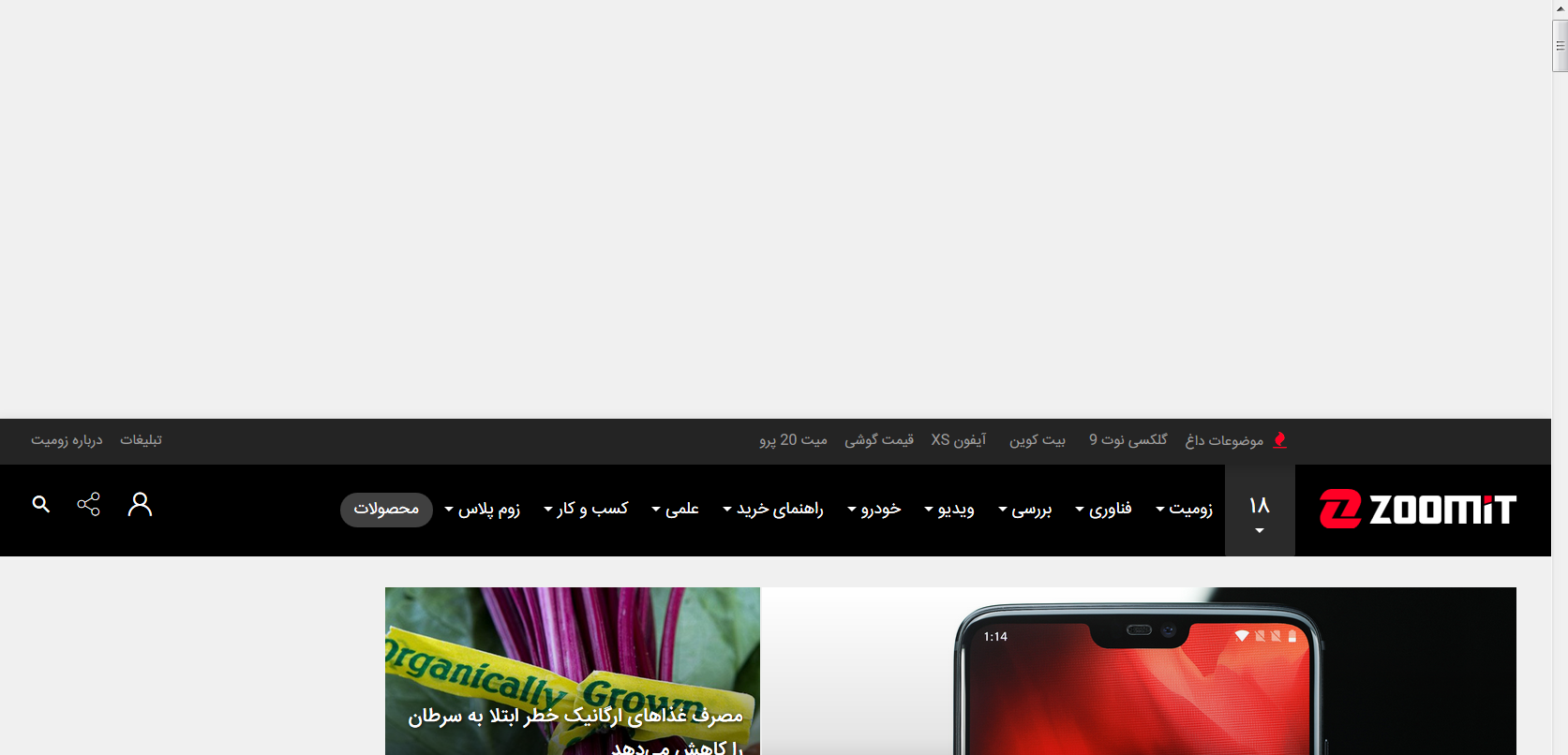
.
2 Also another issue is unsticky headerbar when scrolling down when enabled uBO-built-in regional IRN: Adblock-Iran list:

.
In the both (my) issues disabling uBO-built-in regional IRN: Adblock-Iran makes the issue gone.
Also in the OP issue after disabling http://mynext.pro/uBOPa.txt the OP issue is gone.
So if the website gets broken with 2 diferrent regional lists, perhaps there is some bug in uBO filters (I didn't investigate deeper though, so still it might be a bug in the both regional lists).
Versions
- OS: Windows 7 SP1 64bit
- Browser/version: Firefox 63.0 64bit
- uBlock Origin version: 1.17.2
Settings
Default +
uBO-annoyance list +
uBO-built-in regional IRN: Adblock-Iran list (my issues)/
http://mynext.pro/uBOPa.txt (OP issue)
 kulfoon
on 29 Oct 2018
kulfoon
on 29 Oct 2018
Even by not using filter list, the issue is not gone. It just shows ads and after some reloads the placeholder is gone by itself. Try to load the page in incognito mode and check again with and without uBO.
An image with disabled uBO (and also active uBO but without any third-party or regional filter list) is available at:
https://cdn.pbrd.co/images/HKJkQ4x.png
nimasaj
on 29 Oct 2018
Yes, I notice now, I thought it's an image/logo and not an ad, enable one of the regional list and try this:
zoomit.ir##.declarations
zoomit.ir##body:style(padding-top: 0% !important;)
zoomit.ir##.is-sticky.scrollSticky.navbar-margin.navbar-default.navbar:style(position: static !important;)
Maybe not best but something, someone will make better I think, I don't know where is everybody lol.
@yourduskquibbles @krystian3w and @hawkeye116477 are skilled with such things.
kulfoon
on 29 Oct 2018
With Adblock Iran enabled, does
zoomit.ir##body:style(padding-top: 0px !important;)
zoomit.ir##.navbar:style(margin-top: 0px !important;)
work for you?
Also, that site glitches horribly if you load it scrolled down just a bit.
 ZaphodBeebblebrox
on 29 Oct 2018
ZaphodBeebblebrox
on 29 Oct 2018
I could do something like zoomit.ir##+js(abort-on-property-read.js, setHeightOfAd) but I am afraid that I might break somethign important, and its hard to tell for certain for a website in a language I do not understand.
ZaphodBeebblebrox
on 29 Oct 2018
And the option in my other comment, does it work?
ZaphodBeebblebrox
on 29 Oct 2018
I was referring to zoomit.ir##+js(abort-on-property-read.js, setHeightOfAd)
ZaphodBeebblebrox
on 29 Oct 2018
zoomit.ir##body:style(padding-top: 10px !important;) works for me.
 okiehsch
on 29 Oct 2018
okiehsch
on 29 Oct 2018
Does that rule not leave you with a ugly bar?

ZaphodBeebblebrox
on 29 Oct 2018
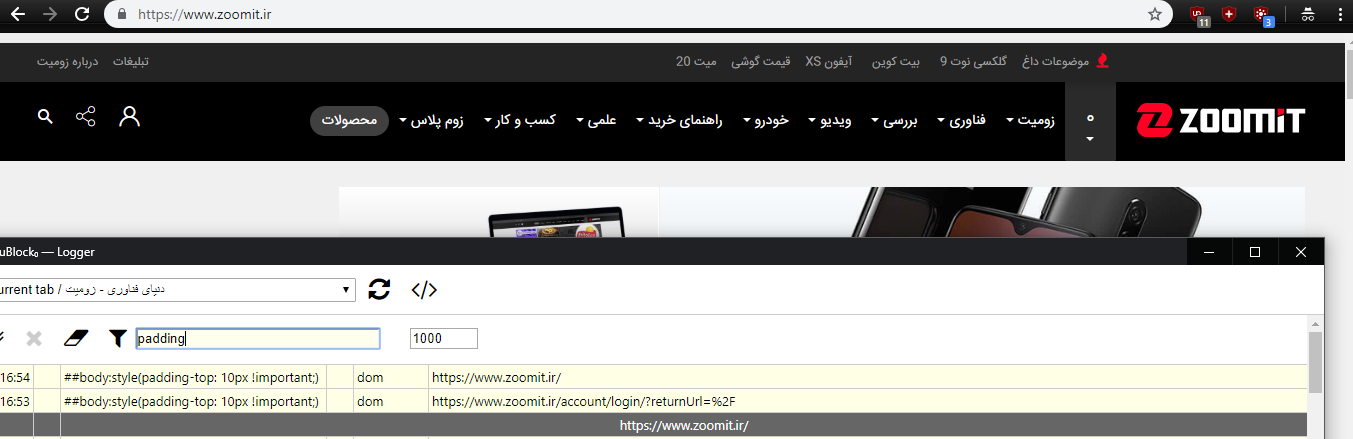
okiehsch
on 29 Oct 2018
Eh, it appears to work well enough. We can probably just add it.
ZaphodBeebblebrox
on 29 Oct 2018
this is go to Iran List?
I don't see any :style filter in that list, so it is probably best to fix it in uBO-annoyances.
okiehsch
on 29 Oct 2018
@farrokhi do you want to add the filter
zoomit.ir##body:style(padding-top: 10px !important;)
to your list ?
okiehsch
on 29 Oct 2018
Forget the network filters, I just missed that they are already blocked in both regional IRA lists, the issue is about cosmetic things only.
kulfoon
on 30 Oct 2018
Thanks to all for participating.
Out of all proposed filters only following one works for me.
zoomit.ir##+js(abort-on-property-read.js, setHeightOfAd)
The others cannot block ad while scrolling the page.
Thanks to @ZaphodBeebblebrox and @okiehsch
nimasaj
on 30 Oct 2018
Just merged into Adblock-Iran list. Thanks to everyone for the suggestions and report.
 farrokhi
on 31 Oct 2018
farrokhi
on 31 Oct 2018
@ZaphodBeebblebrox Could you please mention where did you find parameter setHeightOfAd in filter zoomit.ir##+js(abort-on-property-read.js, setHeightOfAd)?
I cannot find it neither in page source, nor in scripts loaded with the page.
nimasaj
on 31 Oct 2018
in an external script
https://www.zoomit.ir/abundle/scripts/zoomitqos....
 mapx-
on 31 Oct 2018
mapx-
on 31 Oct 2018
The ZaphodBeebblebrox ' solution has an side-effect - it changes default behaviour of the header, the header gets unsticky and is not scrolling when scrolling the webpage.
nimasaj and farrokhi is that behaviour desirable for you? Is that a positive or negative side-effect for you? Is sticky header considered as annoyance for you or do you like more to keep the header's default behaviour?
Anyway, I've spent some more time with the issue and found the both alternative (to script injection) solutions, which seem to work fine, could anyone test these:
Solution 1: is an equivalent of the ZaphodBeebblebrox ' solution:
! header unsticky solution
zoomit.ir##.declarations
zoomit.ir##body:style(padding-top: 0px !important;)
zoomit.ir##.hotMenu:style(top: 0px !important;)
zoomit.ir##.navbar.navbar-default:style(top: 0px !important; position: static !important;)
Solution 2: restores the original behavior of the header
! header sticky solution
zoomit.ir##.declarations
zoomit.ir##body:style(padding-top: 0px !important;)
zoomit.ir##.hotMenu:style(top: 0px !important;)
zoomit.ir##.navbar.navbar-default:style(top: 0px !important;)
?
kulfoon
on 31 Oct 2018
@kulfoon , You're right. sticky header is the original behavior and better to keep it like that. Thanks for finding alternative solutions. I will update it in uBOPa list.
nimasaj
on 31 Oct 2018
Related issues
 melnation-com
·
4Comments
melnation-com
·
4Comments
 krystian3w
·
3Comments
krystian3w
·
3Comments
 ghost
·
3Comments
ghost
·
3Comments
 efih
·
4Comments
efih
·
4Comments
 terrorist96
·
3Comments
terrorist96
·
3Comments
Most helpful comment
The ZaphodBeebblebrox ' solution has an side-effect - it changes default behaviour of the header, the header gets unsticky and is not scrolling when scrolling the webpage.
nimasaj and farrokhi is that behaviour desirable for you? Is that a positive or negative side-effect for you? Is sticky header considered as annoyance for you or do you like more to keep the header's default behaviour?
Anyway, I've spent some more time with the issue and found the both alternative (to script injection) solutions, which seem to work fine, could anyone test these:
Solution 1: is an equivalent of the ZaphodBeebblebrox ' solution:
Solution 2: restores the original behavior of the header