Replace the bracketed [...] placeholders with your own information.
URL(s) where the issue occurs
TFC.TV
Describe the issue
Videos will not play with ublock enabled.
Screenshot(s)
Versions
- Browser/version: Version 66.0.3359.139 (Official Build) (64-bit)
uBlock Origin version: 1.16.2
Settings
[Default]
Notes
I want to learn how to create an anti adblock for specific websites that prevent videos from playing. Can anyone show me the ropes?
Is there a filter that I can add to prevent this from happening?
Thank you.
 Markastil
All 33 comments
Try adding tfc.tv##script:inject(fuckadblock.js-3.2.0)
The blockadblock script is normally an internal redirect, but I'm seeing this:
Access to Script at 'data:application/javascript;base64,KGZ1bmN0aW9....pOyB9Cn0pKCk7' from origin 'null' has been blocked by CORS policy: Invalid response. Origin 'null' is therefore not allowed access.
So the fuckadblock-3.2.0 wasn't being evaluated.
Edit: It's because the script has the crossorigin attribute
<script type="text/javascript" crossorigin="anonymous" src="//gtcdn.azureedge.net/assets/js/blockadblock.js"></script>
 geoffdutton
on 28 Apr 2018
geoffdutton
on 28 Apr 2018
@Markastil probably to fully test your issue I need an account ?!
Could you test
tfc.tv##script:inject(abort-on-property-write.js, adBlockDetected)
 mapx-
on 28 Apr 2018
mapx-
on 28 Apr 2018
Sadly, both those filters do not work.
Here is more information about the problem. I included a log before the play button is loaded. Also, what type of language is ublock using? I'd like to learn more about it. It's really starting to interest me. I want to practice and start making anti adblockers.
Markastil
on 28 Apr 2018
What filter lists are enabled in uBo ?
mapx-
on 28 Apr 2018
I've tried both default, and all.
Markastil
on 28 Apr 2018
@Markastil are you logged in while testing the filters?
 okiehsch
on 28 Apr 2018
okiehsch
on 28 Apr 2018
By the way I can see from your screenshot https://imgur.com/a/eiUfxFU that you added
tfc.tv##script:inject(abort-on-property-write.js, adBlockDetecte) not
tfc.tv##script:inject(abort-on-property-write.js, adBlockDetected)
okiehsch
on 28 Apr 2018
other working filter ?
tfc.tv##script:inject(set-constant.js, blockAdBlock, true)
mapx-
on 28 Apr 2018
@okiehsch Yes I am. Also, fixed that too.
`
@mapxtfc.tv##script:inject(set-constant.js, blockAdBlock, true)` also does not work.
Markastil
on 28 Apr 2018
test these "classic" filters
@@||tfc.tv^$generichide
@@||gtcdn.azureedge.net/assets/js/blockadblock.js$script,domain=tfc.tv
@mapx- also doesn't work.
Here is a log of
@@||tfc.tv^$generichide
@@||gtcdn.azureedge.net/assets/js/blockadblock.js$script,domain=tfc.tv
Markastil
on 28 Apr 2018
probably we need a full account
mapx-
on 28 Apr 2018
@mapx- Darn. Thanks for the help though. I wish I knew more about this. Seems really fun to figure out.
Markastil
on 28 Apr 2018
@Markastil If you don't add any custom filters and open the Chrome Dev Console, do you see the following error?
Access to Script at 'data:application/javascript;base64,KGZ1bmN0aW9....pOyB9Cn0pKCk7' from origin 'null' has been blocked by CORS policy: Invalid response. Origin 'null' is therefore not allowed access.
From the logs in your screen shot (https://imgur.com/a/eiUfxFU), it shows gtcdn.azureedge.net/assets/js/blockadblock.js is being internally redirected to fuckadblock-3.2.0, and that works in most cases except when the script tag contains the attribute crossorigin="anonymous".
geoffdutton
on 28 Apr 2018
It works fine for me:
http://tfc.tv/episode/details/155055/the-world-tonight-april-28-2018
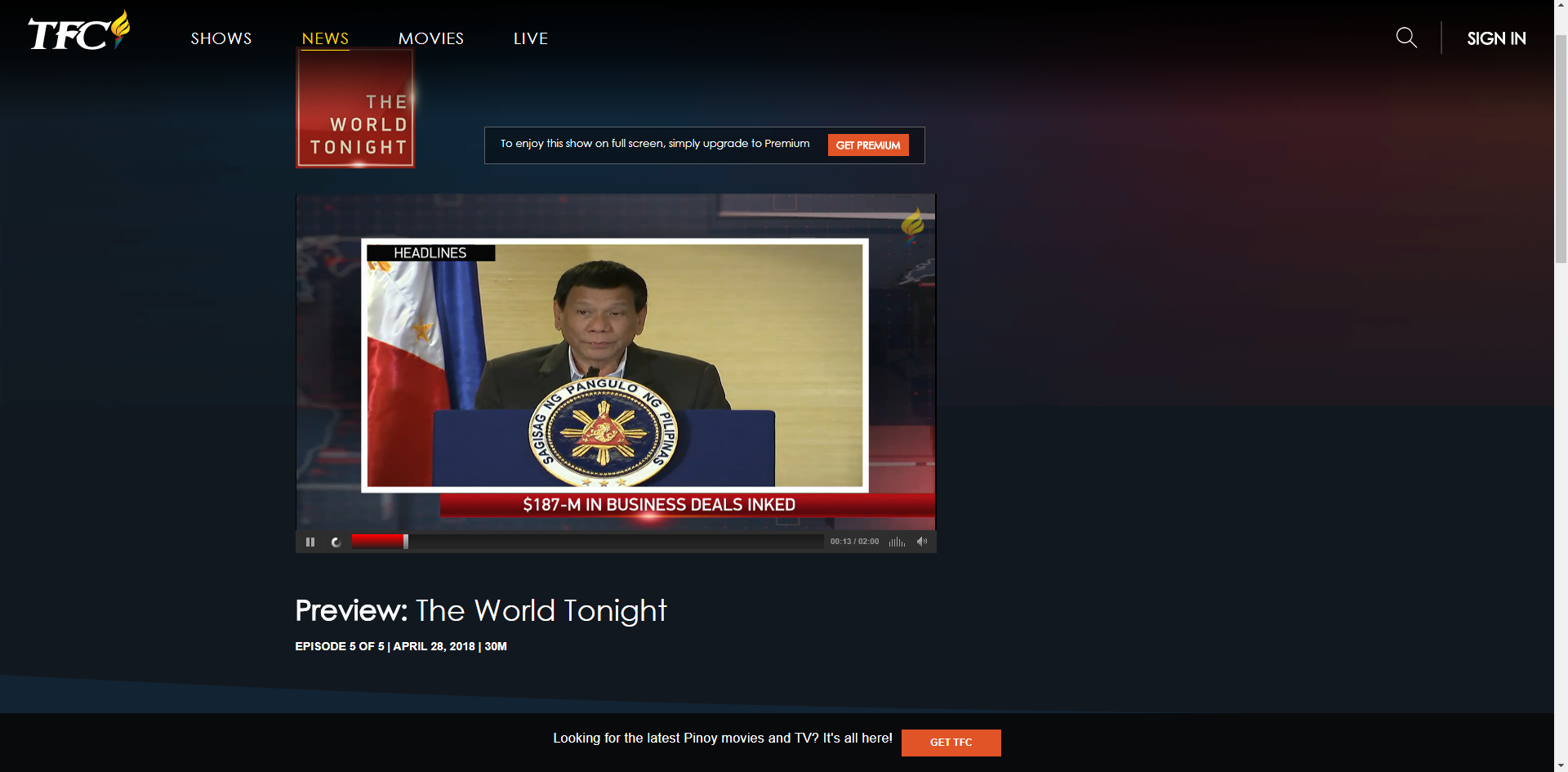
Note that you need Flash, which could be the problem.
 jspenguin2017
on 28 Apr 2018
jspenguin2017
on 28 Apr 2018
@jspenguin2017 With what filter(s)?
geoffdutton
on 28 Apr 2018
Default of Nano plus a regional filters.
@mapx- set-constant.js will bail out if the variable is assigned to data of different type.
jspenguin2017
on 28 Apr 2018
tfc.tv##script:inject(abort-on-property-write.js, adBlockDetected)
working for me as well
mapx-
on 28 Apr 2018
Tried
tfc.tv##script:inject(abort-on-property-write.js, adBlockDetected)
without logging in, it works. However if you do have an account it doesn't work.
Markastil
on 28 Apr 2018
If you'll send me your account ( if you confirm I'll post here an email address) I can test again the issue
mapx-
on 28 Apr 2018
@geoffdutton Here is what the console says https://i.imgur.com/YDCHLns.png
@mapx- I'll think about it, not comfortable with that option unless I give up on the problem.
Markastil
on 28 Apr 2018
I used a basic account and I was able to start a show using this filter too:
@@||tfc.tv/Scripts/amp-ads.js
mapx-
on 28 Apr 2018
@mapx got a discord? maybe I can share my screen and you can see what's happening.
Markastil
on 28 Apr 2018
Did you test my last filter too ?
these 2:
tfc.tv##script:inject(abort-on-property-write.js, adBlockDetected)
@@||tfc.tv/Scripts/amp-ads.js
tested show (using a basic free account):
http://tfc.tv/episode/details/155090/the-bottomline-with-boy-abunda-april-28-2018
mapx-
on 28 Apr 2018
@mapx- Yes. Here are the logs and consoles. https://imgur.com/a/98Xzxly
Video if you're curious. https://streamable.com/knv02
Markastil
on 28 Apr 2018
use this filter replacing the second 1
@@||tfc.tv/Scripts/*ads.js
mapx-
on 28 Apr 2018
@Markastil You need to also use @@||tfc.tv/Scripts/amp-full-ads.js.
I'd guess they use tfc.tv/Scripts/amp-full-ads.js when you have a premium account, and that's the code that needs to evaluate in order for the play button to actually start the video.
So try something like
tfc.tv##script:inject(abort-on-property-write.js, adBlockDetected)
@@||tfc.tv/Scripts/amp-*.js
@mapx- For a second I thought it was almost working! However it ends up buffering indefinitely.
Markastil
on 28 Apr 2018
@geoffdutton just like @mapx- 's the player now tries to buffer the ad indefinitely. https://imgur.com/a/k1wPkq1
Markastil
on 28 Apr 2018
nothing to do, you have a full (premium) account, cannot help you further
You could try whitelisting the object entry in your logger .. but probably you'll get video ads
mapx-
on 28 Apr 2018
The filter does work!
tfc.tv##script:inject(abort-on-property-write.js, adBlockDetected)
@@||tfc.tv/Scripts/amp-*.js
I had to to fully reset ublock and tried the filter again, it works! Thank you very much for the help.
Markastil
on 28 Apr 2018
If you guys don't mind explaining, I want to learn more about this stuff.
Where do you find the available scripts? Like ((abort-on-property-write.js, adBlockDetected))
Why did this work
@@||tfc.tv/Scripts/*ads.js
but not
@@||tfc.tv/Scripts/amp-ads.js
Markastil
on 28 Apr 2018
all the scriptlets uBo can use:
https://github.com/uBlockOrigin/uAssets/blob/master/filters/resources.txt
examine the page (press ctrl-u) and you'll find adBlockDetected
the basic account uses tfc.tv/Scripts/amp-ads.js, the full one tfc.tv/Scripts/amp-full-ads.js
mapx-
on 28 Apr 2018
Related issues
 BurungHantu1605
·
3Comments
BurungHantu1605
·
3Comments
 Jose1971AB
·
3Comments
Jose1971AB
·
3Comments
 patrickdrd
·
4Comments
patrickdrd
·
4Comments
 ip012
·
3Comments
Jose1971AB
·
3Comments
ip012
·
3Comments
Jose1971AB
·
3Comments
Most helpful comment
By the way I can see from your screenshot https://imgur.com/a/eiUfxFU that you added
tfc.tv##script:inject(abort-on-property-write.js, adBlockDetecte)nottfc.tv##script:inject(abort-on-property-write.js, adBlockDetected)