URL(s) where the issue occurs
[http://www.inoreader.com/]
Requires a free subscription (login with Google account is fine too).
Describe the issue
I'm trying to eliminate the right ads bar on inoreader.com.
By using the following uBlock handmade filter I've been able to remove a layer but I still have an empty bar on the right:
! 7/24/2017, 10:14:54 PM https://www.inoreader.com/feed/*
www.inoreader.com###sinner_container
Any idea how I can remove such bar and expand the text of the articles?
Screenshot(s)
Without the filter: https://anonimag.es/i/5357c3e44c6282cab67ad259cb5bff7e.png
With the filter: https://anonimag.es/i/fb53724ba89612d1f84c752e8ea9862b.png
Versions
- Browser/version: Firefox 54.0.1 and Google Chrome 60.0.3112.78 (Official Build) (64-bit)
- uBlock Origin version: 1.13.8
Settings
- Not many changes on settings apart from 2 personal filters (unrelated to inoreader.com) and whitelist
Notes
- I've already opened 2 threads, one on EasyList forum https://forums.lanik.us/viewtopic.php?f=62&t=37631 and another on reddit/uBlockOrigin https://www.reddit.com/r/uBlockOrigin/comments/6pb8ie/inoreadercom_feed_reader_removing_right_bar_ads/ without a solution yet.
- I've noticed that the ads bar disappears if I open my bookmarks sidebar in Firefox and I refresh the page (e.g., by moving to another feed). Probably Inoreader recognize that the screen is squeezed from the left and removes the ads bar. Still, it comes back soon as I close the bookmarks sidebar and I refresh the page.
- Here are 2 screenshots:
- With bookmarks sidebar open: https://anonimag.es/i/87340df98840b2177971cc7de0534e79.png
- With bookmarks sidebar closed: https://anonimag.es/i/f2fac182c016b50f3c0c66b71ad4fb38.png
- The main difference is that in the list of cosmetic filters I see:
- With bookmarks sidebar open: ###reader_pane.reader_pane_view_style_0
- With bookmarks sidebar closed: ###reader_pane.reader_pane_view_style_0.reader_pane_sinner
- Can I use this information somehow? E.g., by forcing the use of [###reader_pane.reader_pane_view_style_0]
 SergeGardien
All 50 comments
inoreader.com###reader_pane:style(padding-right: 0px !important;)
inoreader.com###sinner_container
or
inoreader.com###sinner_container:style(display:none !important;)
inoreader.com###reader_pane:style(padding-right: 0px !important;)
 smed79
on 27 Jul 2017
smed79
on 27 Jul 2017
As you can see I added a commit 3 hours ago, just update your lists.
 mapx-
on 27 Nov 2018
mapx-
on 27 Nov 2018
Thanks, but that commit, while hiding the warning, doesn't actually allow you to use the keyboard afterwards since the dialog is really still there (just hidden).
I think it'll take preventing the dialog from coming up in the first place.
 rpodric
on 27 Nov 2018
rpodric
on 27 Nov 2018
Test this filter, see if works
||inoreader.com/adv/$script,redirect=noopjs,first-party
mapx-
on 27 Nov 2018
That restored kb use in Chrome, but didn't in my main browser (based on Chromium). I eventually figured out that was because in that browser I'm running a userscript for the site, and that userscript must counteract your line. Unclear if it's possible to use them together.
rpodric
on 27 Nov 2018
OK, so you reverted the previous change and went with that line, which works (the issue I mentioned aside), but with this line in EasyList, why did it turn out to be needed? It seems like they should both effectively do the same thing, but clearly not.
.com/adv/
read about redirecting
https://github.com/gorhill/uBlock/wiki/Static-filter-syntax#redirect
mapx-
on 29 Nov 2018
Yes, I had read that. So, in one case, it's redirected to a dummy resource. And in the other case, it's blocked. Two different ways, seemingly, of accomplishing the same thing.
rpodric
on 29 Nov 2018
In this case the site is testing if https://www.inoreader.com/adv/www/delivery/ajs.php still exists, if not => the anti adb overlay is enabled
$v.html().indexOf('/adv/www/delivery/ajs.php')===-1
so, it's important to have at least a neutered version of that object
mapx-
on 29 Nov 2018
I see that you further refined it. Still works great, but I'm wondering if this is the best place to bring up an issue also beyond me that predates the most recent one: the "scroll tracking" feature (Mark items as read when you scroll past them) doesn't work in some circumstances. It's mainly noticeable in list view, where you'll see that scrolling only goes so far, if it goes at all, breaking the feature. It happens in some other views too, depending on the number/size of the articles.
I think it's something to do with the way that ads, or maybe the spacing, above and below the content are being handled . This can be seen by disabling EasyList, which reveals large gaps above and below the content, with "Remove ads" links nearby. Scroll tracking works when it's in that state, but of course that's not a great state. I have a feeling that a tweak to the filter that handles these ads/spacing would fix it.
rpodric
on 3 Dec 2018
@mapx - Looks like the problem is back today.
rpodric
on 4 Dec 2018
I get it randomly, test these filters:
@@||inoreader.com/adv/$first-party,script,image
||pagead2.googlesyndication.com/pagead/js/adsbygoogle.js$script,redirect=noopjs,domain=inoreader.com
@@||inoreader.com^$generichide
inoreader.com##.ad_title
Yes, it was random, but those changes seem to have fixed it. They do leave a gap above the articles, but coincidentally that solves the scrolling issue I mentioned yesterday.
rpodric
on 4 Dec 2018
The filters for this site have now disabled the sign in functionality....
 okiehsch
on 6 Dec 2018
okiehsch
on 6 Dec 2018
Interesting, I didn't see that happen, but then I never explicitly log out, so I'm always auto-logged in. Do you log out?
rpodric
on 6 Dec 2018
I only have a test account, I am not a user of the site and inoreader.com##.inno_dialog_modal hides
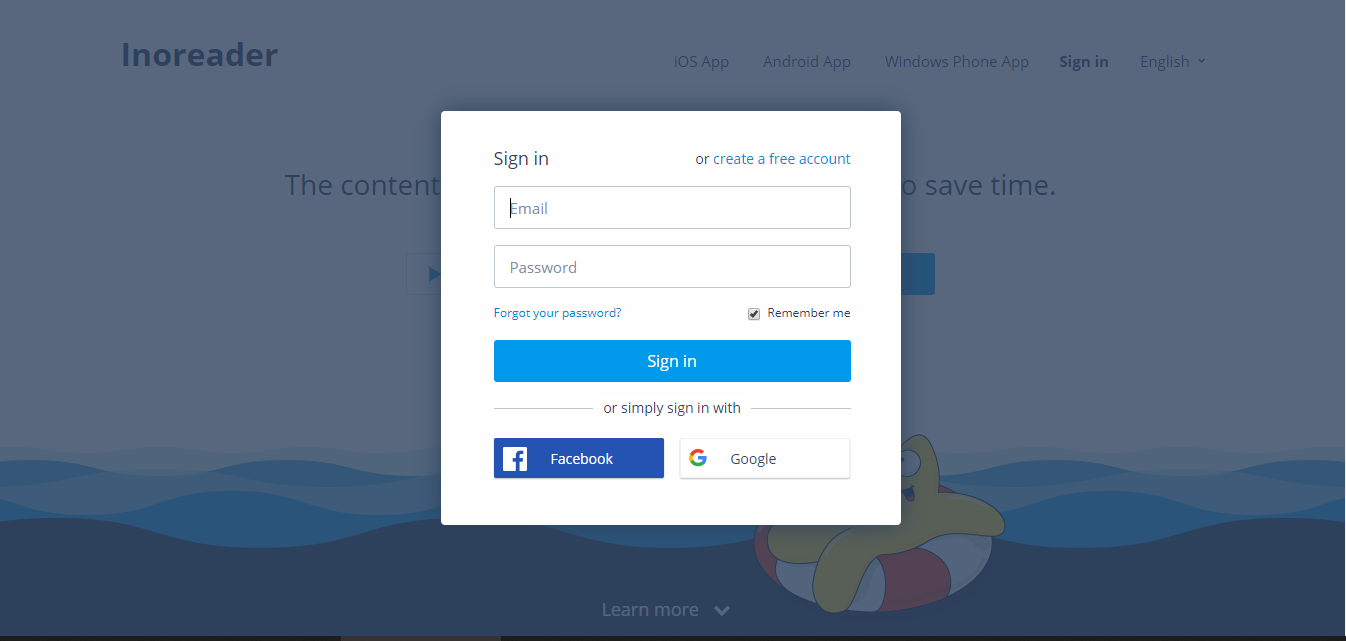
which is the reason I have removed it.
okiehsch
on 6 Dec 2018
There are some other entries that are not needed as far as I can see, for example the exception filters, but the site will no doubt change up in a matter of hours/days anyway.
okiehsch
on 6 Dec 2018
I'm getting adblock detected screens again!
 Smultie
on 6 Dec 2018
Smultie
on 6 Dec 2018
Did you force an update right now ?
mapx-
on 6 Dec 2018
Yessir!
Smultie
on 6 Dec 2018
If you still see a setTimeout filter in your logger => the update failed => purge & update your lists
mapx-
on 6 Dec 2018
12:21:46 | | Cosmetic filtering – invalid filter: .side-right /deep/ [id^="ecbr-"]
-- | -- | --
12:21:46 | | Cosmetic filtering – invalid filter: .side-left /deep/ [id^="ecbr-"]
12:21:46 | | | | xhr | https://raw.githubusercontent.com/uBlockOrigin/uAssets/master/filters/filters.txt?_=214457
Looks okay?
Smultie
on 6 Dec 2018
Nothing to do with inoreader, read again what I wrote above. Did you purge + update your lists ??
mapx-
on 6 Dec 2018
Yes of course
Can't reproduce at the moment though, since the popup doesn't always show up.
Smultie
on 6 Dec 2018
Just had one again. Fully updated
Smultie
on 8 Dec 2018
add
inoreader.com##[id*="modal_overlay"]
inoreader.com##.adb_left:xpath(../..)
I'll try! Thanks
Smultie
on 8 Dec 2018
or ... being an annoyance you could simply click "not for this session" button (or something like that)
mapx-
on 8 Dec 2018
@mapx- commented on 2018. dec. 8. 09:53 CET:
add
inoreader.com##[id*="modal_overlay"]
inoreader.com##.adb_left:xpath(../..)
Thanks. It worked for me too.
But there's a huge issue. The website hotkeys won't work this way. Can't refresh feeds, mark all as read, etc.
 mzso
on 8 Dec 2018
mzso
on 8 Dec 2018
They're setting aguineapigtrickedme cookie for 1 day which hides the "adblock detecteed" dialog.
 mikhaelkh
on 18 Dec 2018
mikhaelkh
on 18 Dec 2018
add
inoreader.com##[id*="modal_overlay"]
inoreader.com##.adb_left:xpath(../..)
Thanks mapx
For me, only the hotkeys don't work, which is extremely inconvenient. I can refresh feeds, mark all as read.
 cannafu
on 18 Dec 2018
cannafu
on 18 Dec 2018
Don't use those lines.
rpodric
on 18 Dec 2018
Don't use those lines.
Then a popup appears
cannafu
on 18 Dec 2018
Once a day, which is better than no hotkeys.
rpodric
on 18 Dec 2018
Once a day, which is better than no hotkeys.
Yes, I will agree, perhaps :)
cannafu
on 18 Dec 2018
I have hidden the "adblock detecteed" dialog. However, I hope that inoreader has enough funds to support free users. I don't provide the code directly here. Actually the complete code is in my gist.
Tip Use :not
 maboloshi
on 19 Dec 2018
maboloshi
on 19 Dec 2018
@maboloshi, hotkeys with your rules doesn't work too.
Better solution is click not now and protect the cookie aguineapigtrickedme.
mikhaelkh
on 19 Dec 2018
@maboloshi, hotkeys with your rules doesn't work too.
Better solution is clicknot nowand protect the cookieaguineapigtrickedme.
Thanks. Is it possible to extend the validity period or only one day?
https://hostingkartinok.com/show-image.php?id=28a3c66309b096e2dbc0eb5ef52fbe64
cannafu
on 19 Dec 2018
@mikhaelkh According to your idea, you can solve it with a simple userjavascript file.
// ==UserScript==
// @name Hide Inoreader Ad
// @include http://www.inoreader.com/*
// @include https://www.inoreader.com/*
// @icon http://www.inoreader.com/favicon.ico
// @grant none
// ==/UserScript==
document.cookie = "aguineapigtrickedme=1; path=/; ";
Before trying userjavascript, you need to click "not now". Now, the hotkeys work properly.
maboloshi
on 19 Dec 2018
@maboloshi I manually increased duration of the cookie, works so far
mikhaelkh
on 21 Dec 2018
@mikhaelkh, I forgot to click ‘not now‘ before I tried the userjavascript. Now, the hotkeys work properly. Thank you ideas.
maboloshi
on 21 Dec 2018
Any way to do this with uBlock?
On Fri, 21 Dec 2018 at 04:10, 沙漠之子 notifications@github.com wrote:
@mikhaelkh https://github.com/mikhaelkh, I forgot to click ‘not now‘
before I tried the userjavascript. Now, the hotkeys work properly. Thank
you ideas.—
You are receiving this because you commented.
Reply to this email directly, view it on GitHub
https://github.com/uBlockOrigin/uAssets/issues/582#issuecomment-449226765,
or mute the thread
https://github.com/notifications/unsubscribe-auth/ADdzU5EJaNr0WrVAGASQfG-z1Nok1CSCks5u7FEqgaJpZM4OjkyC
.
Smultie
on 21 Dec 2018
@maboloshi, hotkeys with your rules doesn't work too.
Better solution is clicknot nowand protect the cookieaguineapigtrickedme.
Thanks
cannafu
on 25 Dec 2018
@maboloshi commented on 2018. dec. 19. 16:50 CET:
@mikhaelkh According to your idea, you can solve it with a simple userjavascript file.
// ==UserScript==
// @name Hide Inoreader Ad
// @include http://www.inoreader.com/*
// @include https://www.inoreader.com/*
// @icon http://www.inoreader.com/favicon.ico
// @grant none
// ==/UserScript==
document.cookie = "aguineapigtrickedme=1; path=/; ";
Before trying userjavascript, you need to click "not now". Now, the hotkeys work properly.
What is this supposed to do? I still get the adblock detected warning.
mzso
on 7 Jan 2019
That's because the site no longer uses a cookie for that (I expect that they're subscribed to this thread).
rpodric
on 7 Jan 2019
@rpodric commented on 2019. jan. 7. 18:10 CET:
That's because the site no longer uses a cookie for that (I expect that they're subscribed to this thread).
Oh, well... That didn't last long.
mzso
on 7 Jan 2019
What's the point in exception filters if they don't prevent anti-adblock popup?
mikhaelkh
on 9 Jan 2019
Use userjavascript shielding function adb_detected.
maboloshi
on 10 Jan 2019
Why closed? @mapx-
 llacb47
on 27 Aug 2019
llacb47
on 27 Aug 2019
Did you test the site ? is working for now
mapx-
on 27 Aug 2019
Related issues
 ghost
·
3Comments
ghost
·
3Comments
 terrorist96
·
3Comments
terrorist96
·
3Comments
 Jose1971AB
·
3Comments
Jose1971AB
·
3Comments
Jose1971AB
·
3Comments
Jose1971AB
·
3Comments
 KiLL4FuNK
·
4Comments
KiLL4FuNK
·
4Comments
Most helpful comment
add