Typescript: Non-module entity and cannot be imported using this construct using import but not require
TypeScript Version: 2.4.1
Code
./index.ts:
import * as XTerm from 'xterm';
./package.json:
{
  "name": "t",
  "version": "1.0.0",
  "description": "",
  "main": "index.js",
  "scripts": {
    "test": "echo \"Error: no test specified\" && exit 1"
  },
  "author": "",
  "license": "ISC",
  "dependencies": {
    "xterm": "^2.8.1"
  }
}
./tsconfig.json:
{
    "compilerOptions": {
        "typeRoots": [
            "typings"
        ]
    }
}
./typings/xterm.d.ts:
/*---------------------------------------------------------------------------------------------
 *  Copyright (c) Microsoft Corporation. All rights reserved.
 *  Licensed under the MIT License. See License.txt in the project root for license information.
 *--------------------------------------------------------------------------------------------*/

declare module 'xterm' {
    type LinkMatcherHandler = (event: MouseEvent, uri: string) => boolean | void;

    class Terminal {
        cols: number;
        rows: number;
        ydisp: number;
        element: HTMLElement;
        textarea: HTMLTextAreaElement;

        /**
         * Creates a new `Terminal` object.
         *
         * @param {object} options An object containing a set of options.
         */
        constructor(options?: any);

        /**
         * Registers an event listener.
         * @param eventName The name of the event.
         * @param callback The callback.
         */
        on(eventName: string, callback: (data: any) => void): void;

        /**
         * Resizes the terminal.
         *
         * @param x The number of columns to resize to.
         * @param y The number of rows to resize to.
         */
        resize(columns: number, rows: number): void;

        /**
         * Emits an event.
         * @param eventName The name of the event.
         * @param data The data attached to the event.
         */
        emit(eventName: string, data: any): void;

        /**
         * Writes text to the terminal, followed by a break line character (\n).
         * @param data The text to write to the terminal.
         */
        writeln(data: string): void;

        /**
         * Opens the terminal within an element.
         * @param parent The element to create the terminal within.
         * @param focus Focus the terminal, after it gets instantiated in the
         * DOM.
         */
        open(parent: HTMLElement, focus: boolean): void;

        /**
         * Attaches a custom key event handler which is run before keys are
         * processed, giving consumers of xterm.js ultimate control as to what
         * keys should be processed by the terminal and what keys should not.
         * @param customKeyEventHandler The custom KeyboardEvent handler to
         * attach. This is a function that takes a KeyboardEvent, allowing
         * consumers to stop propogation and/or prevent the default action. The
         * function returns whether the event should be processed by xterm.js.
         */
        attachCustomKeyEventHandler(customKeyEventHandler: (...any) => boolean);

        /**
         * Retrieves an option's value from the terminal.
         * @param key The option key.
         */
        getOption(key: string): any;

        /**
         * Registers a link matcher, allowing custom link patterns to be matched and
         * handled.
         * @param {RegExp} regex The regular expression to search for, specifically
         * this searches the textContent of the rows. You will want to use \s to match
         * a space ' ' character for example.
         * @param {LinkMatcherHandler} handler The callback when the link is called.
         * @param {LinkMatcherOptions} [options] Options for the link matcher.
         * @return {number} The ID of the new matcher, this can be used to deregister.
         */
        registerLinkMatcher(regex: RegExp, handler: LinkMatcherHandler , options?: any);

        /**
         * Deregisters a link matcher if it has been registered.
         * @param matcherId The link matcher's ID (returned after register)
         */
        deregisterLinkMatcher(matcherId: number): void;

        /**
         * Gets whether the terminal has an active selection.
         */
        hasSelection(): boolean;

        /**
         * Gets the terminal's current selection, this is useful for implementing copy
         * behavior outside of xterm.js.
         */
        getSelection(): string;

        /**
         * Clears the current terminal selection.
         */
        clearSelection(): void;

        /**
         * Selects all text within the terminal.
         */
        selectAll(): void;

        /**
         * Focus the terminal. Delegates focus handling to the terminal's DOM element.
         */
        focus(): void;

        /**
         * Find the next instance of the term, then scroll to and select it. If it
         * doesn't exist, do nothing.
         * @param term Tne search term.
         * @return Whether a result was found.
         */
        findNext(term: string): boolean;

        /**
         * Find the previous instance of the term, then scroll to and select it. If it
         * doesn't exist, do nothing.
         * @param term Tne search term.
         * @return Whether a result was found.
         */
        findPrevious(term: string): boolean;

        /**
         * Destroys the terminal.
         */
        destroy(): void;

        /**
         * Scroll the display of the terminal
         * @param disp The number of lines to scroll down (negatives scroll up).
         */
        scrollDisp(disp: number): void;

        /**
         * Scroll the display of the terminal by a number of pages.
         * @param {number} pageCount The number of pages to scroll (negative scrolls up).
         */
        scrollPages(pageCount: number): void;

        /**
         * Scrolls the display of the terminal to the top.
         */
        scrollToTop(): void;

        /**
         * Scrolls the display of the terminal to the bottom.
         */
        scrollToBottom(): void;

        /**
         * Clears the entire buffer, making the prompt line the new first line.
         */
        clear(): void;

        /**
         * Writes text to the terminal.
         * @param data The text to write to the terminal.
         */
        write(data: string): void;

        /**
         * Sets an option on the terminal.
         * @param key The option key.
         * @param value The option value.
         */
        setOption(key: string, value: any): void;

        /**
         * Tells the renderer to refresh terminal content between two rows (inclusive) at the next
         * opportunity.
         * @param start The row to start from (between 0 and this.rows - 1).
         * @param end The row to end at (between start and this.rows - 1).
         */
        refresh(start: number, end: number): void;

        /**
         * Loads an addon, attaching it to the Terminal prototype.
         * @param addon The addon to load.
         */
        static loadAddon(addon: string): void;
    }

    export = Terminal;
}
Expected behavior:
There is no error and the import works.
Actual behavior:
I get this error:
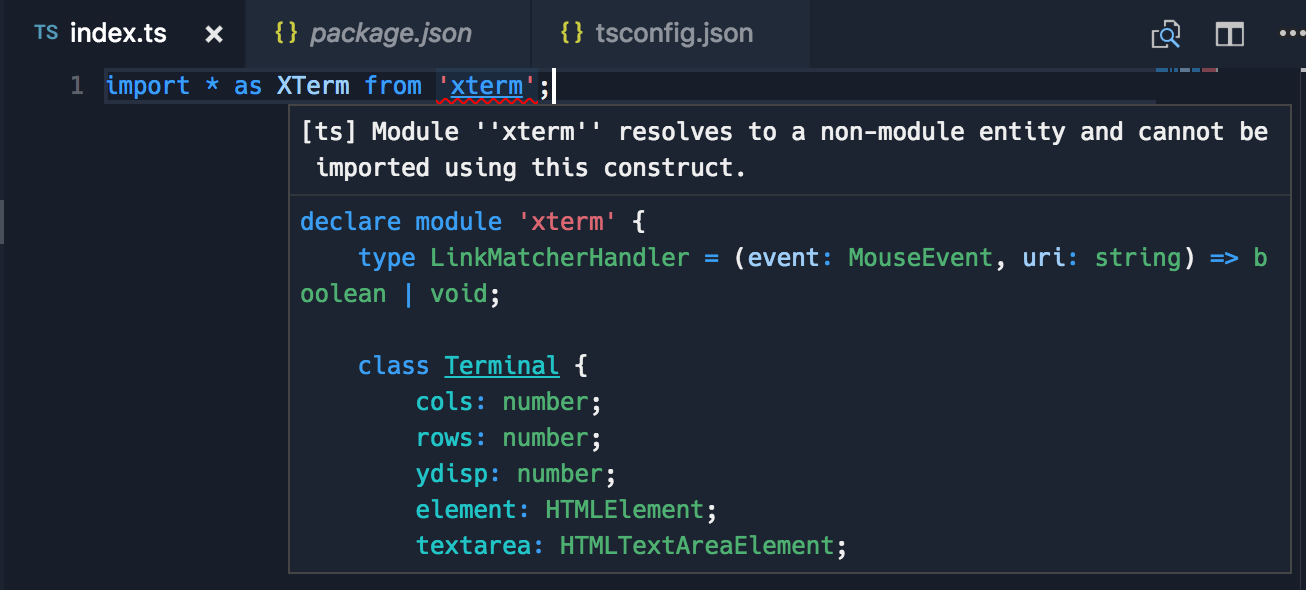
[ts] Module ''xterm'' resolves to a non-module entity and cannot be imported using this construct.
Even though VS Code references the correct file which starts with declare module....
Other observations:
- It works fine if I use
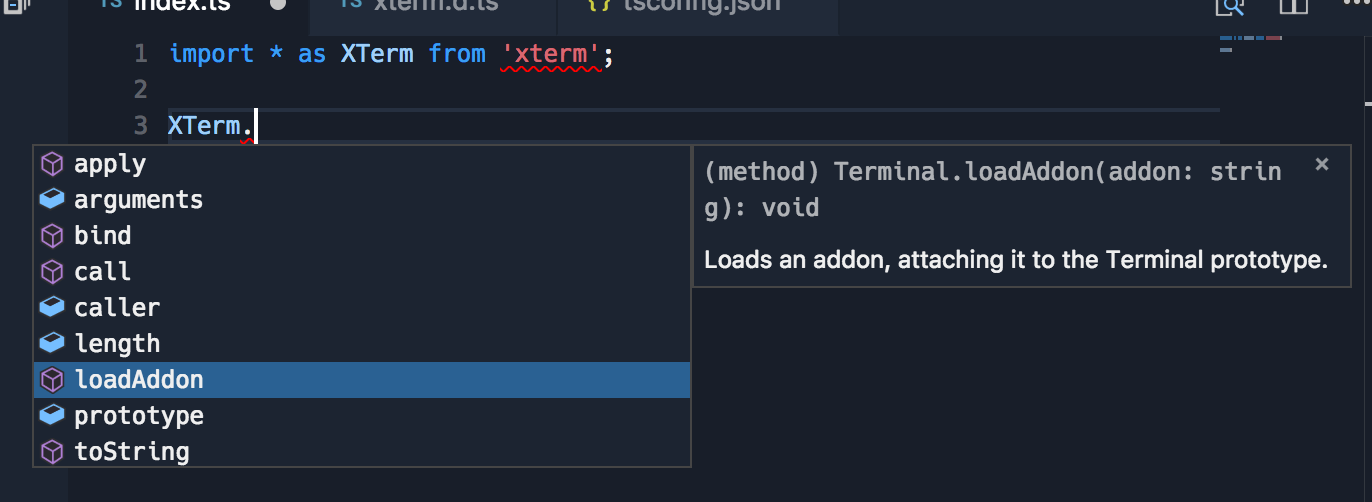
= require('xterm'), this does not work for me though as I'm trying to only pull the types, not actually require (so I can lazily load the module). Types seem to work fine even though there's the error:
 Tyriar
All 5 comments
An import = should be elided if you only use it for types. It looks like that is a commonJS module, so import = is the correct form of import, not import *, which is an ES6 import.
 andy-ms
on 14 Jul 2017
andy-ms
on 14 Jul 2017
 RyanCavanaugh
on 14 Jul 2017
RyanCavanaugh
on 14 Jul 2017
@andy-ms I'm not sure I understand, does elided mean avoided? If it does mean avoided, how do I do it? Calling import x = require('xterm') will load the library won't it?
Tyriar
on 21 Jul 2017
The meaning of import x = require("x") changes depending on how it is used in the rest of the file. If every access to x appears inside of a type declaration, TypeScript will not emit anything associated with the import =. If there is at least one value access to x, then it will.
andy-ms
on 21 Jul 2017
Automatically closing this issue for housekeeping purposes. The issue labels indicate that it is unactionable at the moment or has already been addressed.
 mhegazy
on 17 Aug 2017
mhegazy
on 17 Aug 2017
Related issues
 siddjain
·
3Comments
siddjain
·
3Comments
 remojansen
·
3Comments
remojansen
·
3Comments
 Antony-Jones
·
3Comments
Antony-Jones
·
3Comments
 kyasbal-1994
·
3Comments
kyasbal-1994
·
3Comments
 seanzer
·
3Comments
seanzer
·
3Comments
Most helpful comment
https://stackoverflow.com/questions/39415661/what-does-resolves-to-a-non-module-entity-and-cannot-be-imported-using-this