I'm working on improving the autocomplete experience for alm.tools and would really like to try and use the excellent icons that typedoc generates : http://typedoc.io/api/assets/images/icons.png

Would like high res versions, and perhaps SVG like VSCode : https://github.com/Microsoft/vscode/blob/master/src/vs/editor/contrib/suggest/browser/symbol-sprite.svg
Thanks for all your excellent work :rose: :heart: :100:
PS: I'm not particularly fussed about the format (i.e. SVG), just want higher res. Atom-Autocomplete just uses ocitons e.g. for modules it has package: https://octicons.github.com/icon/package/ which is too generic. Your icon collection is truly an impressive piece of work!
 basarat
All 7 comments
Nice to hear that you like the icon set. I've created the icons especially for TypeScript so most of the language constructs should have an equivalent icon.
Sure, if you want to use them you can find the source file right here. I've released the icons with the theme and they are available for everyone to be used. It's a Photoshop file and the icons are created using polygon shapes so the file can be scaled to any resolution you want.
The layers in the Photoshop file are named and should give a pretty good idea on how the set is arranged. Basically the first three columns contain type icons and the other columns contain member icons. You could also check into the scss source file to see it in action and maybe you can grab some basic rules there.
Please drop me message if I should assist you in converting the icons into another format.
Type icons
The type icons in the first three columns from top to bottom are:
- Global Variable / Fallback icon
- Literal object
- Class
- Class with type parameter
- Interface
- Interface with type parameter
- Namespace / Module
- Enumeration
- Enumeration member
- Function signature
- Type alias
From left to right in the first three columns the different states of the types are placed:
- Public/Default
- Protected
- Private
Member icons
The member icons starting at the fourth column are from top to bottom:
- Variable / Member
- Getter
- Setter
- Getter and setter
- Function / Method
- Function / Method with type parameter
- Constructor
- Index signature
- Event
- Static member
- Static function
- Static event
From left to right starting at the fourth column the different states of the member icons are placed:
- Class member
- Class member, inherited
- Class member, protected
- Class member, protected, inherited
- Private (generic, can be used within all types)
- Global member
- Global member, protected
- Enum member
- Enum member, protected
- Interface member
- Interface member, inherited
 sebastian-lenz
on 10 Apr 2016
sebastian-lenz
on 10 Apr 2016
Thanks a ton! People on twitters love you work too :rose:
basarat
on 10 Apr 2016
Please drop me message if I should assist you in converting the icons into another format.
Looking online (and not having CC myself) I'm struggling to find a PSD to SVG conversion that works. Would be great if you can open in Illustrator and export as SVG
(From here Open your .psd file with Adobe Illustrator (tested with CS6) and then "Save as..." > SVG.) :rose:
basarat
on 10 Apr 2016
That's great to hear. I've converted the icon set to a svg file (had to zip cause of GitHub):
icons.svg.zip
So after building that great TypeScript plugin for Atom, which I'm using regularly and which is really amazing, you are now basically building your own TypeScript editor? Awesome, really don't know how you manage to do all this great stuff!
sebastian-lenz
on 10 Apr 2016
Sorry, did just mention that I've sent you the raw illustrator svg file. Here is the optimized version:
icons.svg.zip
sebastian-lenz
on 10 Apr 2016
Awesome, really don't know how you manage to do all this great stuff!
I have the exact same feeling about TypeDoc :rose:
The SVG icons look great. Thanks :heart:
basarat
on 11 Apr 2016
Just thought I'd share some learning with you in return for your awesome contributions :rose:
The Good
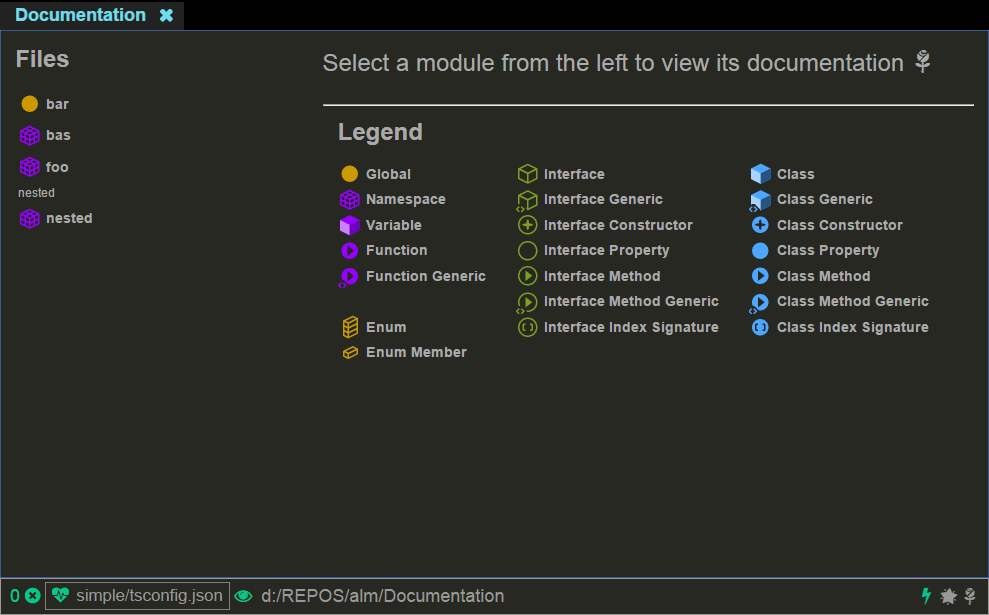
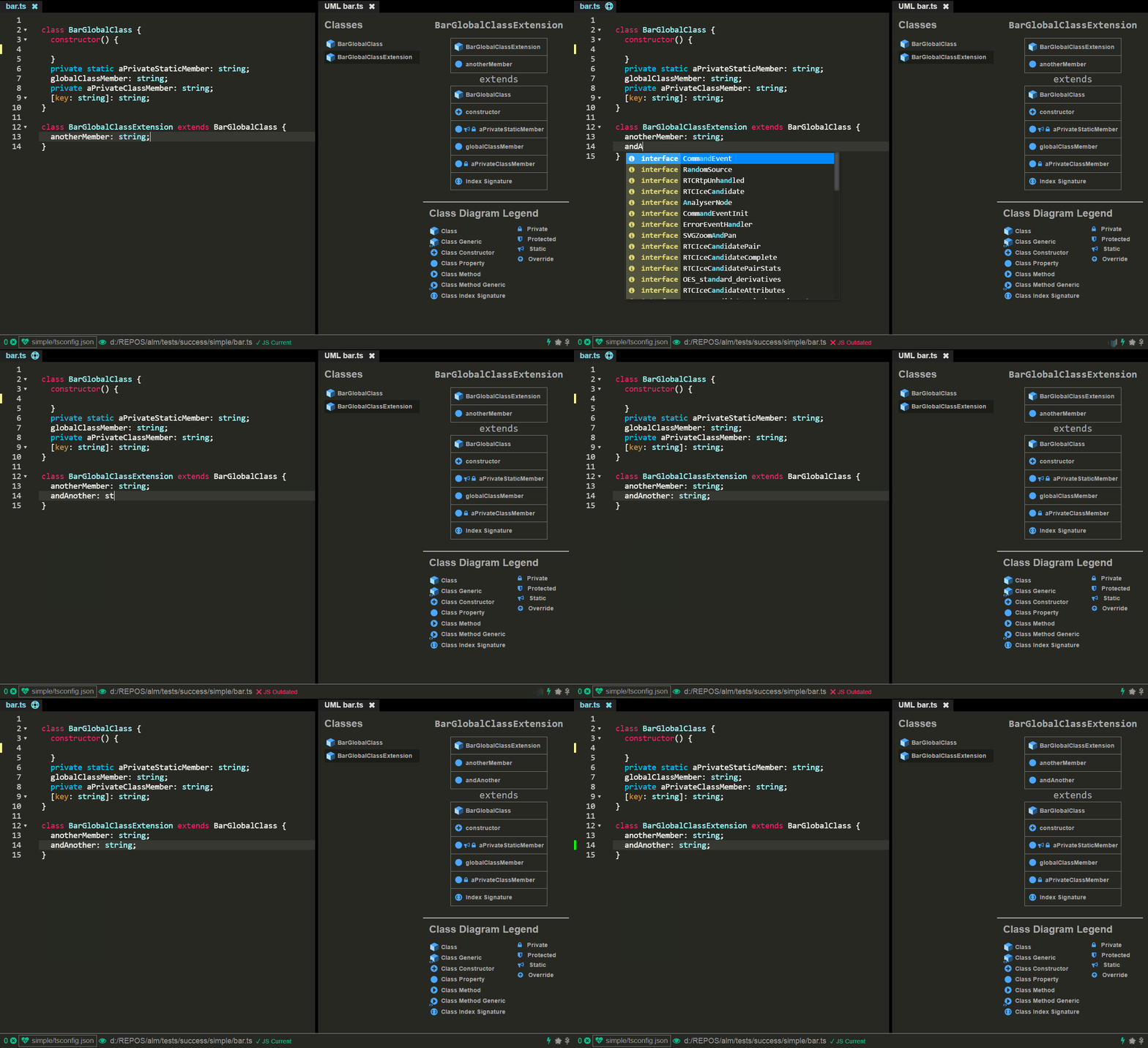
I used these icons and they are awesome. Thank you sooo very much for this and your visual language has been a fantastic experience.
I built a few basic things with these including a live documentation view : https://basarat.gitbooks.io/alm/content/features/documentation-view.html
And a uml class diagram view https://basarat.gitbooks.io/alm/content/features/uml.html
The Bad
However the responses that come back for a few TypeScript build in language service APIs lose context about their _parent_ i.e. they return the fact that its a method but not if its a method of a class or an interface.
Examples of such APIs include _autocomplete_ + get navigation items (shown below).

These are actually ScriptElementKind stuff defined here : https://github.com/TypeStrong/ntypescript/blob/bb9db794e714e1b7ab525a4b8119d81a1ea5e09b/src/services/services.ts#L1541-L1620
I've ended up grouping these by nature (e.g. local function / class method / interface method get the same icon and color) and just used font awesome for them the best I could.
https://github.com/alm-tools/alm/blob/01f06503b6f09996001a8af15ef735c7b86bbb7d/src/app/ui.tsx#L135-L231
Foot notes
If you ever have any ideas about how to manage/map ScripElementKind I'd love to hear them :rose:
basarat
on 23 May 2016
Related issues
 unsafecode
·
4Comments
unsafecode
·
4Comments
 ShadowManu
·
4Comments
ShadowManu
·
4Comments
 rbuckton
·
3Comments
rbuckton
·
3Comments
 mcmath
·
3Comments
mcmath
·
3Comments
 topherfangio
·
3Comments
topherfangio
·
3Comments
Most helpful comment
Nice to hear that you like the icon set. I've created the icons especially for TypeScript so most of the language constructs should have an equivalent icon.
Sure, if you want to use them you can find the source file right here. I've released the icons with the theme and they are available for everyone to be used. It's a Photoshop file and the icons are created using polygon shapes so the file can be scaled to any resolution you want.
The layers in the Photoshop file are named and should give a pretty good idea on how the set is arranged. Basically the first three columns contain type icons and the other columns contain member icons. You could also check into the scss source file to see it in action and maybe you can grab some basic rules there.
Please drop me message if I should assist you in converting the icons into another format.
Type icons
The type icons in the first three columns from top to bottom are:
From left to right in the first three columns the different states of the types are placed:
Member icons
The member icons starting at the fourth column are from top to bottom:
From left to right starting at the fourth column the different states of the member icons are placed: