I tried animating 10,000,000 circles, but it doesn't seem to slow down:
https://jsbin.com/wisivaraji/edit?js,output
Is it limiting the number of circles that are rendered?
Here's trying with 99,999,999: https://jsbin.com/diwirunefo/1/edit?js,output
I thought it would've crashed!
 trusktr
All 8 comments
It looks like JSBin is capping you at some number (unknown amount) based on this console output:
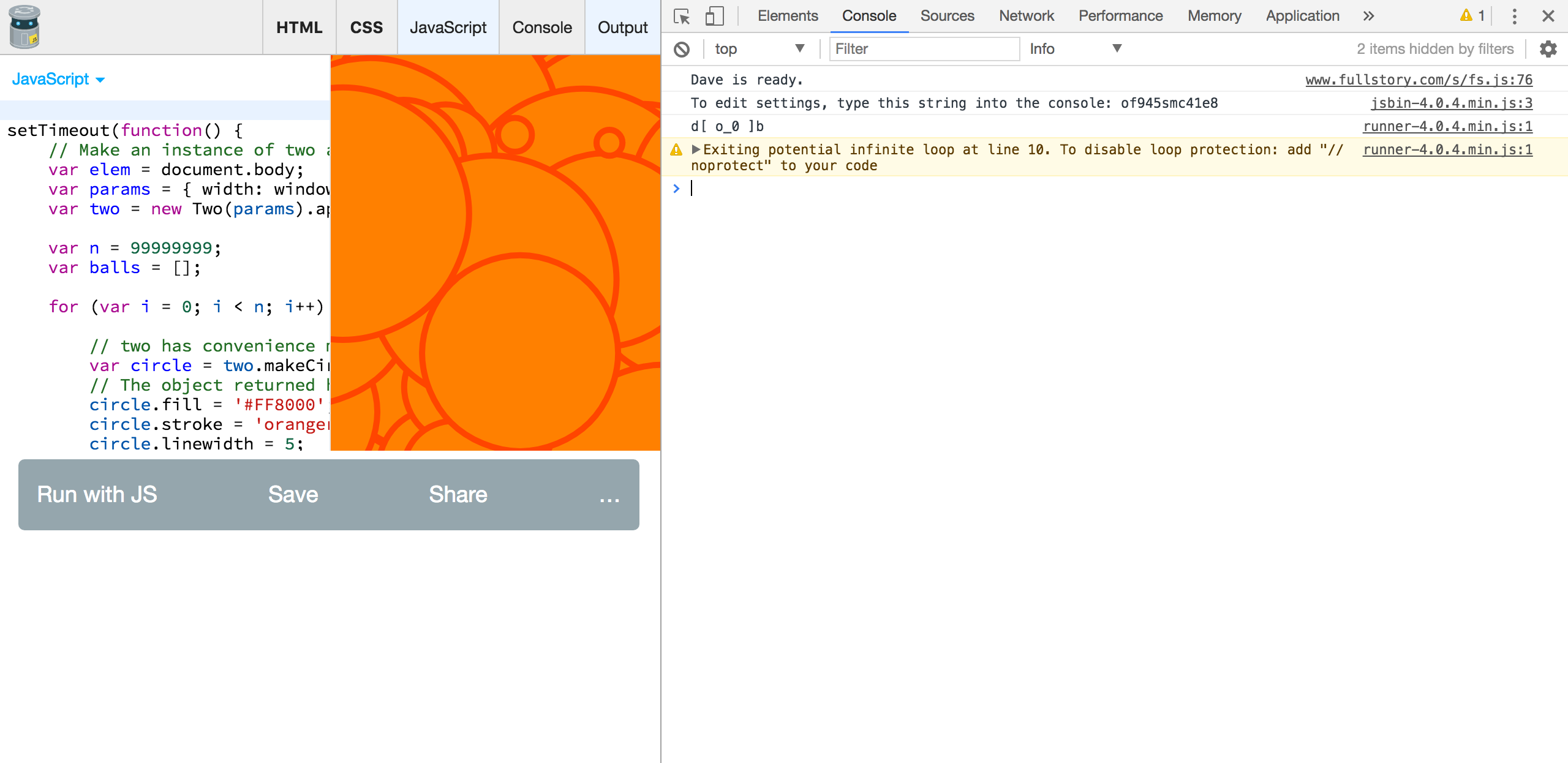
It should definitely crash. I don't think the DOM can handle more than magnitude of 1000 elements in the tree... 🤔
 jonobr1
on 18 Jul 2017
jonobr1
on 18 Jul 2017
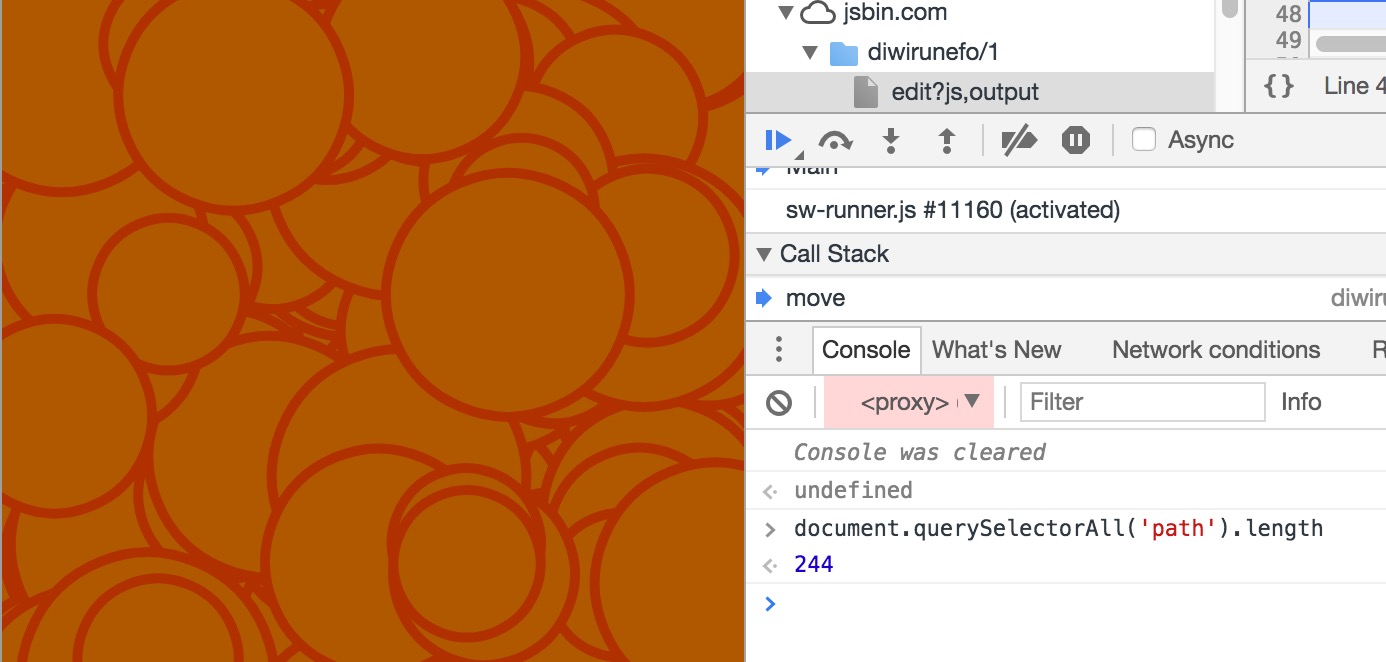
244 circles, it appears. That seems low...
 larrybotha
on 18 Jul 2017
larrybotha
on 18 Jul 2017
Now if instead of at the beginning adding all of them... You add a few on request animation frame. You can get to the limit pretty quick without firing the infinite loop error.., but if someone comes asking you didn't hear it from me 😉
jonobr1
on 18 Jul 2017
Ah, dang jsbin, I didn't realize it did that.
Here's with noprotect, 500 SVG DOM circles: https://jsbin.com/hohivekesa/edit?js,output
And here's the same 500 with WebGL: https://jsbin.com/tekuroqowa/edit?js,output
I was hoping the WebGL version would be faster!
As I suspected, here's both without animating radius, 1000 circles, and the WebGL Two.js version is much faster in this case:
- https://jsbin.com/nomohiqozu/1/edit?js,output (SVG)
- https://jsbin.com/cugokisova/1/edit?js,output (WebGL)
I wonder what we can do to optimize the case where radius is animated, and why it is slower than native SVG.
trusktr
on 18 Jul 2017
@jonobr1
Now if instead of at the beginning adding all of them... You add a few on request animation frame. You can get to the limit pretty quick without firing the infinite loop error
That's not a bad idea. That's a way to do it while showing a responsive loader at the same time.
trusktr
on 19 Jul 2017
Check this out!
That is super fast, it is 3000 circles (each one in it's own canvas), sent as textures to Pixi.js. Maybe Two.js can use a similar approach (drawing shapes on canvases, then bringing them into Two.js). There's no collision detection or picking in Two.js (as far as I'm aware) so this won't affect that, but the results on the screen will be fast. This would be for the WebGLRenderer.
trusktr
on 19 Jul 2017
This is actually how the WebGLRenderer already works. If you're looking for more speed you should consider the "canvas" in the codepen as a Two.js scene. Then you can work with Pixi directly. To be clear it's not 3000 canvas' it's 3000 textures drawn with one canvas. Careful programming!
jonobr1
on 19 Jul 2017
Ah, you're right! The number of canvases is equal to the largest radius used by any circle.
Even so, this is much faster than vanilla Two.js or Pixi.js drawing commands. Could this technique be used to speed up Two.js drawing (for WebGLRenderer)?
This is actually how the WebGLRenderer already works.
Here's a similar demo with vanilla Two.js API, drawing 3000 resizing moving circles (I get 0.25 fps):
https://jsbin.com/cexosiyegi/edit?js,output
I'll close, will just start a new thread for this.
trusktr
on 19 Jul 2017
Related issues
 jinspiration
·
4Comments
jinspiration
·
4Comments
 mariomeraz
·
6Comments
mariomeraz
·
6Comments
 sami8github
·
3Comments
sami8github
·
3Comments
 adamdburton
·
6Comments
adamdburton
·
6Comments
 PranjalVyas1507
·
4Comments
PranjalVyas1507
·
4Comments
Most helpful comment
Ah, you're right! The number of canvases is equal to the largest radius used by any circle.
Even so, this is much faster than vanilla Two.js or Pixi.js drawing commands. Could this technique be used to speed up Two.js drawing (for WebGLRenderer)?
Here's a similar demo with vanilla Two.js API, drawing 3000 resizing moving circles (I get 0.25 fps):
https://jsbin.com/cexosiyegi/edit?js,output
I'll close, will just start a new thread for this.