Twint: RunTimeError in twint.run.Followers(c)
Command Ran
c = twint.Config()
c.Username = 'eyefasterkirk'
c.Limit = 20
twint.run.Followers(c)
Description of Issue
The above commands produce a runtime error relating to (I believe) the code attempting to create 2 asynchronous event loops.
Traceback as follows:
  File "<ipython-input-11-d9c2a60a4b3f>", line 1, in <module>
    twint.run.Followers(c)

  File "/anaconda3/envs/twitter_scrape/lib/python3.6/site-packages/twint-1.1.3.5-py3.6.egg/twint/run.py", line 17, in Followers
    run(follow.Follow(config).main())

  File "/anaconda3/envs/twitter_scrape/lib/python3.6/site-packages/twint-1.1.3.5-py3.6.egg/twint/run.py", line 5, in run
    get_event_loop().run_until_complete(x)

  File "/anaconda3/envs/twitter_scrape/lib/python3.6/asyncio/base_events.py", line 455, in run_until_complete
    self.run_forever()

  File "/anaconda3/envs/twitter_scrape/lib/python3.6/asyncio/base_events.py", line 409, in run_forever
    raise RuntimeError('This event loop is already running')

RuntimeError: This event loop is already running
Environment Details
Using OSX 10.13.5, running twint in an condas environment, using spyder
Note
This is probably a low priority issue. Even using spyder, the command twint.run.Followers(c) returns a list of followers, as specified (despite RunTimeError warning) and no such error is produced in IDLE running in the the same environment. I would have raised this as a PR but I'm not familiar enough with async loops to really debug. Thanks for the great work as always.
 cbjrobertson
All 9 comments
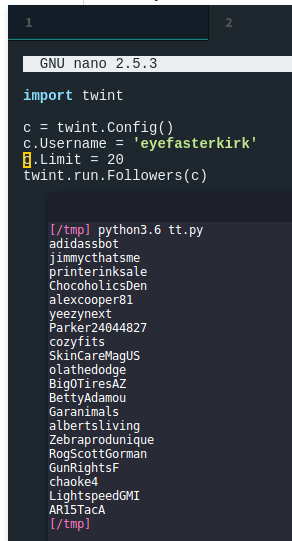
Hmm, strange, I'm not having it... does it happen in other situations? Are you running anything else in the script?
 pielco11
on 24 Jun 2018
pielco11
on 24 Jun 2018
I import a csv using pandas, but that's not going to be causing it. Sorry, I can't tell from your response whether you're using spyder to run the code. As I mentioned, I don't get the error in IDLE only spyder. Are you running using spyder?
cbjrobertson
on 24 Jun 2018
... and no, I've never encountered the error running anything else... weird.
cbjrobertson
on 24 Jun 2018
Seems to be a compatibility issue
pielco11
on 24 Jun 2018
Happens when using a jupyter notebook as well using the following code:
import twint
c = twint.Config()
c.Username = "twitter"
twint.run.Favorites(c)
```bash
RuntimeError Traceback (most recent call last)
----> 1 twint.run.Favorites(c)
~/coding/tools/twint/twint/run.py in Favorites(config)
119 def Favorites(config):
120 config.Favorites = True
--> 121 run(config)
122
123 def Followers(config):
~/coding/tools/twint/twint/run.py in run(config)
115
116 def run(config):
--> 117 get_event_loop().run_until_complete(Twint(config).main())
118
119 def Favorites(config):
~/.pyenv/versions/3.6.5/lib/python3.6/asyncio/base_events.py in run_until_complete(self, future)
453 future.add_done_callback(_run_until_complete_cb)
454 try:
--> 455 self.run_forever()
456 except:
457 if new_task and future.done() and not future.cancelled():
~/.pyenv/versions/3.6.5/lib/python3.6/asyncio/base_events.py in run_forever(self)
407 self._check_closed()
408 if self.is_running():
--> 409 raise RuntimeError('This event loop is already running')
410 if events._get_running_loop() is not None:
411 raise RuntimeError(
RuntimeError: This event loop is already running
When running the same code in a python or ipython interpreter, there is no error and the data is returned correctly. It looks like the problem is that jupyter starts an event loop when the kernel starts:
```python
# coding: utf-8
# In[1]:
import asyncio
loop = asyncio.get_event_loop()
loop.is_running()
# Out[1]
True
Environment:
Installed packages:
aiodns==1.1.1
aiohttp==3.3.2
async-timeout==3.0.0
attrs==18.1.0
backcall==0.1.0
beautifulsoup4==4.6.0
bleach==2.1.3
cchardet==2.1.1
chardet==3.0.4
decorator==4.3.0
elasticsearch==6.3.0
entrypoints==0.2.3
html5lib==1.0.1
idna==2.7
idna-ssl==1.0.1
ipykernel==4.8.2
ipython==6.4.0
ipython-genutils==0.2.0
ipywidgets==7.2.1
jedi==0.12.0
Jinja2==2.10
jsonschema==2.6.0
jupyter==1.0.0
jupyter-client==5.2.3
jupyter-console==5.2.0
jupyter-core==4.4.0
MarkupSafe==1.0
mistune==0.8.3
multidict==4.3.1
nbconvert==5.3.1
nbformat==4.4.0
notebook==5.5.0
numpy==1.14.5
pandas==0.23.1
pandocfilters==1.4.2
parso==0.2.1
pexpect==4.6.0
pickleshare==0.7.4
prompt-toolkit==1.0.15
ptyprocess==0.6.0
pycares==2.3.0
Pygments==2.2.0
PySocks==1.6.8
python-dateutil==2.7.3
pytz==2018.4
pyzmq==17.0.0
qtconsole==4.3.1
Send2Trash==1.5.0
simplegeneric==0.8.1
six==1.11.0
terminado==0.8.1
testpath==0.3.1
tornado==5.0.2
traitlets==4.3.2
urllib3==1.23
wcwidth==0.1.7
webencodings==0.5.1
widgetsnbextension==3.2.1
yarl==1.2.6
System
$ python --version
Python 3.6.5
$ pyenv --version
pyenv 1.0.6-368-ga2d5132
$ pip --version
pip 10.0.1 from /home/jeremy/.pyenv/versions/3.6.5/envs/twint/lib/python3.6/site-packages/pip (python 3.6)
 jeremylow
on 26 Jun 2018
jeremylow
on 26 Jun 2018
Check out this issue, might help #171
pielco11
on 27 Jun 2018
I had the same problem and by looking around I have found a solution for Jupyter notebooks
using the nest_async
Simply do
pip install nest_asyncio
and add these lines.
import nest_asyncio
nest_asyncio.apply()

# rest of the code
 ennnas
on 2 Apr 2019
ennnas
on 2 Apr 2019
Thanks @ennnas. Your solution worked for me when using Spyder.
 santoshbs
on 4 Jul 2020
santoshbs
on 4 Jul 2020
I had the same problem and by looking around I have found a solution for Jupyter notebooks
using the nest_asyncSimply do
pip install nest_asyncioand add these lines.
import nest_asyncio
nest_asyncio.apply()

# rest of the code
Thanks. It works on Jupyter :)
 fattoooomah
on 9 Nov 2020
fattoooomah
on 9 Nov 2020
Related issues
 wagerpascal
·
4Comments
wagerpascal
·
4Comments
 edsu
·
3Comments
edsu
·
3Comments
 kgoderis
·
4Comments
kgoderis
·
4Comments
 4sakura
·
3Comments
4sakura
·
3Comments
 sillyfatcat
·
4Comments
sillyfatcat
·
4Comments
Most helpful comment
I had the same problem and by looking around I have found a solution for Jupyter notebooks
using the nest_async
Simply do
pip install nest_asyncioand add these lines.