Twindle: How to sync to the main repo from Visual Studio Code?
Here, I am assuming that you have already connected your GitHub account with the Visual Studio Code.
Step 1: First, Open the folder in Visual Studio Code, which is connected to your GitHub account.
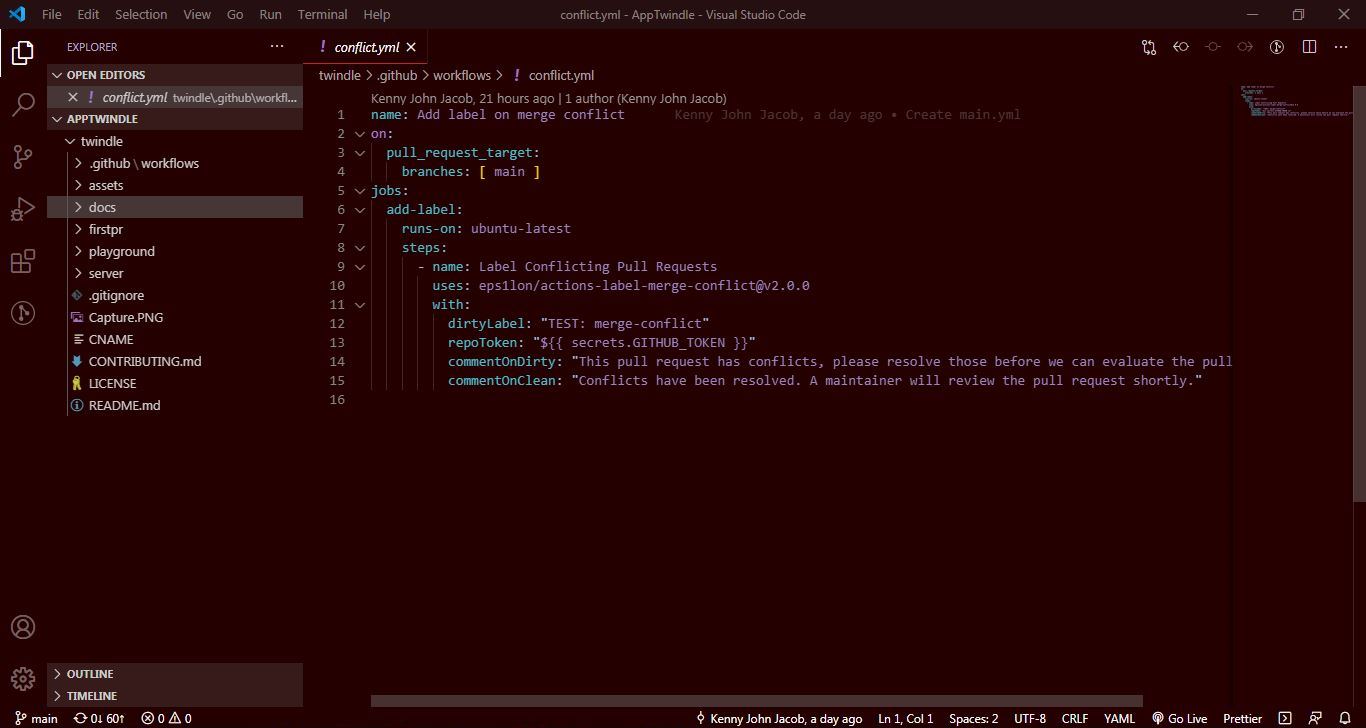
Ste 2: Then, click on the Source Control button
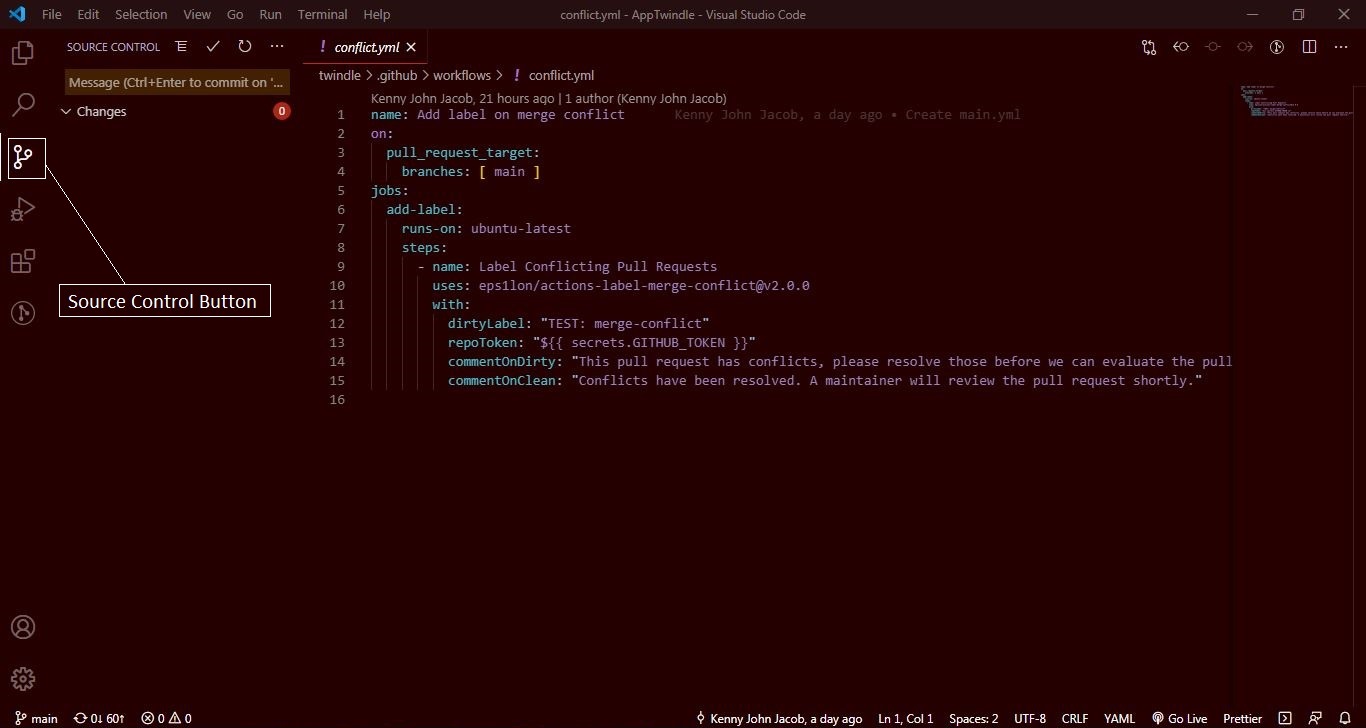
Step 3: After clicking the Source Control Button, you will see Three dots, click it then a Dropdown will appear like shown below,
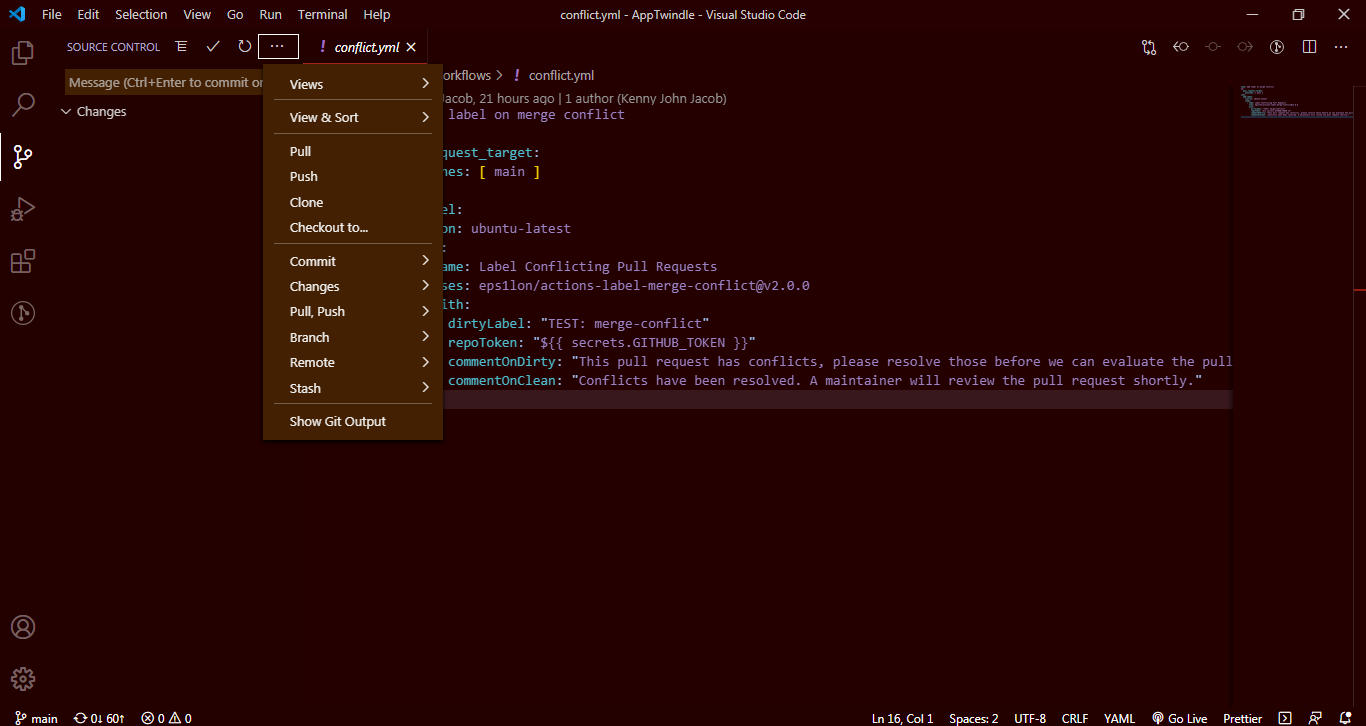
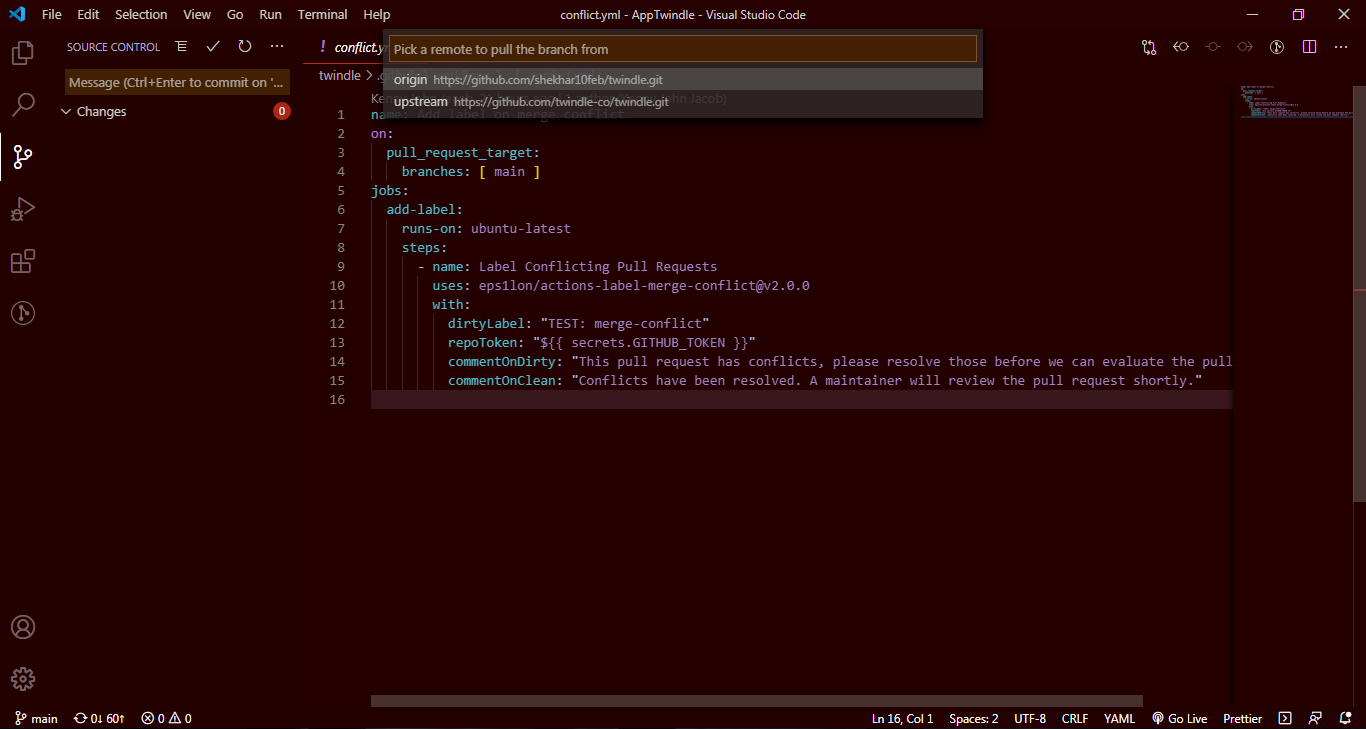
Step 4: Click Pull, Push button then another Dropdown will appear where you have to click Pull from... button
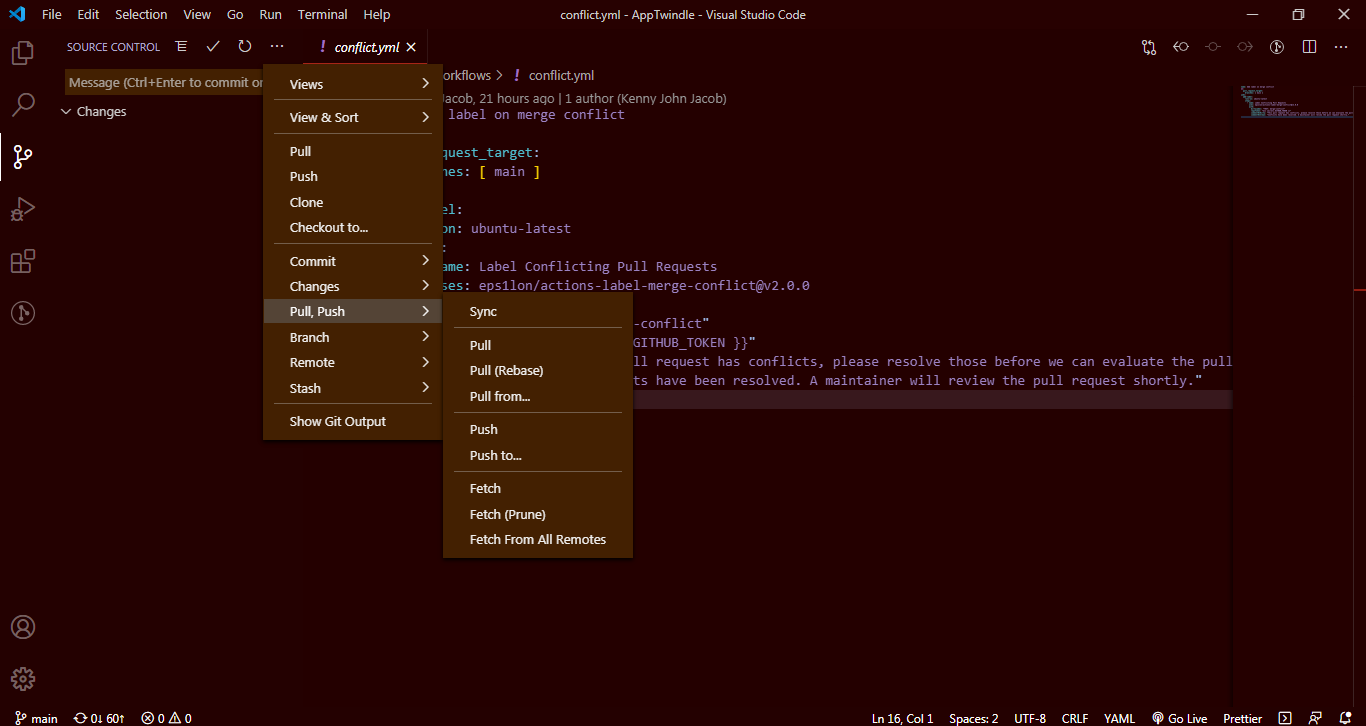
Step 5: Here, you will see a Box with two options and you have to select Upstream option because Origin option is what you set it from your GitHub account, where you forked it from the main branch. Click Upstream option two times and wait for some times. Now your local repository is synced with main repo.
 shekhar10feb
All 3 comments
Thanks for creating your first issue here on twindle :partying_face:
![github-actions[bot] picture](https://avatars2.githubusercontent.com/in/15368?v=4&s=40) github-actions[bot]
on 22 Oct 2020
github-actions[bot]
on 22 Oct 2020
Looks good to start with. You can also create an article in docs/articles and add a link in the main project readme so that it can be seen on the website.
 johnjacobkenny
on 22 Oct 2020
johnjacobkenny
on 22 Oct 2020
Looks good to start with. You can also create an article in
docs/articlesand add a link in the main project readme so that it can be seen on the website.
Ok, I am doing
shekhar10feb
on 22 Oct 2020
Related issues
 proful
·
6Comments
johnjacobkenny
·
4Comments
proful
·
6Comments
johnjacobkenny
·
4Comments
 tusharkandpal
·
3Comments
johnjacobkenny
·
8Comments
tusharkandpal
·
3Comments
johnjacobkenny
·
8Comments
 thunder-coding
·
8Comments
thunder-coding
·
8Comments
Most helpful comment
Ok, I am doing