Twindle: OBS how to add voice of other participants for daily call recording
- need suggestions on how to do it?
help wanted
 proful
All 4 comments
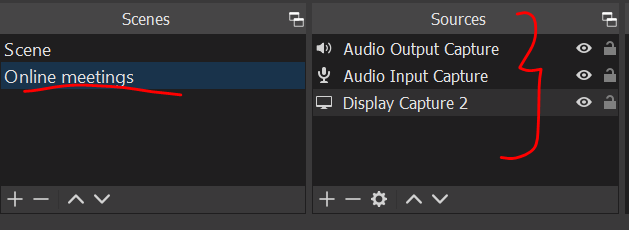
I created a new scene called "online meetings"; added audio output, input and display sources. I tested it and it worked. I could hear the other persons voice as well, in the recording.
 manohar52
on 17 Oct 2020
manohar52
on 17 Oct 2020
👍3
Tomorrow ping me when you are free we can have discord call
proful
on 17 Oct 2020
No device is appearing.

proful
on 18 Oct 2020
Oh Somehow didnt see these comments.
I will ping you on discord
manohar52
on 19 Oct 2020
Was this page helpful?
0 / 5 - 0 ratings
Related issues
 thunder-coding
·
8Comments
thunder-coding
·
8Comments
 johnjacobkenny
·
5Comments
johnjacobkenny
·
5Comments
 arthurbuhl
·
6Comments
johnjacobkenny
·
4Comments
arthurbuhl
·
6Comments
johnjacobkenny
·
4Comments
 tusharkandpal
·
3Comments
tusharkandpal
·
3Comments
Most helpful comment
I created a new scene called "online meetings"; added audio output, input and display sources. I tested it and it worked. I could hear the other persons voice as well, in the recording.