Hi im facing another bug...
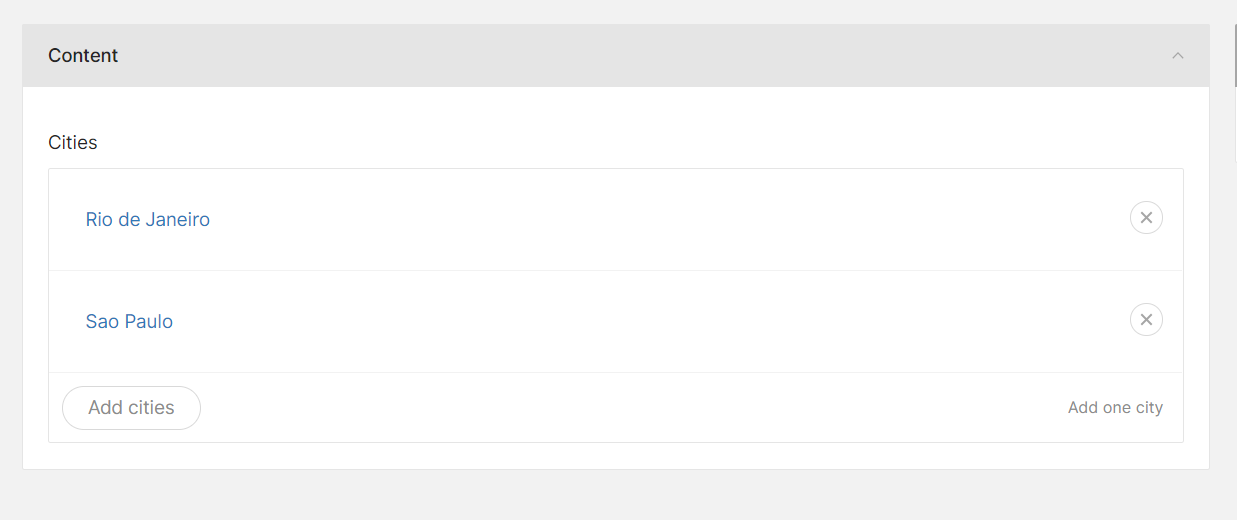
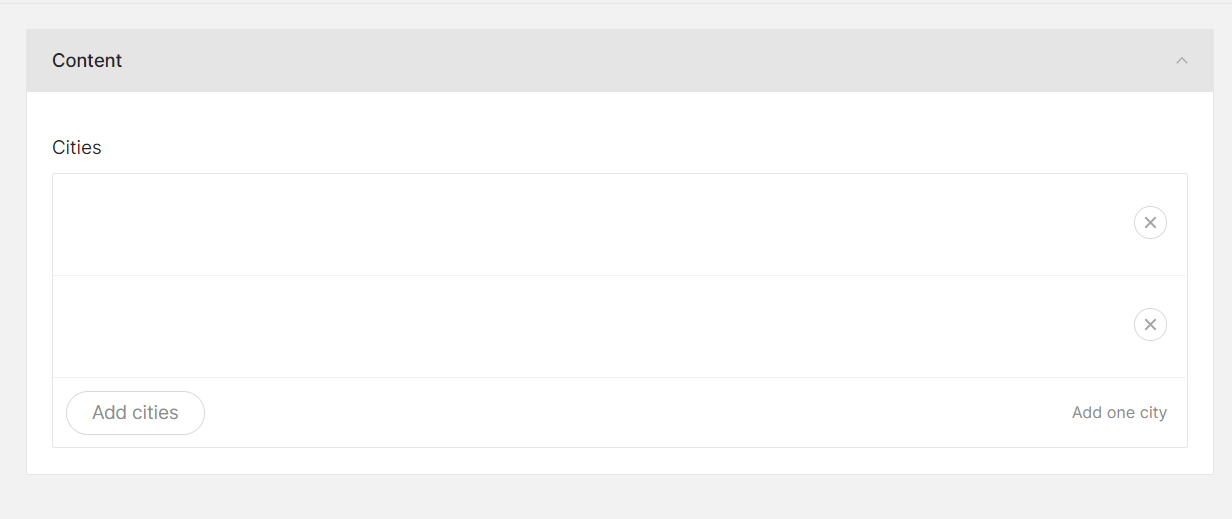
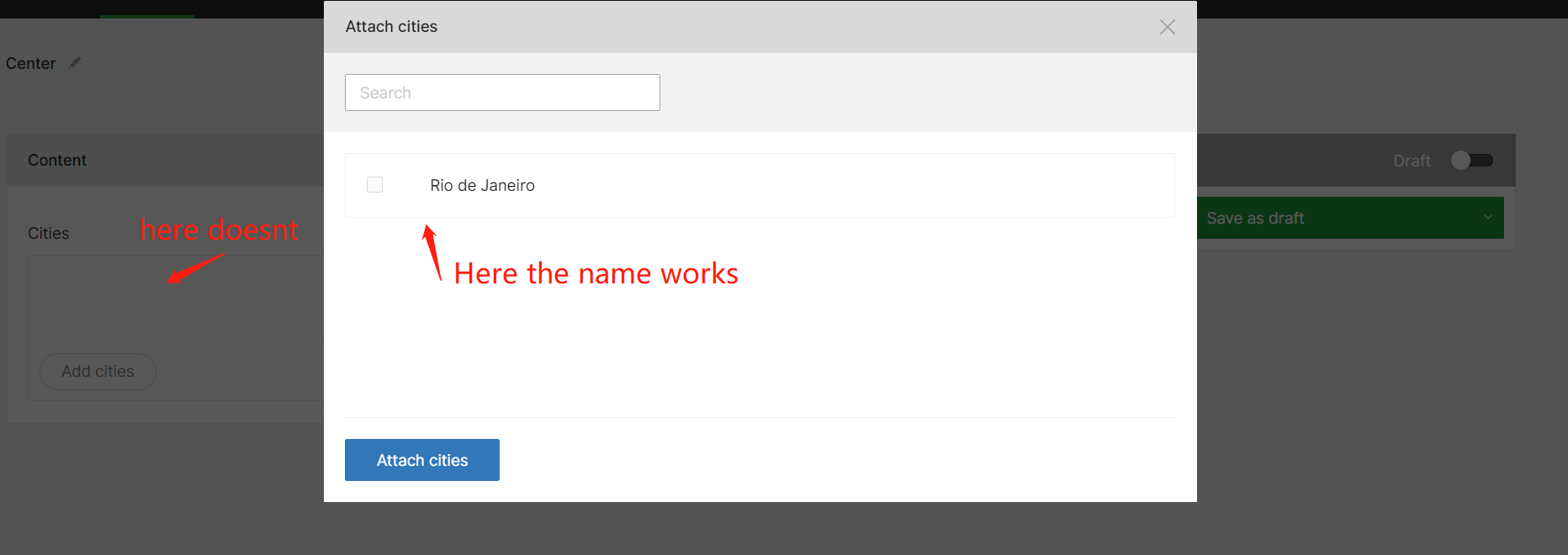
I have a CityController and a SubjectController i show the cities inside a browser field on the Subject Create/Edit page, however i have modified the "default" title field to name on the city model and added the $titleColumnKey = 'name' on the CityController, it displays correctly on the browser listing, however after saving, and refreshing the page the "titles" display as blank field here is an example:
After picking the cities and hiting Save as Draft
After Refreshing the page (note that the 2 records are present and persisted to db, if i manually edit the database and add a column called title: and set to hello world, it will display correct here)
I see the correct "title"/name on the browser listing
i have also tried adding this to CityController:
protected $browserColumns = [
    'title' => [
        'title' => 'name',
        'field' => 'name',
    ],
    'name' => [
        'title' => 'name',
        'field' => 'name',
    ]
];
This is the response i get from navigating to http://localhost:9090/admin/pages/cities/browser
{
    "data": [
        {
            "id": 2,
            "name": "Rio de Janeiro",
            "edit": "http://localhost:9090/admin/pages/cities/2/edit"
        },
        {
            "id": 1,
            "name": "Sao Paulo",
            "edit": "http://localhost:9090/admin/pages/cities/1/edit"
        }
    ]
}
but looks like the frontend still expecting a field named Title to be present into the response in order for it to work... any suggestion?
 milewski
All 4 comments
Hi @milewski,
I assume you are using the getFormFieldsForBrowser helper in the getFormFields hook of your repository, right?
If so, using your example, getFormFieldsForBrowser($object, 'cities', 'pages', 'name') should do the trick! The fourth parameter allows you to provide a different column name than title to display in already attached items. Another way to go about it is to provide a titleInBrowser accessor on your model (getTitleInBrowserAttribute()).
Regarding $browserColumns, yes, this is a regression following our complete FE revamp using Vue. It used to display more columns in the modal and fields if specified. I'm labelling this issue as a bug so that we can restore functionality as soon as possible there.
 ifox
on 9 Nov 2018
ifox
on 9 Nov 2018
Hi @ifox,
Thanks!! etherway ways worked:
//model
public function getTitleInBrowserAttribute()
{
    return $this->name;
}
and
//repository
public function getFormFields($object) {

    $fields = parent::getFormFields($object);

    $fields['browsers']['cities'] = $this->getFormFieldsForBrowser($object, 'cities', 'pages', 'name');

    return $fields;

}
👍
milewski
on 9 Nov 2018
Please get $browserColumns working again, that would be very useful as the solutions above only work with a single column whereas my understanding is that multiple columns can be added via $browserColumns (which is what I desperately need).
If there is any kind of fairly easy shortcut/hack that can let me suffix more info onto the visible label that returns into the browser field that would be amazing.
 arkid
on 6 Feb 2020
arkid
on 6 Feb 2020
👋 Just wanted to bump this issue, that I had to work around too. In my case, the browser is in a block. I had to add a bunch of accessors in the model: defaultCmsImage, getAdminEditUrlAttribute, and getTitleInBrowserAttribute. Thanks.
 nedbaldessin
on 30 Sep 2020
nedbaldessin
on 30 Sep 2020
Related issues
 sebastianlenton
·
4Comments
sebastianlenton
·
4Comments
 Gummibeer
·
5Comments
Gummibeer
·
5Comments
 vacoup95
·
3Comments
vacoup95
·
3Comments
 layout-lab
·
5Comments
layout-lab
·
5Comments
 madsem
·
4Comments
madsem
·
4Comments