Twilio-video.js: twilio-video getusermedia is not supported on chrome
- [ ] I have verified that the issue occurs with the latest twilio-video.js release and is not marked as a known issue in the CHANGELOG.md.
- [ ] I reviewed the Common Issues and open GitHub issues and verified that this report represents a potentially new issue.
- [x] I verified that the Quickstart application works in my environment.
- [x] I am not sharing any Personally Identifiable Information (PII)
or sensitive account information (API keys, credentials, etc.) when reporting this issue.
Code to reproduce the issue:
// TODO
Expected behavior:
TODO
Actual behavior:
TODO
Software versions:
- [Google Chrome ] Browser(s):
- [Windows 10, Linux Mint 19.2 ] Operating System:
- [2.x ] twilio-video.js:
- [ ReactJS ] Third-party libraries (e.g., Angular, React, etc.):
 Pkaran26
All 8 comments
Hi @Pkaran26 ,
Thanks for writing in with your issue. I see that you have not checked the first 2 items in the checklist for opening the issue. From your heading it looks like you're getting an error on Chrome saying the getUserMedia is not supported. I'm surprised you're getting this error since WebRTC has been supported by Chrome since a long time. Please let me know once you've filled out the other details (code samples, browser version, etc.) and I will take a look.
Thanks,
Manjesh
 manjeshbhargav
on 23 Dec 2019
manjeshbhargav
on 23 Dec 2019
@Pkaran26 ,
You can also get this error if you're running Chrome your app in http. If so, you should run your app as https. Only localhost urls with http are supported by Chrome.
Thanks,
Manjesh
manjeshbhargav
on 23 Dec 2019
@manjeshbhargav
Thank you
Can i use on without domain online using with IP ??
is this possible ??
 rajesh-smartwebtech
on 23 Jun 2020
rajesh-smartwebtech
on 23 Jun 2020
Hi,
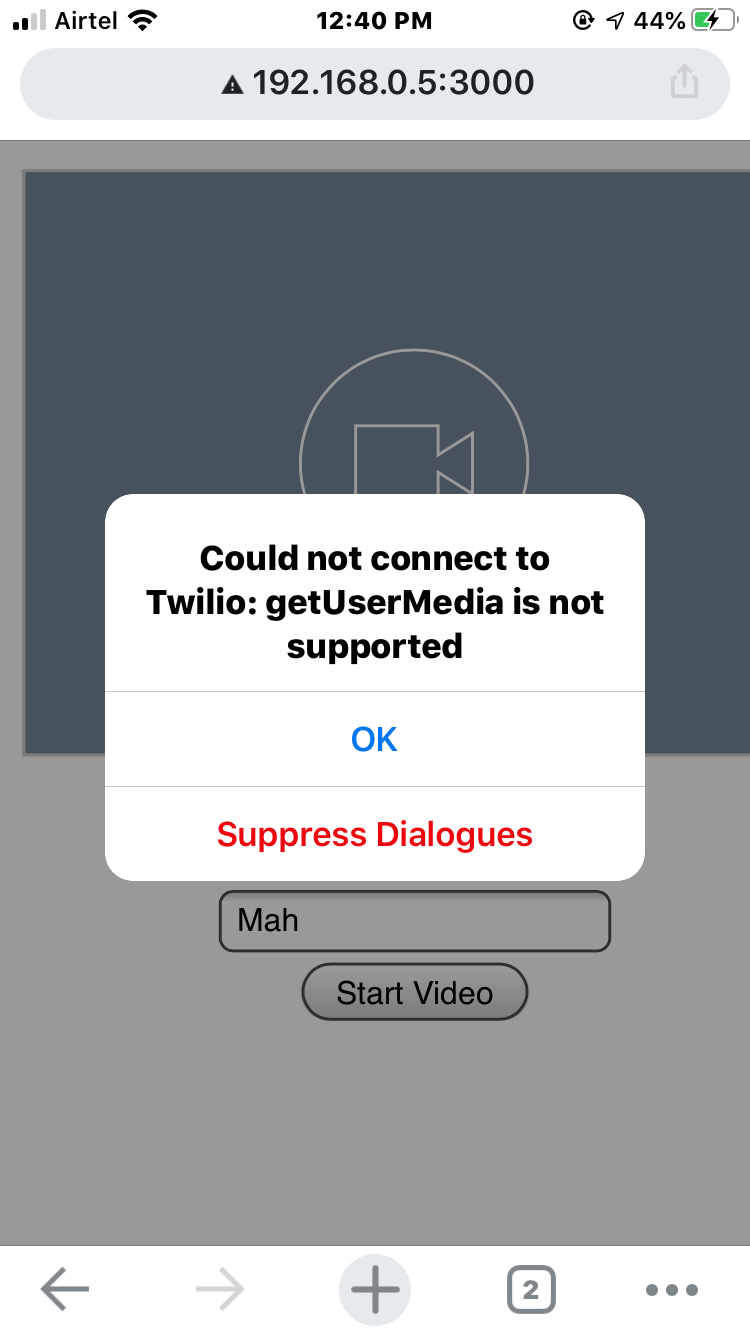
i am developing a mobile app using iOS - Swift . There is a facility called WKWebView which will load the browser inside the app. I am trying to load the Twilio video chat js in this WkWebView. I am able to get the first page but when i am initiating the video , it is giving an error as mentioned above "Could not connect to Twilio:getUserMedia is not supported".
 magbhu
on 14 Jul 2020
magbhu
on 14 Jul 2020
@magbhu it is working on only https
or localhost
rajesh-smartwebtech
on 14 Jul 2020
@magbhu You cannot call getUserMedia() on a page served via HTTP (except when browsing localhost), the page needs to be served via HTTPS otherwise Chrome blocks this API.
You can install a self signed certificate to overcome this in dev or test environments.
 maxidirienzo
on 30 Jul 2020
maxidirienzo
on 30 Jul 2020
@magbhu try tunnelling it through ngrok.com. That should be good enough for your development workflow.
 amadoru
on 30 Jul 2020
amadoru
on 30 Jul 2020
Hi,
I am trying to implement this using React APP and token is generated from NodeJS REST API
My NodeJS API is url is ssl certified but my React APP url is not ssl certified. And I am getting this error.
Do we need to have both the urls ssl certified?
 anagharm
on 21 Oct 2020
anagharm
on 21 Oct 2020
Related issues
 vincentwoo
·
4Comments
vincentwoo
·
4Comments
 vsrboth
·
3Comments
vsrboth
·
3Comments
 tapannathvani
·
5Comments
tapannathvani
·
5Comments
 andrewhl
·
5Comments
andrewhl
·
5Comments
 kumail-raza
·
5Comments
kumail-raza
·
5Comments
Most helpful comment
@Pkaran26 ,
You can also get this error if you're running Chrome your app in
http. If so, you should run your app ashttps. Onlylocalhosturls withhttpare supported by Chrome.Thanks,
Manjesh